FlexTRAK OH Material Handler Manual.pdf - 第58页
FlexTRAK-OH Material Handli ng System IOM Manual Installation 3-8 © 2023 Nordson C orporation c. Pull up the c law plunger, t hen pull out the handle (1) and safely remove the en tire strip claw from the statio n (2) ( F…
FlexTRAK-OH Material Handling System IOM Manual Installation
© 2023 Nordson Corporation 3-7
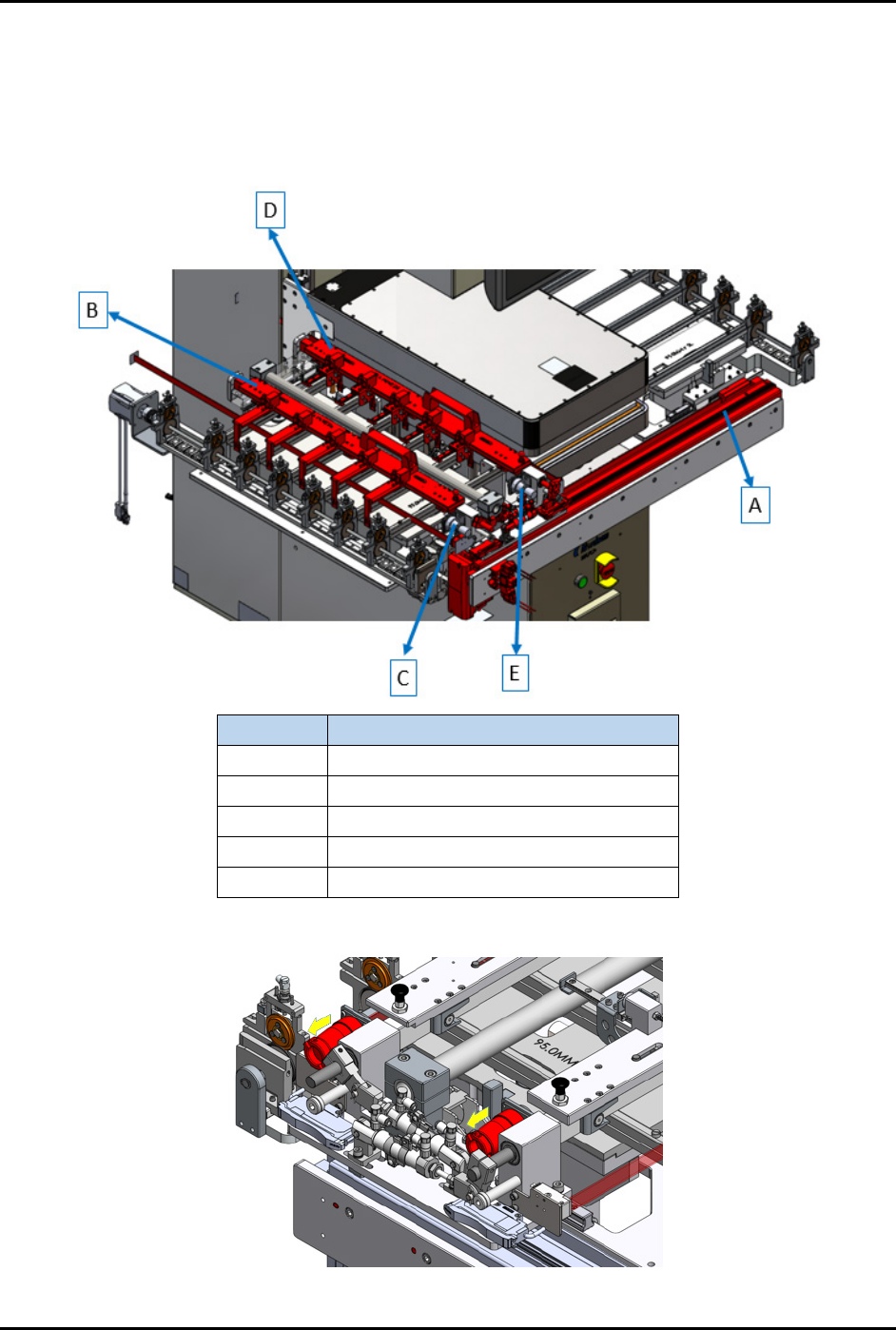
2. Follow the steps below to remove strip claw 1 and strip claw 2. Refer to the item letters in
(Figure 3-8) to perform this procedure.
a. Ensure (A) the claw kit is positioned either at left (loading area) or right side (unloading
area).
b. Safely remove the circular containers (C) and (E) (Figure 3-9).
Item
Name
A X-axis Actuator (transfer motor)
B Strip Claw 1
C Claw 1 Circular Connector
D Strip Claw 2
E Claw 2 Circular Connector
Figure 3-8 Strip Transfer Claw Module Components
Figure 3-9 Remove Circular Connectors
FlexTRAK-OH Material Handling System IOM Manual Installation
3-8 © 2023 Nordson Corporation
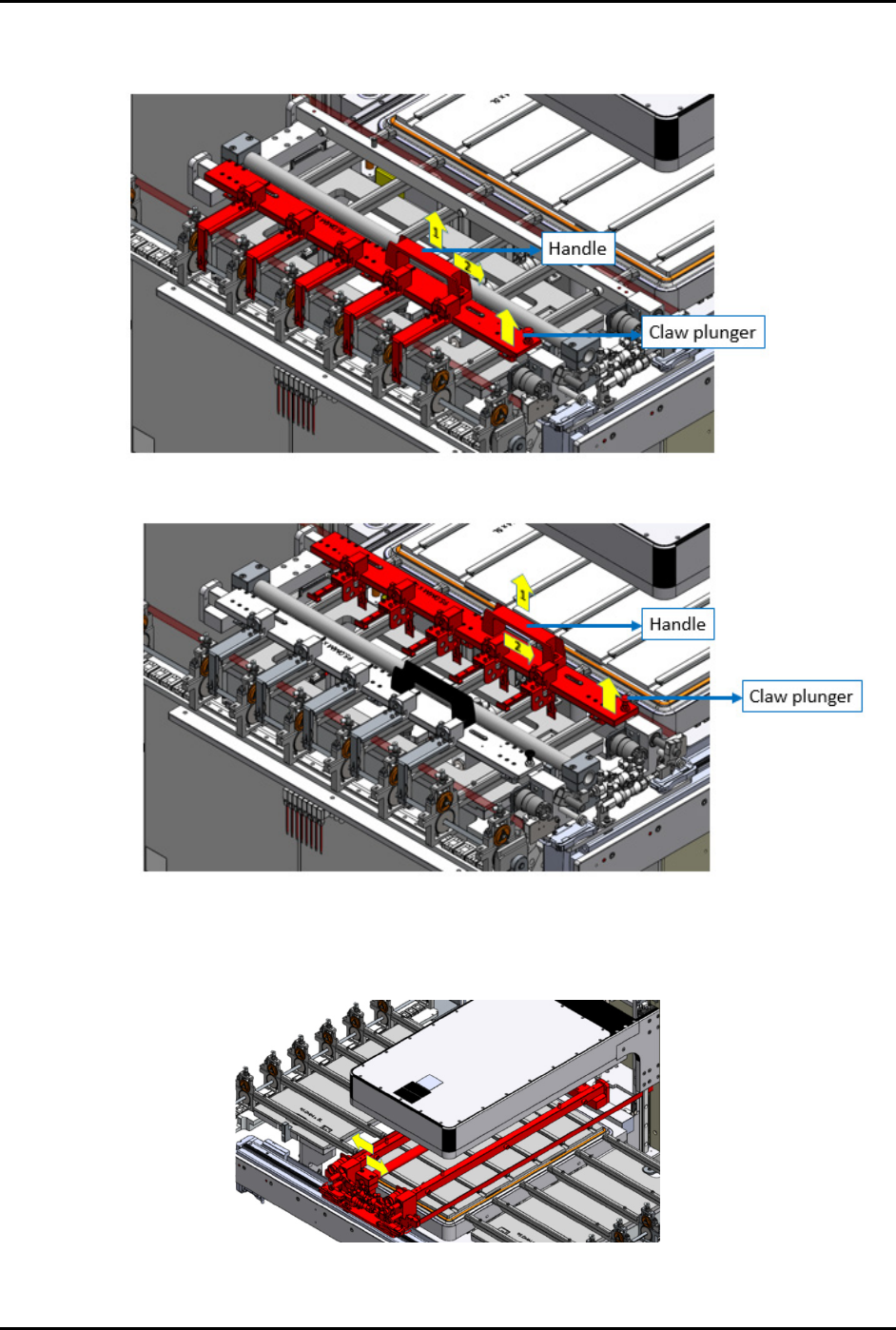
c. Pull up the claw plunger, then pull out the handle (1) and safely remove the entire strip
claw from the station (2) (Figure 3-10 and Figure 3-11).
Figure 3-10 Removing Strip Claw 1
Figure 3-11 Removing Strip Claw 2
3. Push the strip transfer claw base assembly to the center of the plasma chamber area
(Figure 3-12).
Figure 3-12 Push Strip Transfer Claw to Center
FlexTRAK-OH Material Handling System IOM Manual Installation
© 2023 Nordson Corporation 3-9
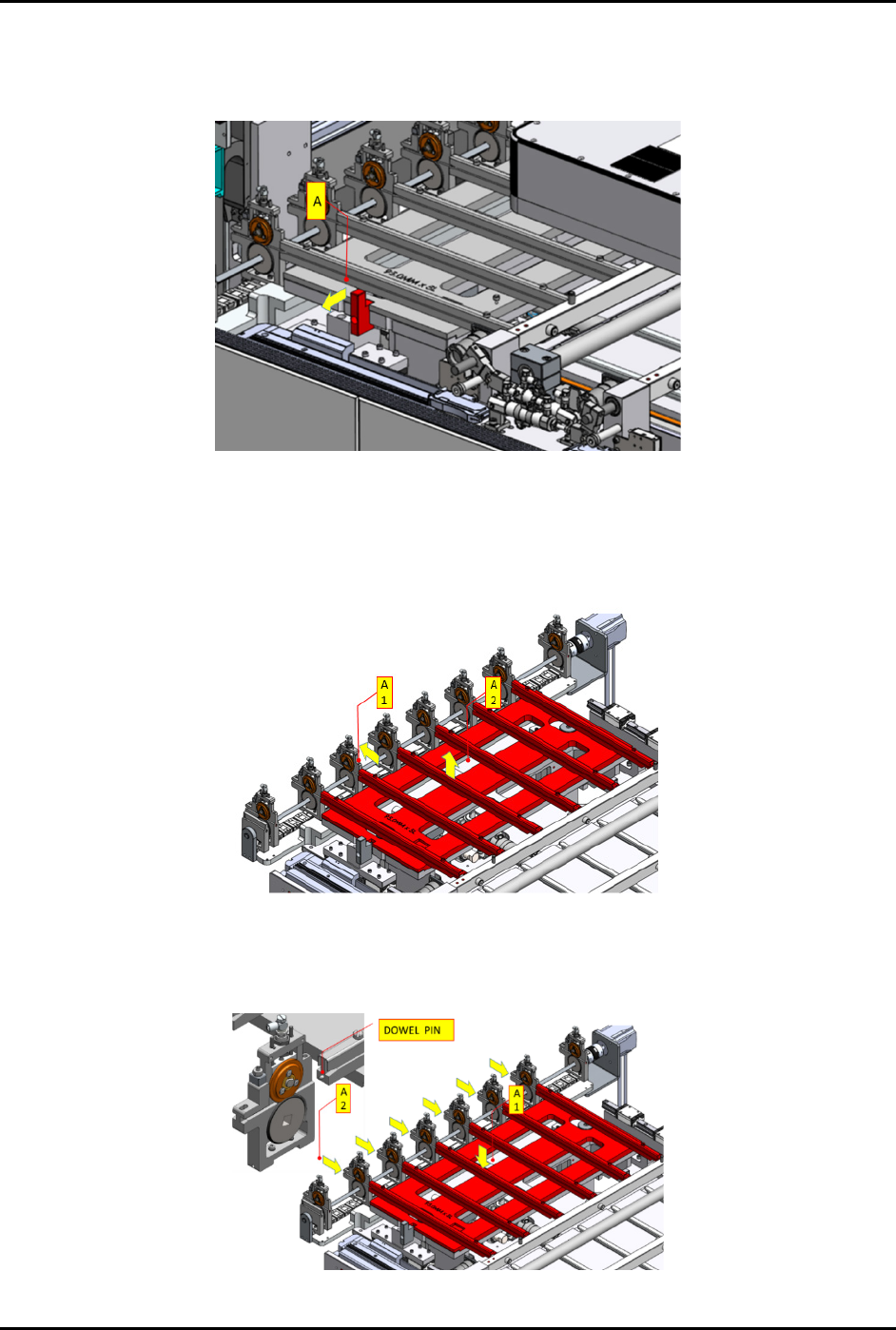
4. Follow the steps below to remove and assemble the strip loading lane:
a. Pull (A) in the direction indicated by the yellow arrow to unlock the conversion kit
(Figure 3-13).
Figure 3-13 Unlock Kit in Loading Lane
b. Pull out the pinch wheel assembly (A1) (Figure 3-14).
c. Manually lift the kit up (A2) and remove from the machine.
d. Safely place the kit on a conversion keeping rack.
Figure 3-14 Remove Loading Lane from Machine
e. Install the correct conversion kit for new production recipe (A1) (Figure 3-15).
f. Align the pinch wheel assemblies with the dowel pins on each loading lane (A2).
Figure 3-15 Install the Conversion Kit