FlexTRAK OH Material Handler Manual.pdf - 第151页
FlexTRAK-OH Material Handli ng System IOM Manual Material Handler Operation © 2023 Nordson C orporation 4-63 3. Select the d esired recipe number f or new productio n setup. Figure 4- 102 Recipe Selection Screen 4. For e…
FlexTRAK-OH Material Handling System IOM Manual Material Handler Operation
4-62 © 2023 Nordson Corporation
4.13 Operating in Manual Mode
Manual mode operation is typically used for testing purposes, process development, troubleshooting, and
processing a single workpiece. To operate in Manual mode, press MANUAL button on the right panel of
home screen (Figure 4-100).
4.14 Operating in Auto Mode
Auto mode operation is typically used for motion variable settings, motion position teaching, and
troubleshooting. To operate in Auto mode, press AUTO button on the right panel of home screen
(Figure 4-100).
4.15 Creating a New Recipe
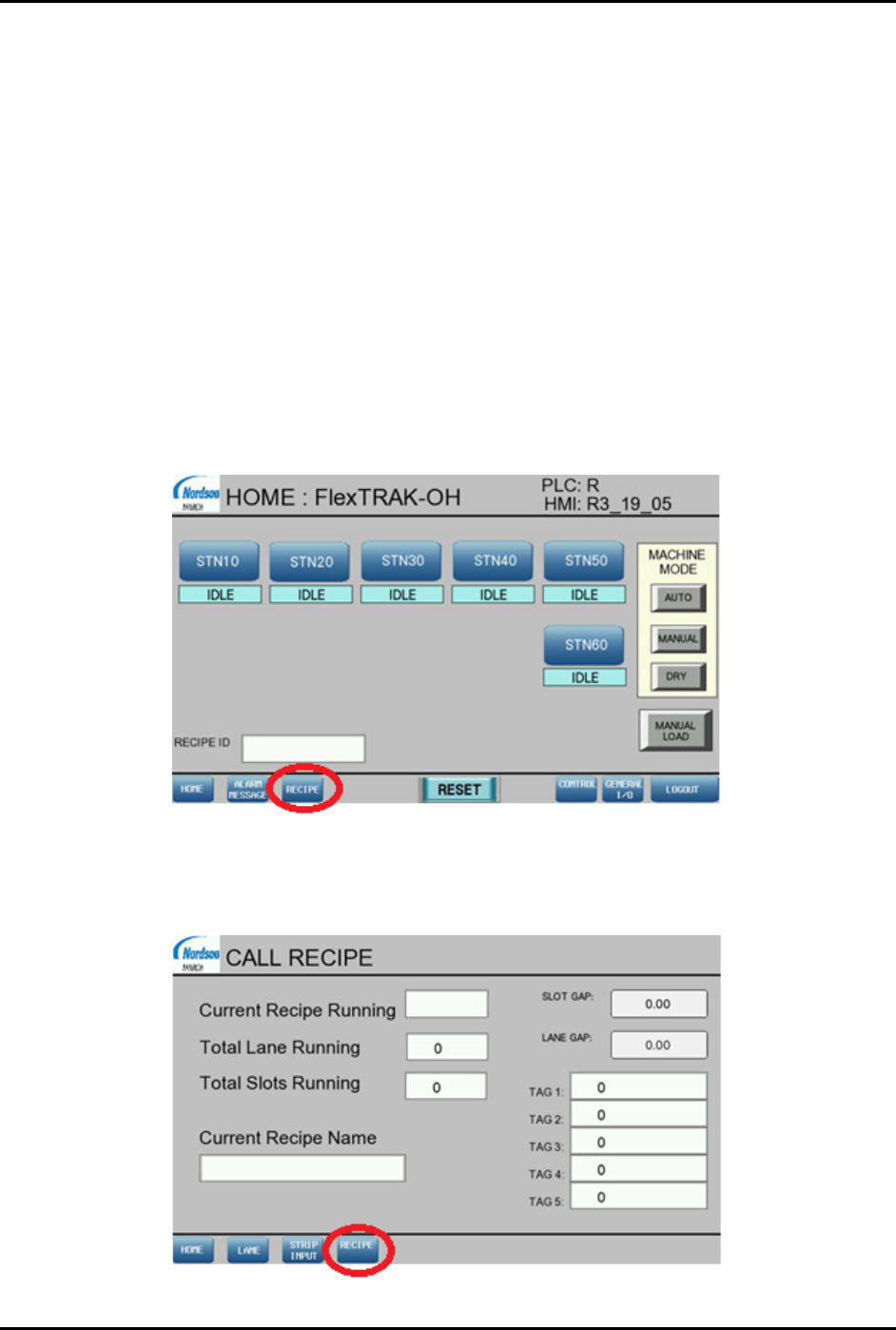
1. In the HOME screen, press RECIPE (Figure 4-100).
The CALL RECIPE screen opens (Figure 4-101).
The Current Recipe Running field shows the previous recipe used.
Figure 4-100 Home Screen
2. Press RECIPE to load another recipe or create a new recipe (Figure 4-101).
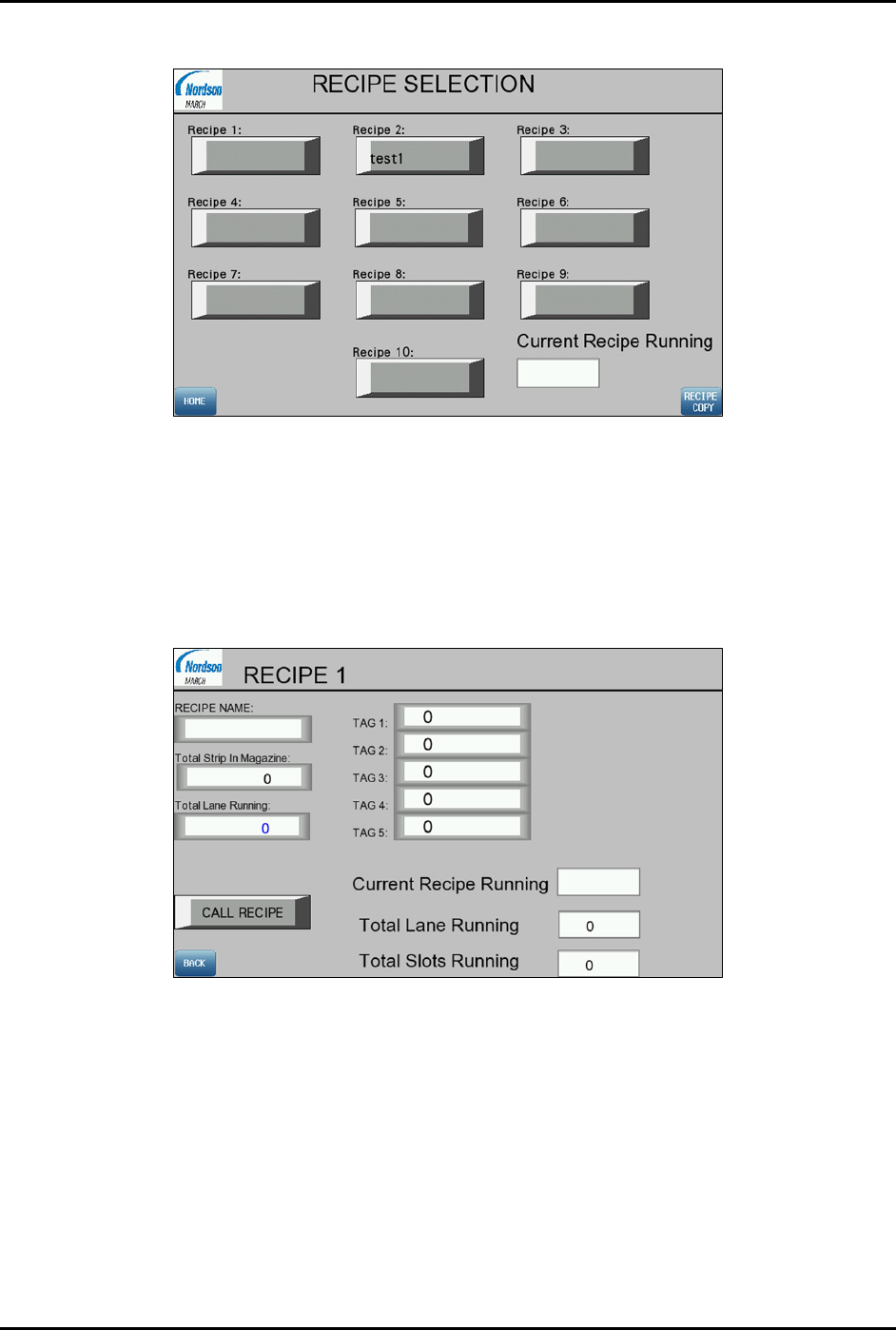
The RECIPE SELECTION screen opens (Figure 4-102).
Figure 4-101 Call Recipe Screen
FlexTRAK-OH Material Handling System IOM Manual Material Handler Operation
© 2023 Nordson Corporation 4-63
3. Select the desired recipe number for new production setup.
Figure 4-102 Recipe Selection Screen
4. For example, Figure 4-103 shows Recipe 1 is selected. Enter the following criteria into the
screen.
a. Recipe Name: Name of Recipe 1.
b. Total Strip In Magazine: Number of magazine slots.
c. Total Lane Running: Number of strip lane kit.
Figure 4-103 Recipe 1 Screen
FlexTRAK-OH Material Handling System IOM Manual Material Handler Operation
4-64 © 2023 Nordson Corporation
4.16 Manual Magazine Loading and Unloading
4.16.1 Magazine Loading
1. Manually check the magazine replenish status through the HMI screen.
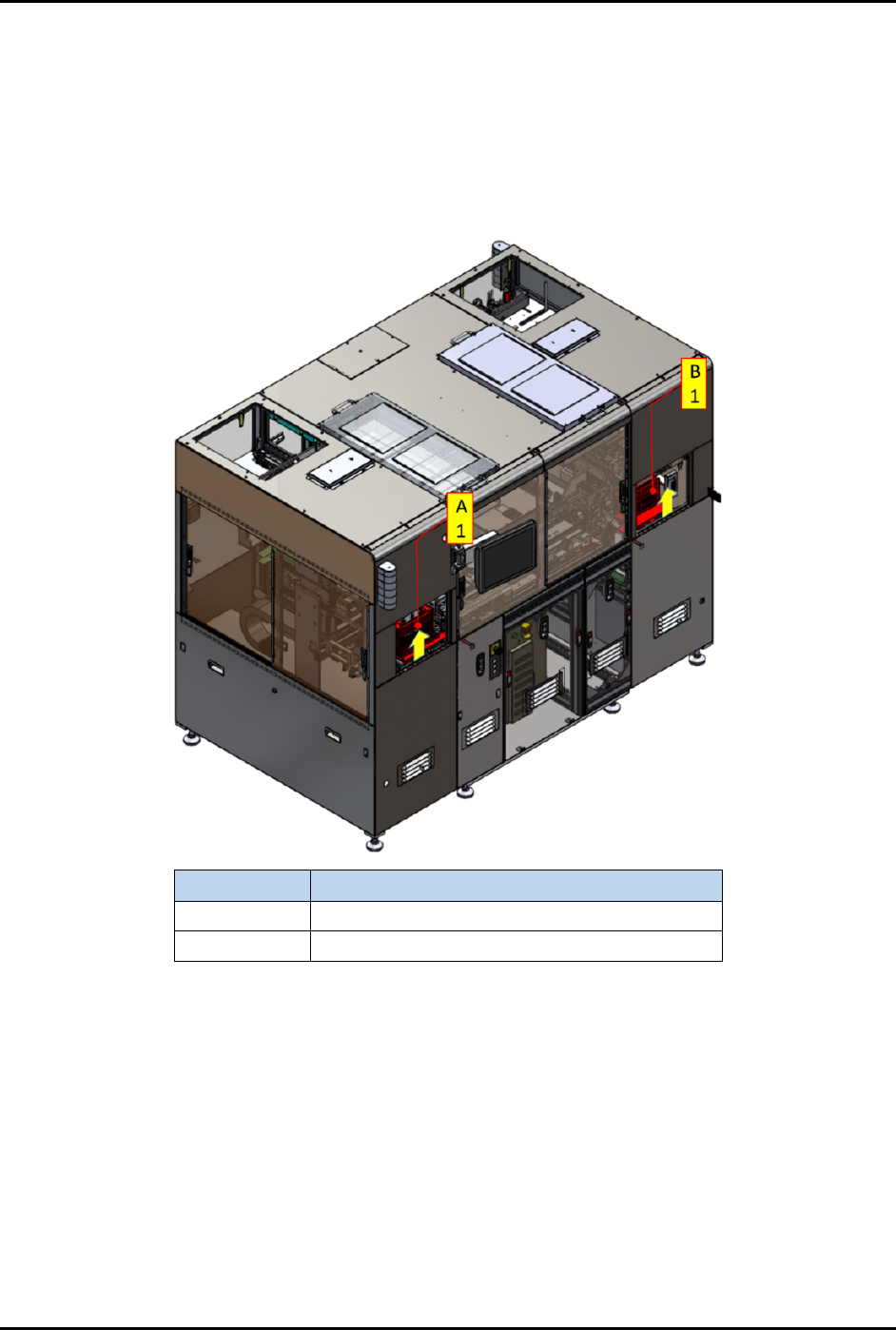
2. If the magazine is depleted, open the magazine loading cover (A1) (Figure 4-104).
3. Lift up the access cover until the latch is locked on the cover.
Item Description
A1 Magazine with untreated strips loading port.
B1 Magazine with treated strips unloading port.
Figure 4-104 Magazine Loading and Unloading Ports