FlexTRAK OH Material Handler Manual.pdf - 第28页
FlexTRAK-OH Material Handli ng System IOM Manual Introductio n 1-18 © 2023 Nordson C orporation 1.7 Magazine Dimension s Magazine dimensio ns are shown in Figure 1- 16 . Type Size Length Min: 80 mm Max: 330 mm Height Min…
FlexTRAK-OH Material Handling System IOM Manual Introduction
© 2023 Nordson Corporation 1-17
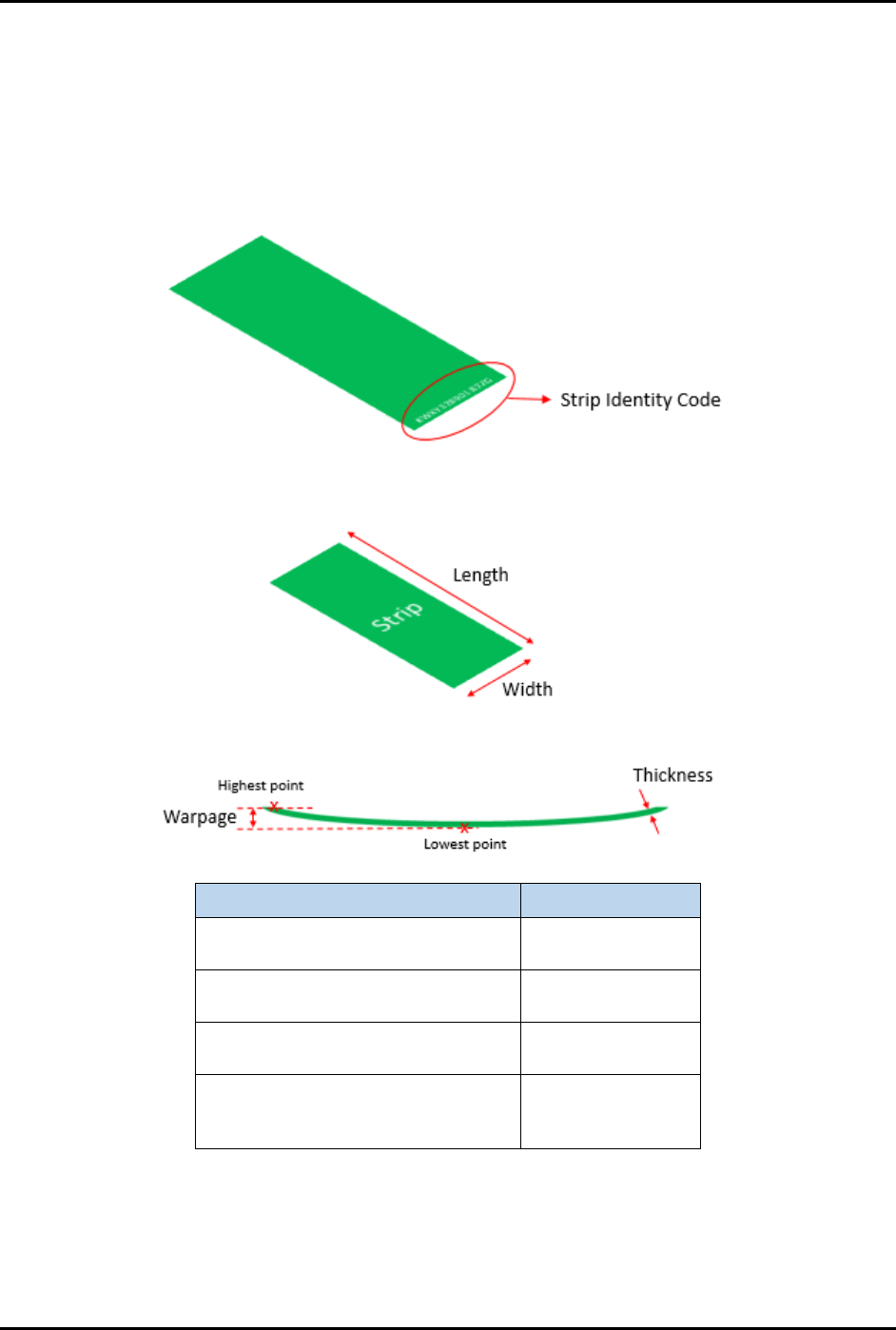
1.6 Strip Dimensions and Identification
The FlexTRAK-OH system has a strip ID reader (Figure 1-14) to identify the strip’s unique identity code
printed on the strip surface. See 1.5.3 Strip Loading Buffer (Stn20) for more information.
The strip must be inserted into the magazine in the correct orientation. Ensure the magazine is loaded with
a good strip in terms of physical and data printing, clarity, and orientation (Figure 1-15).
Figure 1-14 Strip Identity Code
Type Size
Length
Min: 75 mm
Max: 320 mm
Thickness
Min: 0.08 mm
Max: 3 mm
Width
Min: 25 mm
Max: 100 mm
Warpage
(gap between highest and lowest
strip displacement)
8 mm
Figure 1-15 Strip Dimensions
FlexTRAK-OH Material Handling System IOM Manual Introduction
1-18 © 2023 Nordson Corporation
1.7 Magazine Dimensions
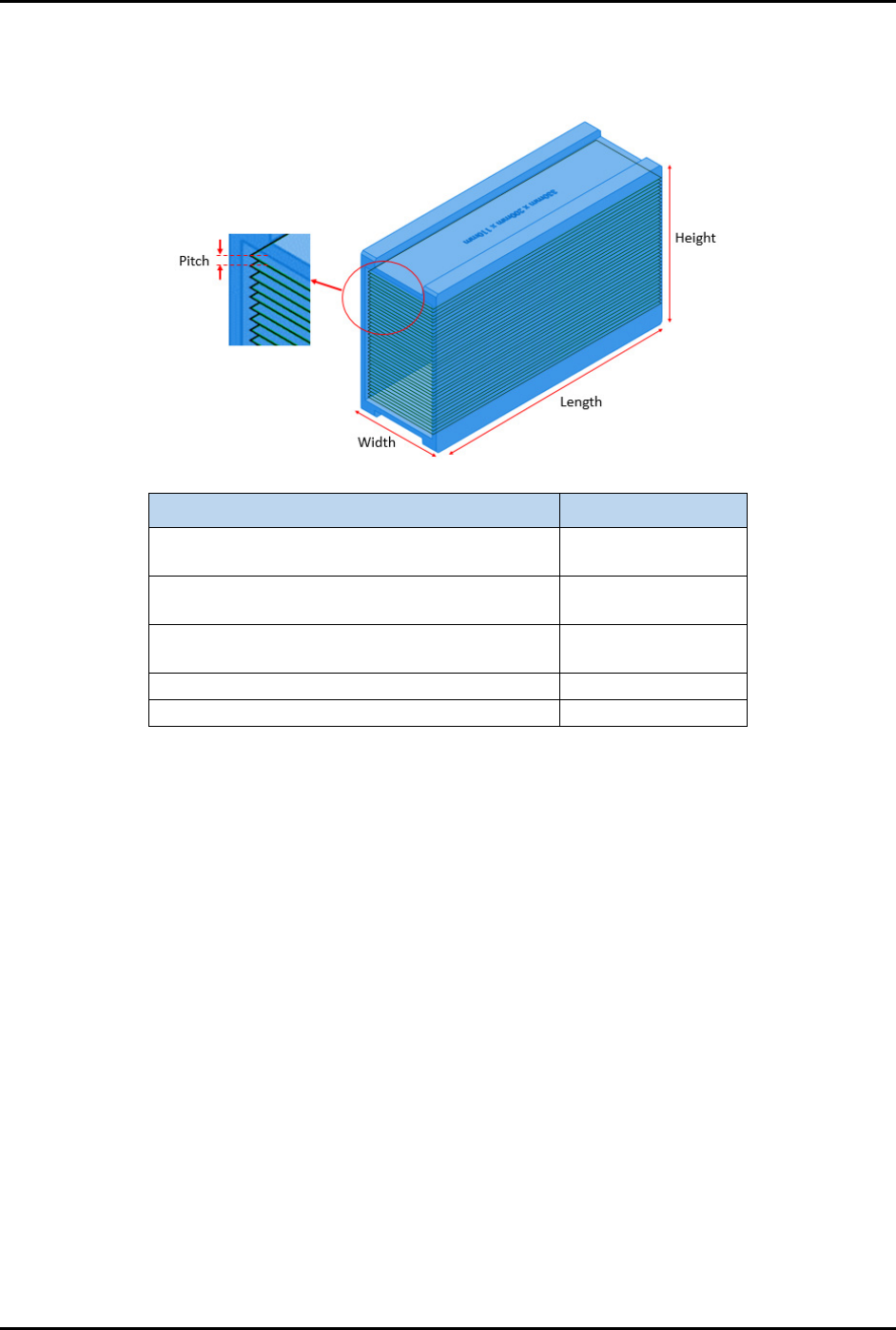
Magazine dimensions are shown in Figure 1-16.
Type Size
Length
Min: 80 mm
Max: 330 mm
Height
Min: 75 mm
Max: 200 mm
Width
Min: 35 mm
Max: 110 mm
Weight (fully filled with strip)
6 kg
Pitch (distance between strips in magazine)
2.5 mm
Figure 1-16 Magazine Dimensions
1.8 General Operation Flow
1.8.1 Pre-Production Check
To perform a preproduction check:
1. Log in into the teaching pendant.
2. Confirm the production recipe and select the auto process mode (default mode).
3. Ensure the correct conversion size kit is installed according to the production recipe used.
4. Ensure no magazine is present in the conveyor or at the magazine transfer station.
5. Ensure no strip is present inside the plasma chamber or at the buffer area.
6. Ensure no alarms are displayed on the main HMI screen.
Reset it if there are any.
7. Do not manually load a magazine during machine initialization.
A backup feature for magazine manual loading and unloading ports before machine
initialization is available at machine front side.
NOTE Request technical support if any of above items are unable to be resolved.
FlexTRAK-OH Material Handling System IOM Manual Introduction
© 2023 Nordson Corporation 1-19
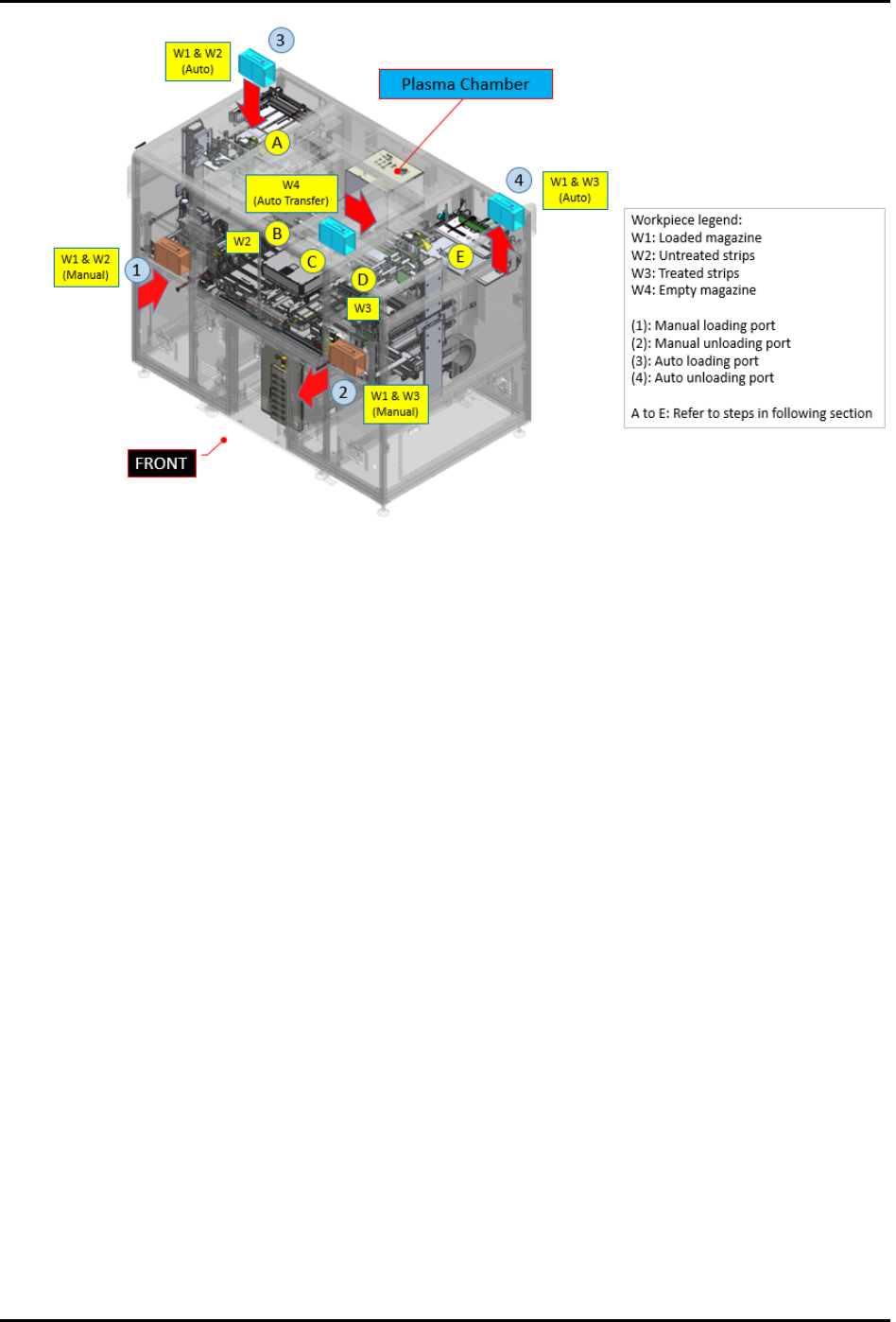
Figure 1-17 General Operation Flow
1.8.2 Automatic Overhead Production Process
The following steps outline the automatic overhead production process. Refer to the item numbers in
Figure 1-17.
1. Load magazine with untreated strips into overhead magazine auto loading port (3).
2. The platform receives the magazine from the overhead conveyor system and transfers the
magazine to the magazine station (A).
3. Material transfer station will grip the magazine from the conveyor and load the strips into
the buffer lanes (B).
4. Strips will be transferred by the loader claw into the plasma chamber for treatment (C).
5. Treated strips will be transferred by the unloader claw from the plasma chamber to unloader
buffer (D).
6. Treated strips will be unloaded from the buffer lanes into the empty magazine (auto
transfer).
7. Material transfer station will unload the fully loaded magazine onto the conveyor (E).
8. Unload the magazine with the treated strips from the overhead magazine auto unloading
port (4).