FlexTRAK OH Material Handler Manual.pdf - 第155页
FlexTRAK-OH Material Handli ng System IOM Manual Material Handler Operation © 2023 Nordson C orporation 4-67 4.16.2 Magazine U nloading 1. M anually check the m agazine unloadi n g port (B1) ( Figure 4- 110 ) . 2. If a m…
FlexTRAK-OH Material Handling System IOM Manual Material Handler Operation
4-66 © 2023 Nordson Corporation
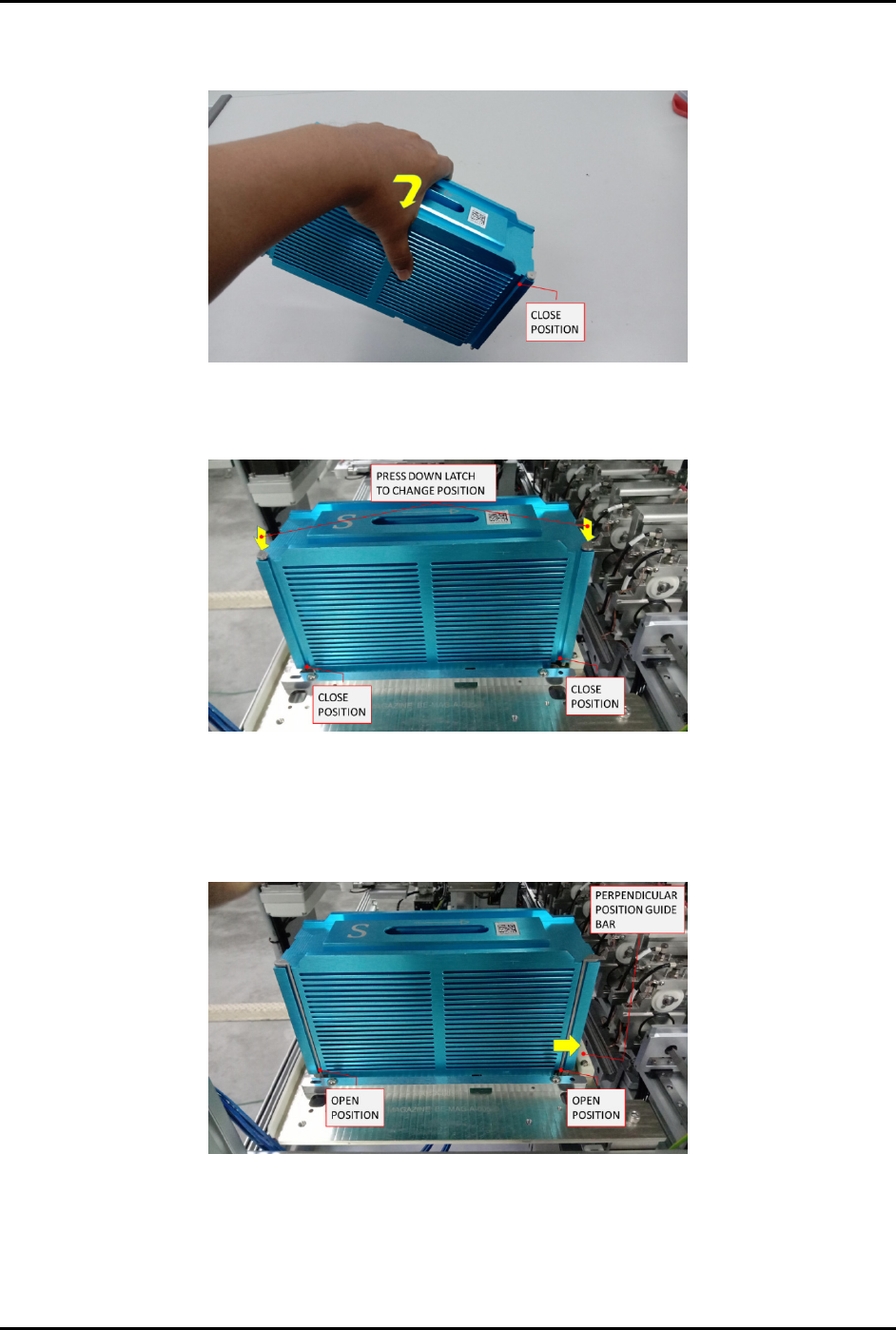
7. Tilt the magazine to align all untreated strips with the magazine edge at the rear side
(Figure 4-107).
Figure 4-107 Loading the Magazine 2
8. Manually place the magazine into manual loading port (Figure 4-108).
Figure 4-108 Loading the Magazine 3
9. Open the latches (Figure 4-109).
10. Softly push the magazine towards the guide bar until it is transferring to the rear and side
position.
Figure 4-109 Loading the Magazine 4
11. Press the START button on pilot switch (Figure 2-9) to run the machine production mode.
12. Repeat Step 2 through Step 10 to load additional magazines.
FlexTRAK-OH Material Handling System IOM Manual Material Handler Operation
© 2023 Nordson Corporation 4-67
4.16.2 Magazine Unloading
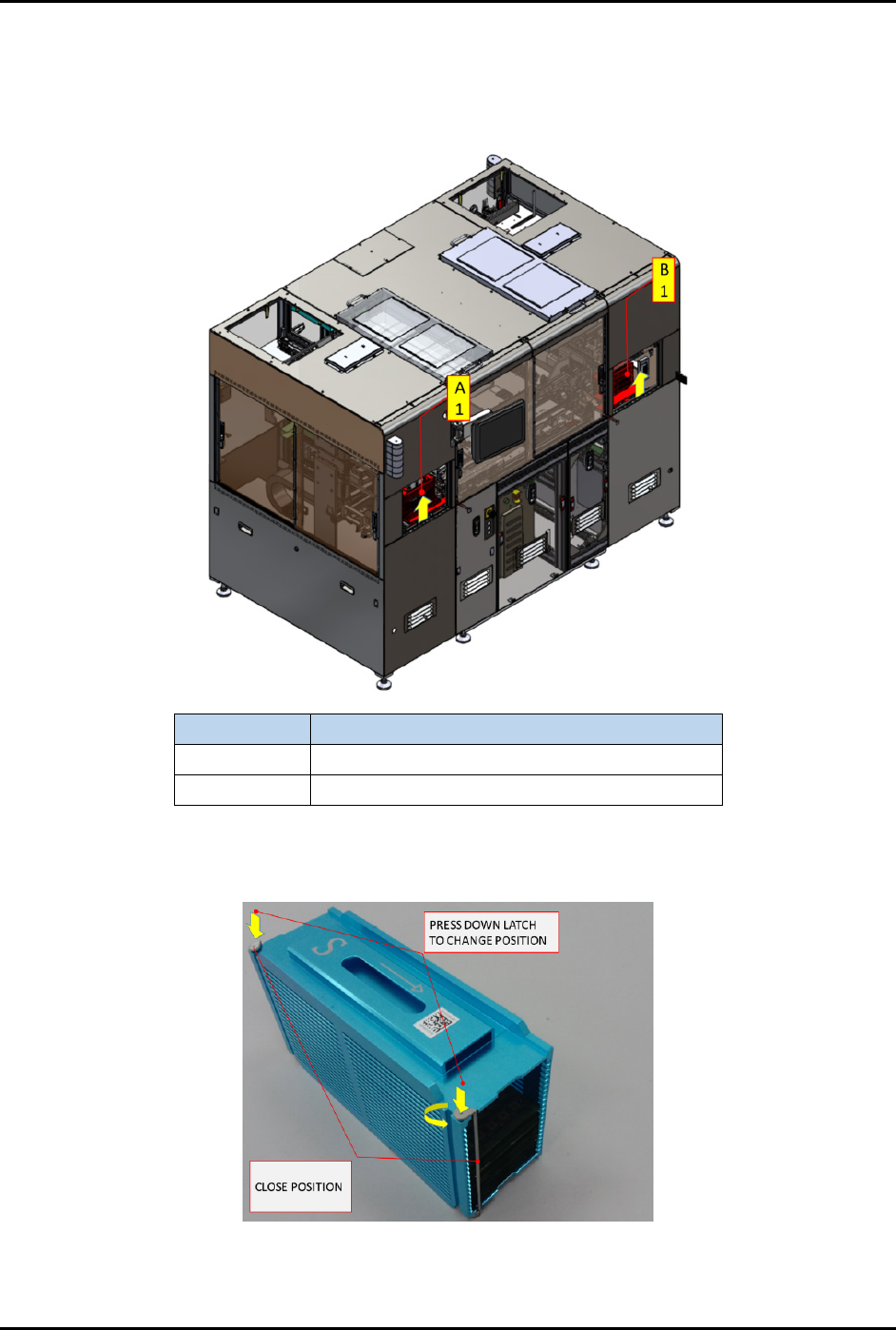
1. Manually check the magazine unloading port (B1) (Figure 4-110).
2. If a magazine is present, lift up the access cover until the latch is locked on the cover.
Item
Description
A1
Magazine with untreated strips loading port
B1 Magazine with treated strips unloading port
Figure 4-110 Magazine Loading and Unloading Ports
3. Press down both stopper latches to close the magazine stopper bar (Figure 4-111).
Figure 4-111 Close Magazine Stopper Bar
FlexTRAK-OH Material Handling System IOM Manual Material Handler Operation
4-68 © 2023 Nordson Corporation
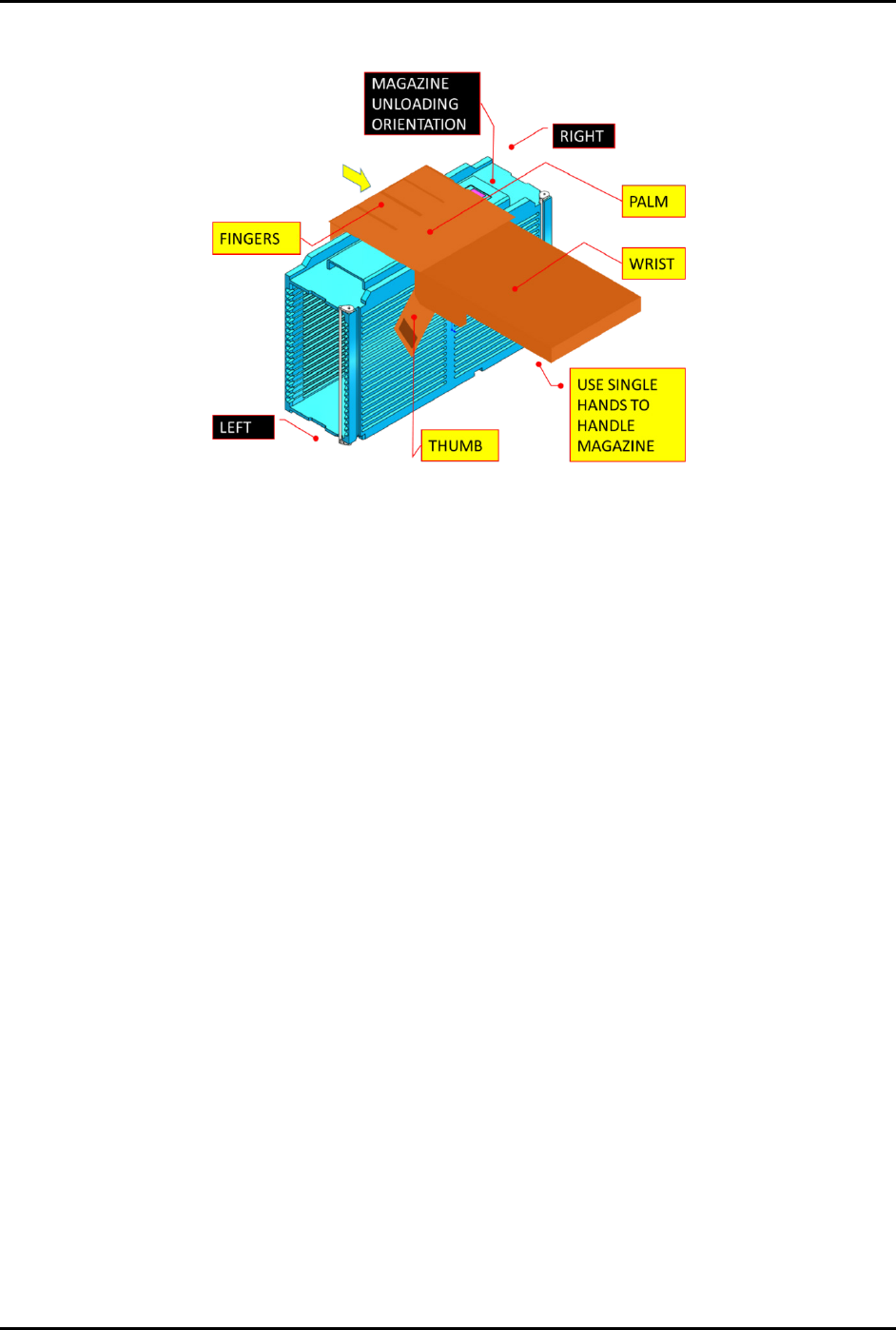
4. Lift up the magazine and pull the magazine out from the guiding bar (Figure 4-112).
Figure 4-112 Unloading the Magazine
5. Carefully unload the magazine from the machine.
6. Place the magazine at the designated location and close the access cover.
7. Repeat Step 1 through Step 6 to unload another magazine.