FlexTRAK OH Material Handler Manual.pdf - 第142页
FlexTRAK-OH Material Handli ng System IOM Manual Material Handler Operation 4-54 © 2023 Nordson C orporation 4.12.5.3 Cylinder Control 1 and 2 Pressing the CYLINDE R butt on on the Device Contr ol screen ( Figure 4- 85 )…
FlexTRAK-OH Material Handling System IOM Manual Material Handler Operation
© 2023 Nordson Corporation 4-53
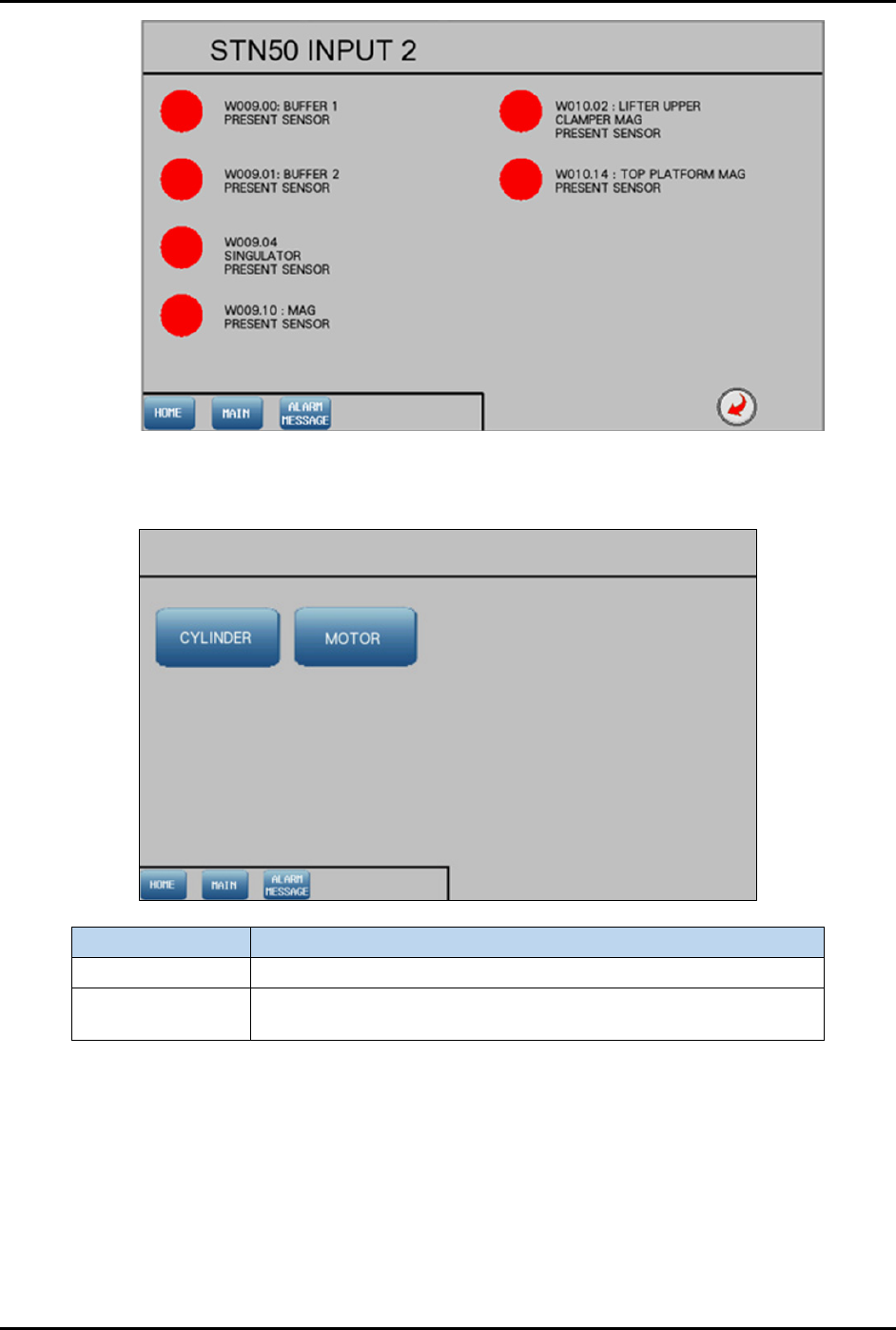
Figure 4-84 Station 50 – Input 2 Screen
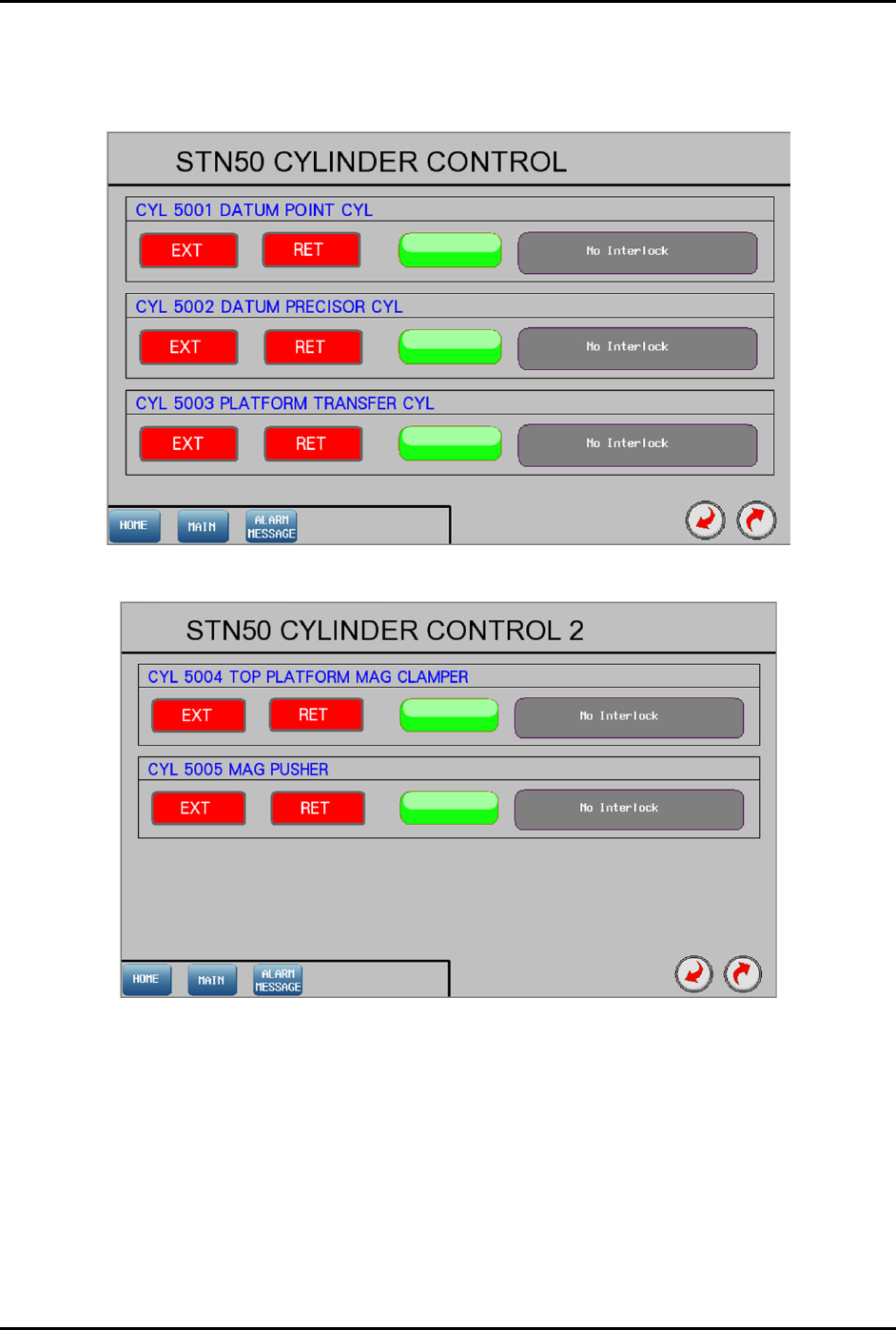
4.12.5.2 Device Control Screen
Label Description
Cylinder Shows the control list of electro-pneumatic cylinders.
Motor
Shows the configuration list of motor driver parameters and the
axis platform position.
Figure 4-85 Device Control Screen
FlexTRAK-OH Material Handling System IOM Manual Material Handler Operation
4-54 © 2023 Nordson Corporation
4.12.5.3 Cylinder Control 1 and 2
Pressing the CYLINDER button on the Device Control screen (Figure 4-85) will show the control list of
electro-pneumatic cylinders.
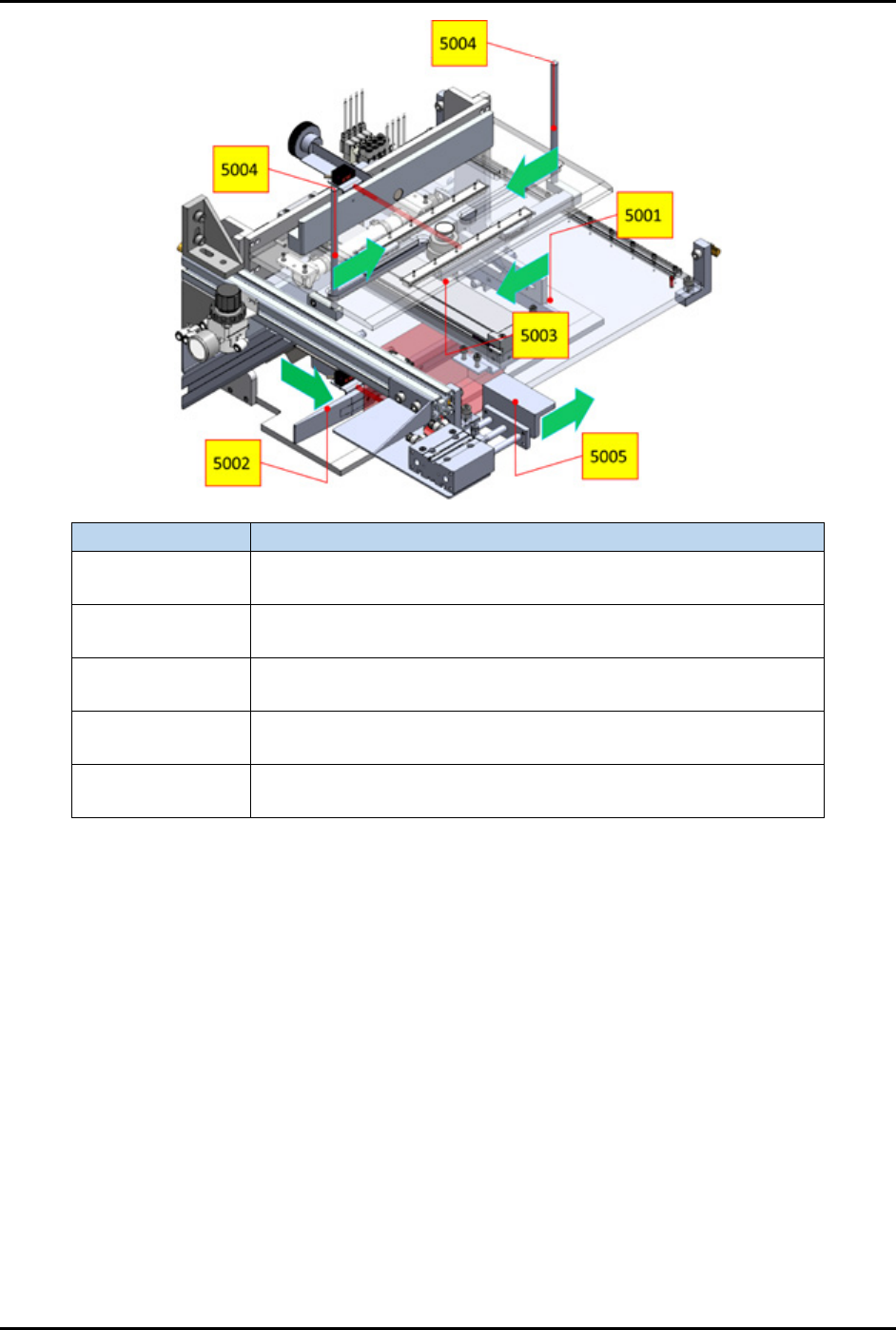
Figure 4-86 Station 50 – Cylinder Control 1 Screen
Figure 4-87 Station 50 – Cylinder Control 2 Screen
FlexTRAK-OH Material Handling System IOM Manual Material Handler Operation
© 2023 Nordson Corporation 4-55
Label
Description
CYL 5001
EXT – Transfer magazine to datum point.
RET – Release magazine pushing.
CYL 5002
EXT – Position magazine to center.
RET – Release magazine.
CYL 5003
EXT – Position magazine transfer platform to elevator module.
RET – Position magazine transfer platform to the rear.
CYL 5004
EXT – Clamp magazine.
RET – Release magazine.
CYL 5005
EXT – Push magazine against elevator.
RET – Release magazine.
Figure 4-88 Station 50 – Cylinder Control 1 and 2 Locations