FlexTRAK OH Material Handler Manual.pdf - 第88页
在线预览 FlexTRAK OH Material Handler Manual.pdf PDF 文档。
FlexTRAK-OH Material Handling System IOM Manual Installation
© 2023 Nordson Corporation 3-37
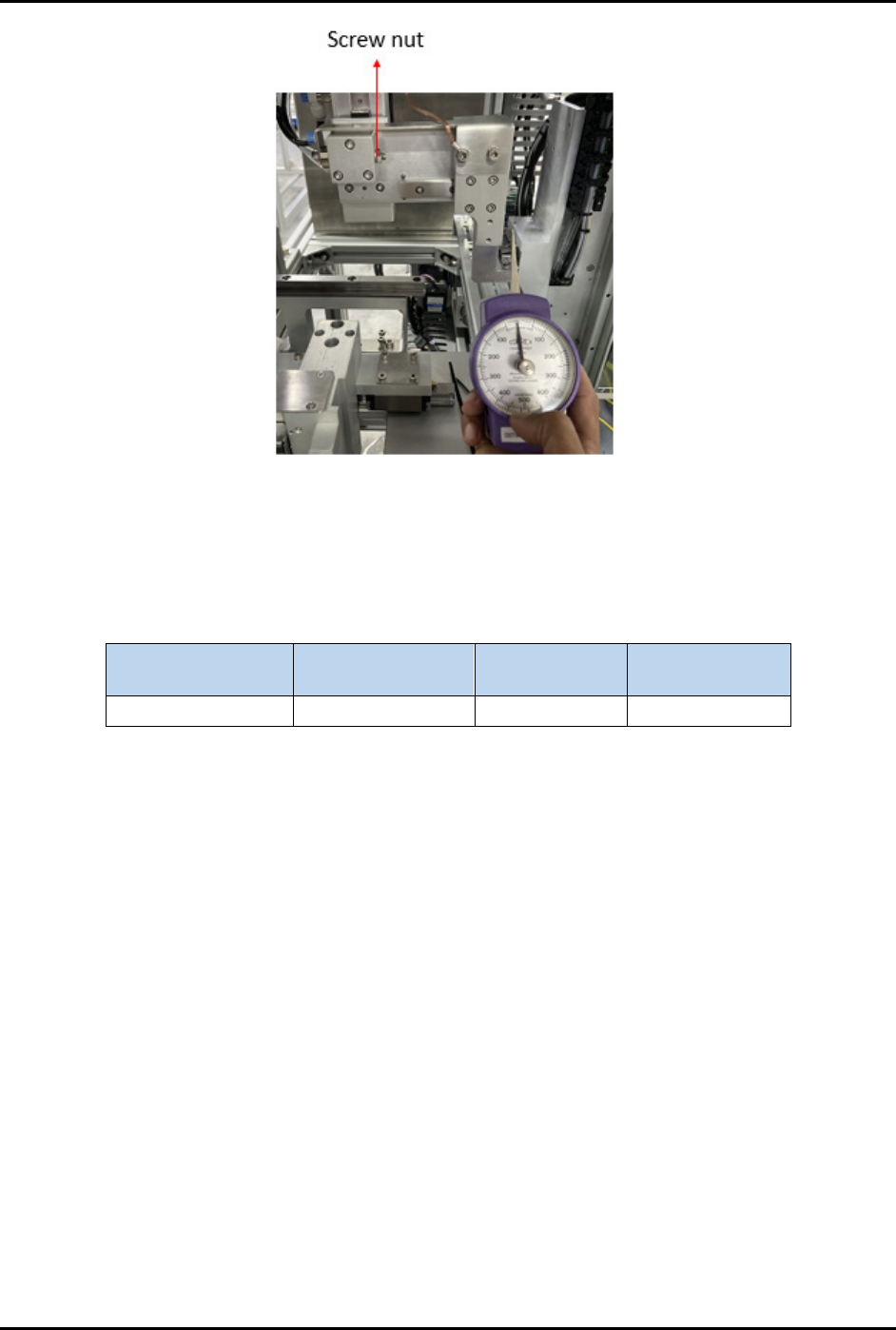
Figure 3-62 Unloader Kicker Sensitivity Adjustment 3
NOTE Specification values are within the range of 80 to 200 grams. Actual settings used should
correspond to maximum allowable force to push the strip out of unloader station. Refer to
Table 3-13 for sample readings.
Table 3-13 Unloader Kicker Sensitivity Sample Readings
Items I/O
Threshold
force (gram)
Actual force
(gram)
Unloader kicker I012.01 110 180

© 2023 Nordson Corporation 4-1
4 Material Handler Operation
4.1 Overview
This chapter covers the following topics:
• System Start-up
• Using the Mobile Control Pendant
• User Access Login and Logout
• HMI Data Input/Output Indicators
• Home Screen
• Call Recipe Screen
• Control Screen
• General I/O Screen
• Station Main Menu Layout
• Motor Interface and Control Switch Settings
• Operating in Manual Mode
• Operating in Auto Mode
• Creating a New Recipe
• Manual Magazine Loading and Unloading
• Conversion Kit RFID Setup
• Barcode/2D Reader Setup
4.2 Safety First
Operation of your FlexTRAK-OH Material Handler involves mechanical devices, air pressure, and
electrical power. It is essential that every person servicing or operating the FlexTRAK-OH fully
understands all hazards, risks, and safety precautions. When properly operated and maintained, the
FlexTRAK-OH Material Handler should be safe and reliable. Refer to Section 2 – Safety prior to
installation and operation
.
4.3 System Start-up
1. Ensure all safety cover doors and access panels are closed.
2. Reset all the EMO buttons.
3. Ensure the isolator switch is turned on (Figure 2-5).
4. Press START (green button) on the pilot switch to start auto production mode (Figure 2-9).
You will be prompted to insert the magazine when magazine loader and unloader
conveyor is empty.
NOTE The conveyor cover is unlocked when the magazine gripper is away from the
magazine conveyor in the safe zone. The conveyor cover is locked when the
magazine gripper is in the vicinity of magazine conveyor.
5. See 4.16 Manual Magazine Loading and Unloading for further details.