FlexTRAK OH Material Handler Manual.pdf - 第37页
FlexTRAK-OH Material Handli ng System IOM Manual Safety © 2023 Nordson C orporation 2-7 2.10 Isolator Sw itch DANGER! The isolator swit ch ( Figure 2-5) only isolates electrical energy from facilities to connect with mac…
FlexTRAK-OH Material Handling System IOM Manual Safety
2-6 © 2023 Nordson Corporation
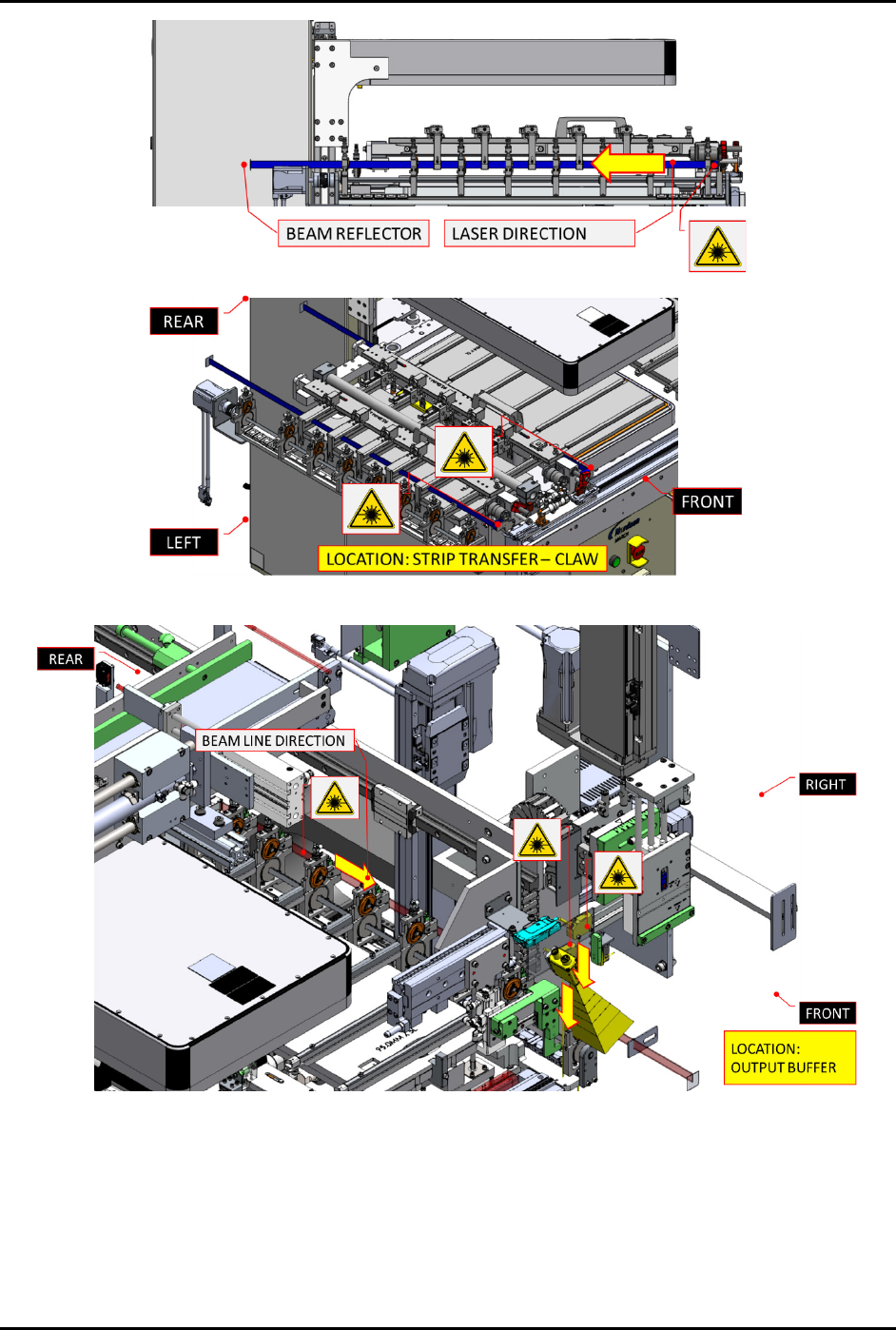
Figure 2-3 Laser Beam Location 2 - Claw Module
Figure 2-4 Laser Beam Location 3 - Output Buffer Lane
FlexTRAK-OH Material Handling System IOM Manual Safety
© 2023 Nordson Corporation 2-7
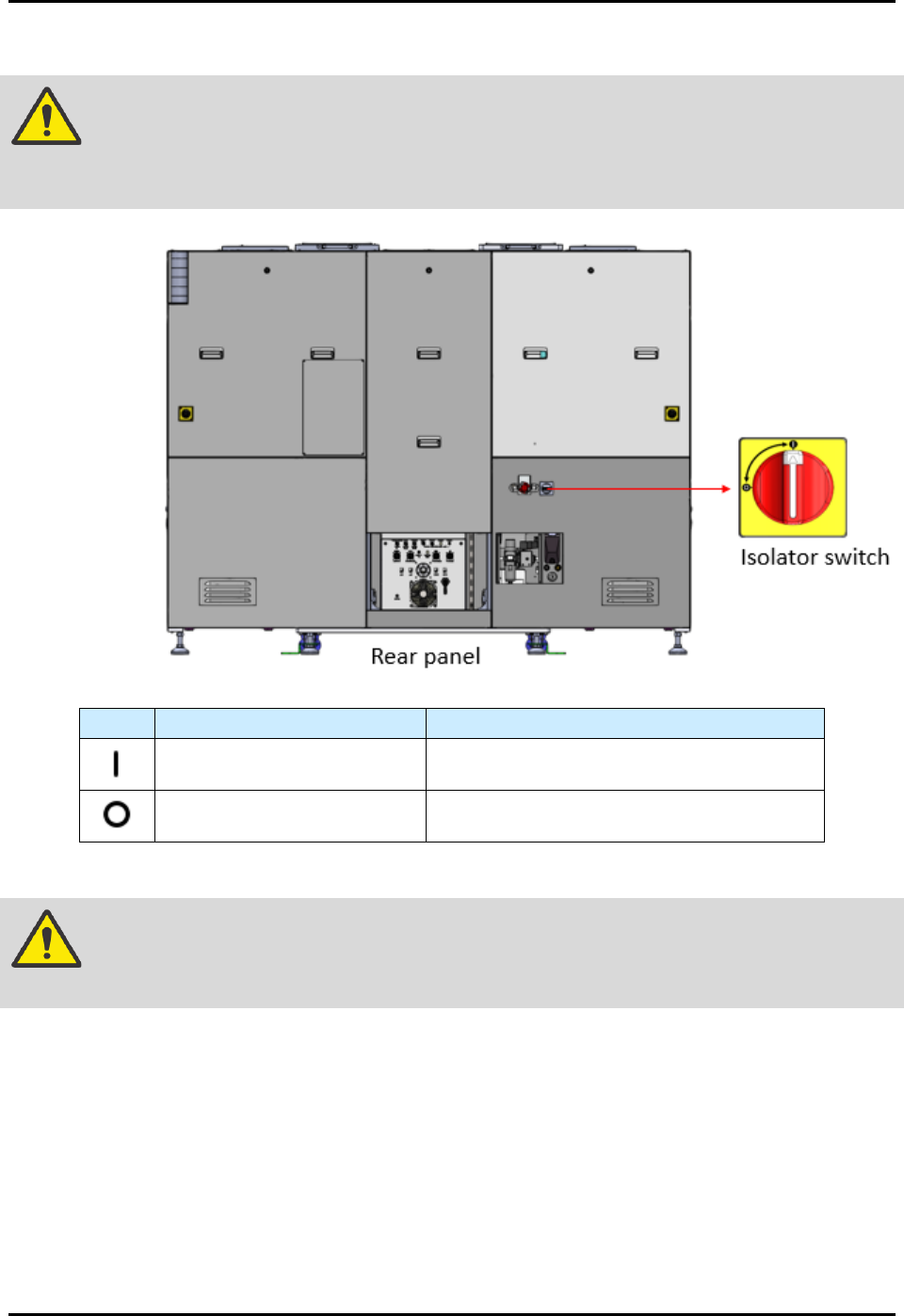
2.10 Isolator Switch
DANGER! The isolator switch (Figure 2-5) only isolates electrical energy from facilities to
connect with machine local electrical components. Electrical energy is still
present inside the isolator switch’s electrical input or incoming points.
Sign
Operation Mode
Description
Twist handle to the power on
position.
Energizes the machine's local electrical
components.
Twist handle to the power off
position.
Cuts off the electrical energy from the
facilities to the machine's local components.
Figure 2-5 Isolator Switch
WARNING! Always apply the LOTO kit to the isolator switch when electrical energy
isolation is in progress for maintenance or troubleshooting tasks.
FlexTRAK-OH Material Handling System IOM Manual Safety
2-8 © 2023 Nordson Corporation
2.11 Emergency Shutdown
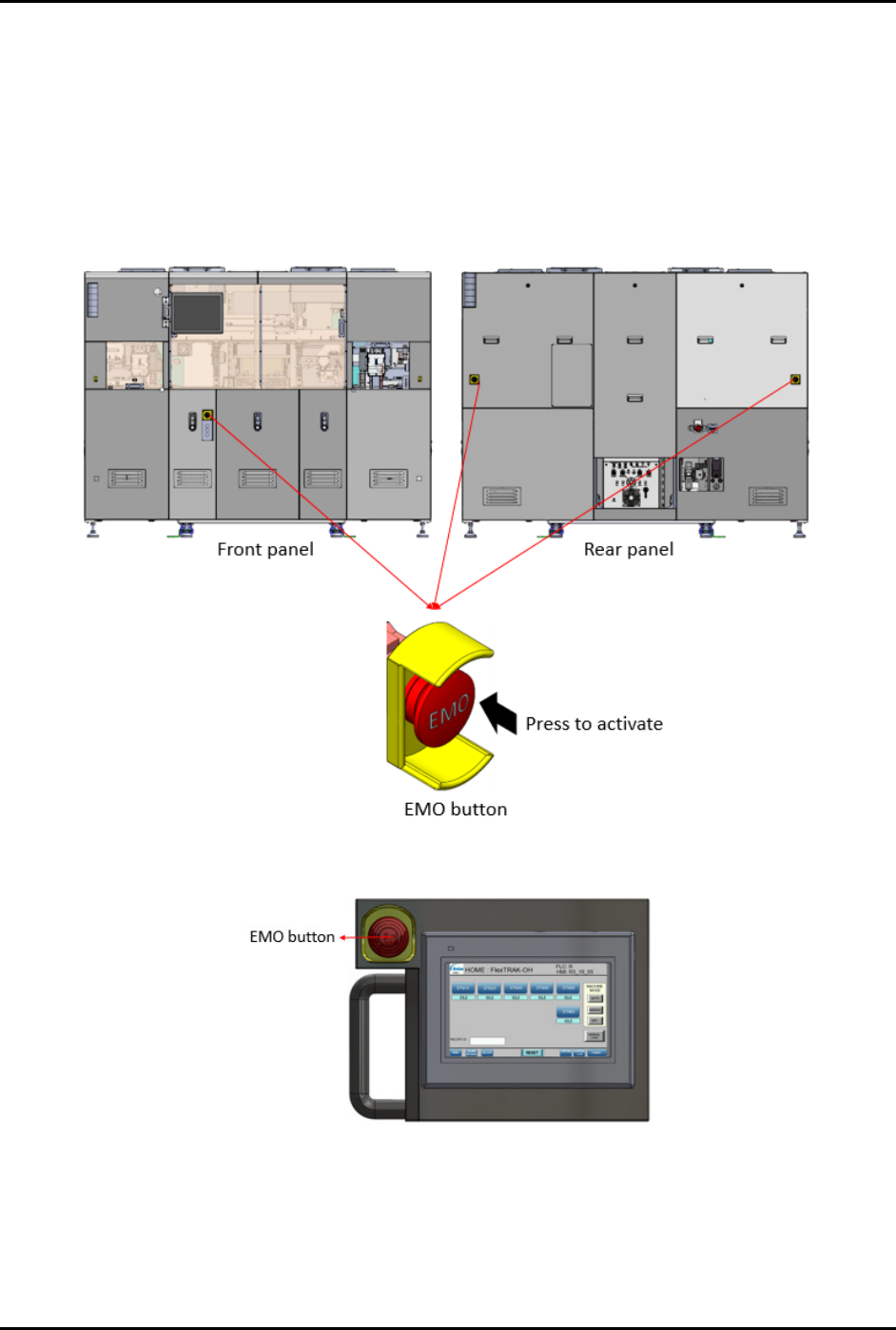
In the event of an emergency or malfunction, press the Emergency Machine Off (EMO) button (large red
button surrounded by yellow bezel).
There are four (4) EMO buttons on FlexTRAK-OH Material Handler (three (3) on the machine and
one (1) on the mobile control pendant). Pressing the EMO on the FlexTRAK-OH Material Handler
disables all material handler motors. Reset is not possible until the EMO button has been released
(Figure 2-6 and Figure 2-7).
Figure 2-6 Emergency Machine Off (EMO) On Machine
Figure 2-7 Emergency Machine Off (EMO) On Pendant