FlexTRAK OH Material Handler Manual.pdf - 第148页
FlexTRAK-OH Material Handli ng System IOM Manual Material Handler Operation 4-60 © 2023 Nordson C orporation 4.12.6.3 Cylinder Control 1 Pressing the CYLINDE R butt on on the Device Contr ol screen ( Figure 4- 96 ) will …
FlexTRAK-OH Material Handling System IOM Manual Material Handler Operation
© 2023 Nordson Corporation 4-59
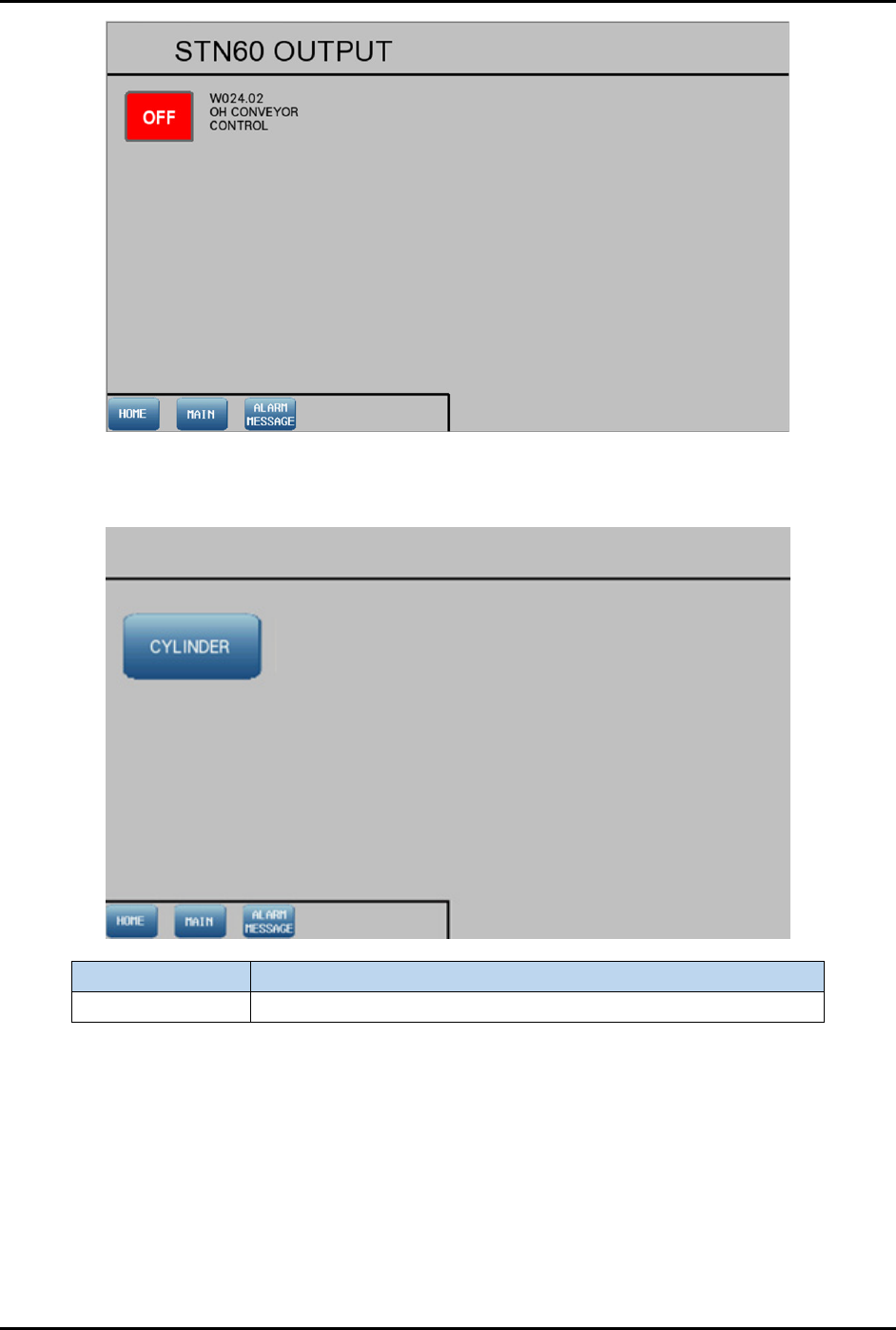
Figure 4-95 Station 60 – Output Screen
4.12.6.2 Device Control
Label Description
Cylinder Shows the control list of electro-pneumatic cylinders.
Figure 4-96 Device Control
FlexTRAK-OH Material Handling System IOM Manual Material Handler Operation
4-60 © 2023 Nordson Corporation
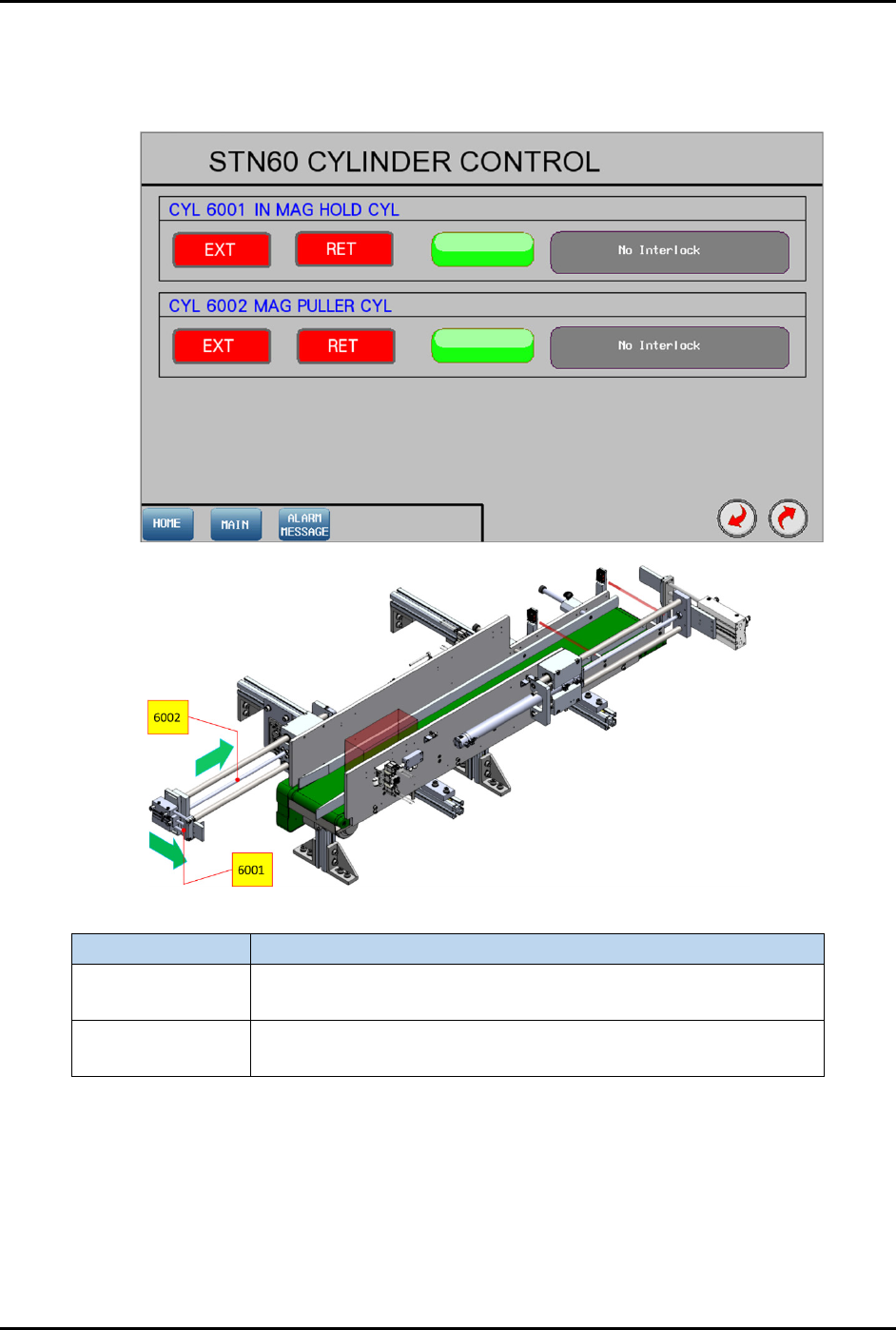
4.12.6.3 Cylinder Control 1
Pressing the CYLINDER button on the Device Control screen (Figure 4-96) will show the control list of
electro-pneumatic cylinders.
Label Description
CYL 6001
EXT – Engage with magazine at the left side.
RET – Release magazine.
CYL 6002
EXT – Position CYL 6001 at magazine rear and left sides.
RET – Pull magazine into the conveyor lane.
Figure 4-97 Station 60 – Cylinder Control 1 Screen
FlexTRAK-OH Material Handling System IOM Manual Material Handler Operation
© 2023 Nordson Corporation 4-61
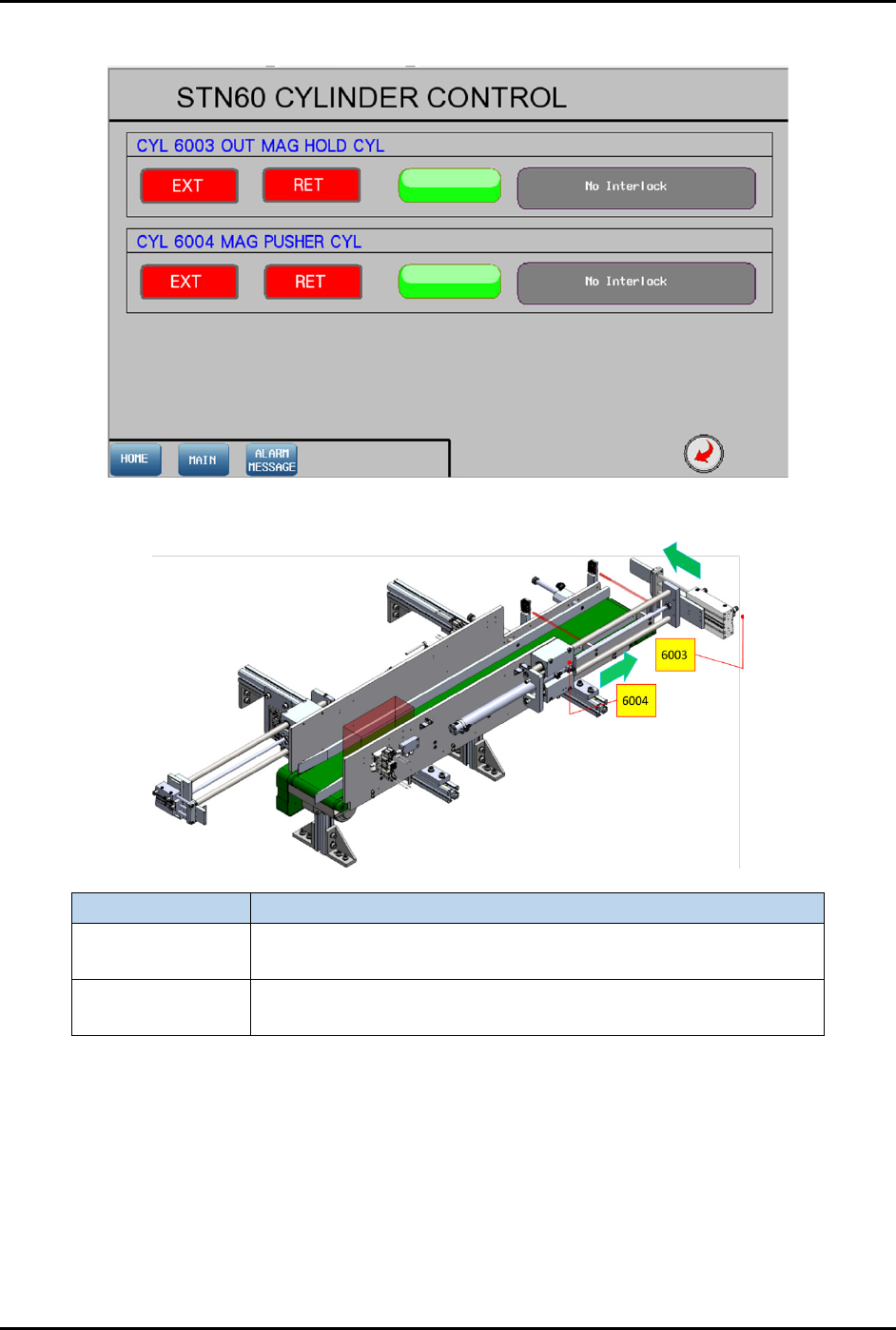
4.12.6.4 Cylinder Control 2
Figure 4-98 Station 60 – Cylinder Control 2 Screen
Label Description
CYL 6003
EXT – Engage with magazine in conveyor at the left side.
RET – Release magazine.
CYL 6004
EXT – Push out magazine from the conveyor lane.
RET – Position CYL 6001 at magazine front and left sides.
Figure 4-99 Station 60 – Cylinder Control 2 Location