FlexTRAK OH Material Handler Manual.pdf - 第41页
FlexTRAK-OH Material Handli ng System IOM Manual Safety © 2023 Nordson C orporation 2-11 2.13 Pilot Switch The pilot switch i s used to start, stop , and reset the p rocess cycle ( Fig ure 2-9). Button Color (Not Illumin…
FlexTRAK-OH Material Handling System IOM Manual Safety
2-10 © 2023 Nordson Corporation
2.11.2 Emergency Shutdown Recovery
WARNING! Do not restart the FlexTRAK-OH operation until the condition that caused the
emergency shutdown has been fixed. Failure to comply could cause serious
injury to the user and/or serious damage to the system.
To release EMO:
1. Obtain authority to release the locked EMO button.
2. Twist the EMO button in clockwise direction to release the locked button.
This will cause the machine contactors (KM1800, KM1801) to energize the machine
local components with the AC and DC power modules.
3. Once the EMO button is released, operator is required to clear all material present in the
machine.
4. Press the RESET button to re-initialize the machine process sequence state.
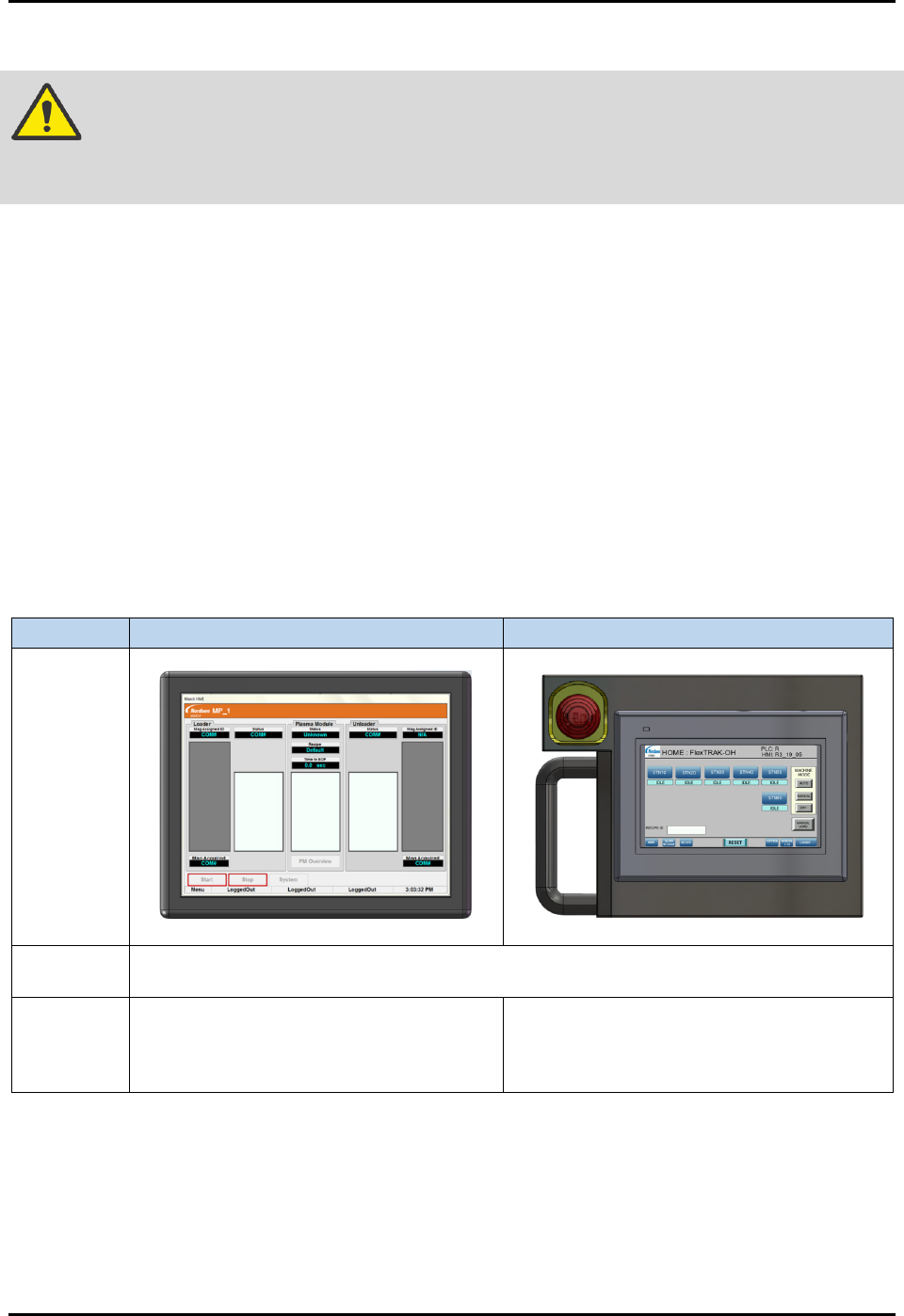
2.12 Human Machine Interface (HMI)
See Figure 2-8 for HMI interface modules.
Item
FlexTRAK-OH HMI
FlexTRAK-OH Material Handler HMI
Image
Basic
Description
LCD touch screen display, remote panel with graphical information, machine process
control and monitoring, modules and integrated devices administration.
Location
See Figure 1-1
. Refer to the FlexTRAK
Series Plasma Systems Installation,
Operation, and Maintenance Manual for
specific information.
Mobile control pendant HMI which is stored
in control pendant storage compartment
(Figure 1-1). See 4.4
Using the Mobile
Control Pendant for specific information.
Figure 2-8 HMI Interface
FlexTRAK-OH Material Handling System IOM Manual Safety
© 2023 Nordson Corporation 2-11
2.13 Pilot Switch
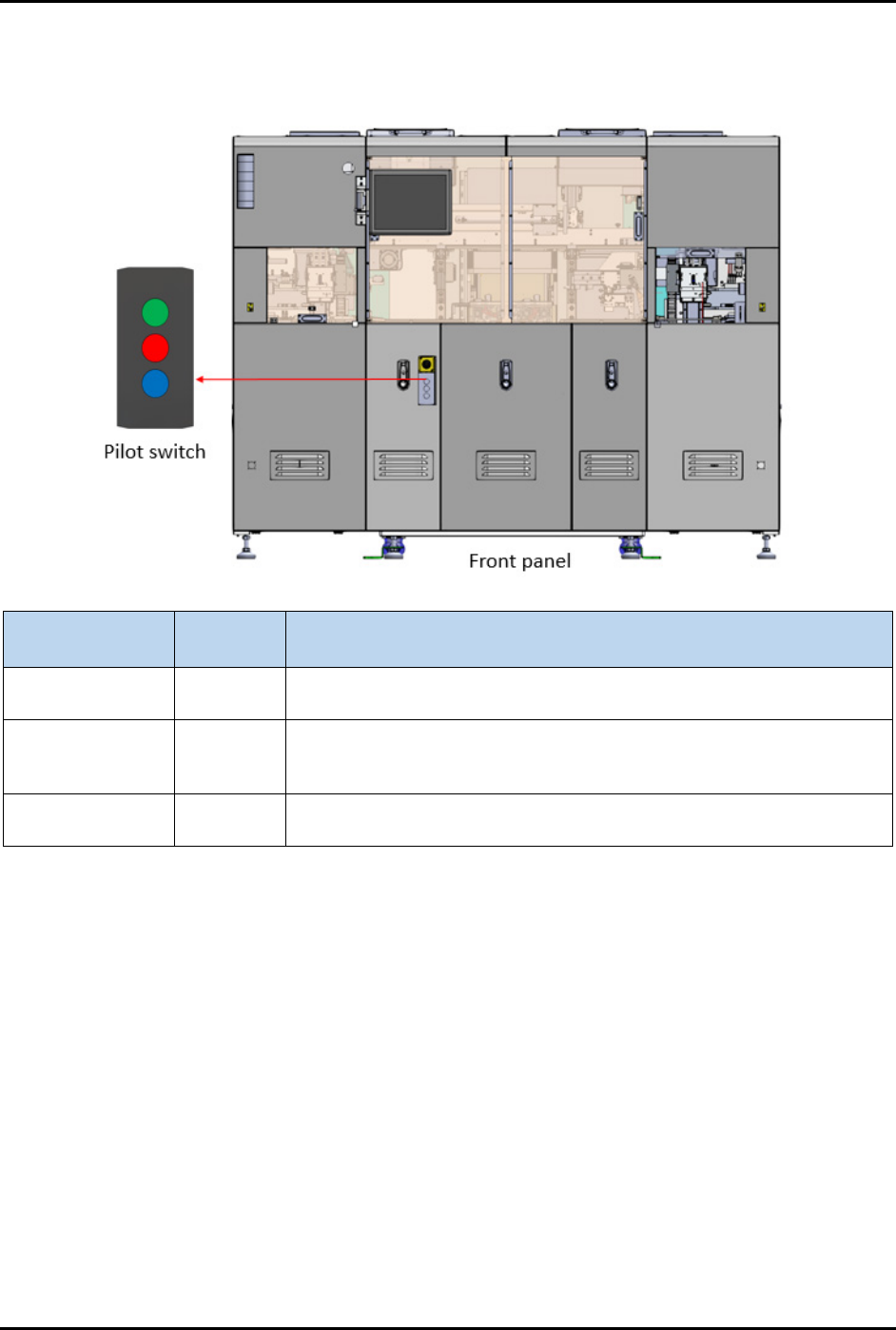
The pilot switch is used to start, stop, and reset the process cycle (Figure 2-9).
Button Color
(Not Illuminated)
Function Description
Green Start
Machine process sequence initialization safety switch. Press this
button to start the process cycle.
Red Stop
Machine process sequence stop safety switch. Press this button to
stop machine from current process sequence. Machine will remain
energized.
Blue Reset
Machine process sequence resets/continue safety switch. Press this
button to acknowledge and clear the current alarm.
Figure 2-9 Pilot Switch
FlexTRAK-OH Material Handling System IOM Manual Safety
2-12 © 2023 Nordson Corporation
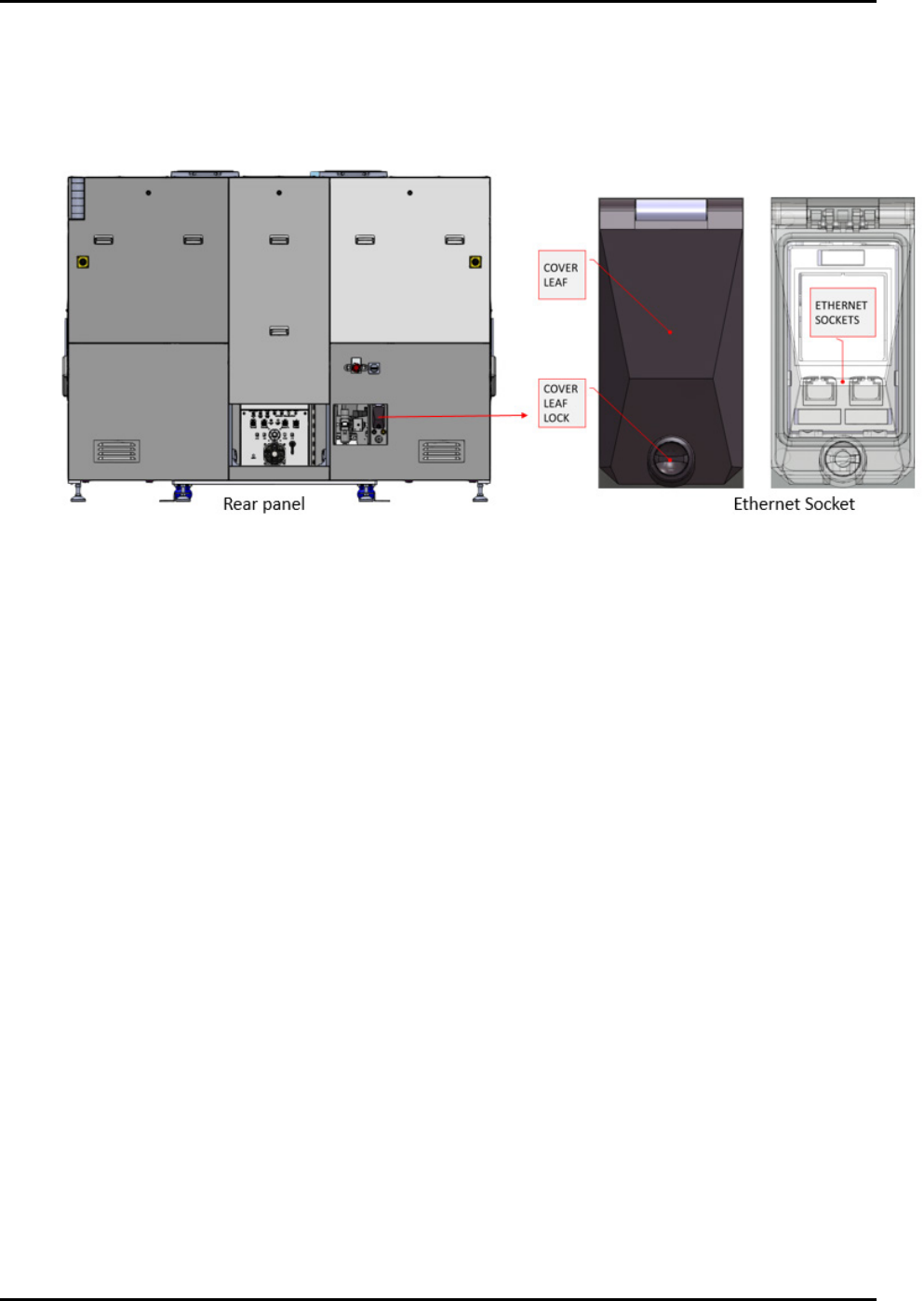
2.14 Ethernet Socket
Ethernet networking ports (Figure 2-10) provide LAN communication between the machine and an
external PC or laptop. This is useful to setup software for components, such as a barcode scanner used for
strip and magazine barcode reading.
Figure 2-10 Ethernet Socket