FlexTRAK OH Material Handler Manual.pdf - 第42页
FlexTRAK-OH Material Handli ng System IOM Manual Safety 2-12 © 2023 Nordson C orporation 2.14 Ethernet Socket Ethernet net working po rts ( Figure 2- 10 ) provide L AN communic ation between the machine and an external P…
FlexTRAK-OH Material Handling System IOM Manual Safety
© 2023 Nordson Corporation 2-11
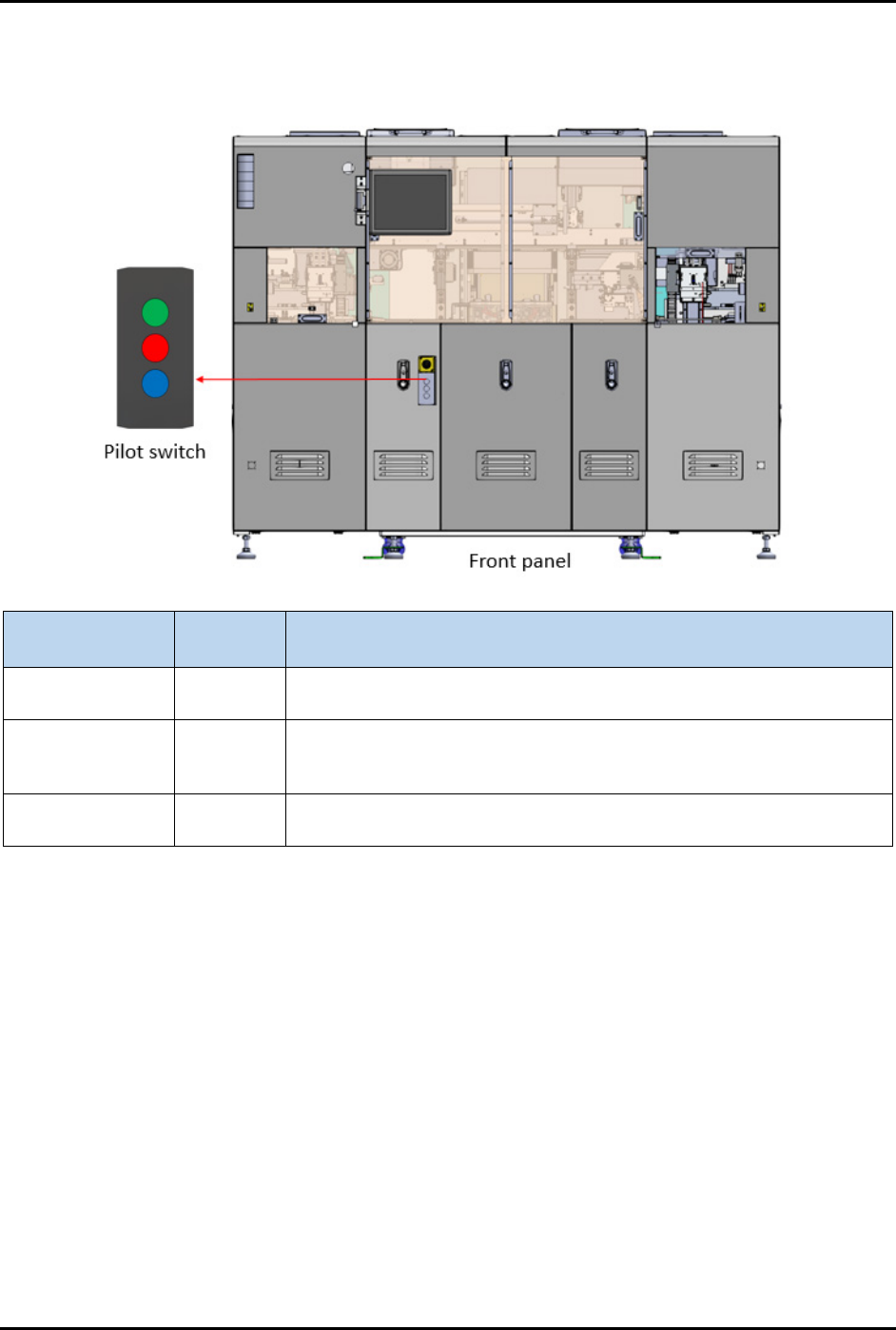
2.13 Pilot Switch
The pilot switch is used to start, stop, and reset the process cycle (Figure 2-9).
Button Color
(Not Illuminated)
Function Description
Green Start
Machine process sequence initialization safety switch. Press this
button to start the process cycle.
Red Stop
Machine process sequence stop safety switch. Press this button to
stop machine from current process sequence. Machine will remain
energized.
Blue Reset
Machine process sequence resets/continue safety switch. Press this
button to acknowledge and clear the current alarm.
Figure 2-9 Pilot Switch
FlexTRAK-OH Material Handling System IOM Manual Safety
2-12 © 2023 Nordson Corporation
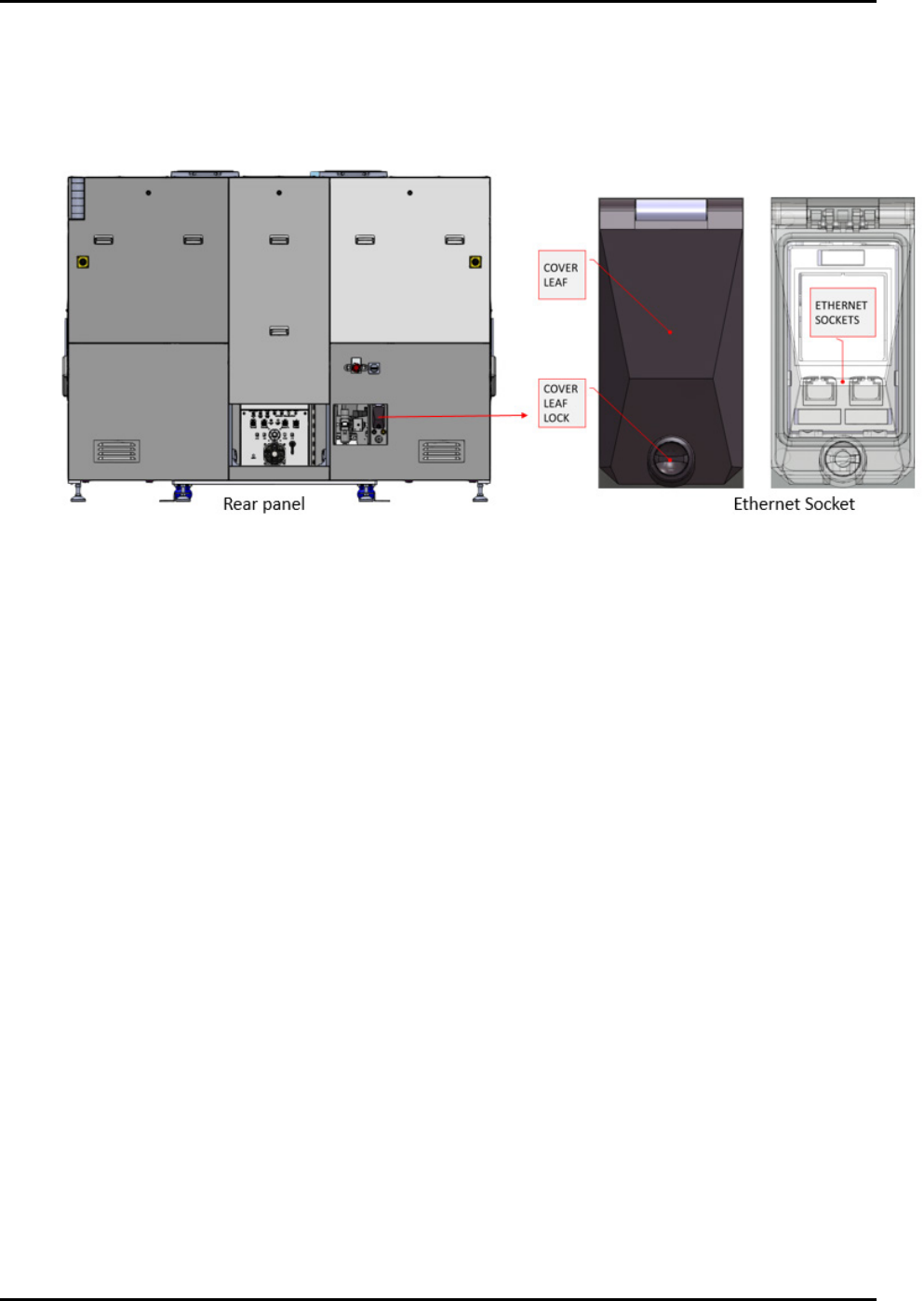
2.14 Ethernet Socket
Ethernet networking ports (Figure 2-10) provide LAN communication between the machine and an
external PC or laptop. This is useful to setup software for components, such as a barcode scanner used for
strip and magazine barcode reading.
Figure 2-10 Ethernet Socket
FlexTRAK-OH Material Handling System IOM Manual Safety
© 2023 Nordson Corporation 2-13
2.15 Safety Interlocks
Electromechanical interlocks prevent personnel from being exposed to high RF voltages, mechanical
hazards, and RF radiation hazards that are present while the FlexTRAK-OH Material Handler is in
operation. They function using a switch that trips when a door is opened. When the switch is tripped, the
FlexTRAK-OH Material Handler and reaction chamber cease movement.
WARNING! When these interlocks are activated, the electrical power remains ON.
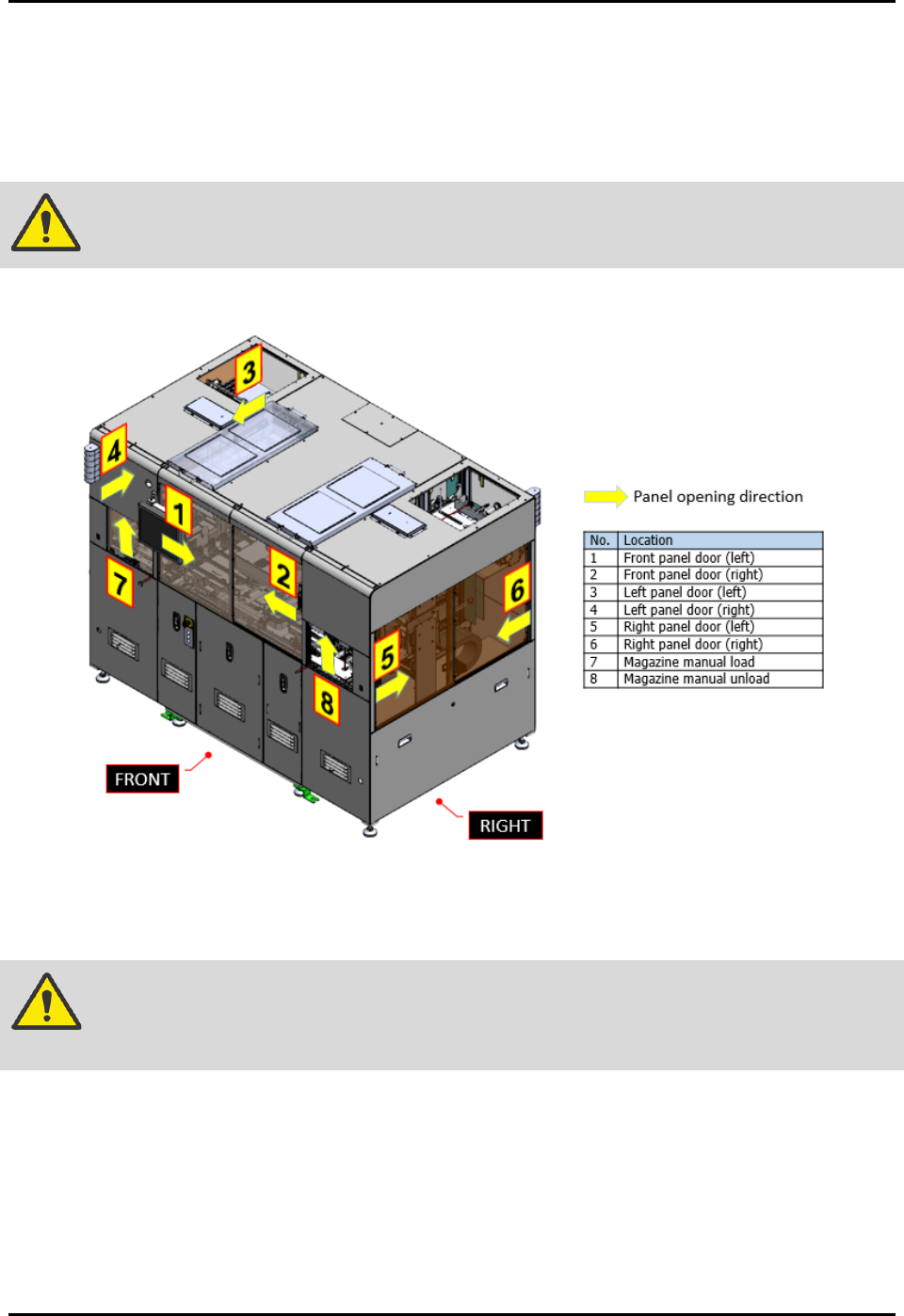
There are total of eight (8) interlocks on FlexTRAK-OH Material Handler (Figure 2-11).
Figure 2-11 Safety Interlock Location
Once the interlock switch is triggered (sense guard door is open), it will cause the safety relay to cut off
machine servo motor power. See 8.6 System Block Diagram.
WARNING! Do not bypass the interlock switch that guards the access door in automated
operation mode.
Once the current process sequences have been stopped, no reset is possible until the guard door has been
closed. In order to resume operation, close the open guard door and press the RESET button.