FlexTRAK OH Material Handler Manual.pdf - 第105页
FlexTRAK-OH Material Handli ng System IOM Manual Material Handler Operation © 2023 Nordson C orporation 4-17 4.10.2 Base Input 2 Select o n the Base Input 1 screen to access the B ase Inpu t 2 screen ( Figure 4- 20 ). Fi…
FlexTRAK-OH Material Handling System IOM Manual Material Handler Operation
4-16 © 2023 Nordson Corporation
4.10 General I/O Screen
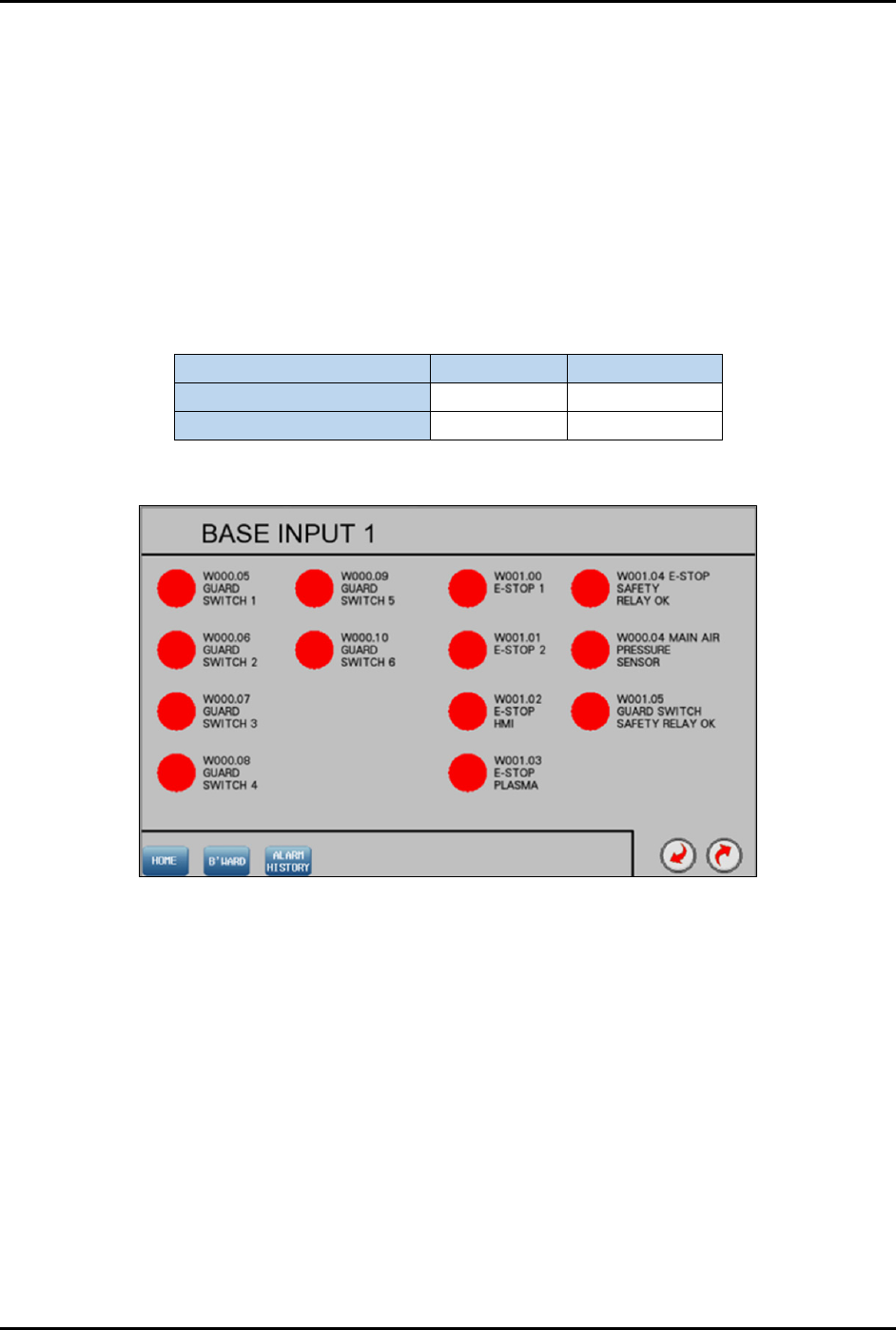
Select General I/O from the Home screen (Figure 4-4) to open the General I/O screen (Figure 4-19). This
screen displays the status of the General Input/Output (I/O) groups for the Material Handler PLC. There
are indicators beside each I/O which turn green or red when that particular input or output is turned ON or
OFF respectively. The I/O status screen is also useful during troubleshooting to check if a sensor is in
good or bad working condition. A red light indicates the I/O is not active and a green light indicates the
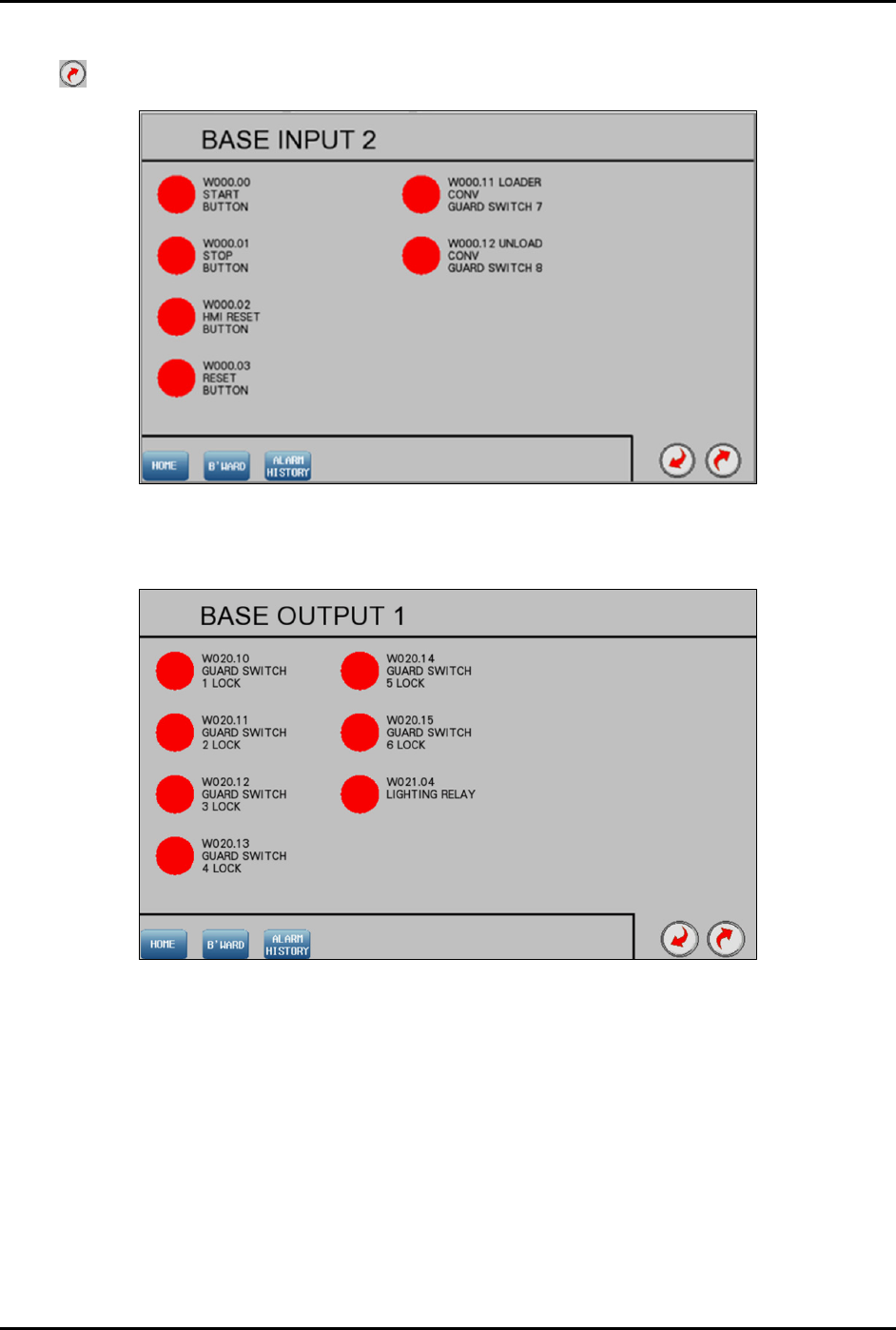
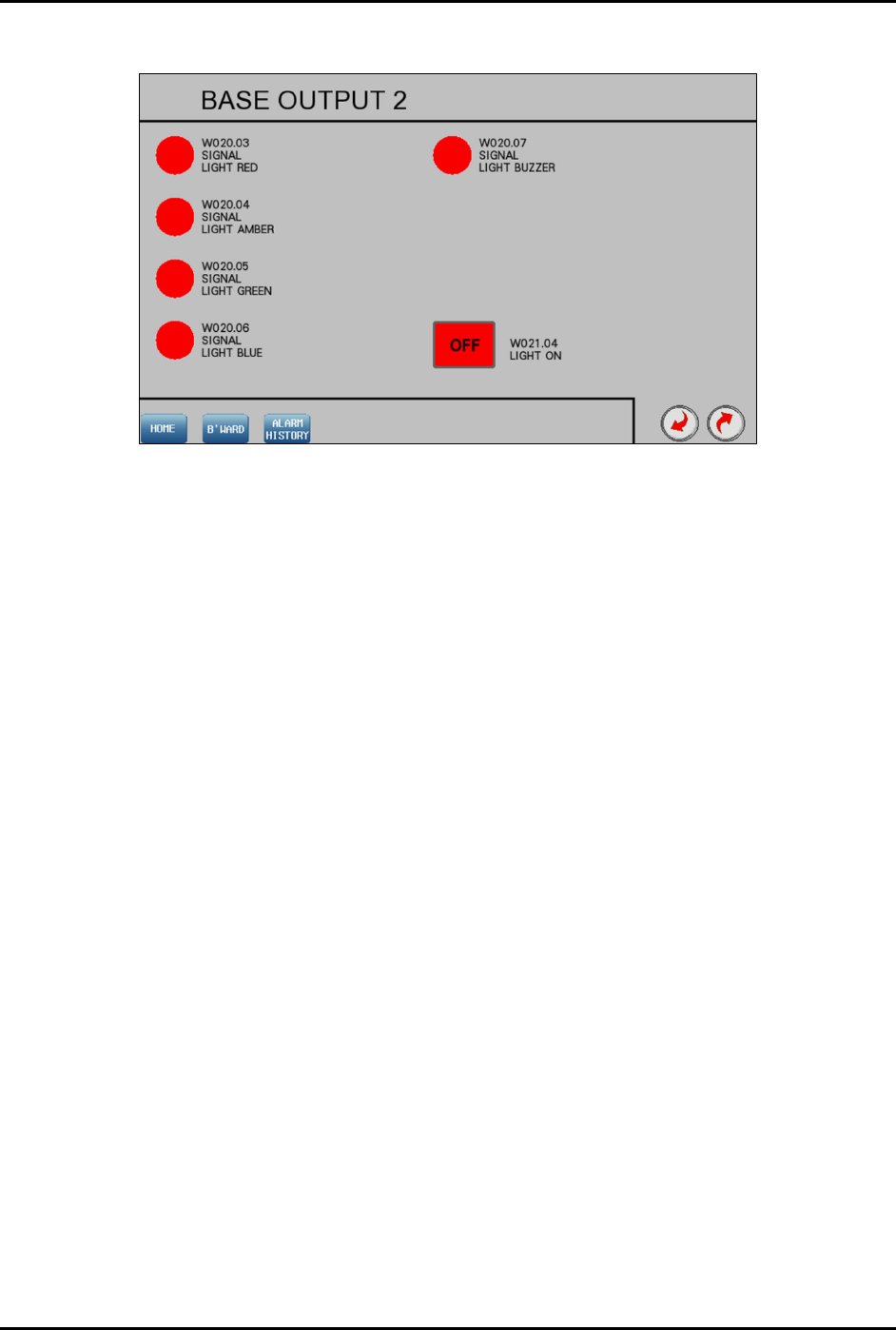
I/O is active. Figure 4-19 through Figure 4-22 show the base input and base output screens.
Refer to each electrical wiring cable label shown on the screen to trace the wiring route in the machine
I/O. Table 4-5 shows how to read cable labels from Input and Output screen. The cable description is
similar to the definition stated on the screen.
Table 4-5 Input/Output Cable Labels
Input Cable
Output Cable
Cable label (in interface) W004.00 W024.12
Cable label (in machine) I004.00 O024.12
4.10.1 Base Input 1
Figure 4-19 Base Input 1
FlexTRAK-OH Material Handling System IOM Manual Material Handler Operation
© 2023 Nordson Corporation 4-17
4.10.2 Base Input 2
Select on the Base Input 1 screen to access the Base Input 2 screen (Figure 4-20).
Figure 4-20 Base Input 2
4.10.3 Base Output 1
Figure 4-21 Base Output 1
FlexTRAK-OH Material Handling System IOM Manual Material Handler Operation
4-18 © 2023 Nordson Corporation
4.10.4 Base Output 2
Figure 4-22 Base Output 2