FlexTRAK OH Material Handler Manual.pdf - 第149页
FlexTRAK-OH Material Handli ng System IOM Manual Material Handler Operation © 2023 Nordson C orporation 4-61 4.12.6.4 Cylinder Control 2 Figure 4- 98 Station 60 – Cylinde r Control 2 Screen Label Description CYL 6003 EXT…
FlexTRAK-OH Material Handling System IOM Manual Material Handler Operation
4-60 © 2023 Nordson Corporation
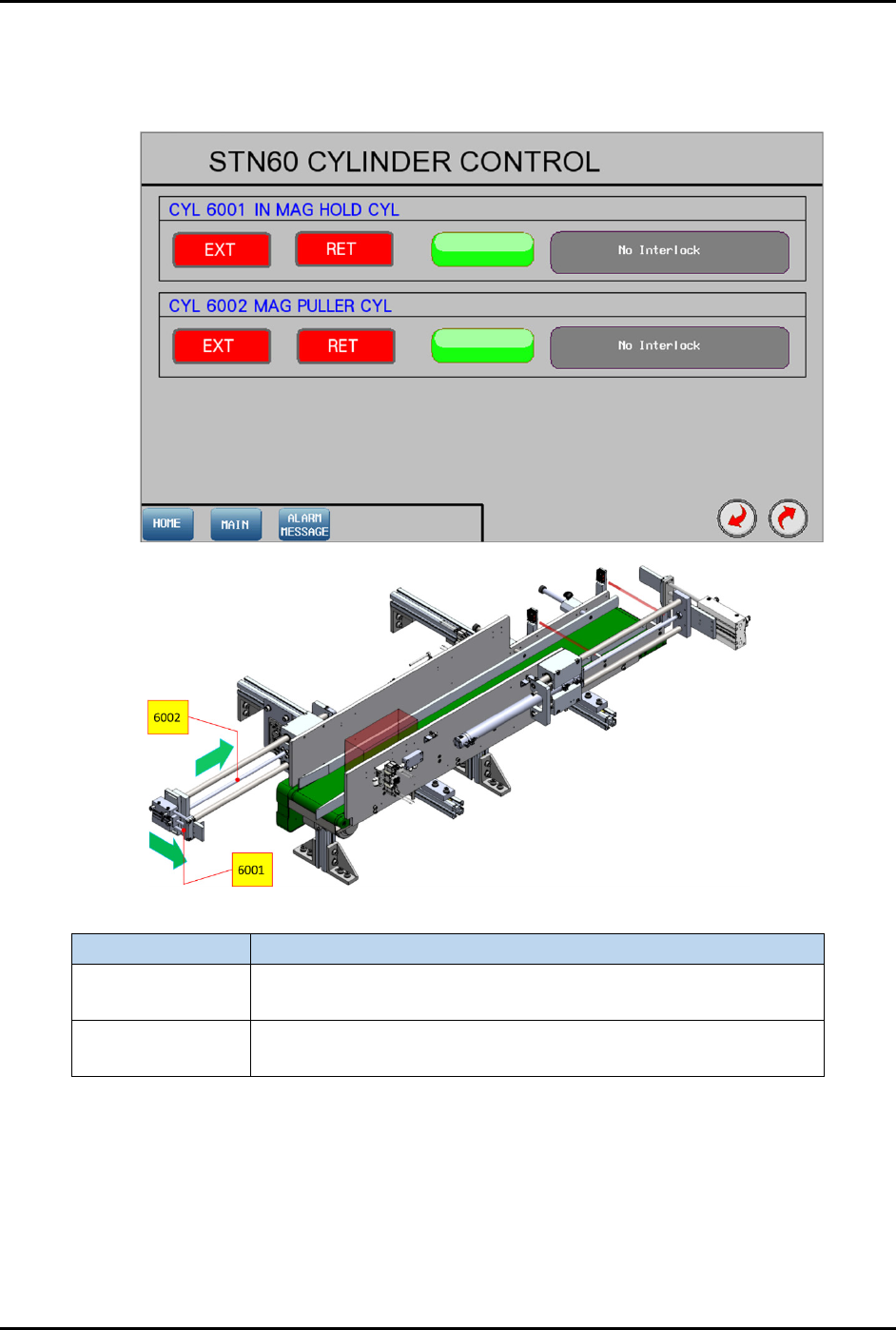
4.12.6.3 Cylinder Control 1
Pressing the CYLINDER button on the Device Control screen (Figure 4-96) will show the control list of
electro-pneumatic cylinders.
Label Description
CYL 6001
EXT – Engage with magazine at the left side.
RET – Release magazine.
CYL 6002
EXT – Position CYL 6001 at magazine rear and left sides.
RET – Pull magazine into the conveyor lane.
Figure 4-97 Station 60 – Cylinder Control 1 Screen
FlexTRAK-OH Material Handling System IOM Manual Material Handler Operation
© 2023 Nordson Corporation 4-61
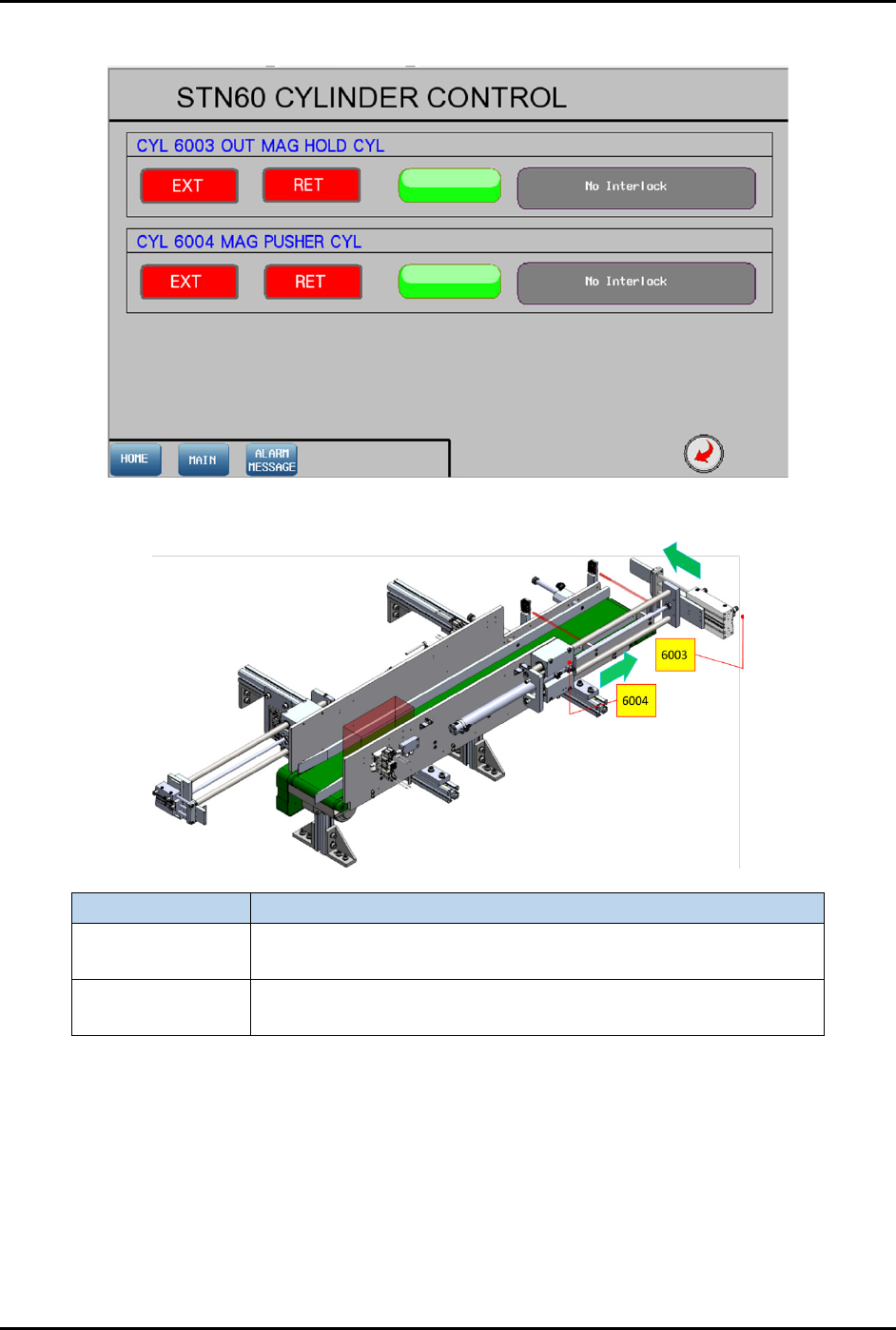
4.12.6.4 Cylinder Control 2
Figure 4-98 Station 60 – Cylinder Control 2 Screen
Label Description
CYL 6003
EXT – Engage with magazine in conveyor at the left side.
RET – Release magazine.
CYL 6004
EXT – Push out magazine from the conveyor lane.
RET – Position CYL 6001 at magazine front and left sides.
Figure 4-99 Station 60 – Cylinder Control 2 Location
FlexTRAK-OH Material Handling System IOM Manual Material Handler Operation
4-62 © 2023 Nordson Corporation
4.13 Operating in Manual Mode
Manual mode operation is typically used for testing purposes, process development, troubleshooting, and
processing a single workpiece. To operate in Manual mode, press MANUAL button on the right panel of
home screen (Figure 4-100).
4.14 Operating in Auto Mode
Auto mode operation is typically used for motion variable settings, motion position teaching, and
troubleshooting. To operate in Auto mode, press AUTO button on the right panel of home screen
(Figure 4-100).
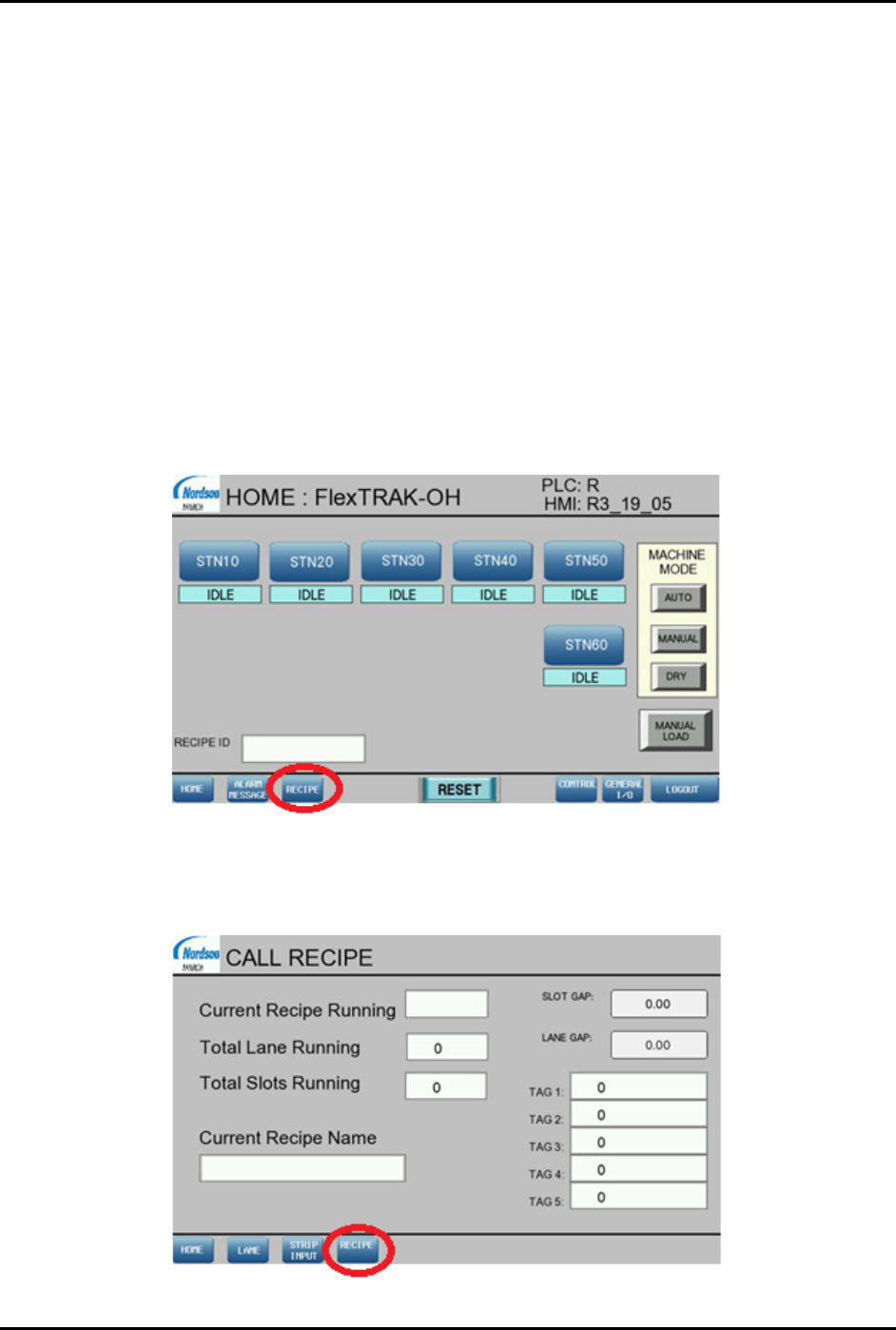
4.15 Creating a New Recipe
1. In the HOME screen, press RECIPE (Figure 4-100).
The CALL RECIPE screen opens (Figure 4-101).
The Current Recipe Running field shows the previous recipe used.
Figure 4-100 Home Screen
2. Press RECIPE to load another recipe or create a new recipe (Figure 4-101).
The RECIPE SELECTION screen opens (Figure 4-102).
Figure 4-101 Call Recipe Screen