FlexTRAK OH Material Handler Manual.pdf - 第48页
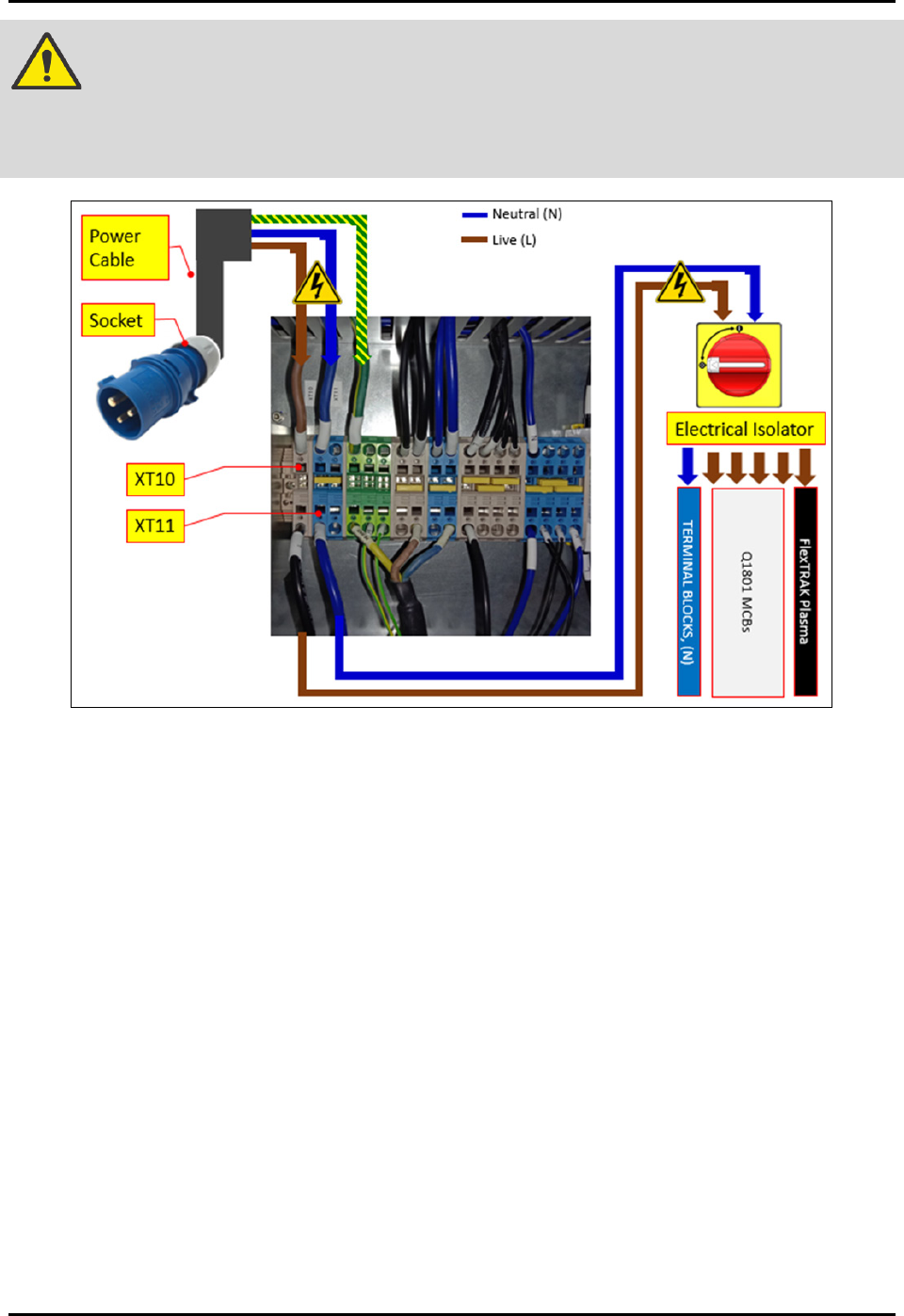
FlexTRAK-OH Material Handli ng System IOM Manual Safety 2-18 © 2023 Nordson C orporation DANGER! The elect rical lines c oming into the X T10 and XT11 rem ain connected whe n isolator switch is turned off. The isolator s…
FlexTRAK-OH Material Handling System IOM Manual Safety
© 2023 Nordson Corporation 2-17
2.19 Service Shutdown
WARNING! Inform and obtain permission from the authorized personnel before de-energizing
the machine electrical power.
2.19.1 Electrical Power Lockout/Tagout
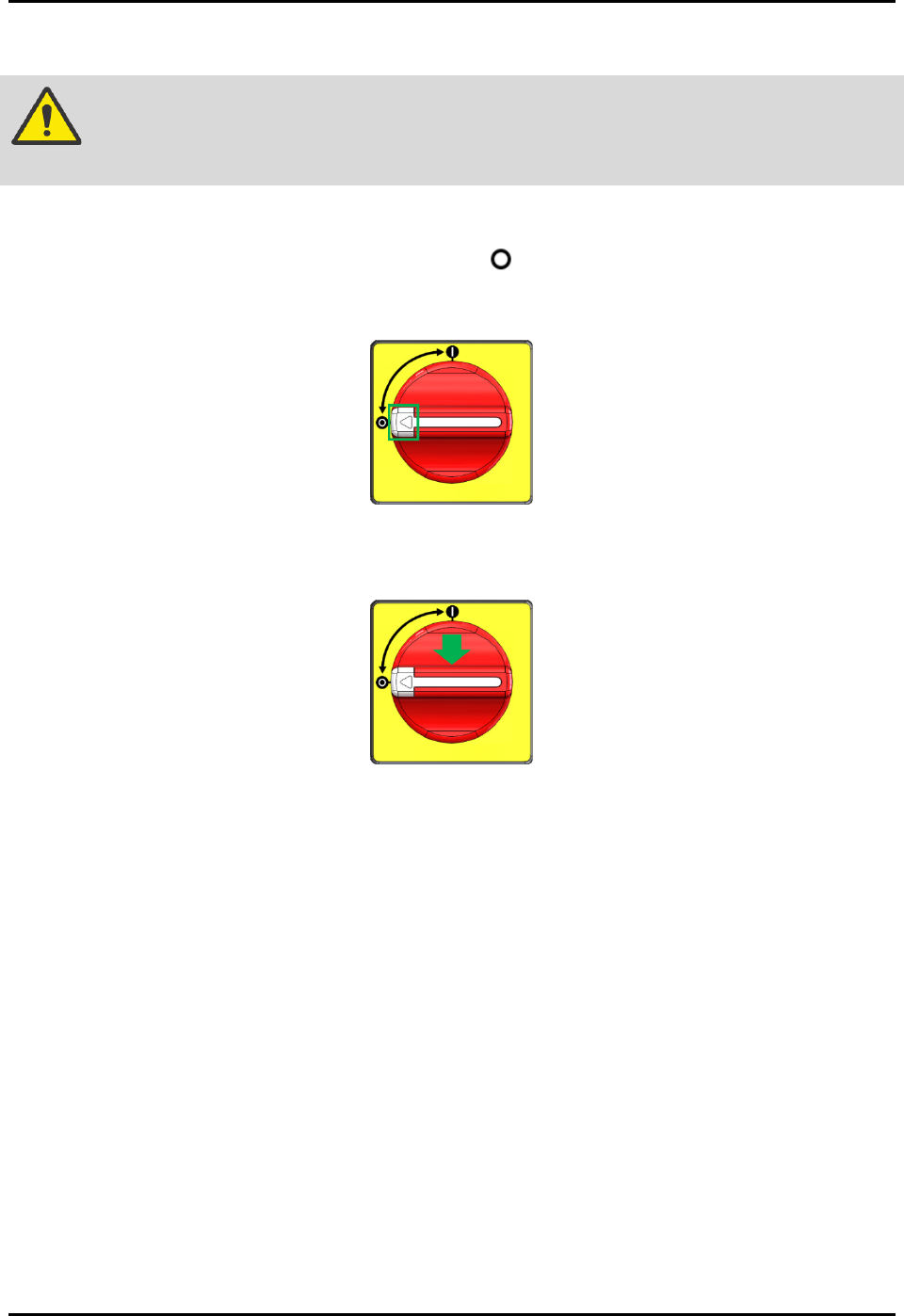
1. Twist the isolator switch to the off position (Figure 2-15).
2. Locate the lockout point position, then press the white button (Figure 2-15).
Figure 2-15 Isolator Switch
3. Apply the LOTO kit at the lockout point (Figure 2-16).
Figure 2-16 Apply LOTO Kit On Isolator Switch
4. Verify electrical de-energize status by using an electrical voltage measuring tool for AC
source. Measure for Live (L) and Neutral (N). Result obtained should be read as 0 V ~AC.
NOTE
Wait for 10 minutes before attempting to perform maintenance, servicing, or
troubleshooting of electrical modules (e.g., servo motors).
Electrical energy is always present at:
• Power cable to the terminal block (XT10, XT11)
• Terminal block (XT10, XT11) to the isolator switch
FlexTRAK-OH Material Handling System IOM Manual Safety
2-18 © 2023 Nordson Corporation
DANGER! The electrical lines coming into the XT10 and XT11 remain connected when
isolator switch is turned off. The isolator switch will isolate electrical energy
from energizing the local components and the integrated equipment such as
plasma system and HEPA filter (Figure 2-17).
Figure 2-17 Electrical Feeding and Distribution Points
FlexTRAK-OH Material Handling System IOM Manual Safety
© 2023 Nordson Corporation 2-19
2.19.2 Pneumatic Energy Lockout/Tagout
Turn the shut-off valve knob handle from SUP to the EXH position (Figure 2-13). Energy will be
isolated.
WARNING! The pneumatic lines coming into the shut-off knob remain energized after the
knob switch has been turned to Off position. Shut-off valve knob isolates
pneumatic energy to machine local components and integrated equipment.
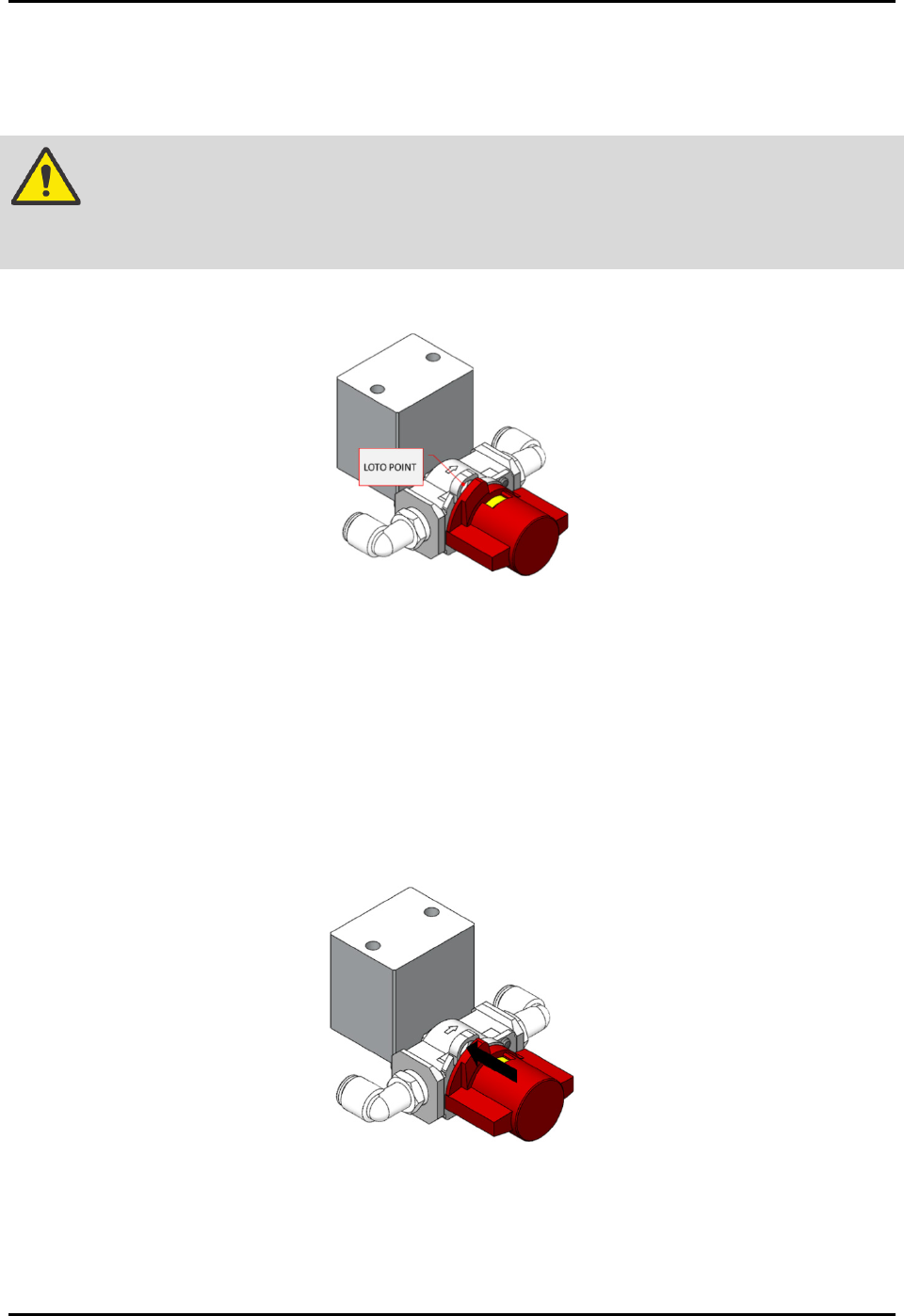
1. Locate the lockout point position (Figure 2-18).
Figure 2-18 LOTO Kit Anchoring Point for Shut-Off Valve
2. Verify compressed air de-energize status by listening to the exhausted air sound or by
verifying the reading in air pressure gauge (Figure 2-13).
The reading should be zero bar.
The compressed air pressure reading will be unavailable when electrical power is
de-energized as the gauge is a digital pressure meter type.
3. Turn off the gas supply safety valve
4. Apply the LOTO kit on the shut-off valve knob (Figure 2-19).
Figure 2-19 Apply LOTO Kit On Shut-Off Valve Knob