1OM-1064-002.pdf - 第106页
1. Notes Fig. 2.2 (3) Confirm that the supply cover is securely fixed. CAUTION Insufficient fixation causes the supply cover to fall down. 1.5 Opening and Closing of Supply Cover CAUTION • If there are more than one pers…
1. Notes
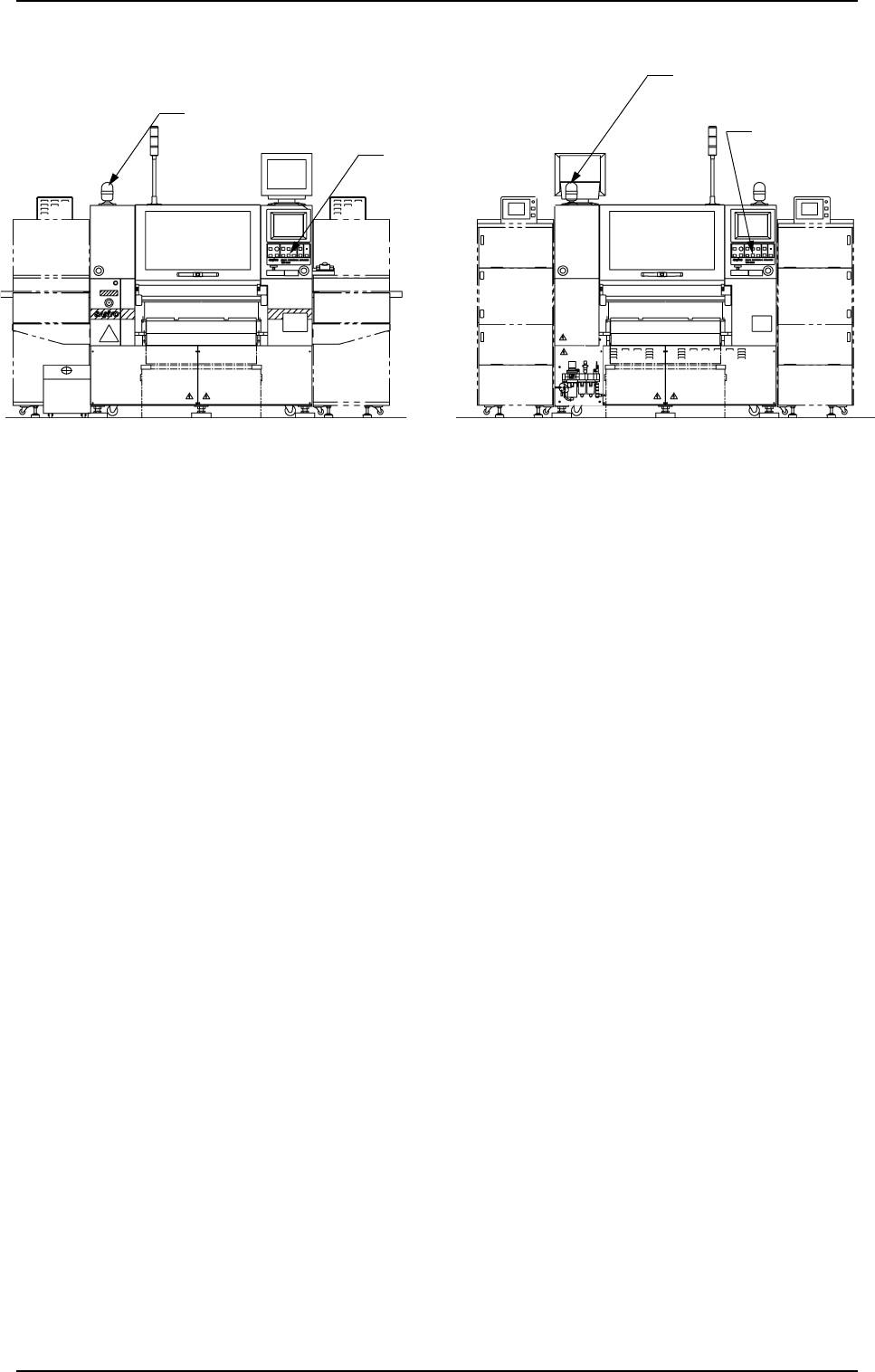
1.4 Component Shortage Indicator
Component Shortage
Indicator (A)
[READY]
Button
[READY] Button
Component Shortage Indicator (B)
(Front View) (Beam B Side) (Rear View) (Beam A Side)
1. Notes
0004-002 2-7 Tg0246-PM-OP
Fig. 2.1
This indicator shows that a feeder on the feeder base is short of components.
• Component Shortage Indicator ON
When component supply to the feeder is completed and the X/Y beam on
the related side is available in operation, the component shortage indicator
illuminates.
• Component Shortage Indicator OFF
When components are not picked up from the related side according to the
current pattern program, the component shortage indicator extinguishes.
• Component Shortage Indicator “Flickering” (The indicator flickers only when
components are picked up from the related side according to the current
pattern program.)
When the operation on the related side cannot be continued due to a compo-
nent shortage error during operation, the component shortage indicator flick-
ers, indicating that the feeder can be replaced or replenished with compo-
nents.
When the [READY] button is pressed after the feeder replacement or com-
ponent supply is completed, the component shortage indicator keeps on flick-
ering until the machine is set in the “READY” mode.
When the [READY] button is pressed and the electromagnetic locks of the
supply cover and the safety bar are released, the component shortage indica-
tor flickers, indicating that the feeder can be replaced or replenished with
components.
Note: When the [OPERATION/SET UP] switch is set to the “SET UP” side,
the operation on the available side is locked and the electromagnetic
locks of the supply cover and the safety bar are latched forcibly and
both the LED of the [READY] button and the component shortage
indicator flicker. (Only when components are picked up from the op-
posite side according to the current pattern program)
1. Notes
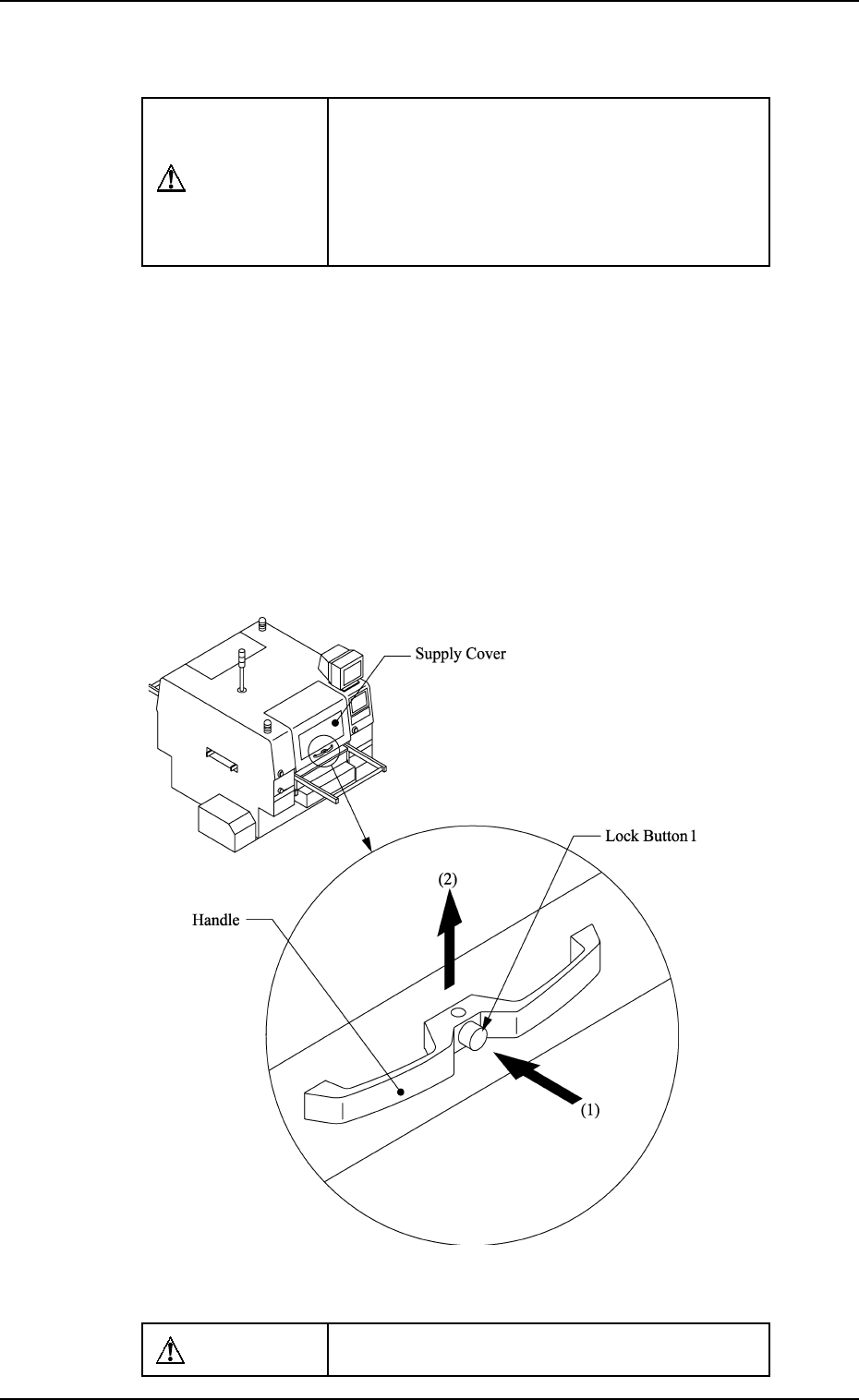
Fig. 2.2
(3) Confirm that the supply cover is securely fixed.
CAUTION
Insufficient fixation causes the supply cover to
fall down.
1.5 Opening and Closing of Supply Cover
CAUTION
• If there are more than one person, ensure
good communication by giving loud verbal
instructions for safety purposes.
• Confirm that no obstacle, etc., exist around
the opening of the supply cover and then
open or close the supply cover.
Purpose of Opening or Closing
• To supply components after component shortage.
• To remove mispicked components.
• To replace each feeder.
• To perform the program change operation.
• Others
How to Open or Close the Supply Cover
How to Open the Supply Cover
(1) Hold the handle firmly with both hands and push the lock button 1
to unlatch.
(2) Lift the supply cover to its upper limit. Then fix it securely.
0004-002 2-8 Tg0246-PM-OP
1. Notes
0004-002 2-9 Tg0246-PM-OP
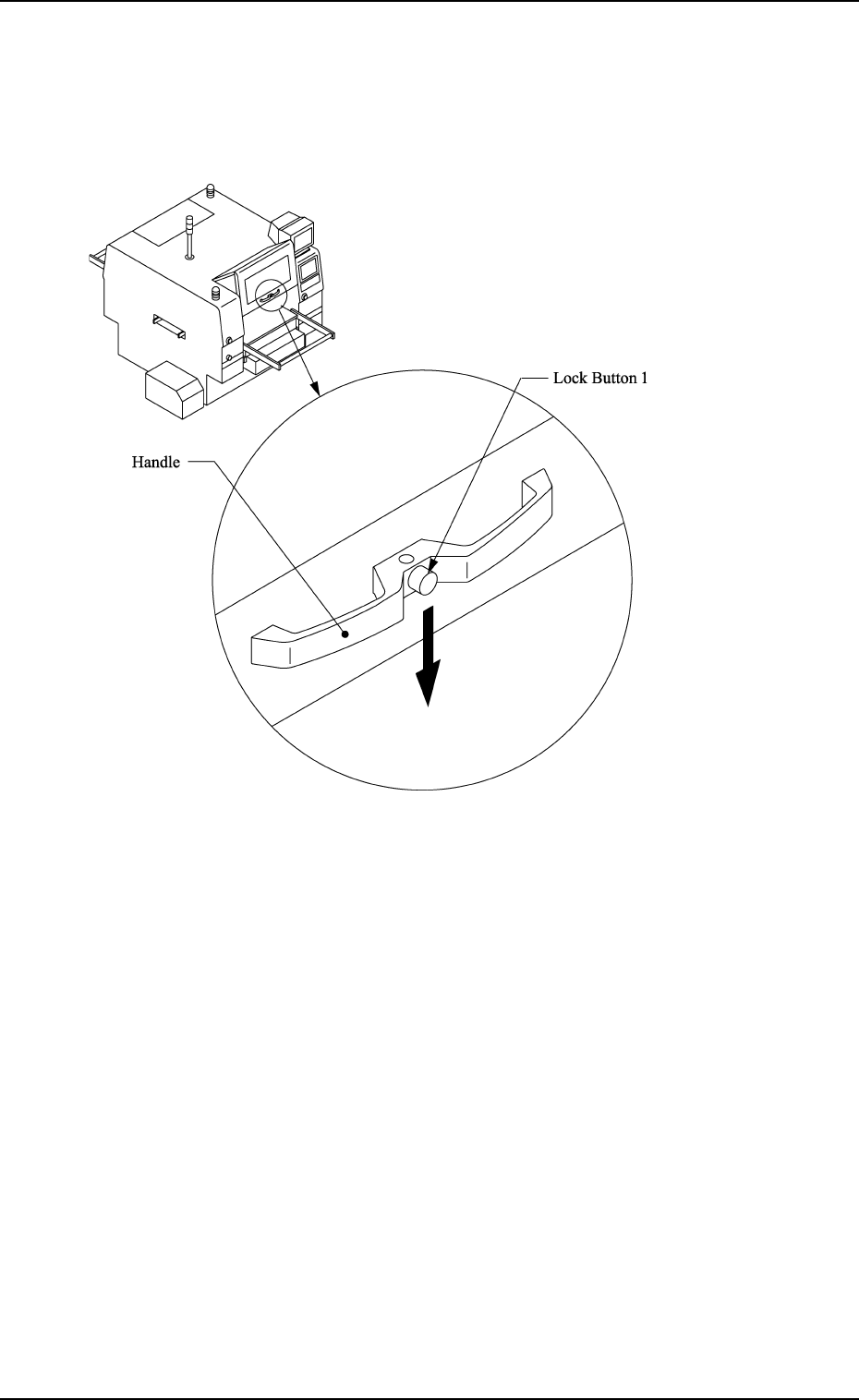
How to Close the Supply Cover
(1) Hold the handle firmly with both hands and push down to its lower
limit slowly.
Fig. 2.3
(2) Make sure that the supply cover is at its lower limit and then release
the handle.