1OM-1064-002.pdf - 第218页
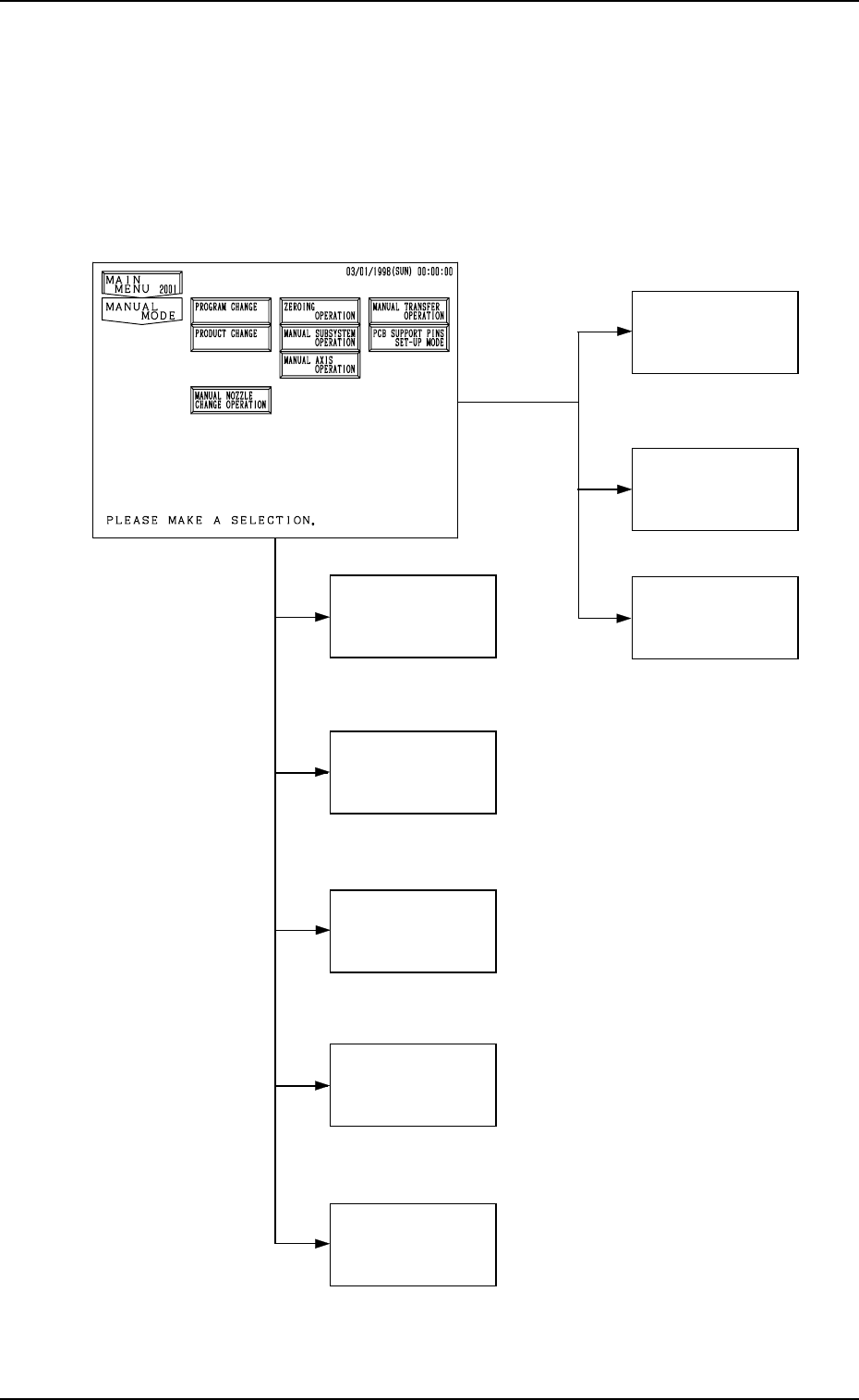
MANUAL AXIS OPERA TION MANUAL SUBSYSTEM OPERA TION ZEROING OPERA TION PRODUCT CHANGE PROGRAM CHANGE (3. in Section 4) (4. in Section 4) (5. in Section 4) (6. in Section 4) (7. in Section 4) (10. in Section 4) PCB SUPPOR …

Section 4
Manual Mode Menus
9910-001 4-1 Tg0246-PM-OP
MANUAL AXIS
OPERATION
MANUAL
SUBSYSTEM
OPERATION
ZEROING
OPERATION
PRODUCT
CHANGE
PROGRAM
CHANGE
(3. in Section 4)
(4. in Section 4)
(5. in Section 4)
(6. in Section 4)
(7. in Section 4)
(10. in Section 4)
PCB SUPPORT
PINS SET-UP
MODE
MANUAL
NOZZLE CHANGE
OPERATION
(9. in Section 4)
MANUAL
TRANSFER
OPERATION
(8. in Section 4)
1. Hierarchical Structure of Manual Mode Displays
Manual mode operation is described along with the following hierarchical struc-
ture.
The number in ( ) shows item Nos. to be referred to in the instruction manual.
9910-001 4-2 Tg0246-PM-OP
1. Hierarchical Structure of Manual Mode Displays
*6
*1
*2
*3
*4
*5
*7
*8
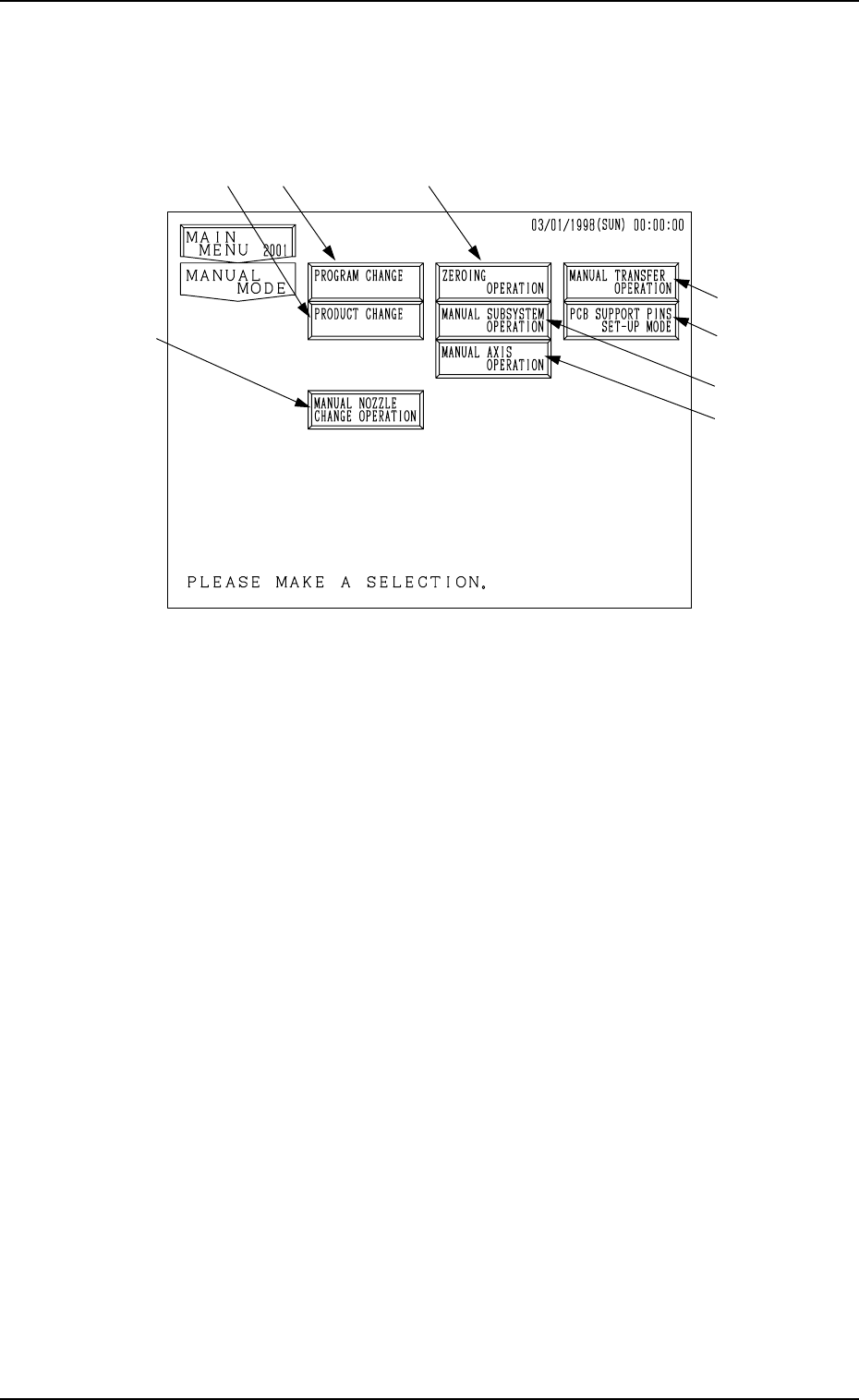
2. MANUAL MODE Display
When the [MANUAL MODE] key is pressed at the “MAIN MENU” display,
the following display appears on the screen.
9910-001 4-3 Tg0246-PM-OP
2. MANUAL MODE Display
Fig. 4.1
*1 When this key is pressed, the “PROGRAM CHANGE” display appears on
the screen, enabling the program change operation.
• This key can be selected only when the machine is in the “STOP” mode.
*2 When this key is pressed, the “PRODUCT CHANGE” display appears on
the screen, enabling the automatic set-up operation for the conveyor width.
• This key can be selected only when the machine is in the “STOP” mode.
*3 When this key is pressed, the “ZEROING OPERATION” display appears
on the screen, enabling the zeroing operation of all or each individual de-
vices.
• This key can be selected only when the machine is in the “STOP” or
“PAUSE” mode.
*4 When this key is pressed, the “MANUAL SUBSYSTEM OPERATION”
display appears on the screen, enabling the cycle operation of each indi-
vidual devices.
• This key can be selected only when the machine is in the “STOP” mode.
*5 When this key is pressed, the “MANUAL AXIS OPERATION” display
appears on the screen, enabling the manual axis operation of each indi-
vidual devices.
• This key can be selected only when the machine is in the “STOP” mode.