1OM-1064-002.pdf - 第22页
No. W arning Labels Description *7 • Do not operate the machine with the cover opened. *8 • Do not touch any internal sections of the ma- chine. • Before maintenance, inspection, adjustment work, etc., on internal sectio…
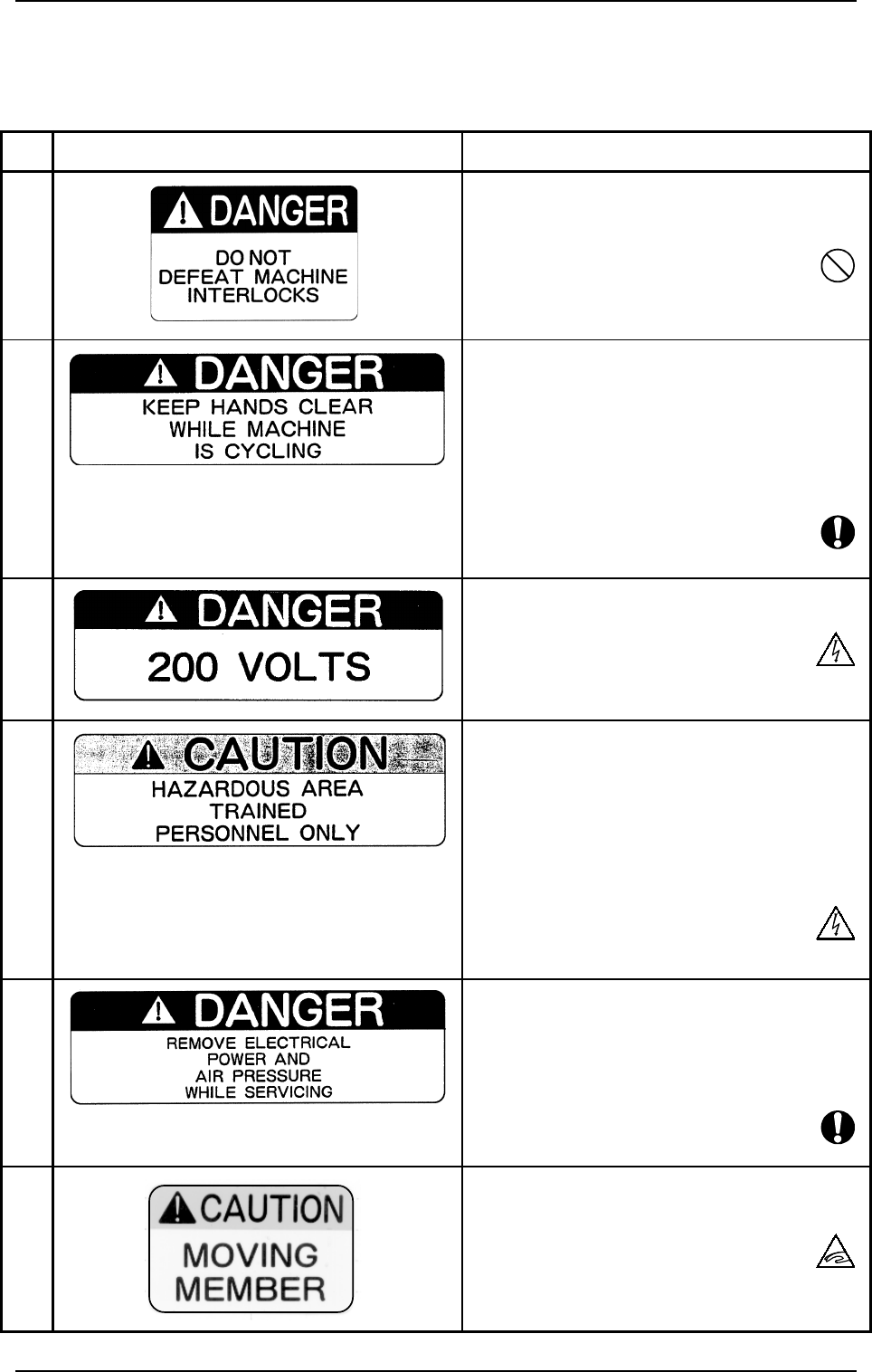
No. Warning Labels Description
*1 • Do not deactivate the interlock deliberately to
operate the machine as the maintenance cover
is equipped with an interlock system.
*2 • Keep your hands away from the moving range
of the machine. Before maintenance, inspec-
tion, adjustment, lubrication, or cleaning work,
turn off the power switch and the air source of
the machine. Only qualified personnel should
operate the machine, and following the speci-
fied instructions.
*3 • The labeled sections use the high voltage (200
V). Do not touch any part of the sections.
*4 • The labeled sections (terminal and control box)
use the high voltage.
Do not touch any part of the sections.
Before operation, switch off the power and
the air source of the machine and follow the
instructions specified for inspection work.
Only qualified personnel should operate the
machine.
*5 • Before maintenance, inspection, adjustment,
lubrication, or cleaning work, turn off the power
switch and the air source of the machine and
follow the specified instructions. Only quali-
fied personnel should operate the machine.
*6 • Do not touch the labeled sections (feeder car-
riages and P.C.B. transfer section) by hand be-
cause they are moving.
2.2 Warning Label Description
0004-002 19 Tg0246-PM-OP
2.2 Warning Label Description
The numbers are corresponding to those shown in "2.1 Warning Label Loca-
tions".
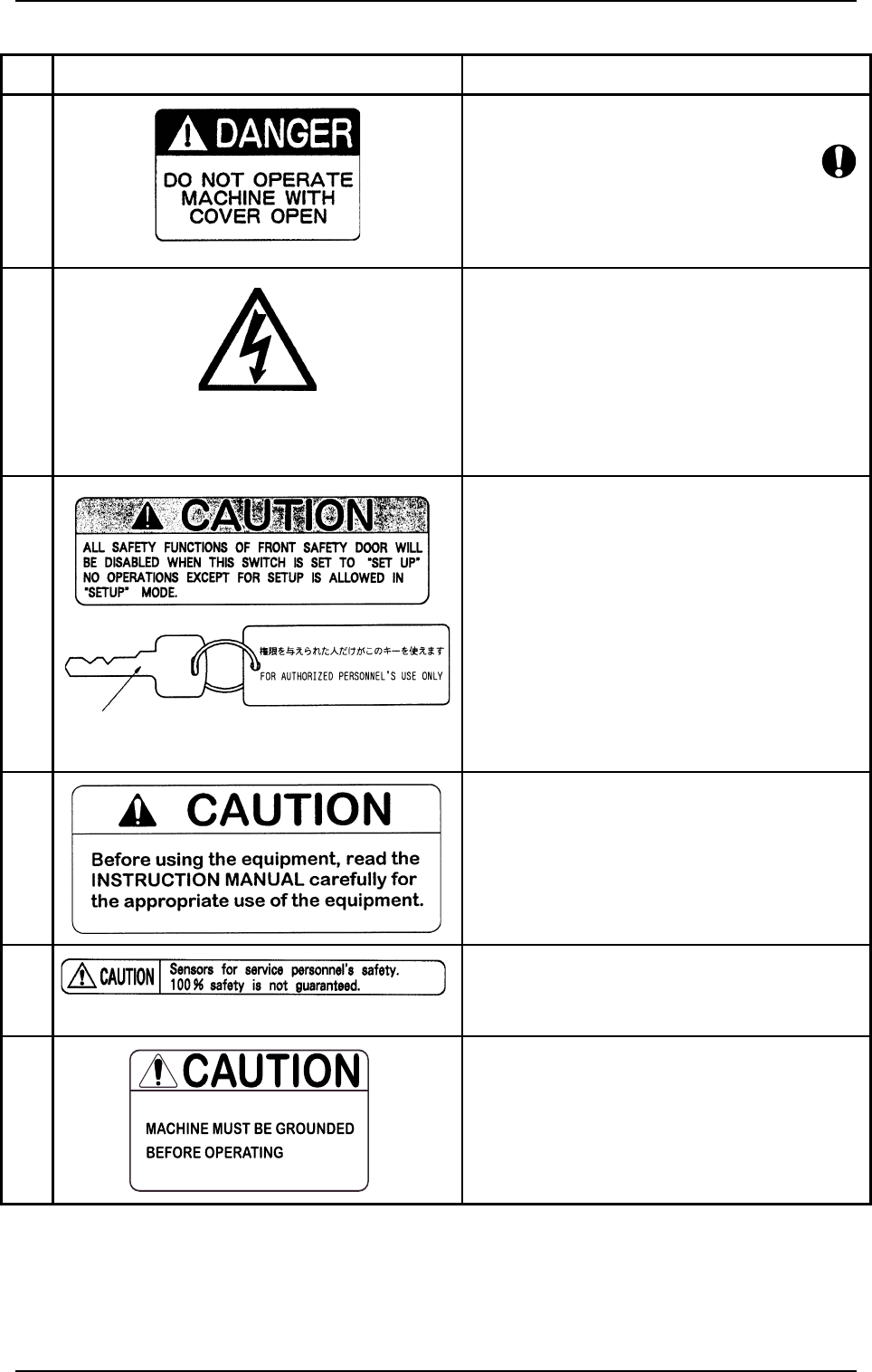
No. Warning Labels Description
*7 • Do not operate the machine with the cover
opened.
*8 • Do not touch any internal sections of the ma-
chine.
• Before maintenance, inspection, adjustment
work, etc., on internal sections, turn off the
power switch and the air source of the machine.
Only qualified personnel should operate the
machine, and following the specified instruc-
tions.
*9 • The interlock functions of the safety door will
be disabled when the [OPERATION/SET UP]
switch is set to “SET UP” side. Special caution
is required to avoid any danger.
• No operations except for setup is allowed in
“SET UP” mode.
• Do not keep the selection key inserted unless
necessary. The key shall be stored by the per-
son in charge.
*10 • Please read the instruction manual carefully
before operating the machine.
*11 • Sensors for service personnel’s safety.
(100% safety is not guaranteed.)
*12 • Be sure to connect a ground wire correctly to
avoid electric shock.
Key (for the [OPERATION/SET UP] Switch)
2.2 Warning Label Description
9910-001 20 Tg0246-PM-OP
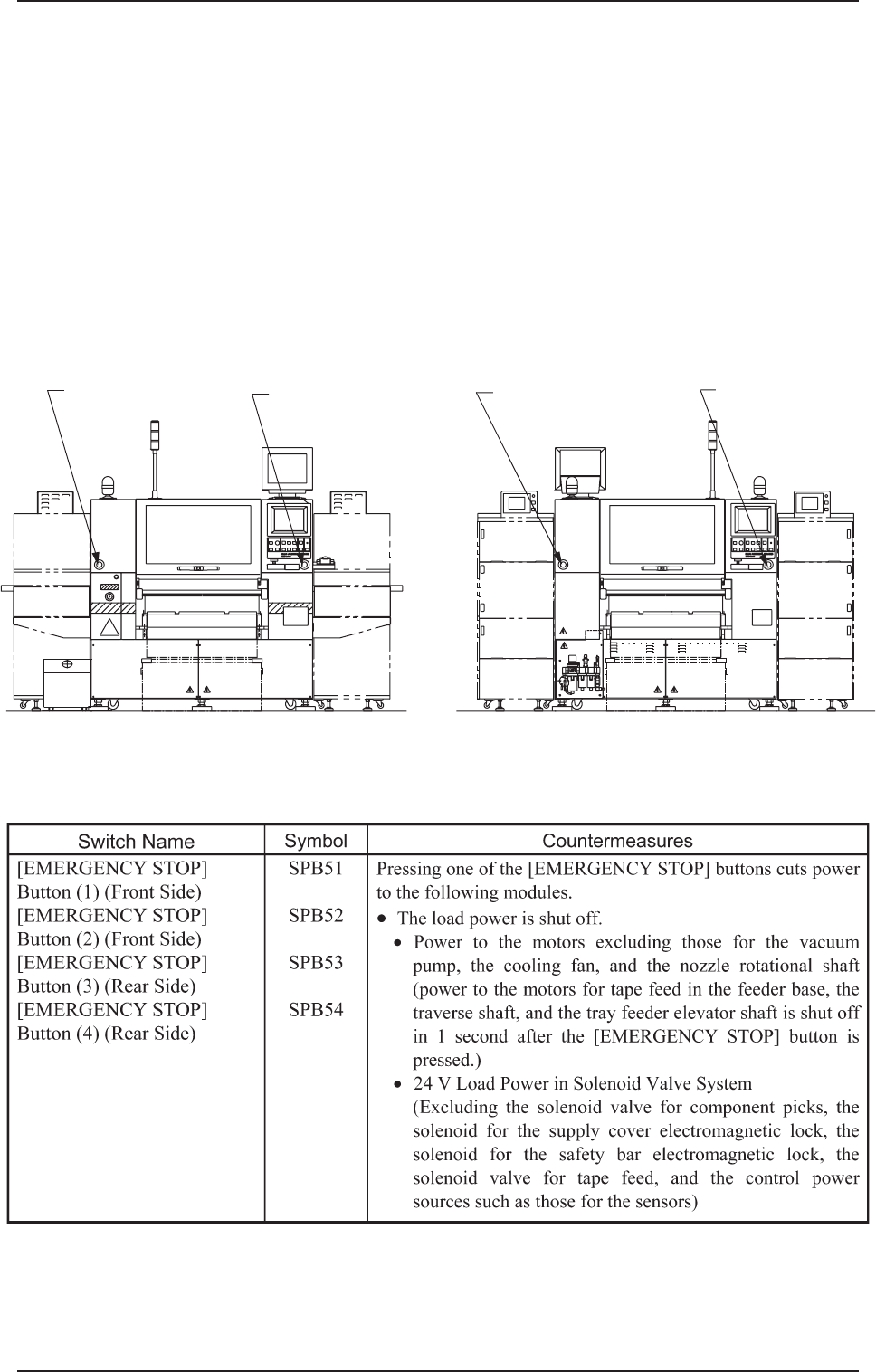
[EMERGENCY STOP]
Button (1)
SPB51
[EMERGENCY STOP]
Button (2)
SPB52
[EMERGENCY STOP]
Button (4)
SPB54
[EMERGENCY STOP]
Button (3)
SPB53
3. Safety Switches
0304-002 21 Tg0246-PM-OP
(Front View) (Side B) (Rear View) (Side A)
3. Safety Switches
• When an error is detected in the machine, the safety features are de-
signed to stop the dangerous moving mechanisms of the machine.
Everything is processed on the machine side (hardware) without using any
software application on the computer side.
3.1 [EMERGENCY STOP] Buttons
Press one of the [EMERGENCY STOP] buttons to stop the machine immedi-
ately in an emergency. The power is turned off and the machine stops running
immediately.