1OM-1064-002.pdf - 第175页
2. AUTO OPN MODE (PLACEMENT) Display 0103-001 3-6-1 Tg0246-PM-OP • OPERA TION MODE Parameters set as operation mode are dis- played. Note: The -marked items are optional. [SCREENS] Key
2. AUTO OPN MODE (PLACEMENT) Display
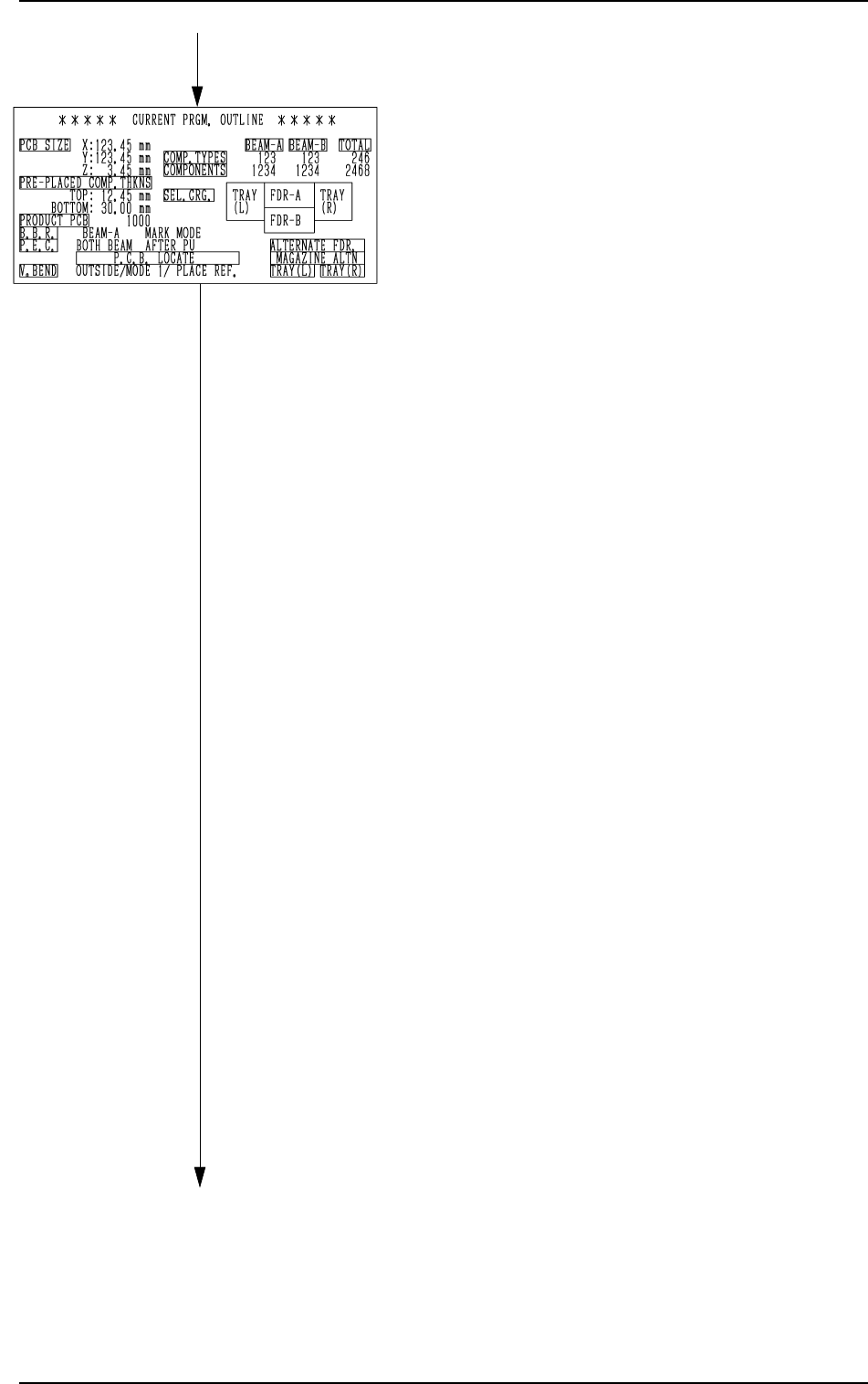
• CURRENT PRGM. OUTLINE
The outline of the current pattern program
data is displayed.
“PCB SIZE X, Y, Z”
Parameters set in the operation data are
displayed.
“PRE-PLACED COMP. THKNS”
Parameters set in the operation data are
displayed.
“PRODUCT PCB”
The actual number of multi-unit
P.C.B.’s is displayed.
This appears only when a repetitive
pattern program is used.
“B.B.R.”
This appears when the bad board re-
ject function (option) is used.
“P.E.C.”
This appears when the P.E.C. recogni-
tion function is used.
“P.C.B. LOCATE”
The P.C.B. locating information set on
the operation data or in the input/out-
put mode, is indicated.
“V. BEND
When the V. bend detection function
is added, this is indicated.
“COMP. TYPES”
The number of different component
IDs specified in the component data is
displayed.
When component types are set on two
or more feeders using the same com-
ponent ID names, the number of the
component types is regarded as one
type.
“COMPONENTS”
The number of components to actually
be placed is displayed.
When “S” (Skip) or “C” (Cancel) is set
as a control command, the component
of the step is not included in “COM-
PONENTS”.
“SEL. CRG.”
This shows which feeder carriage is
used.
Green : Selected Feeder Carriage
Black : Unselected Feeder Carriage
[SCREENS] Key
[SCREENS] Key
0103-003 3-6 Tg0246-PM-OP
2. AUTO OPN MODE (PLACEMENT) Display
0103-001 3-6-1 Tg0246-PM-OP
•
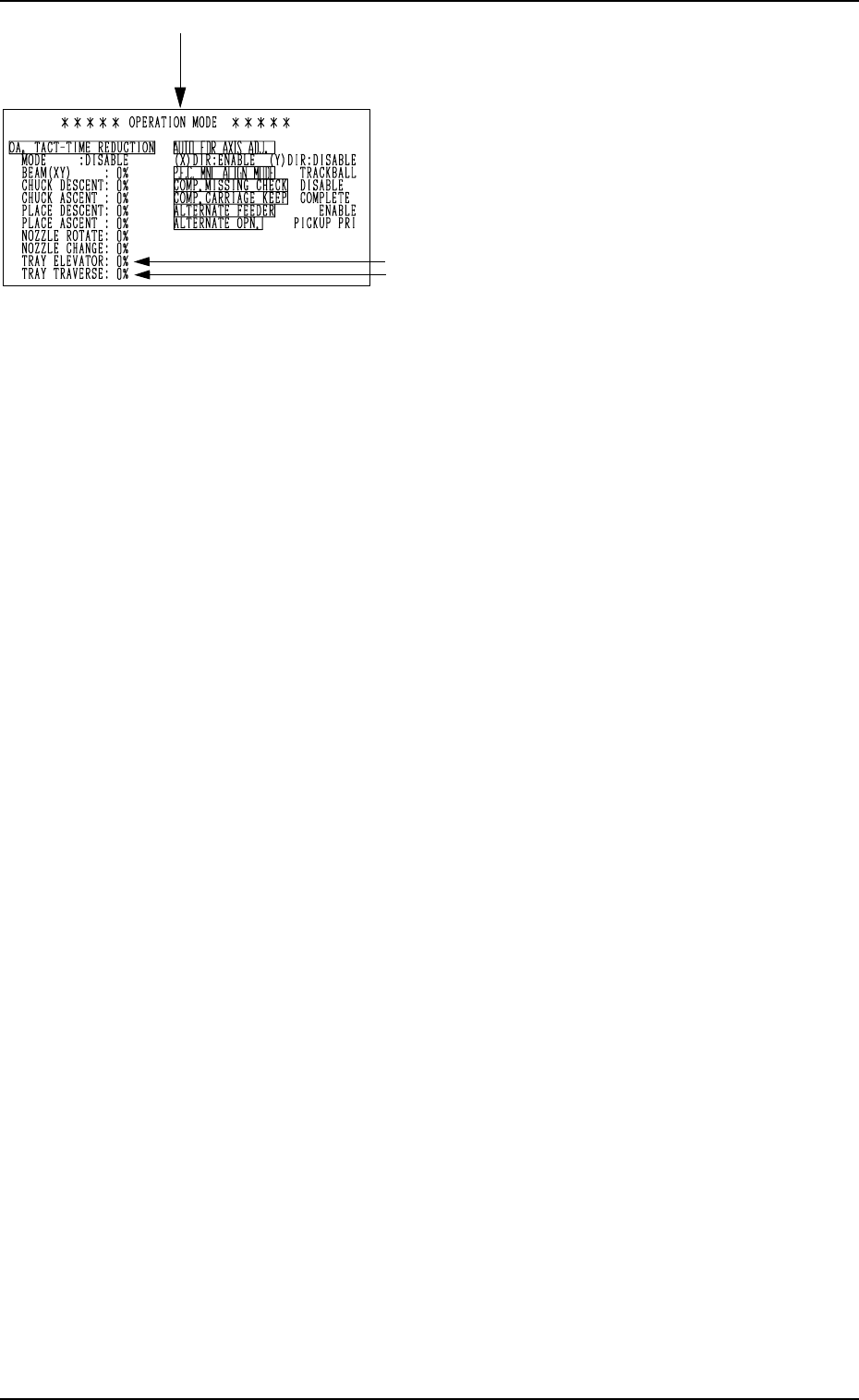
OPERATION MODE
Parameters set as operation mode are dis-
played.
Note: The -marked items are optional.
[SCREENS] Key
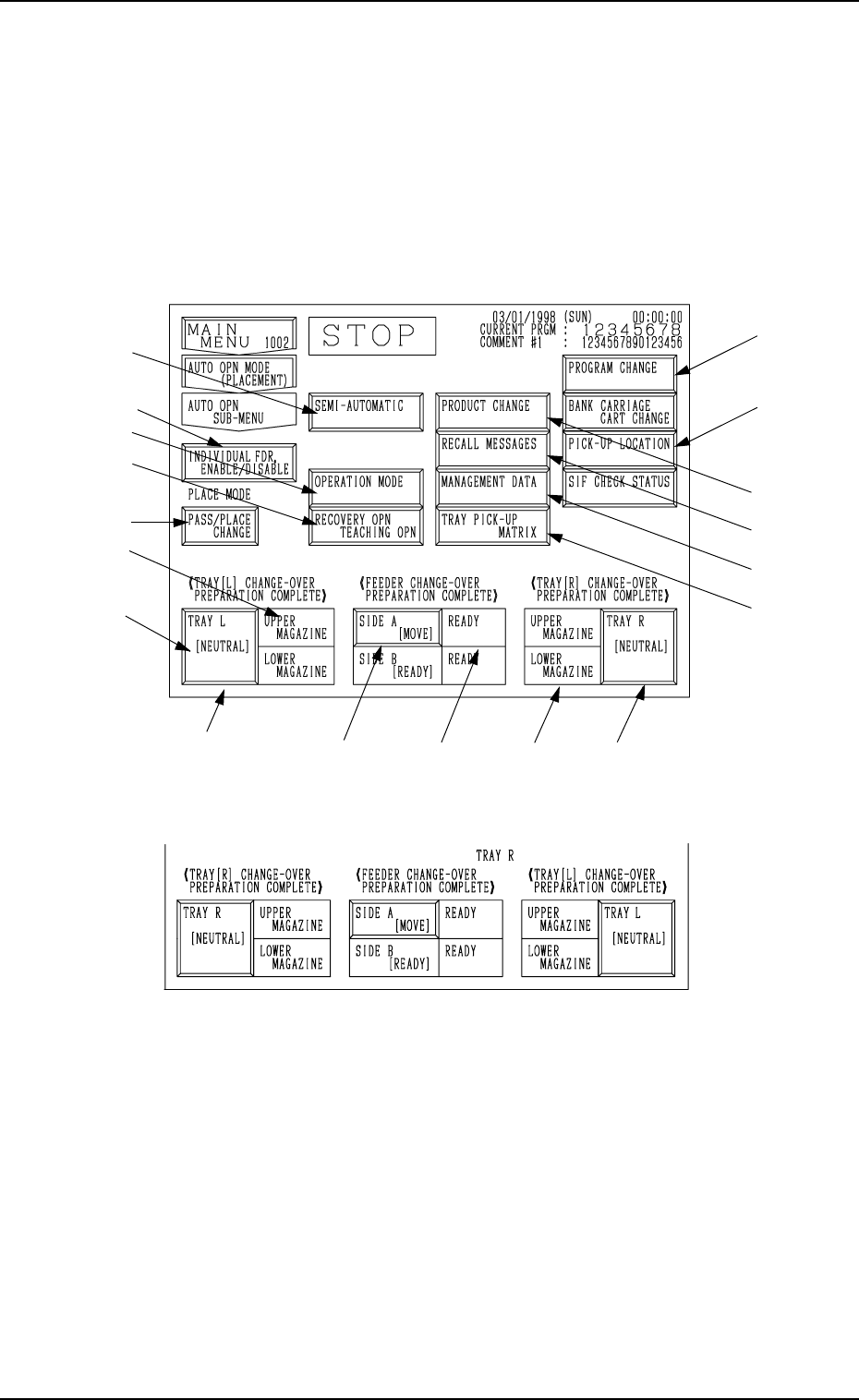
3. AUTO OPN SUB-MENU Display
Fig. 3.2-1 Operation Display for Side B
Fig. 3.2-2 Operation Display for Side A
Operation Keys
*1 [PASS/PLACE CHANGE] Key
This key is used to change the placement mode (ON/OFF of Vacuum
Pump).
Note: When the machine is set in the “STOP” mode, this key can be
selected.
*6
*5
*9
*8
*7
*4
*2
*3 *5 *4
*10
*11
*12
*13
*14
0103-003 3-7 Tg0246-PM-OP
3. AUTO OPN SUB-MENU Display
When the [AUTO OPN SUB-MENU] key is pressed at the “AUTO OPN MODE
(PLACEMENT)” display, the following display appears on the screen.
Note: There is a slight difference in the operation displays between the front
side (Side B) and the rear side (Side A).
Operation and function keys required for automatic operation can
be selected at this display.
*16
*1
*15