1OM-1064-002.pdf - 第133页
5. Preparation and Confirmation before Operation (10) When the [CHANGE CURRENT PRGM.] key is pressed, only the data for the current pattern program is set. Note: When an error is detected during set-up operation such as …
5. Preparation and Confirmation before Operation
(6) Perform the zeroing operation.
(Refer to “5. Zeroing Operation of Section 4” for details.)
(7) Open the “PROGRAM CHANGE” display and select the pattern pro-
gram to be set as a current one by pressing the corresponding “NAME
(XX/XX)” key.
• The background color of the selected key turns blue.
(8) Press the [MOVE] button or the [CHANGE CURRENT PRGM.] key.
• When the [MOVE] button is pressed, proceed to Step (9).
• When the [CHANGE CURRENT PRGM.] key is pressed, proceed to
Step (10).
Ref.: When the [CHANGE CURRENT PRGM.] key is pressed, the con-
veyor width is not set up automatically.
It is required to separately set up the conveyor width.
(9) When the [MOVE] button is pressed, the program check operation is
performed.
When the program is checked “OK”,
the conveyor width is set up (when “ON” is set in the “CONVEYOR
WIDTH” data box at the “SET-UP DATA” display) and the background
color of the program name turns green. (Hierarchical Sequence: “PAT-
TERN PROGRAM” Display → “SET-UP DATA” Display)
(When the background color of the program name turns green, it indi-
cates that the pattern program is set as a current one.)
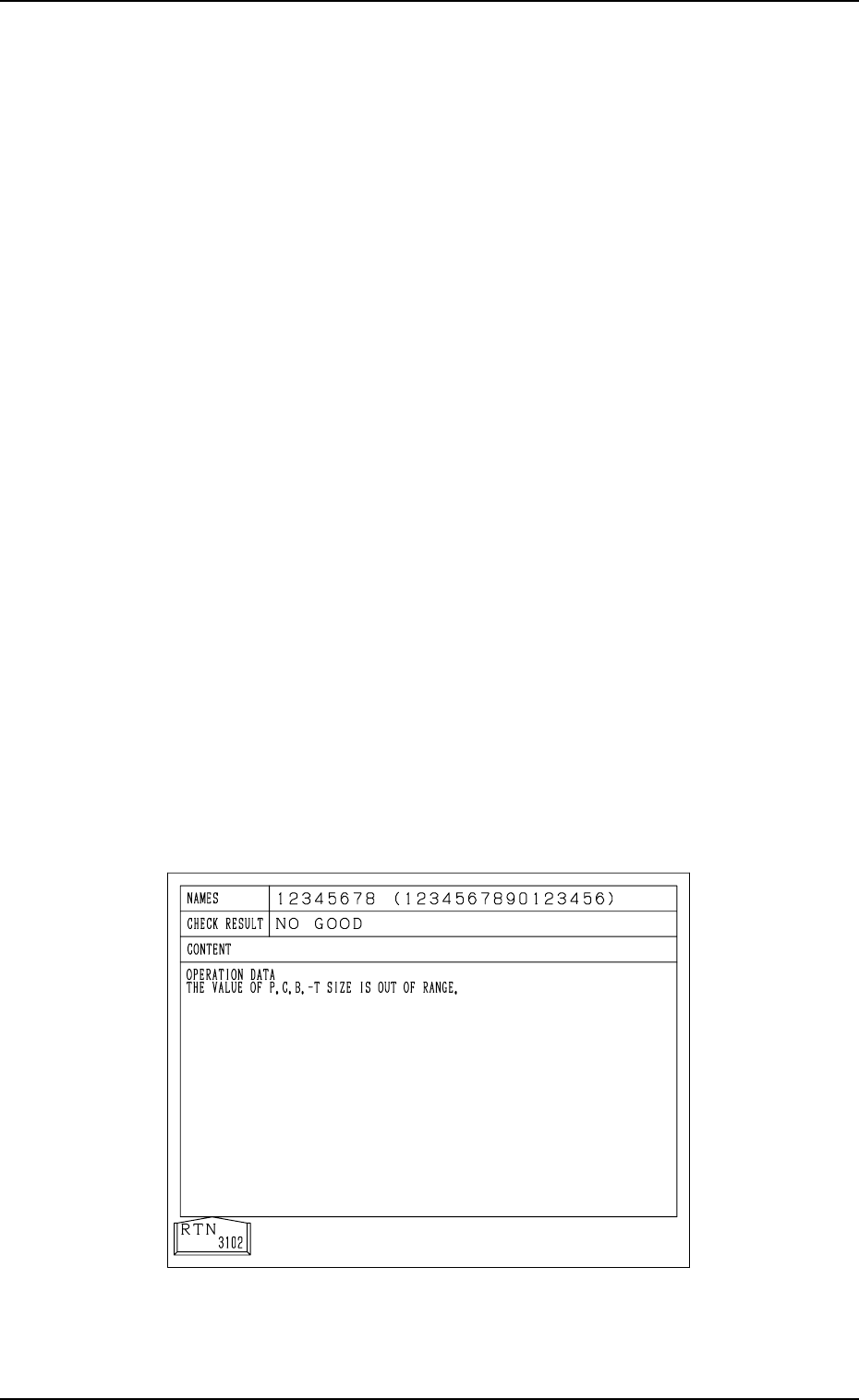
When the program is checked “NO GOOD”,
The program change operation is not performed and the program check
display like one shown in Fig. 2.22 appears on the screen, showing the
contents of the error (s).
(“????????” appears when the current program is indefinite.)
Refer to the contents of the error and correct the pattern program data.
Then, perform the program change operation again by pressing the
[MOVE] button.
Fig. 2.22
9910-001 2-34 Tg0246-PM-OP

5. Preparation and Confirmation before Operation
(10) When the [CHANGE CURRENT PRGM.] key is pressed, only the data
for the current pattern program is set.
Note: When an error is detected during set-up operation such as the
automatic conveyor width adjustment, the machine does not per-
form the program change operation.
Remove the cause of the error and perform the program change
operation again.
9910-001 2-35 Tg0246-PM-OP
5. Preparation and Confirmation before Operation
Movable Chute
Fixed Chute
P.C.B. Positioning Section (P Conveyor)
5.2.2 Adjustment of P.C.B. Positioning Section
5.2.2.1 Adjustment of Conveyor Width
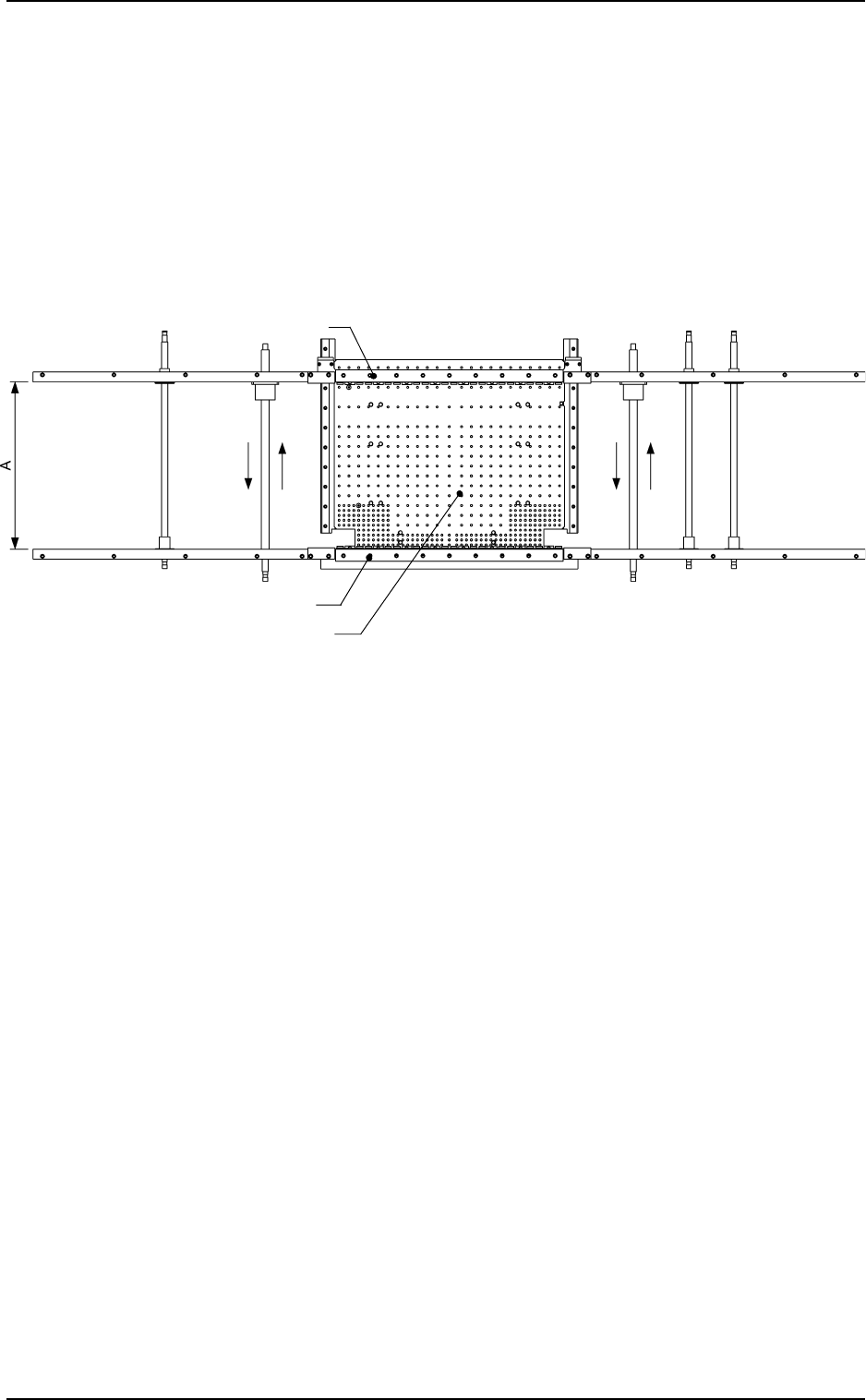
(1) Use the automatic set-up function to adjust Dimension A to “P.C.B.
Width + 0.5 mm (standard value)”.
In an actual case, the parameter set in the “CLEARANCE”data box
is used.
(2) Transfer P.C.B.’s through manual operation and check that they can
be conveyed smoothly without falling off.
0004-002 2-36 Tg0246-PM-OP
Fig. 2.23 View based on Reference Point "R-FRONT"
Notes: (a) Pay attention to the following points when the conveyor width
is automatically set up.
• When the conveyor width is zeroed, it is adjusted to “381 mm
(the largest P.C.B. size)”. Check that nothing around the con-
veyor touches part of the conveyor.
• Confirm that there is no P.C.B. on the conveyor.
Before the conveyor width set-up operation is initiated, each
conveyor is automatically activated to check that no P.C.B. is
located at any irregular position.
• Confirm that the P.C.B. support pins are removed.
(b) Fig. 2.23 shows the view based on Reference Point “R-FRONT”.
The same procedure applies regardless of a reference point.