1OM-1064-002.pdf - 第111页
1. Notes How to Close the Maintenance Cover (1) Hold the handle firmly with both hands and push down the maintenance cover slowly . 0004-002 2-13 Tg0246-PM-OP Fig. 2.6 (2) Make sure that the maintenance/supply cover is a…
1. Notes
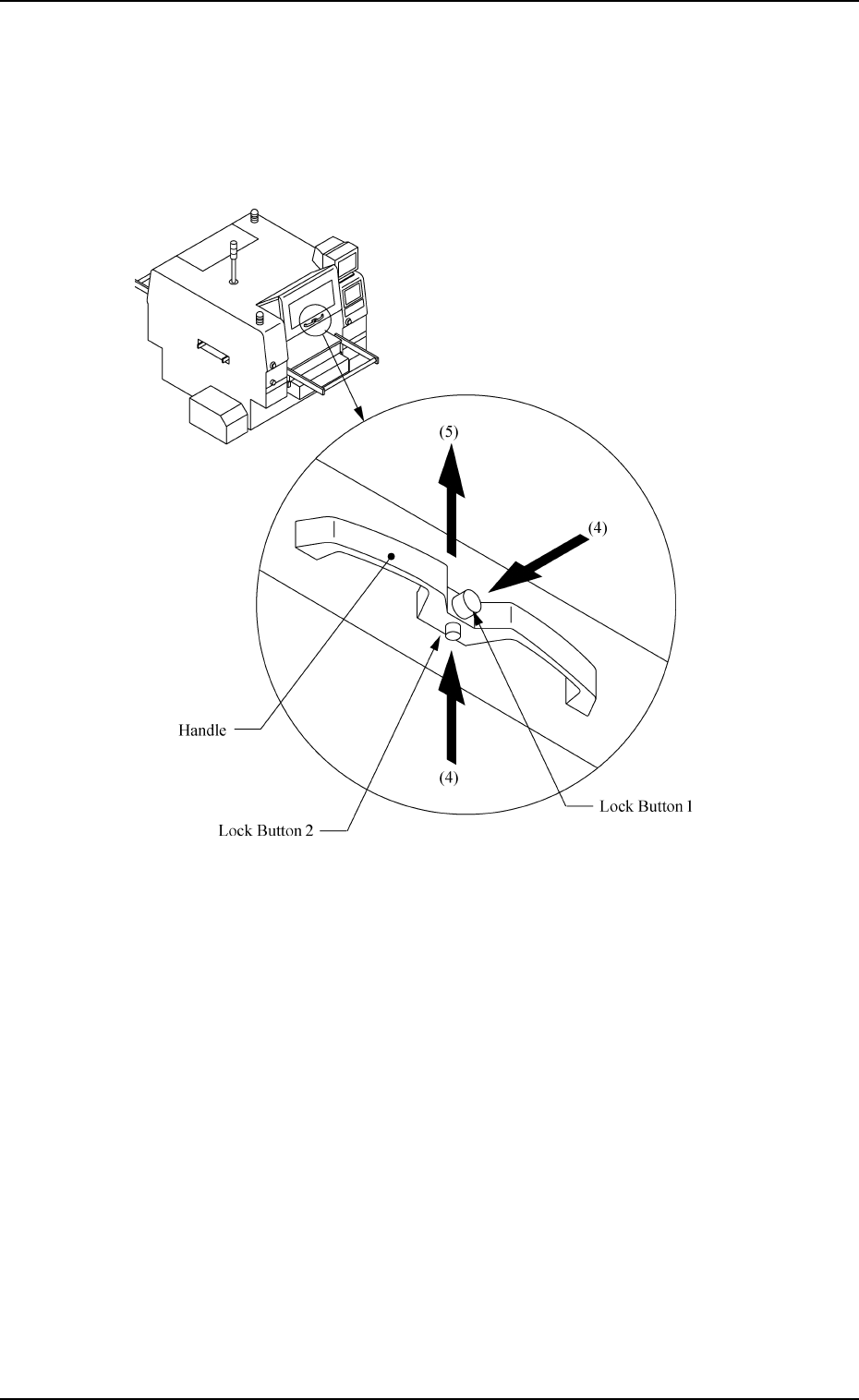
(4) Hold the handle firmly with both hands and press the lock buttons 1 and
2 to unlatch.
(5) Lift the maintenance cover to its upper limit and fix it.
0004-002 2-12 Tg0246-PM-OP
Fig. 2.5
1. Notes
How to Close the Maintenance Cover
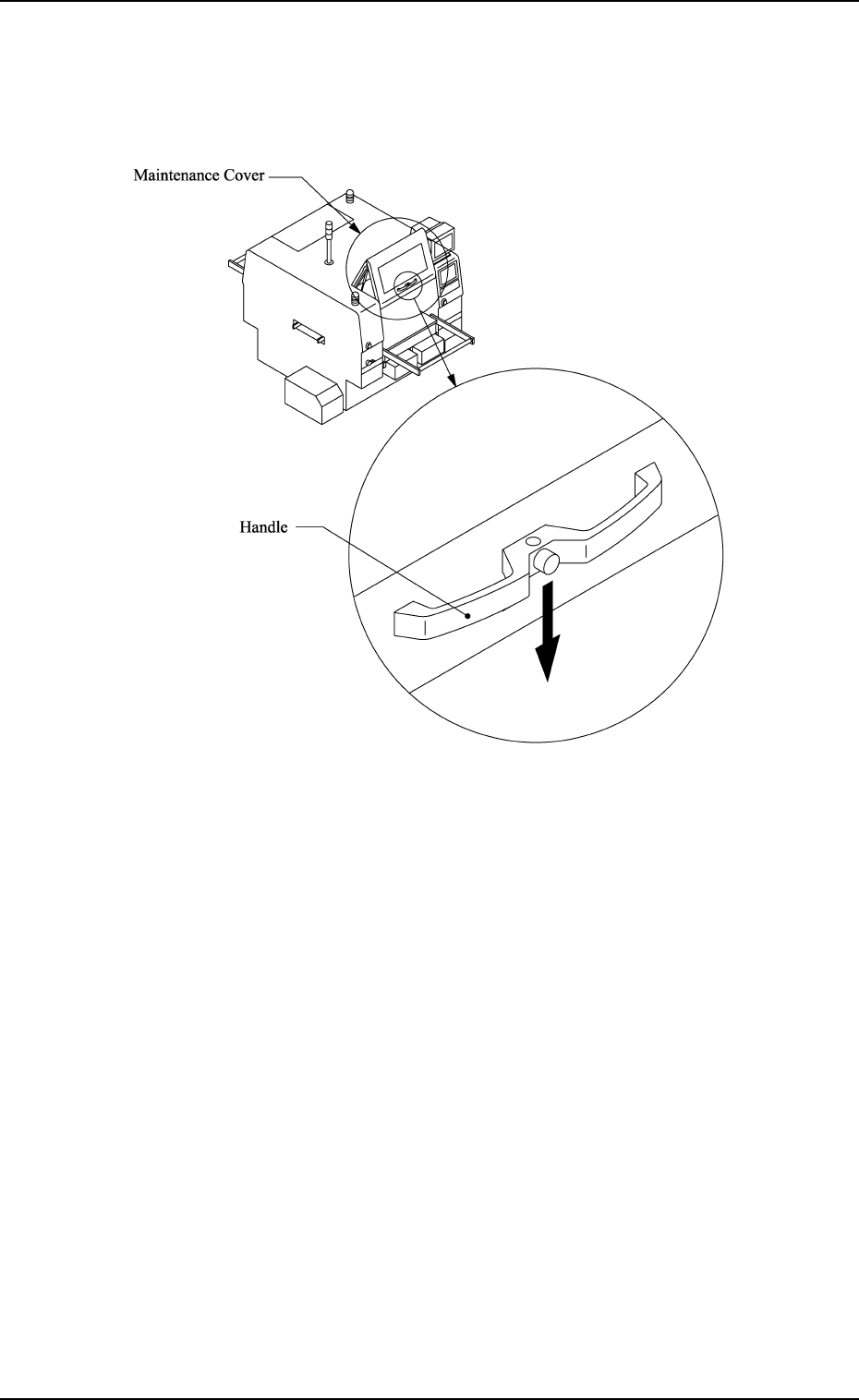
(1) Hold the handle firmly with both hands and push down the maintenance
cover slowly.
0004-002 2-13 Tg0246-PM-OP
Fig. 2.6
(2) Make sure that the maintenance/supply cover is at its lower limit
and then release the handle.
1. Notes
1.7 Vacuum Nozzles
Do not apply oil, etc., to the diffusion plate.
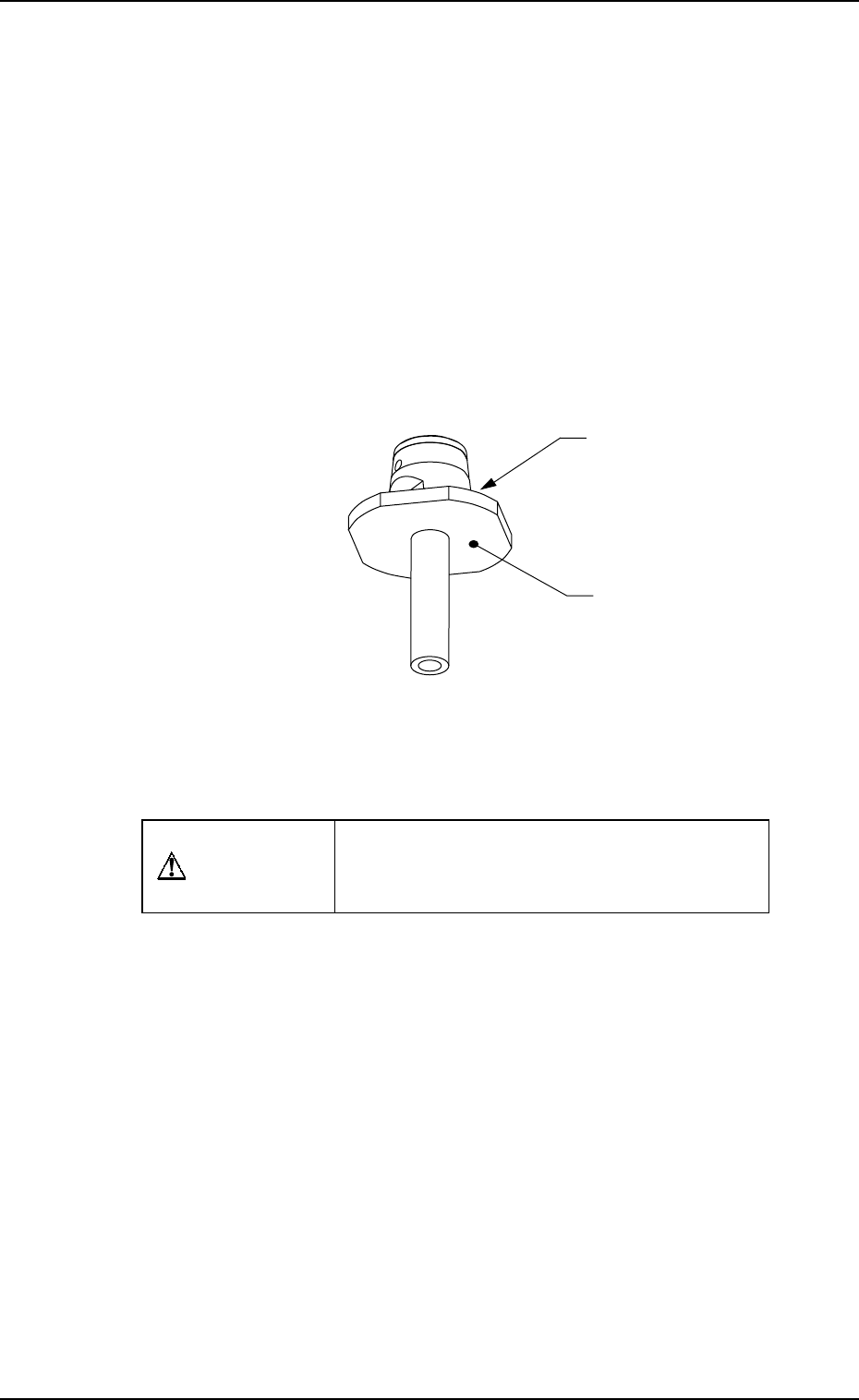
• Note that sebum nor oil, etc., should not adhere to Plane A (Fig. 2.7) of the
diffusion plate.
If sebum or oil adheres to Plane A, the recognized image will look uneven,
causing a component recognition error.
Avoid nicking the diffusion plate.
• Do not hold the diffusion plate while cleaning the vacuum nozzle. Wipe off
dirt and dust with a rag or blow them off with an air gun.
Note that a component recognition error might occur when the diffusion
plate is nicked.
Don’t put a magnet near the vacuum nozzle.
CAUTION
When handling the removed vacuum nozzle,
be careful not to magnetized, trouble will oc-
cur during pick-up and placement procedure.
Diffusion Plate
A
0004-002 2-14 Tg0246-PM-OP
Fig. 2.7