1OM-1064-002.pdf - 第122页
3. Confirmation and Procedure of Power Supply Fig. 2.20-4 Fig. 2.20-3 9910-001 2-24 Tg0246-PM-OP When a “Log In” type is selected and a password is entered, the “MAIN MENU” display appears on the screen.
3. Confirmation and Procedure of Power Supply
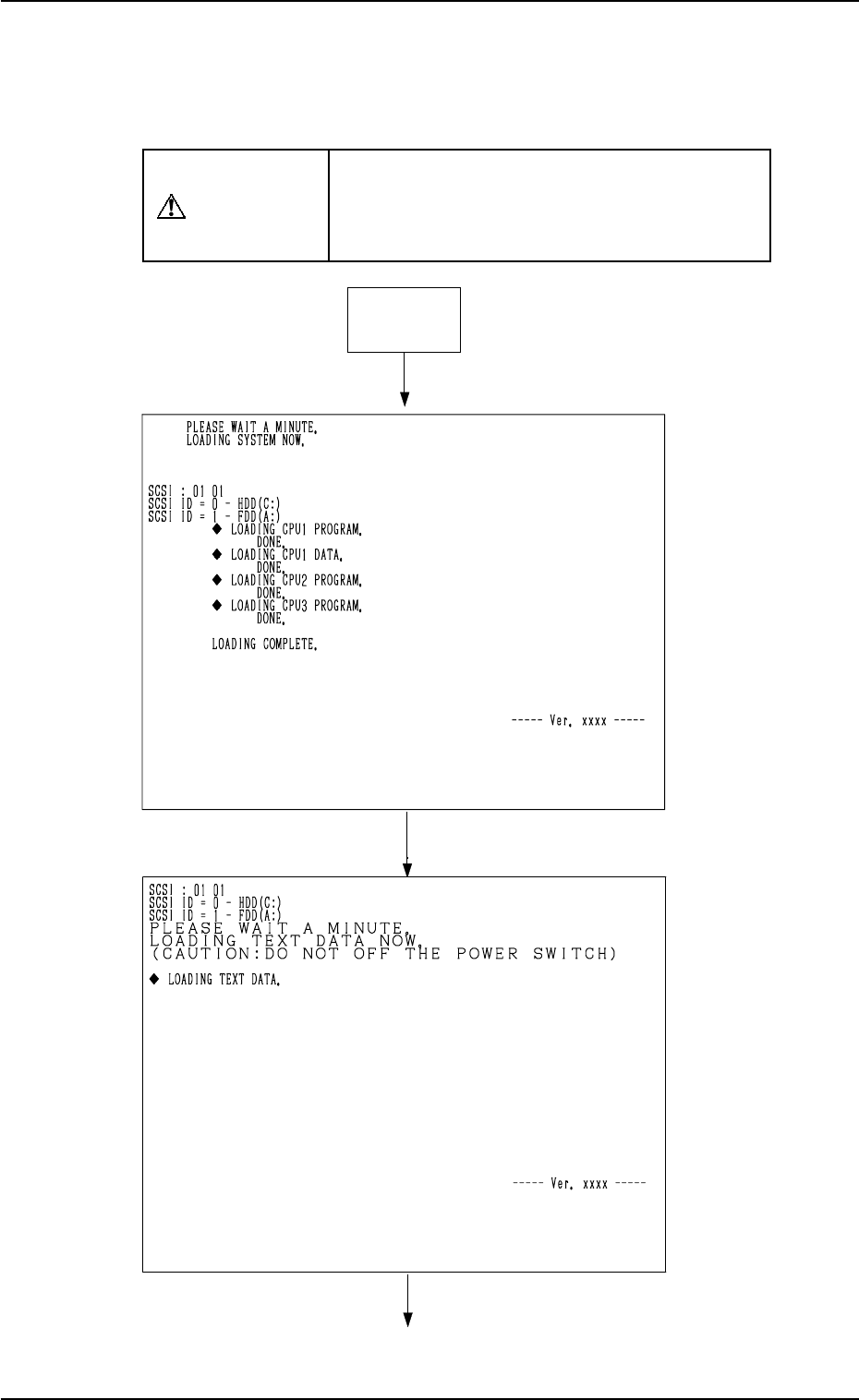
Fig. 2.20-1
Fig. 2.20-2
Power ON
9910-001 2-23 Tg0246-PM-OP
Initialization Display at Power Supply
When the [POWER ON] button is pressed, the program and the data are loaded
onto the memory and each board is initialized.
The active contents at this time appear on the touch screen.
CAUTION
Do not turn off the power while the machine is
still in the power-up sequence (the initializa-
tion display being active). Otherwise, the data
will be corrupted.
3. Confirmation and Procedure of Power Supply
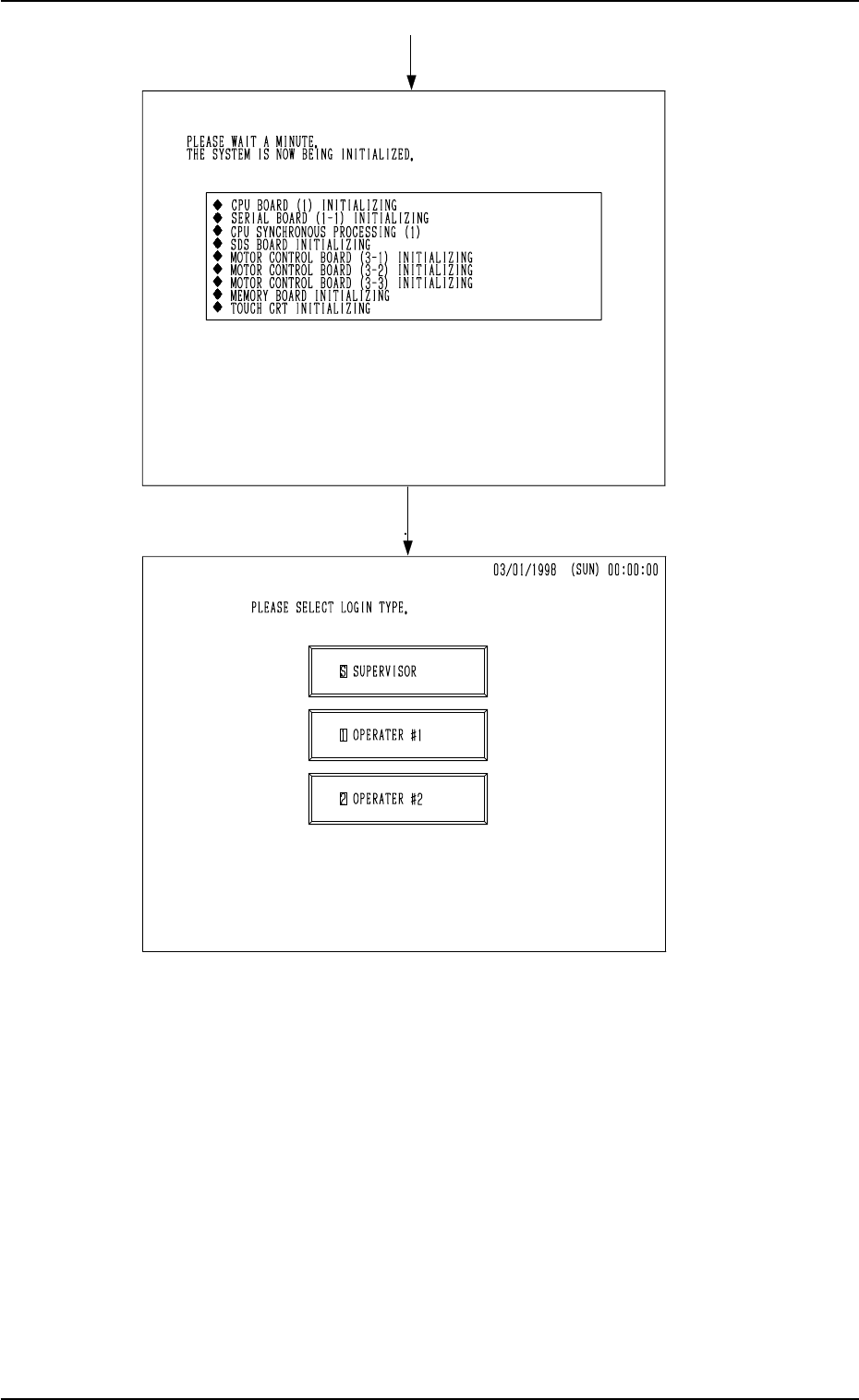
Fig. 2.20-4
Fig. 2.20-3
9910-001 2-24 Tg0246-PM-OP
When a “Log In” type is selected and a password is entered, the “MAIN MENU”
display appears on the screen.
3. Confirmation and Procedure of Power Supply
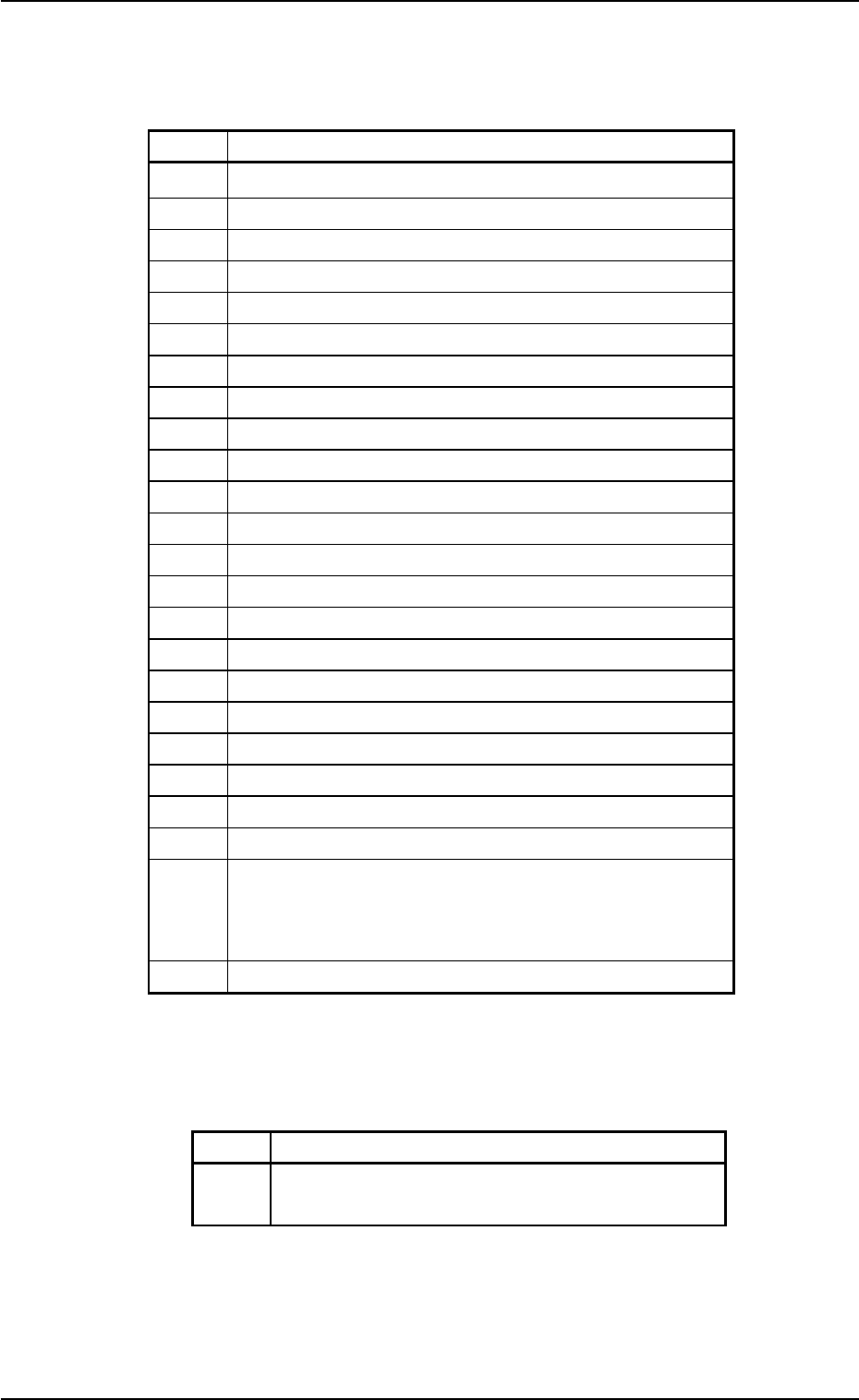
Process Messages at Power ON
The following messages appear and scroll up in the described order in Table
2.3.
Table 2.3
9910-001 2-25 Tg0246-PM-OP
No. Messages
1 CPU BOARD (1) INITIALIZING
2 SERIAL BOARD (1-1) INITIALIZING
3 CPU SYNCHRONOUS PROCESSING (1)
4 SDS BOARD INITIALIZING
5 MOTOR CONTROL BOARD (3-1) INITIALIZING
6 MOTOR CONTROL BOARD (3-2) INITIALIZING
7 MOTOR CONTROL BOARD (3-3) INITIALIZING
8 MEMORY BOARD INITIALIZING
9 TOUCH SCREEN INITIALIZING
10 DATA INITIALIZING
11 CPU SYNCHRONOUS PROCESSING (2)
12 CPU BOARD (2) INITIALIZING
13 I/O BOARD (2-1) INITIALIZING
14 INTERLOCK BOARD INITIALIZING
15 D.D. MOTOR CONTROL BOARD (1) INITIALIZING
16 D.D. MOTOR CONTROL BOARD (2) INITIALIZING
17 D.D. MOTOR CONTROL BOARD (3) INITIALIZING
18 D.D. MOTOR CONTROL BOARD (4) INITIALIZING
19 SYSTEM CLEAR PROCESSING
20 CPU SYNCHRONOUS PROCESSING (3)
21 MOTOR CONTROL BOARD (5) INITIALIZING
22 CPU SYNCHRONOUS PROCESSING (4)
23
RECOGNITION BOARD INITIALIZING
0
%|----+---
20
%---+---
40
%---+---
60
%---+---
80
%---+---|
100
%
********************************
XXXX
KBytes
written
24 CPU SYNCHRONOUS PROCESSING (5)
• When a different memory version is used (when the version is updated to a
new one), the following message appears after No. 8.
Table 2.4
After the memory is converted, processing continues with No. 9.
No. Message
8-1
MEMORY CONVERT PROCESSING
(PLEASE WAIT A MINUTE)