1OM-1064-002.pdf - 第232页
Fig. 4.9-4 Fig. 4.9-5 7. Manual Axis Operation For Rotation Axis on Beams A and B For Backup Up/Down Axis 9910-001 4-16 Tg0246-PM-OP
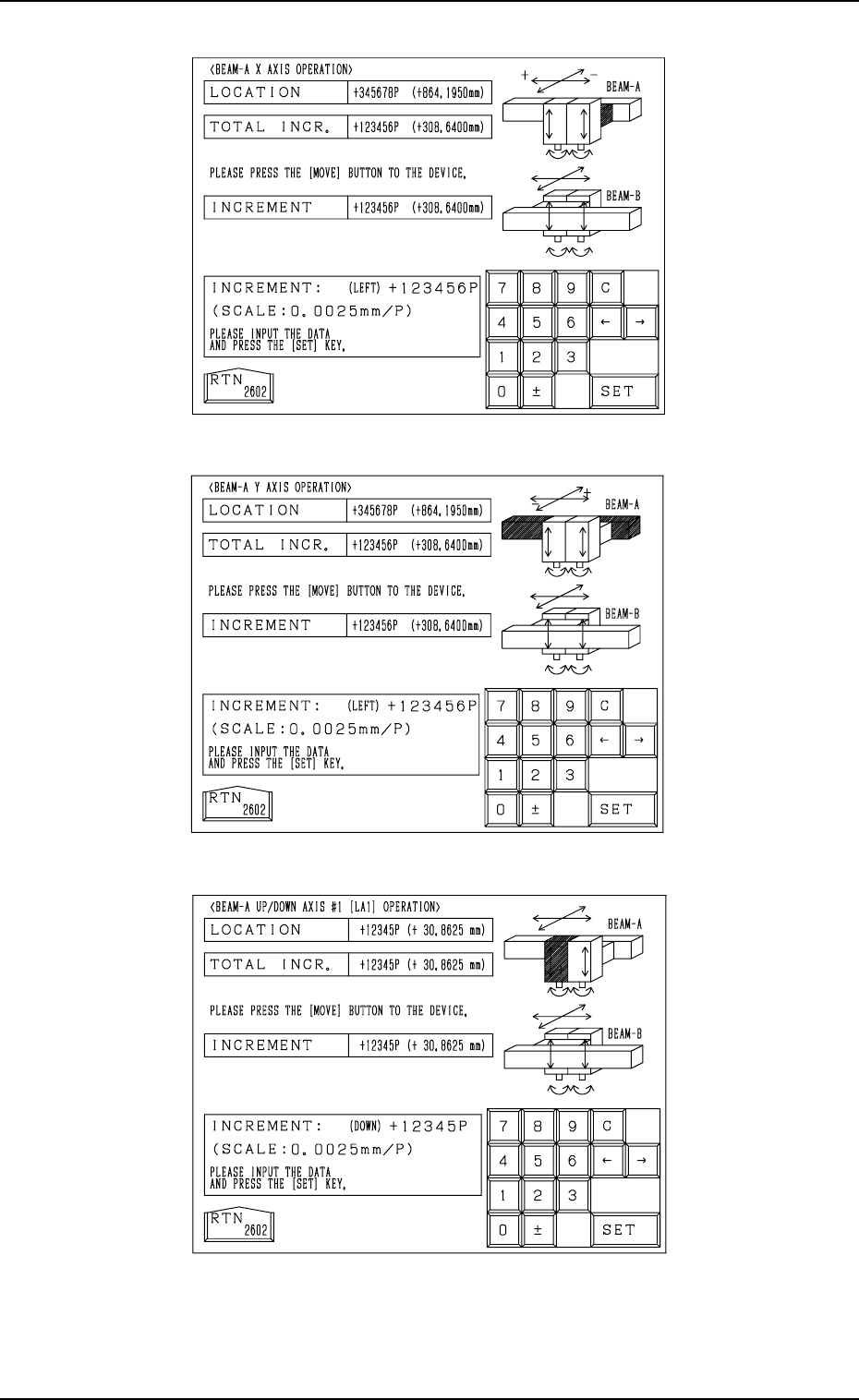
Fig. 4.9-1
Fig. 4.9-2
Fig. 4.9-3
7. Manual Axis Operation
9910-001 4-15 Tg0246-PM-OP
For X Axis on Beams A and B
For Y Axis on Beams A and B
For Up/Down Axis on Beams A and B
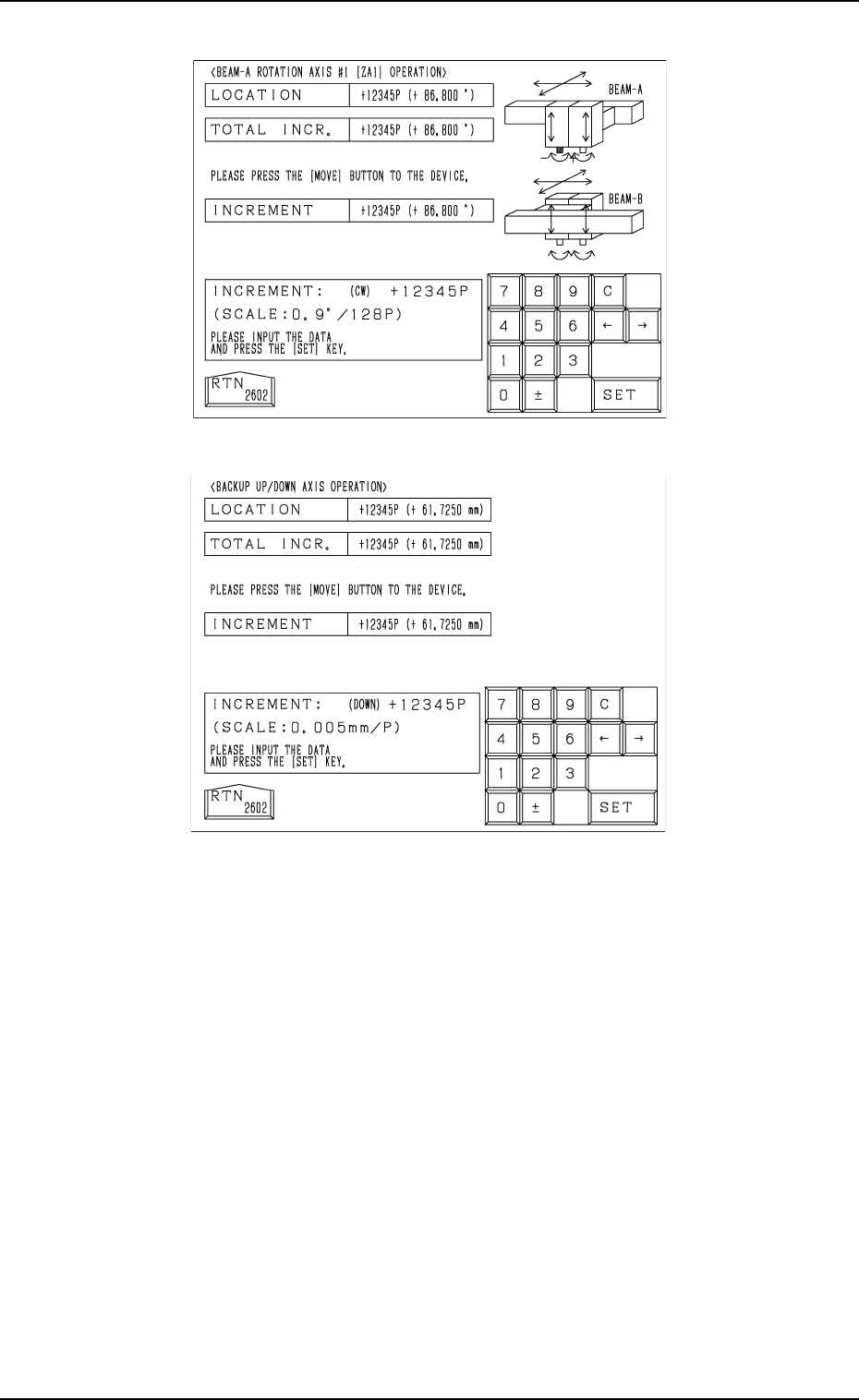
Fig. 4.9-4
Fig. 4.9-5
7. Manual Axis Operation
For Rotation Axis on Beams A and B
For Backup Up/Down Axis
9910-001 4-16 Tg0246-PM-OP
7. Manual Axis Operation
• When data is entered in the “INCREMENT” text box, using the unit “mm”
(distance) or “
” (angle), the scale to be used appears in the data field
beside the ten-key pad.
9910-001 4-17 Tg0246-PM-OP
Device Name Displayed Scale Data Input Range
Beam-A X Axis 0.0025 mm / p
± 999999(P)
Beam-A Y Axis 0.0025 mm / p
± 999999(P)
Beam-A Up/Down Axis (Left) 0.0025mm / p
± 99999(P)
Beam-A Up/Down Axis (Right) 0.0025 mm / p
± 99999(P)
Beam-A Rotation Axis (Left)
0.9°/ 128 p ± 99999(P)
Beam-A Rotation Axis (Right)
0.9°/ 128 p ± 99999(P)
Beam-B X Axis 0.0025 mm / p
± 999999(P)
Beam-B Y Axis 0.0025 mm / p
± 999999(P)
Beam-B Up/Down Axis (Left) 0.0025 mm / p
± 99999(P)
Beam-B Up/Down Axis (Right) 0.0025 mm / p
± 99999(P)
Beam-B Rotation Axis (Left)
0.9°/ 128 p ± 99999(P)
Beam-B Rotation Axis (Right)
0.9°/ 128 p ± 99999(P)
Backup Up/Down Axis 0.005 mm / p
± 99999(P)
• Enter data in the “TOTAL INCR.” text box according to the resolution
(scale) of each individual devices and press the [SET] key.
When the [MOVE] button is pressed, the selected device moves as far
as the set value and stops.
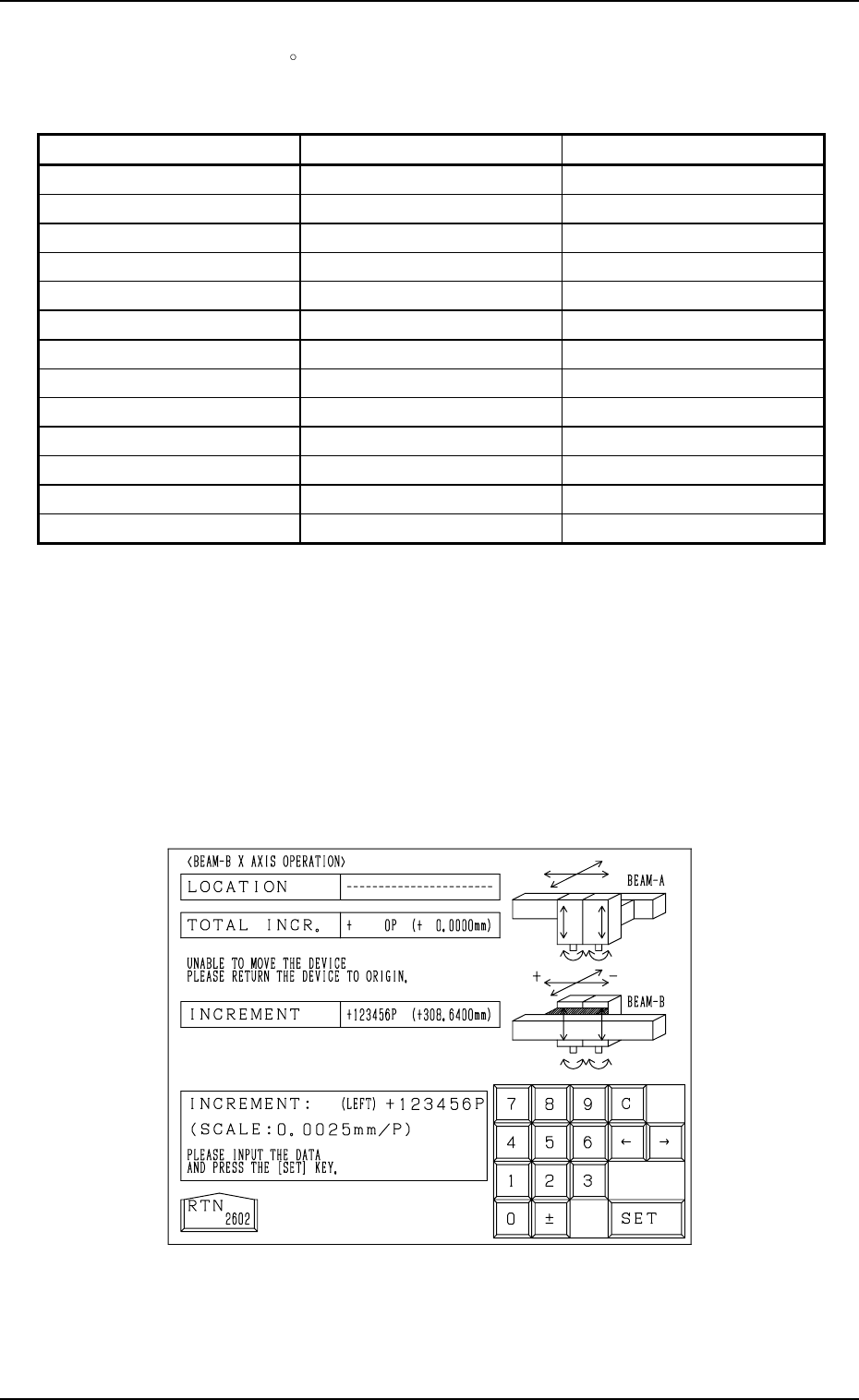
Note: When the current position of the selected device is indefinite, “---
-----” appears in the “LOCATION” text box at the manual axis op-
eration display. (Fig. 4.10)
Zero the device first and then perform the manual axis operation
for the selected device.
Table 4.1
Fig. 4.10