1OM-1064-002.pdf - 第121页
3. Confirmation and Procedure of Power Supply Fig. 2.20-1 Fig. 2.20-2 Power ON 9910-001 2-23 Tg0246-PM-OP Initialization Display at Power Supply When the [POWER ON] button is pressed, the program and the data are loaded …
3. Confirmation and Procedure of Power Supply
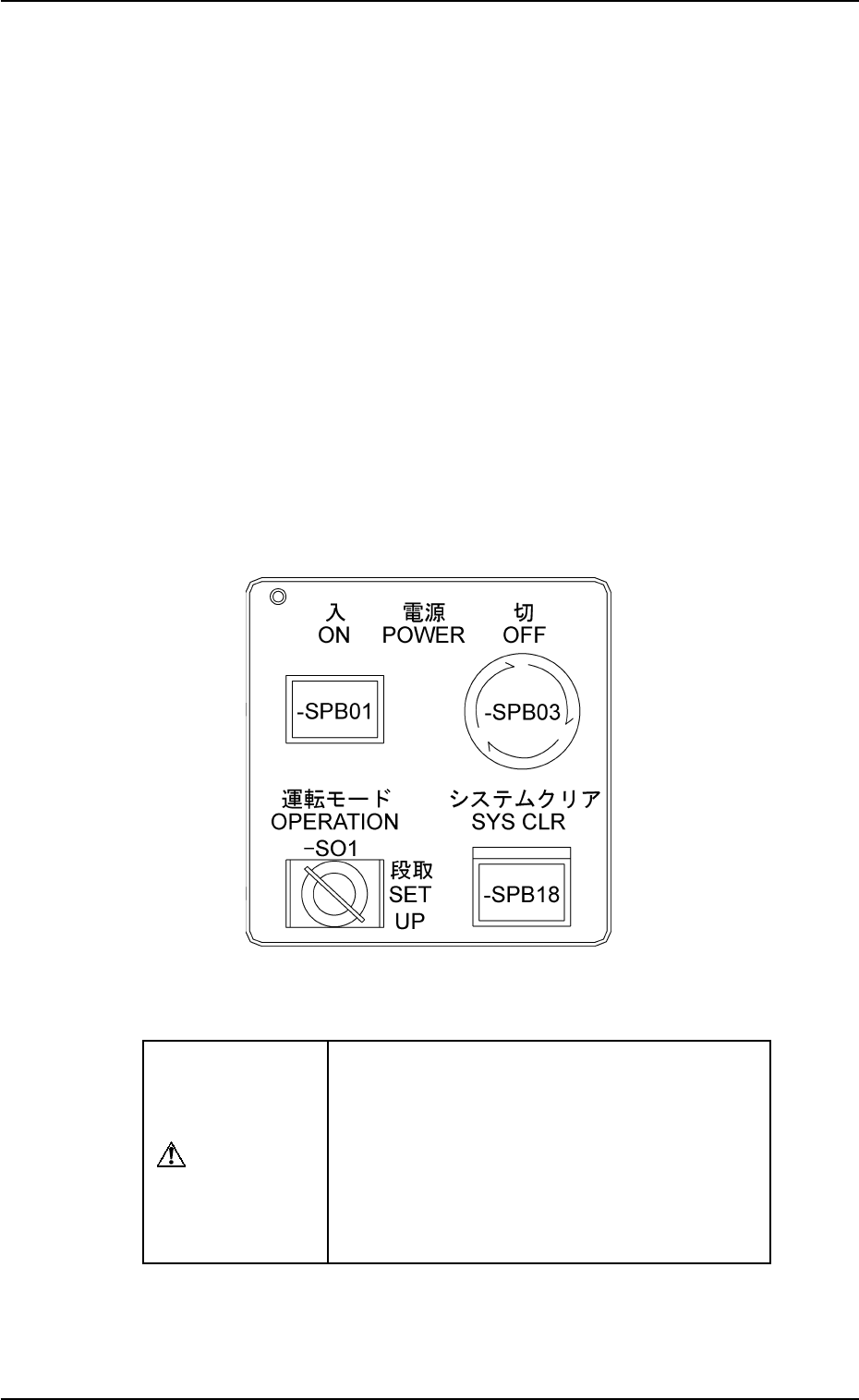
(3) Power Supply
Press and hold the [POWER ON] button on the operation panel for a few
seconds.
Notes: (a) Power cannot be supplied unless the main power lamp lo-
cated at the upper right corner of the power breaker box is
“ON”.
(Power Supply: Check that power (200 V AC, 3-phase) is
correctly supplied to the machine.)
(b) When the [POWER OFF] button is held down, the machine
cannot be powered up.
(Check that both [POWER OFF] buttons on the front and
rear sides are not held down.)
(c) After the [POWER ON] button is pressed, the machine can-
not be set in the automatic operation mode immediately be-
cause the recognition unit performs self-diagnostics opera-
tion for a while (approx. 5 to 6 minutes).
Wait until the recognition unit is set in its ready mode.
Front and Rear Operation Panels
0004-002 2-22 Tg0246-PM-OP
Fig. 2.19
CAUTION
After the machine has been stopped for a long
period of time, follow the steps below to
smoothly start up the machine and perform the
automatic operation.
• Secure stable environmental condition for the
machine. (Room Temperature etc.)
• Perform the test operation for approx. 30
minutes.
3. Confirmation and Procedure of Power Supply
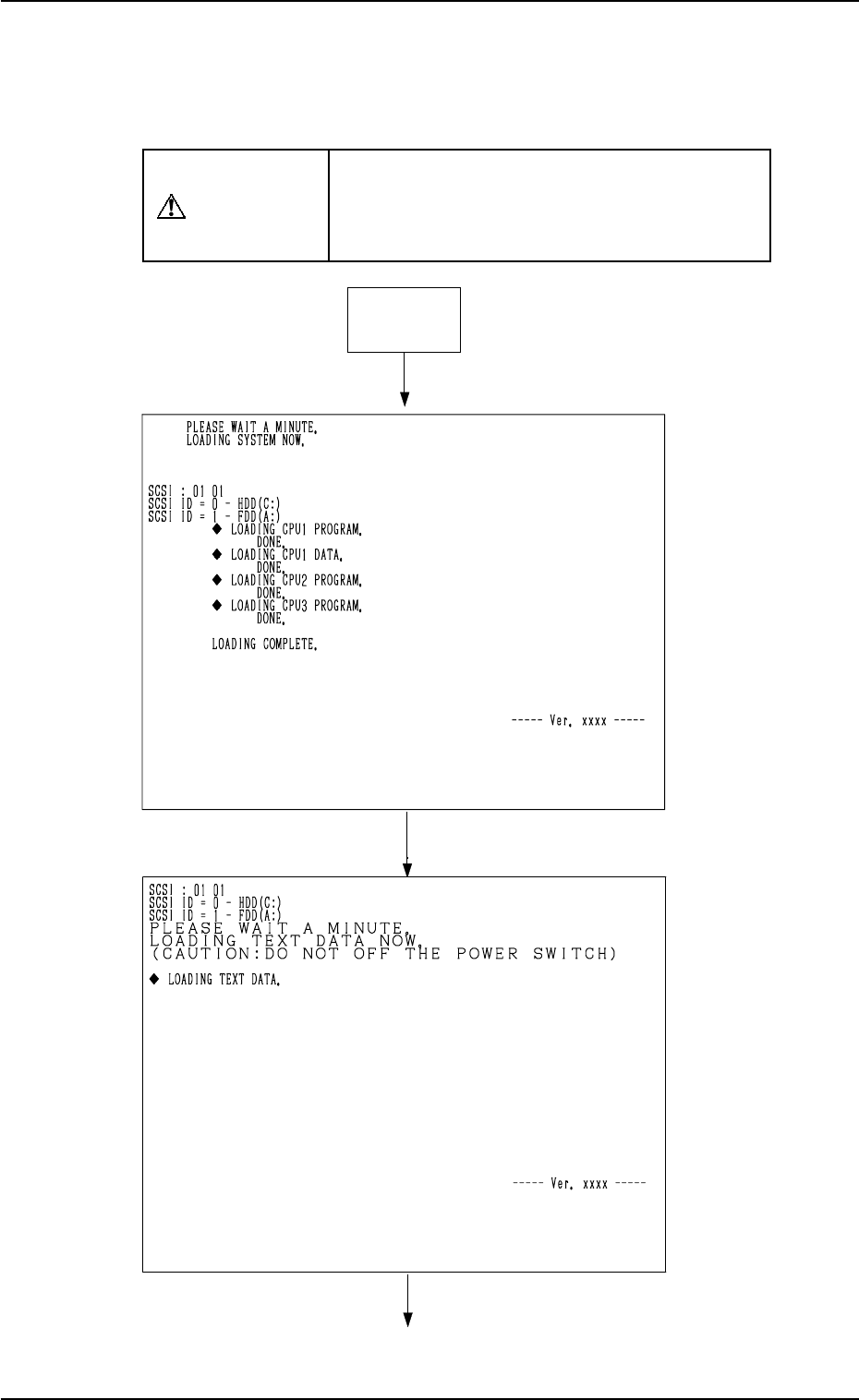
Fig. 2.20-1
Fig. 2.20-2
Power ON
9910-001 2-23 Tg0246-PM-OP
Initialization Display at Power Supply
When the [POWER ON] button is pressed, the program and the data are loaded
onto the memory and each board is initialized.
The active contents at this time appear on the touch screen.
CAUTION
Do not turn off the power while the machine is
still in the power-up sequence (the initializa-
tion display being active). Otherwise, the data
will be corrupted.
3. Confirmation and Procedure of Power Supply
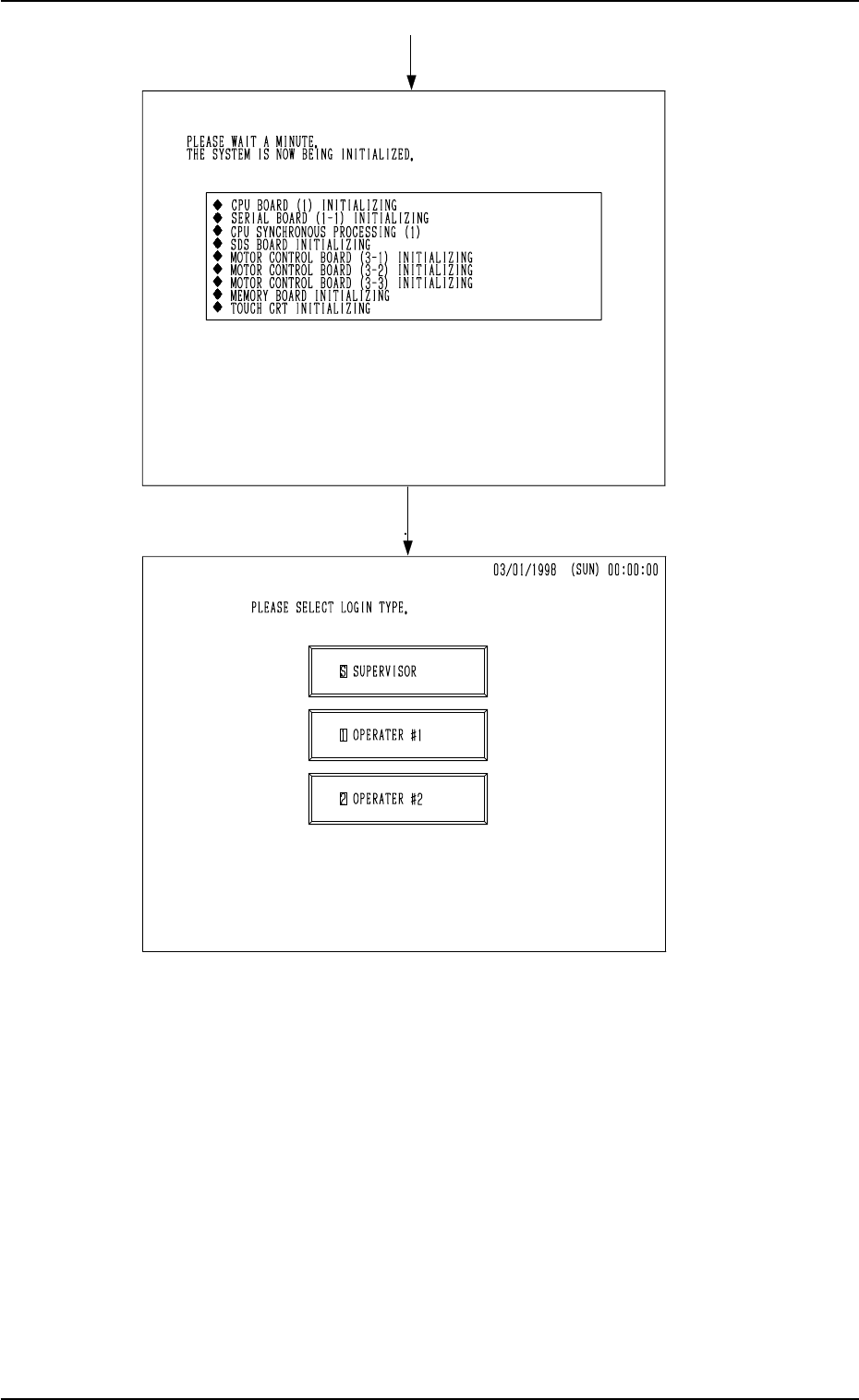
Fig. 2.20-4
Fig. 2.20-3
9910-001 2-24 Tg0246-PM-OP
When a “Log In” type is selected and a password is entered, the “MAIN MENU”
display appears on the screen.