1OM-1064-002.pdf - 第109页
1. Notes 0004-002 2-11 Tg0246-PM-OP Opening/Closing Procedure How to Open the Maintenance Cover (1 ) Hold the handle firmly with both hands and push the lock button 1 to unlatch. (2) Lift the supply cover to its upper li…

1. Notes
1.6 Opening and Closing of Maintenance Cover
CAUTION
• Stop operation and set the power breaker to
“OFF” before opening or closing the main-
tenance cover.
• To prevent the power breaker from being set
to “ON” by mistake, lock the power breaker
using a padlock kept by the person in charge.
Follow the instructions described in “5.1
Power Breaker Box of Section 1”.
• If there are more than one person, ensure
good communication by giving loud verbal
instructions for safety purposes.
• Confirm that no obstacle, etc., exist around
the opening of the maintenance cover and
then open or close the maintenance cover .
Purpose of Opening or Closing
• To perform the program change operation.
Conveyor Width Adjustment
Setting of P.C.B. Support Pins
Changing of P.C.B. Transfer Mode (Direction Change of Stopper Block)
• To perform maintenance and inspections work. (Cleaning, Lubrica-
tion, Inspection, etc.)
• Others
0004-002 2-10 Tg0246-PM-OP
1. Notes
0004-002 2-11 Tg0246-PM-OP
Opening/Closing Procedure
How to Open the Maintenance Cover
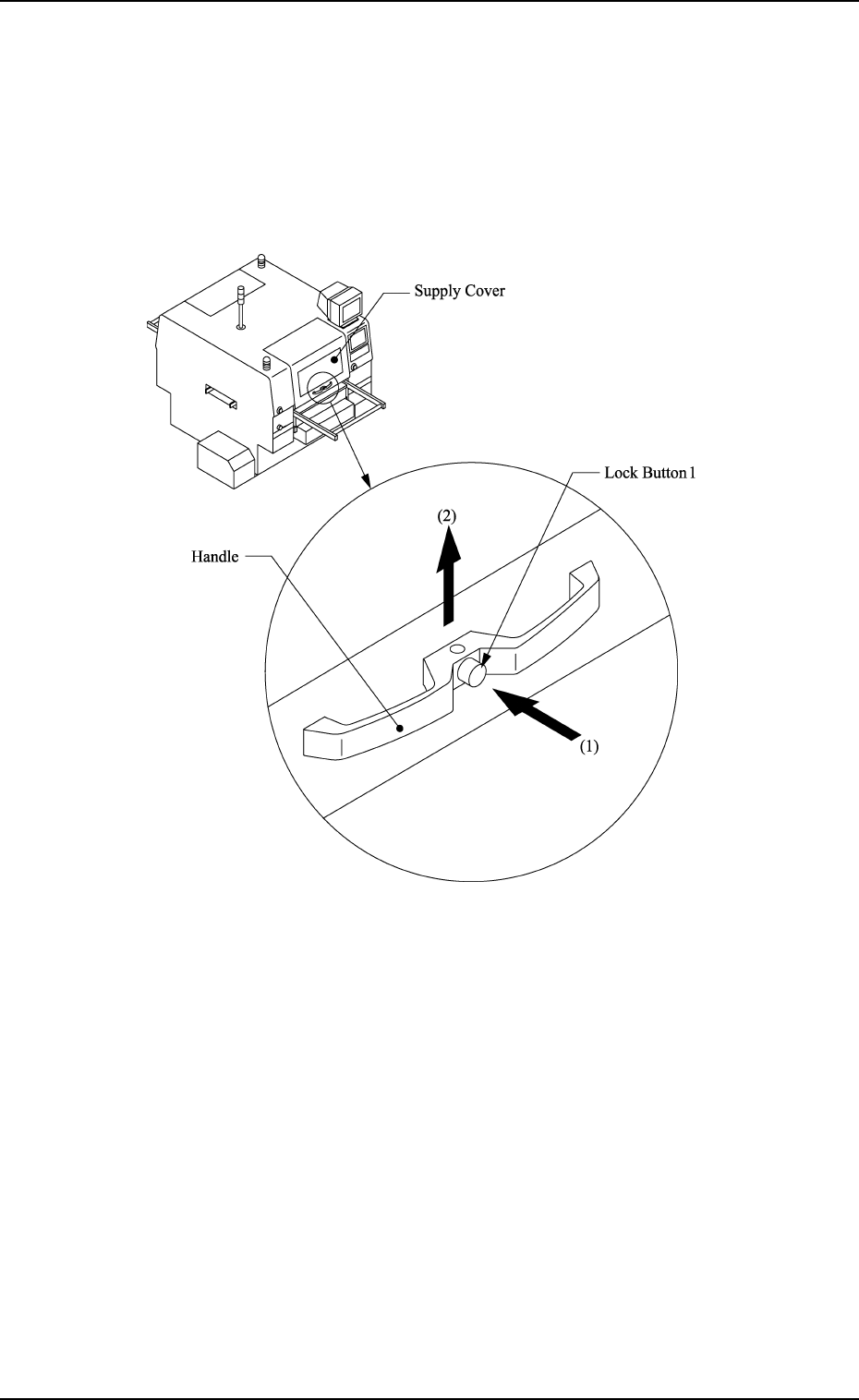
(1) Hold the handle firmly with both hands and push the lock button 1 to
unlatch.
(2) Lift the supply cover to its upper limit. Then fix it securely.
Fig. 2.4
(3) Confirm that the supply cover is securely fixed.
1. Notes
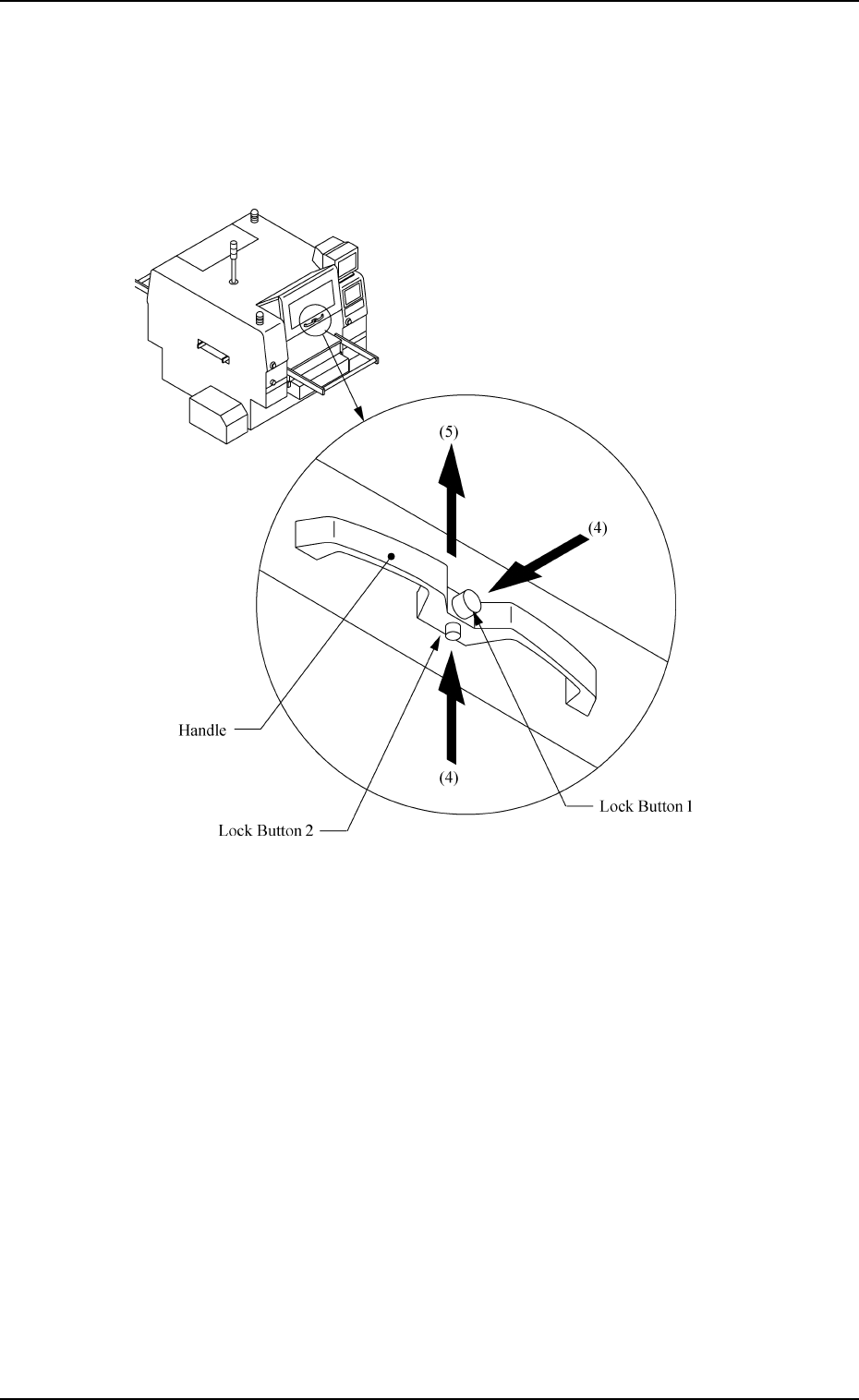
(4) Hold the handle firmly with both hands and press the lock buttons 1 and
2 to unlatch.
(5) Lift the maintenance cover to its upper limit and fix it.
0004-002 2-12 Tg0246-PM-OP
Fig. 2.5