1OM-1064-002.pdf - 第110页
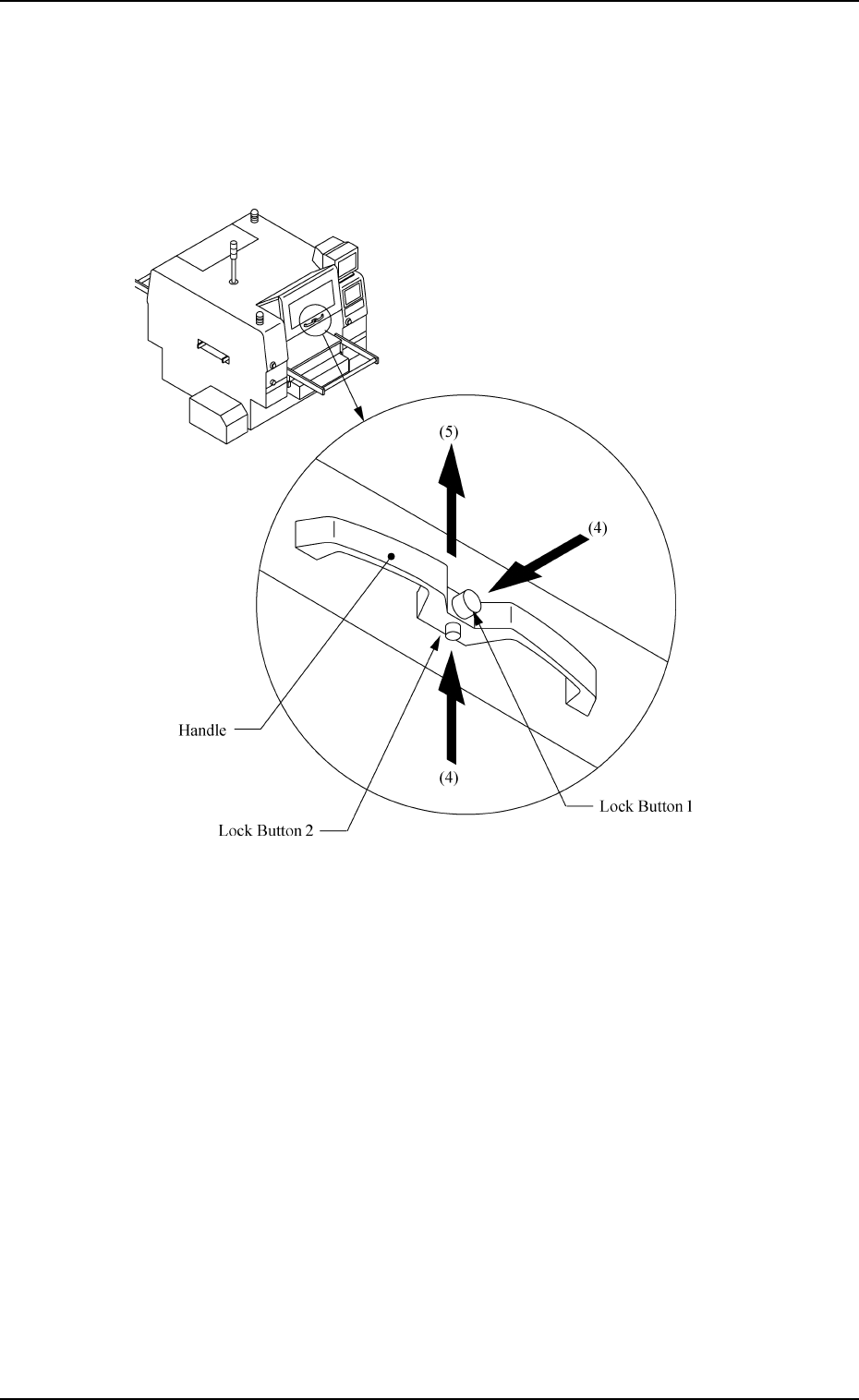
1. Notes (4) Hold the handle firmly with both hands and press the lock buttons 1 and 2 to unlatch. (5) Lift the maintenance cover to its upper limit and fix it. 0004-002 2-12 Tg0246-PM-OP Fig. 2.5
1. Notes
0004-002 2-11 Tg0246-PM-OP
Opening/Closing Procedure
How to Open the Maintenance Cover
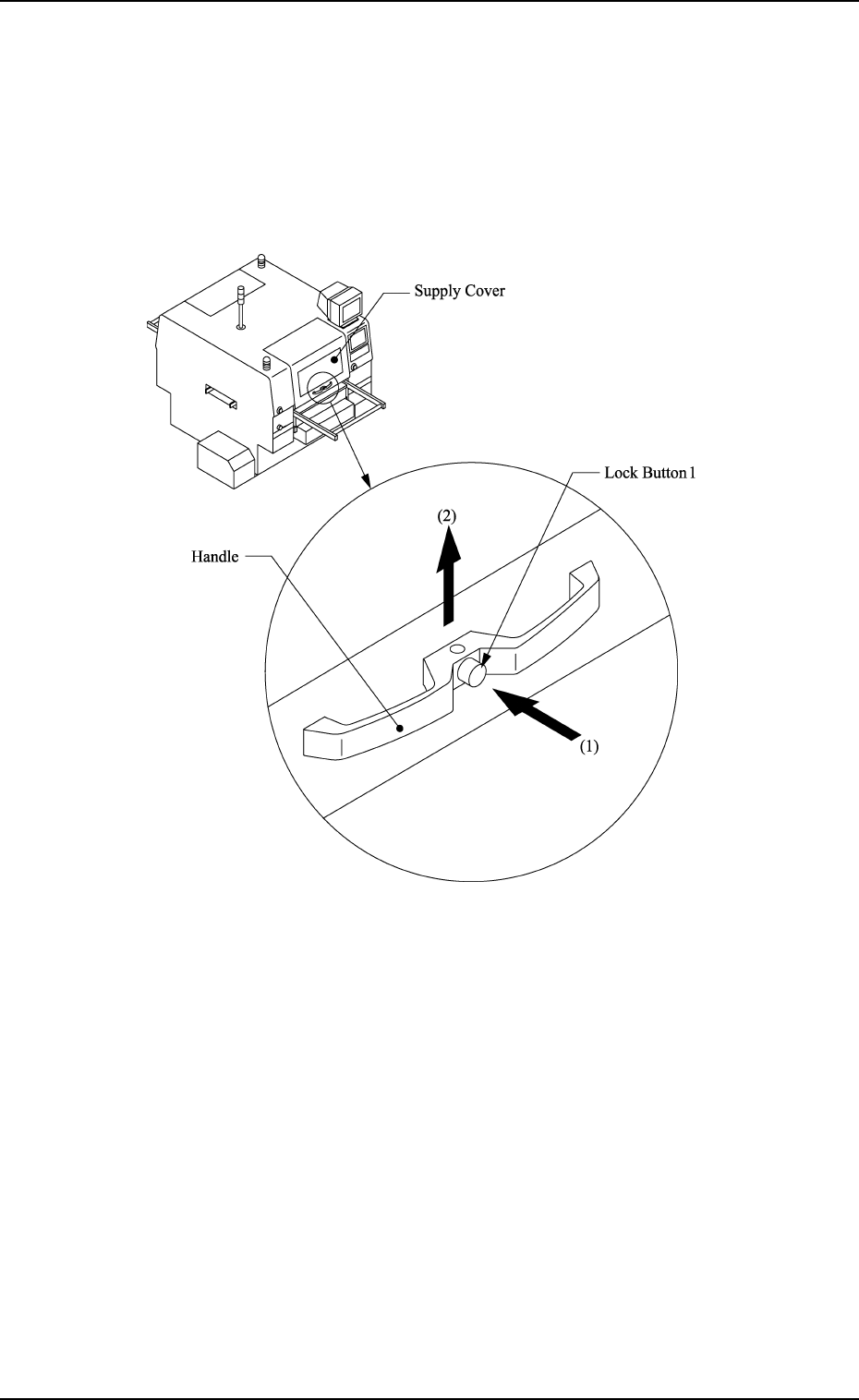
(1) Hold the handle firmly with both hands and push the lock button 1 to
unlatch.
(2) Lift the supply cover to its upper limit. Then fix it securely.
Fig. 2.4
(3) Confirm that the supply cover is securely fixed.
1. Notes
(4) Hold the handle firmly with both hands and press the lock buttons 1 and
2 to unlatch.
(5) Lift the maintenance cover to its upper limit and fix it.
0004-002 2-12 Tg0246-PM-OP
Fig. 2.5
1. Notes
How to Close the Maintenance Cover
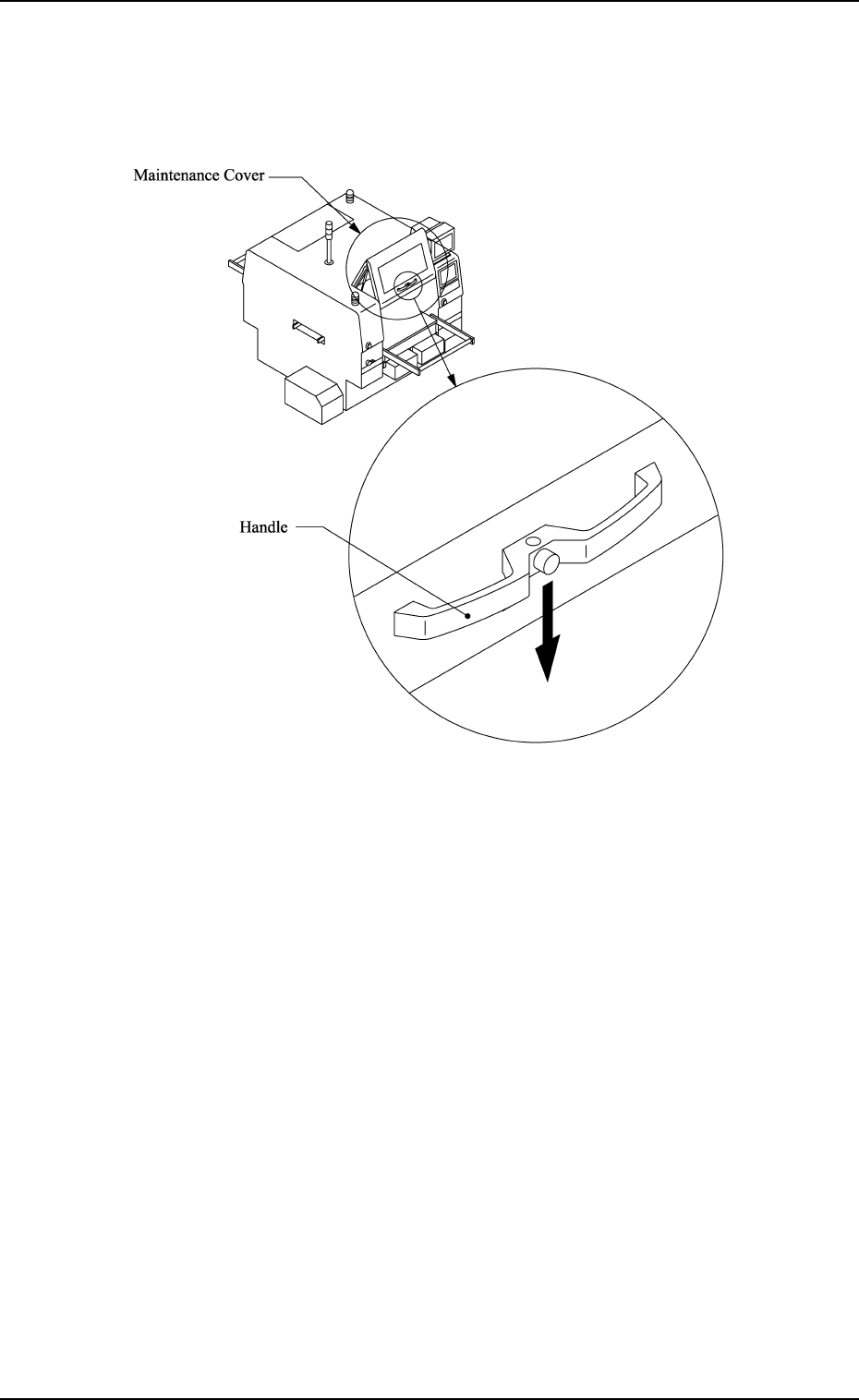
(1) Hold the handle firmly with both hands and push down the maintenance
cover slowly.
0004-002 2-13 Tg0246-PM-OP
Fig. 2.6
(2) Make sure that the maintenance/supply cover is at its lower limit
and then release the handle.