1OM-1064-002.pdf - 第114页
2. Hierarchical Structure of Operation Displays 9910-001 2-16 Tg0246-PM-OP The “MAIN MENU” display can be assumed as the trunk of a tree and looks as shown in Fig. 2.13. Fig. 2.13 This display is provided with five keys,…
2. Hierarchical Structure of Operation Displays
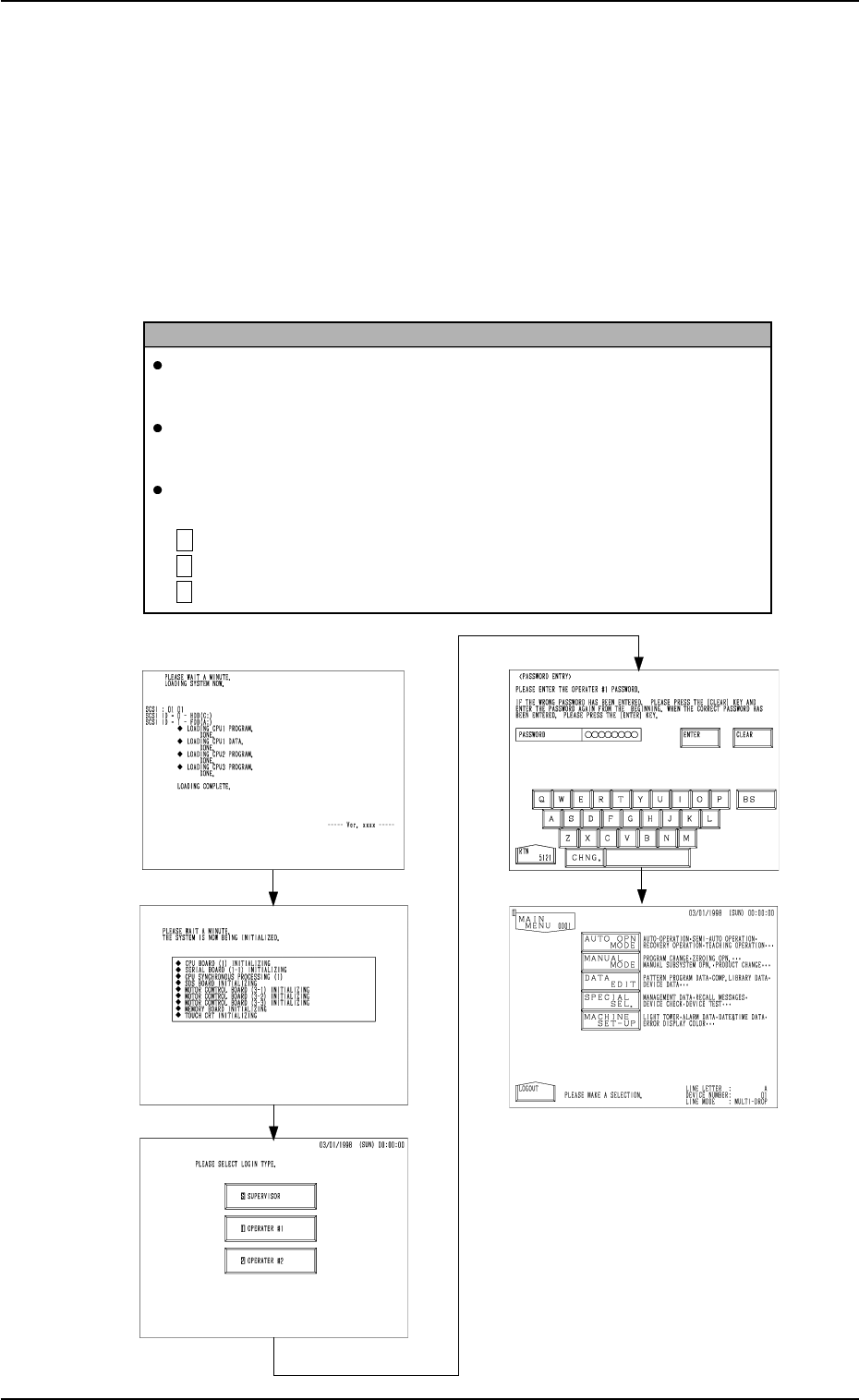
Fig. 2.8
Fig. 2.9
Fig. 2.10
Fig. 2.12
Fig. 2.11
2. Hierarchical Structure of Operation Displays
2.1 MAIN MENU Display
(1) Press the [POWER ON] button on the operation panel.
(2) Select “Log In” type at the log-in selection display. (Hierarchical Sequence:
“INITIALIZATION” Display (Figs. 2.8 and 2.9) → Log-In Selection Dis-
play (Fig. 2.10))
(3) Enter the password at the “PASSWORD ENTRY” display (Fig. 2.11)
and press the [ENTER] key.
(4) The “MAIN MENU” display (Fig. 2.12) appears on the screen.
Reference
When no password is set, the “MAIN MENU” display appears on the
screen without going through the “PASSWORD ENTRY” display.
Refer to “3. Management of Password of Secton 4 in Volume 4” for the
password setting.
A mark (a color code) appears at the upper left corner of all displays,
clarifying the selected “Log In” type.
S (Red) : For Supervisor
1 (Yellow) : For Operator #1
2 (Light Green) : For Operator #2
9910-001 2-15 Tg0246-PM-OP
2. Hierarchical Structure of Operation Displays
9910-001 2-16 Tg0246-PM-OP
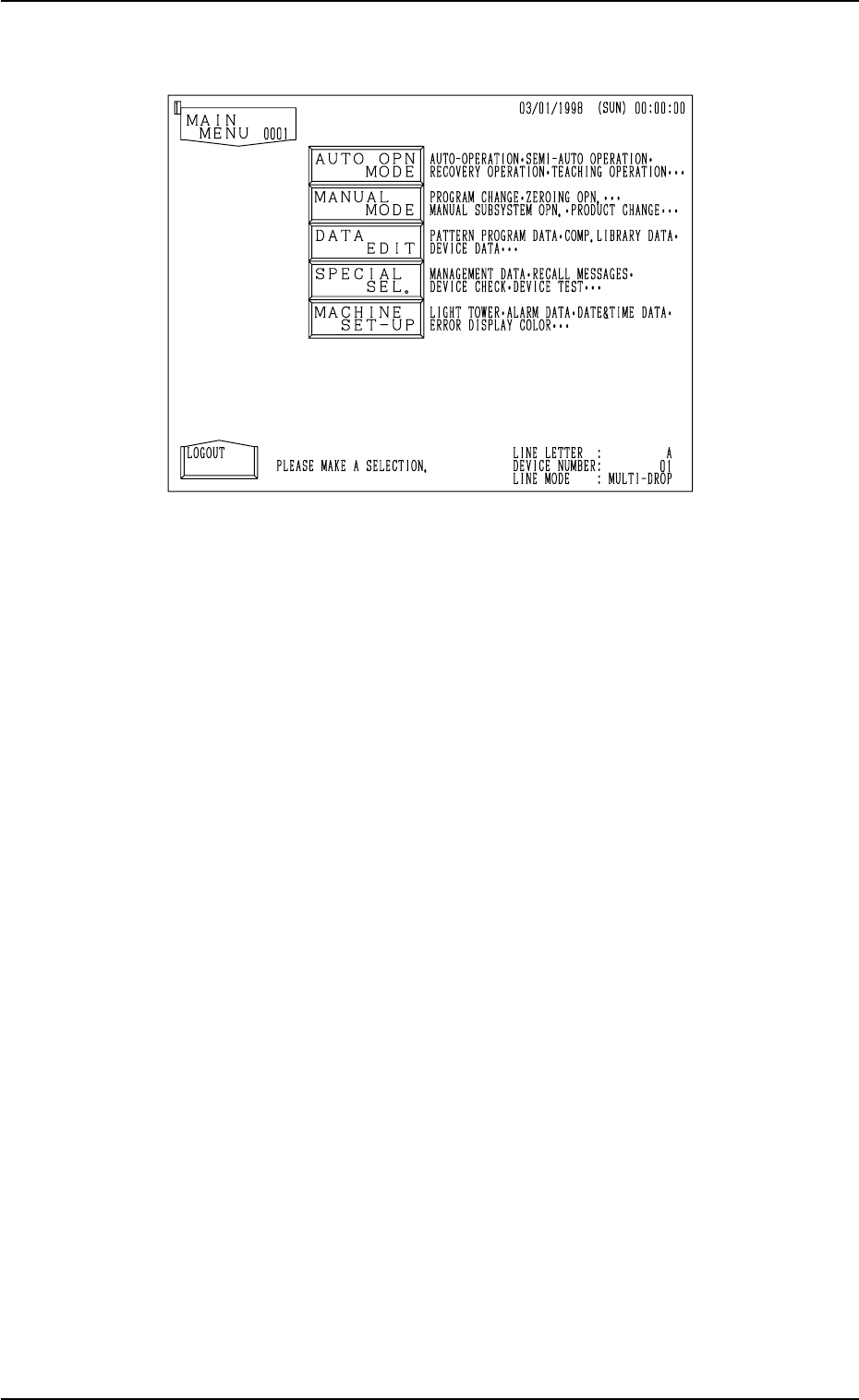
The “MAIN MENU” display can be assumed as the trunk of a tree and looks
as shown in Fig. 2.13.
Fig. 2.13
This display is provided with five keys, enabling the operator to select each
display according to your desired operation or purpose.
[AUTO OPN MODE] Key
This option is mainly used for automatic operation and consists of labels
(designation of automatic operation, automatic operation step, etc.) related
to automatic operations based upon the pattern program data.
[MANUAL MODE] Key
This option is mainly used for set-up operations and consists of the labels
such as program change, zeroing operation, manual selection, etc.
[DATA EDIT] Key
This option consists of labels for data editing (pattern program data, compo-
nent library data, device data, offset data, etc.).
[SPECIAL SEL.] Key
This option consists of labels (management data, recall messages, device
check (input check), teaching operation, etc.) related to machine mainte-
nance and inspections.
[MACHINE SET-UP] Key
This option consists of labels related to machine set-up operations which
enable the operator to set a password, the tower lights, buzzer, calendar,
error indicating colors, monitor, etc.
2. Hierarchical Structure of Operation Displays
[AUTO OPN MODE]
Key
AUTO OPN. SUB-MENU
AUTO OPN MODE
SPECIAL SEL.
MACHINE SET-UP
[MANUAL MODE]
Key
[DATA EDIT]
Key
[SPECIAL SEL.]
Key
[MACHINE SET-UP]
Key
DATA EDIT
MANUAL MODE
[AUTO OPN.
SUB-MENU] Key
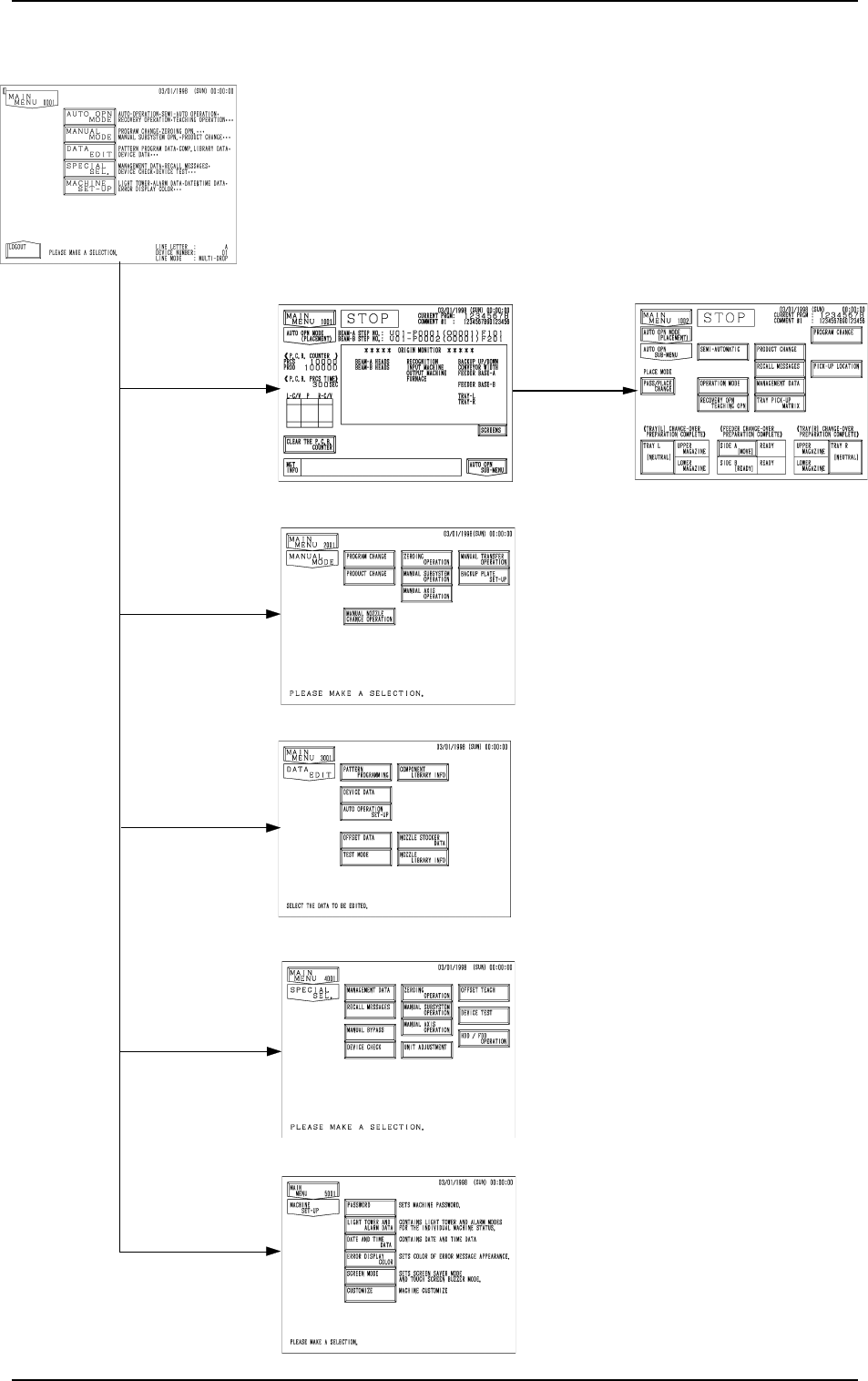
2.2 Hierarchical (Tree) Structure of Operation Menus
All operation menus can be selected through touch screen key
operations.
The “MAIN MENU” display holds the following branch dis-
plays. Selecting a menu key leads the operator to the corre-
sponding display.
0004-002 2-17 Tg0246-PM-OP