Programming_mail.pdf - 第141页
III- 67 Programming Manual Part III Inspection Algorithm 1.18.4 Registered T e xt Edit Registered images are displayed in Registered T ext Edit . Figure 1-82 Registered T ext Edit Item Description Characters Displays num…
III-66
Programming Manual
Part III Inspection Algorithm
1.18.3 Setting Procedure
Step1: Select a lighting that characters are visually clear from the Lighting drop-down list.
Step2: Adjust the size of the inspection window to surround the target characters.
Step3: Enter correct value of text in Reference Text.
CAUTION
Do not use two-byte character, space, tab, and symbolic character (\ < > : “ / | ? * .
, ; & % =).
Step4: Adjust the direction of characters by pressing TEXT on the right of Text Angle.
Step5: Check 180 Reverse for components with no polarity.
Step6: Enter the appropriate vector into the Shift fi eld. Any value from V1 to V8 is available.
Select the vector according to the Memorize to fi eld of the Adjust window.
Step7: Press Inspect.
Step8: Press Register All.
Step9: Press Inspect. Make sure that the characters are recognized properly.
NOTE
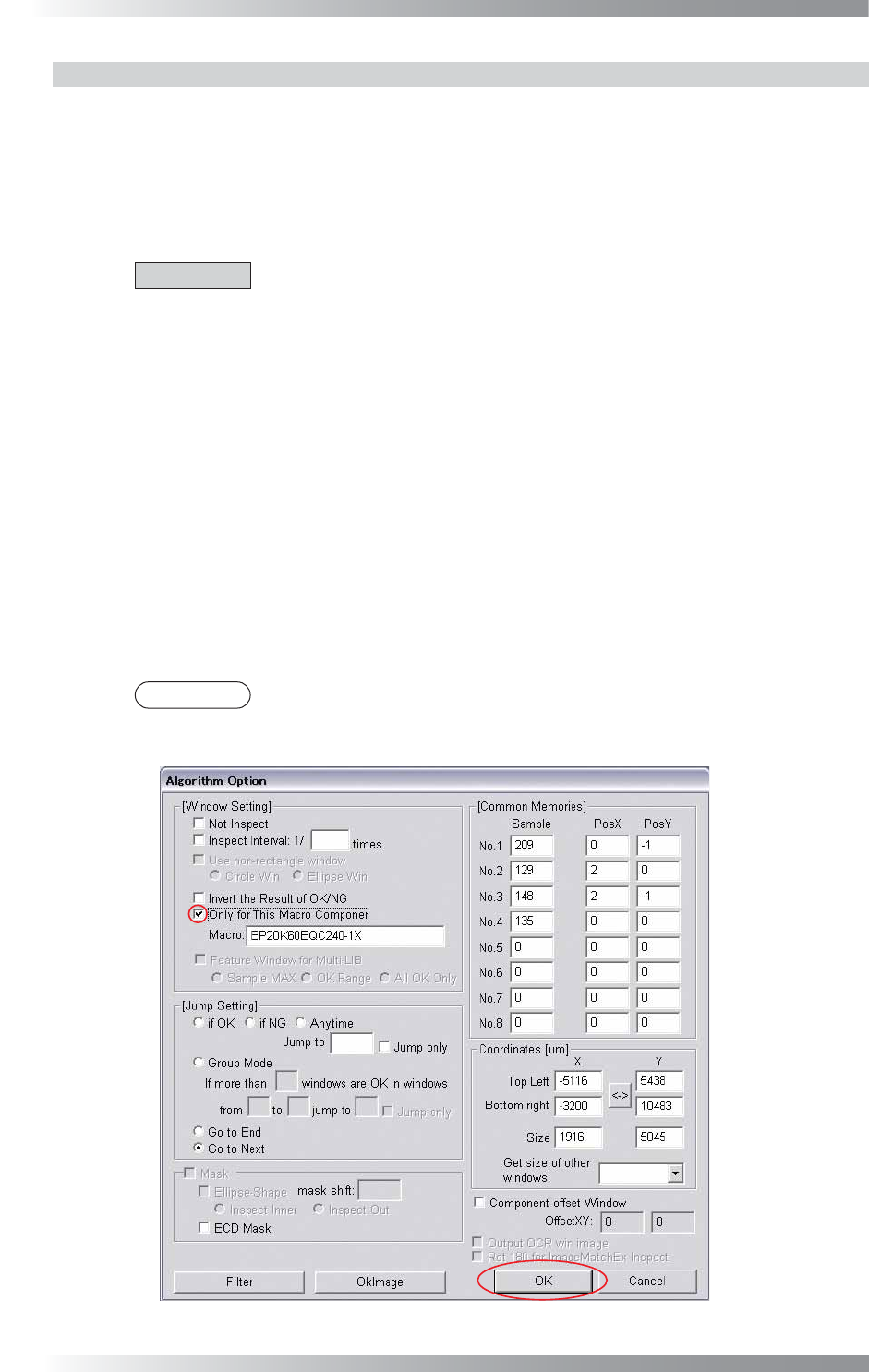
If different characters are printed on the same type of components, press Option on
the right of Algorithm to open the dialog shown in Figure 1-81. Check Only for
This Macro Component and press OK.
Figure 1-81 OCV
III-67
Programming Manual
Part III Inspection Algorithm
1.18.4 Registered Text Edit
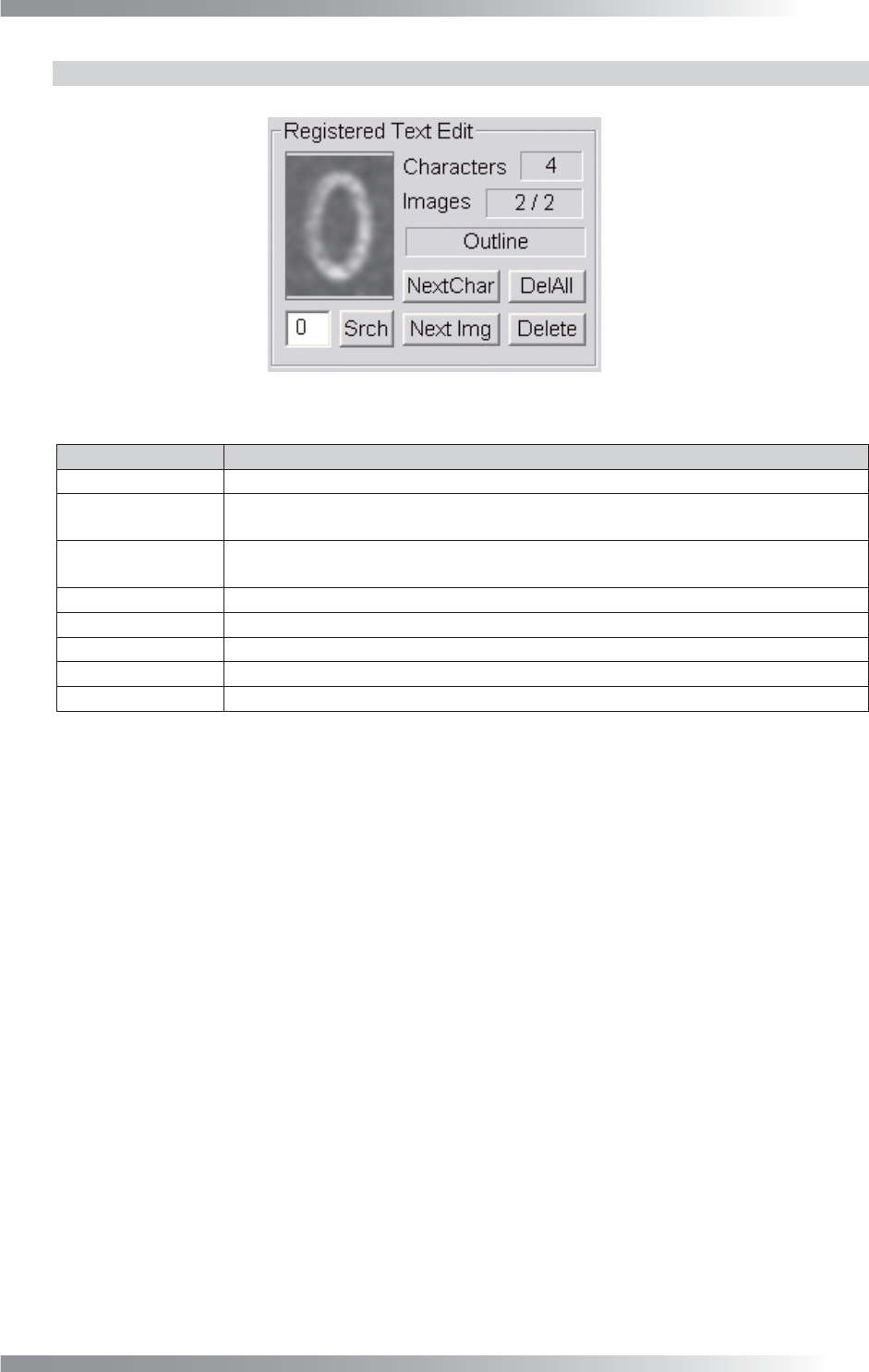
Registered images are displayed in Registered Text Edit.
Figure 1-82 Registered Text Edit
Item Description
Characters
Displays number of registered characters (excluding overlapping characters).
Images
Displays a current image number and total number of registered images for each
character.
Below image of
Text-box
Displays a lighting used in the current image.
NextChar Displays the next character in the library.
Next Img Displays the next registered image for a character.
DelAll Delete all images.
Delete Delete the current image.
Srch
Enter the character in this fi eld and press Srch to search for a character.
Table 1-30 Each Item of Registered Text Edit
III-68
Programming Manual
Part III Inspection Algorithm
1.19 New_OCR
1.19.1 Inspection Overview
New_OCR is the algorithm to recognize character.
Register target the character before inspection. The sample value is number of characters matched
with the target characters. New_OCR can recognize alphanumeric characters.
New_OCR is suitable for missing and miss-mounting of any components inspection.
1.19.2 Parameter Setting
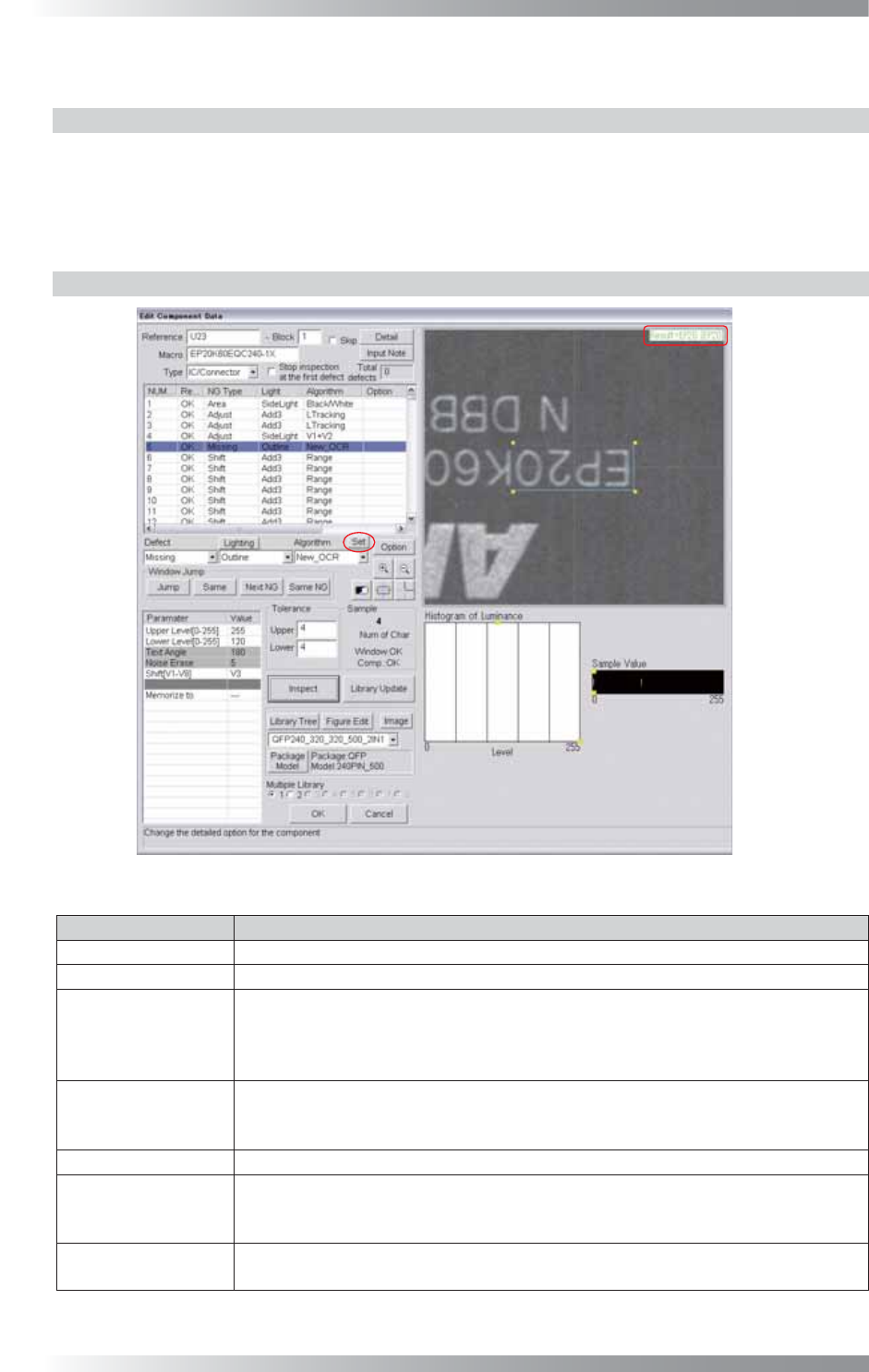
Figure 1-83 New_OCR
Parameter
Description
Lighting
Select a lighting that displays characters visually clear.
Algorithm Select New_OCR.
Upper Level[0-255],
Lower Level[0-255],
Text Angle,
Noise Erase
No needs to setting.
The entered parameter values in Figure 1-77 dialog will be applied.
Shift[V1-V8]
Enter the appropriate vector. Any value from V1 to V8 is available.
Select the vector according to the Memorize to fi eld of the Adjust window.
Enter V4 to apply the misalignment amount calculated by ImageMatchEx.
Memorize to
-
Upper, Lower
After setting parameters in another dialog, the recognized number of characters is
refl ected in the Upper value and Lower value. If the number of target characters
recognized characters are the same, the result will be OK.
Sample
This parameter shows number of matches between the registered and recognized
characters.
Table 1-31 Parameter of New_OCR