Programming_mail.pdf - 第161页
III- 87 Programming Manual Part III Inspection Algorithm Step17: If similar characters such as 1 and I or 0 and O are mis-recognized, enter these characters into the two text boxes on the right side of Similar character …
III-86
Programming Manual
Part III Inspection Algorithm
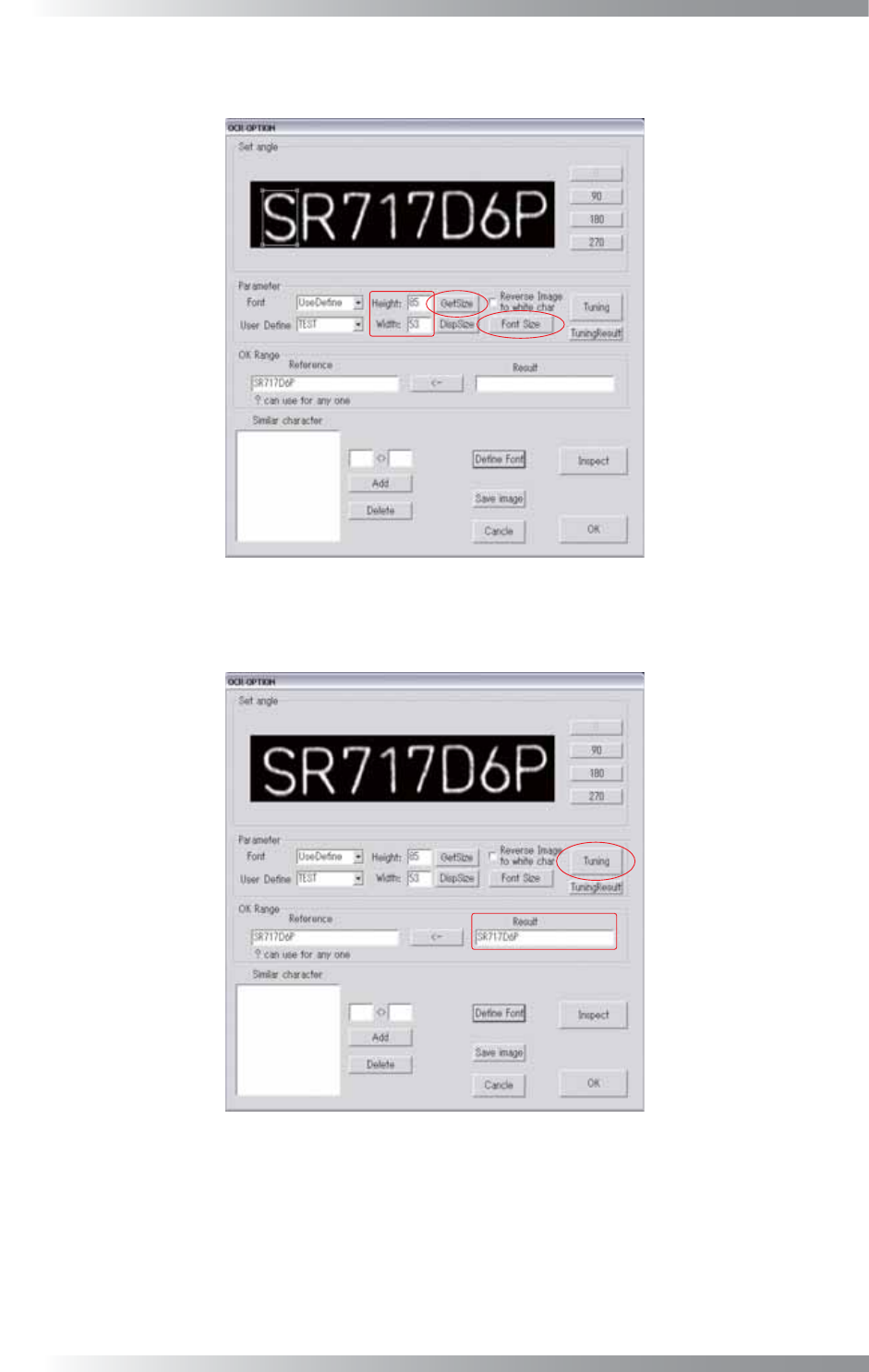
Step15: Adjust the window size to surround a character by pressing Font Size. Press GetSize.
Height and Width are automatically calculated.
Figure 2-13 OCR_Pro 12
Step16: Press Tuning. The recognized characters are displayed in the Result text-box.
Figure 2-14 OCR_Pro13
III-87
Programming Manual
Part III Inspection Algorithm
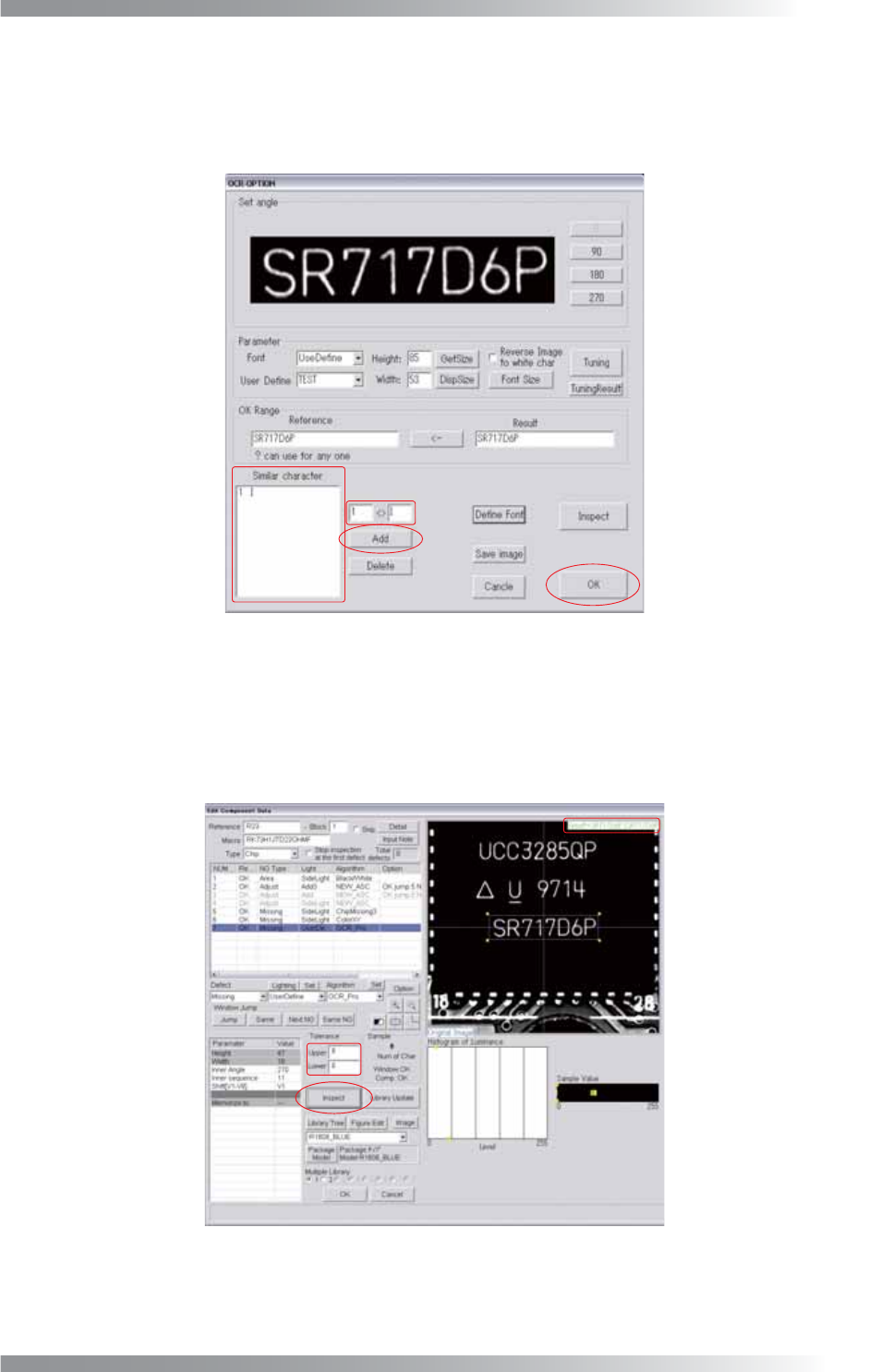
Step17: If similar characters such as 1 and I or 0 and O are mis-recognized, enter these
characters into the two text boxes on the right side of Similar character, and press Add.
Once the characters are registered, the result will be OK if either of characters is
recognized. To delete the registered item, select the item and press Delete.
Figure 2-15 OCR_Pro14
Step18: If all target characters are correctly displayed in Result fi eld. Press OK.
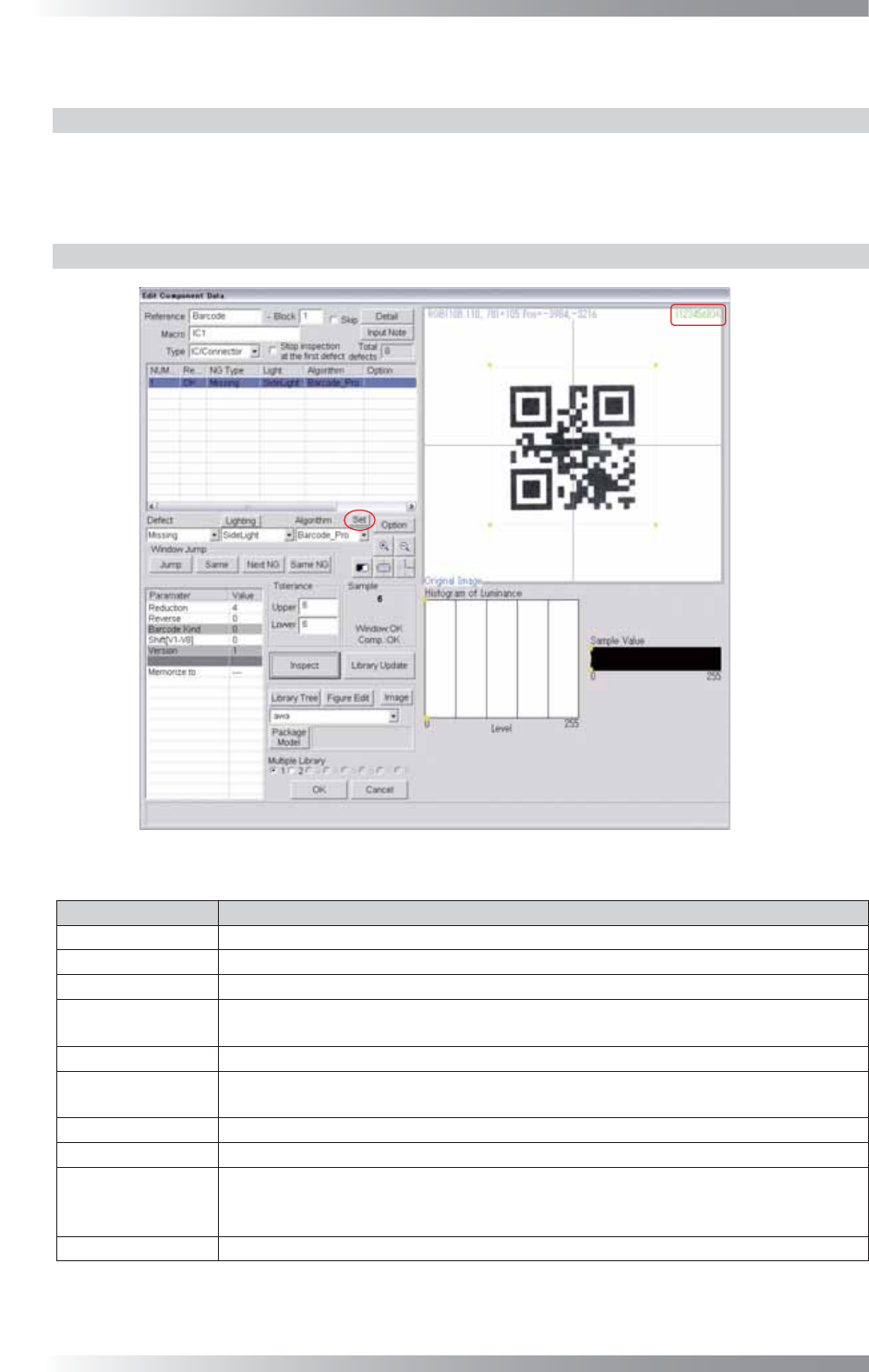
Step19: The dialog shown in Figure 2-16 appears.
Enter the number of characters to Upper fi eld and Lower fi eld.
Figure 2-16 OCR_Pro15
Step20: Press Inspect. Make sure that all target characters are correctly displayed in the upper right
side of the dialog shown in Figure 2-16.
III-88
Programming Manual
Part III Inspection Algorithm
2.2 Barcode_Pro
2.2.1 Inspection Overview
Barcode_Pro is the algorithm to recognize 1D barcode and 2D barcode.
If the target digit and recognized digit number is the same, the result will be OK.
Barcode_Pro is suitable for PCBs traceability.
2.2.2 Parameter Setting
Figure 2-17 Barcode_Pro
Parameter Description
Lighting Select a lighting that displays barcodes visually clear.
Algorithm Select Barcode_Pro.
Reduction
Enter 4.
Reverse
Enter 0 if the brightness level of the barcode is lower than surrounding brightness.
Enter 1 if it is higher.
Barcode kind -
Shift[V1-V8]
Enter the appropriate vector. Any value from V1 to V8 is available.
Select the vector according to the Memorize to fi eld of the Adjust window.
Version -
Memorize to -
Upper, Lower
Enter the digit number of barcode to Upper fi eld and Lower fi eld. The sample value
is the digit number of the recognized barcode. If the target digit and recognized digit
number is the same, the result will be OK.
Sample This parameter shows the digit number of the recognized barcode.
Table 2-2 Parameter of Barcode_Pro