Programming_mail.pdf - 第199页
V- 9 Programming Manual Part V Other Function 1.2.3 Auto Deplo yment of KPK Step1: Register all NG colors and press OK . The dialog shown in Figure 1-15 appears. Figure 1-14 Specify PCB Color Figure 1-15 KPK Windows Auto…
V-8
Programming Manual
Part V Other Function
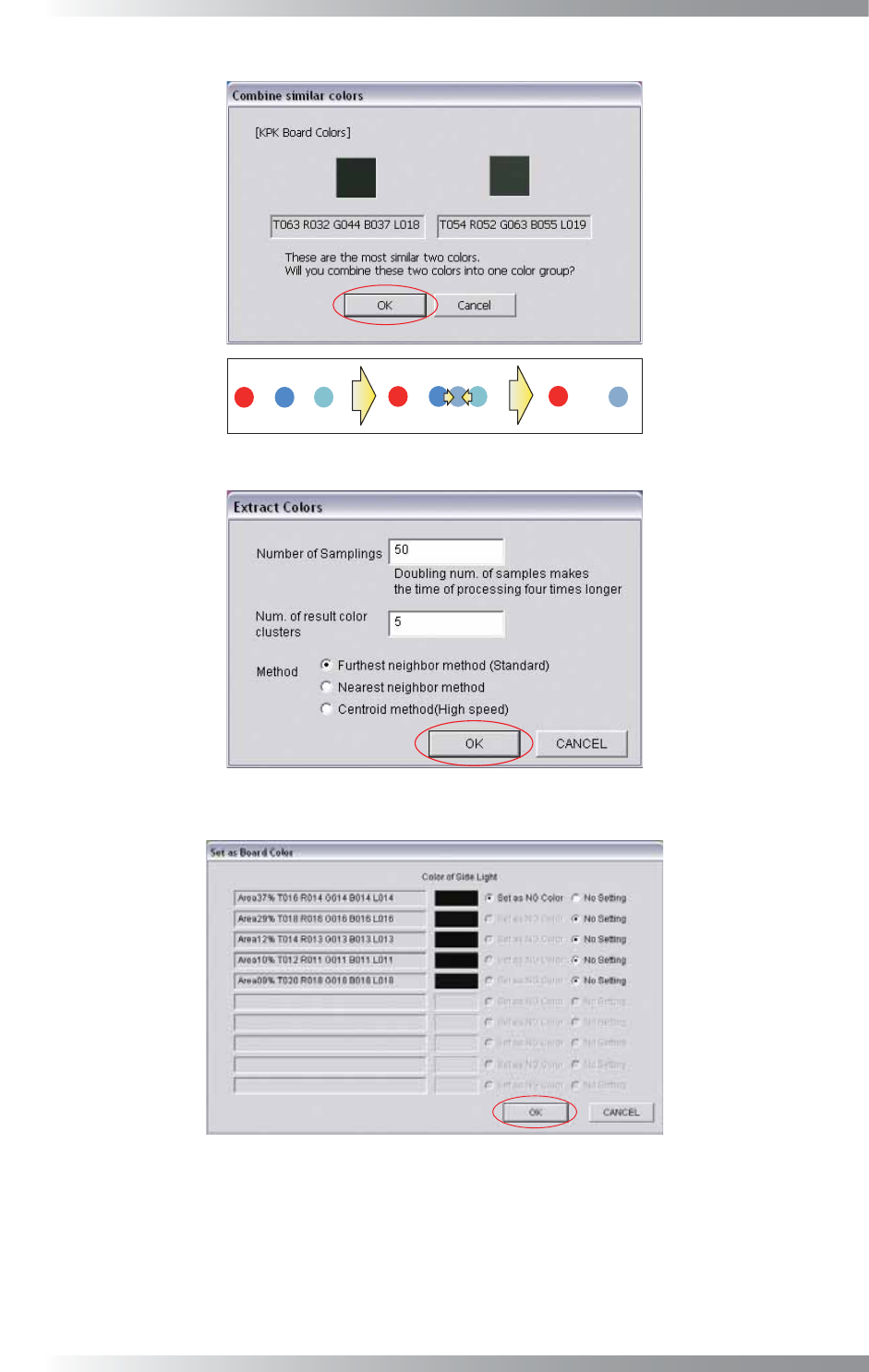
Combine Similar Colors
Figure 1-11 Combine Similar Colors
Figure 1-12 Add Some Colors from the Current Area 1
Figure 1-13 Add Some Colors from the Current Area 2
Step2: Make sure that the PCB color is displayed in black. If the PCB color is closer to the extracted
PCB color, the PCB color will be darker. Refer to Part V 1.2.3 Auto Deployment of KPK.
V-9
Programming Manual
Part V Other Function
1.2.3 Auto Deployment of KPK
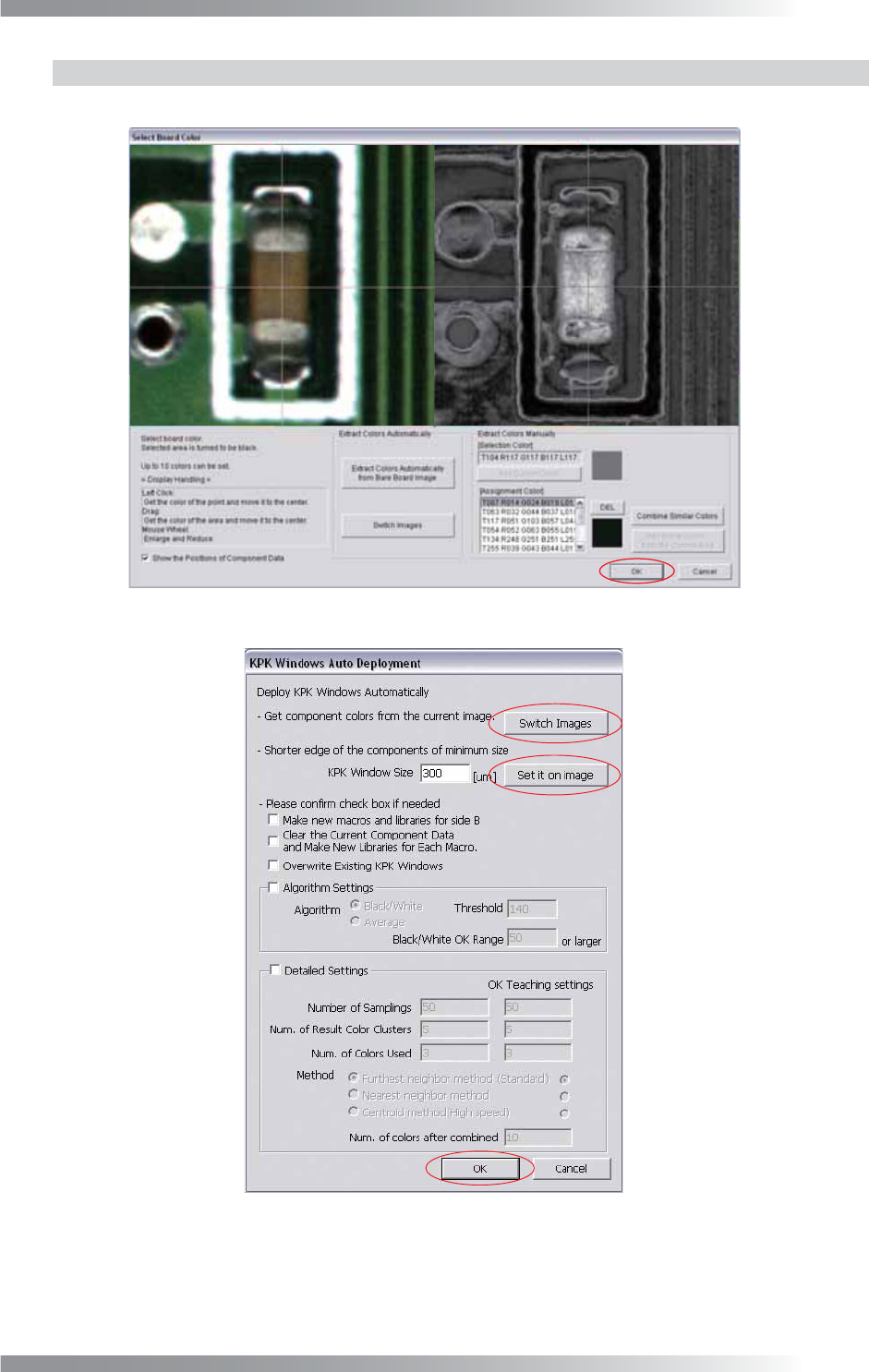
Step1: Register all NG colors and press OK. The dialog shown in Figure 1-15 appears.
Figure 1-14 Specify PCB Color
Figure 1-15 KPK Windows Auto Deployment
Step2: Press Switch Images and open OK PCB images.
V-10
Programming Manual
Part V Other Function
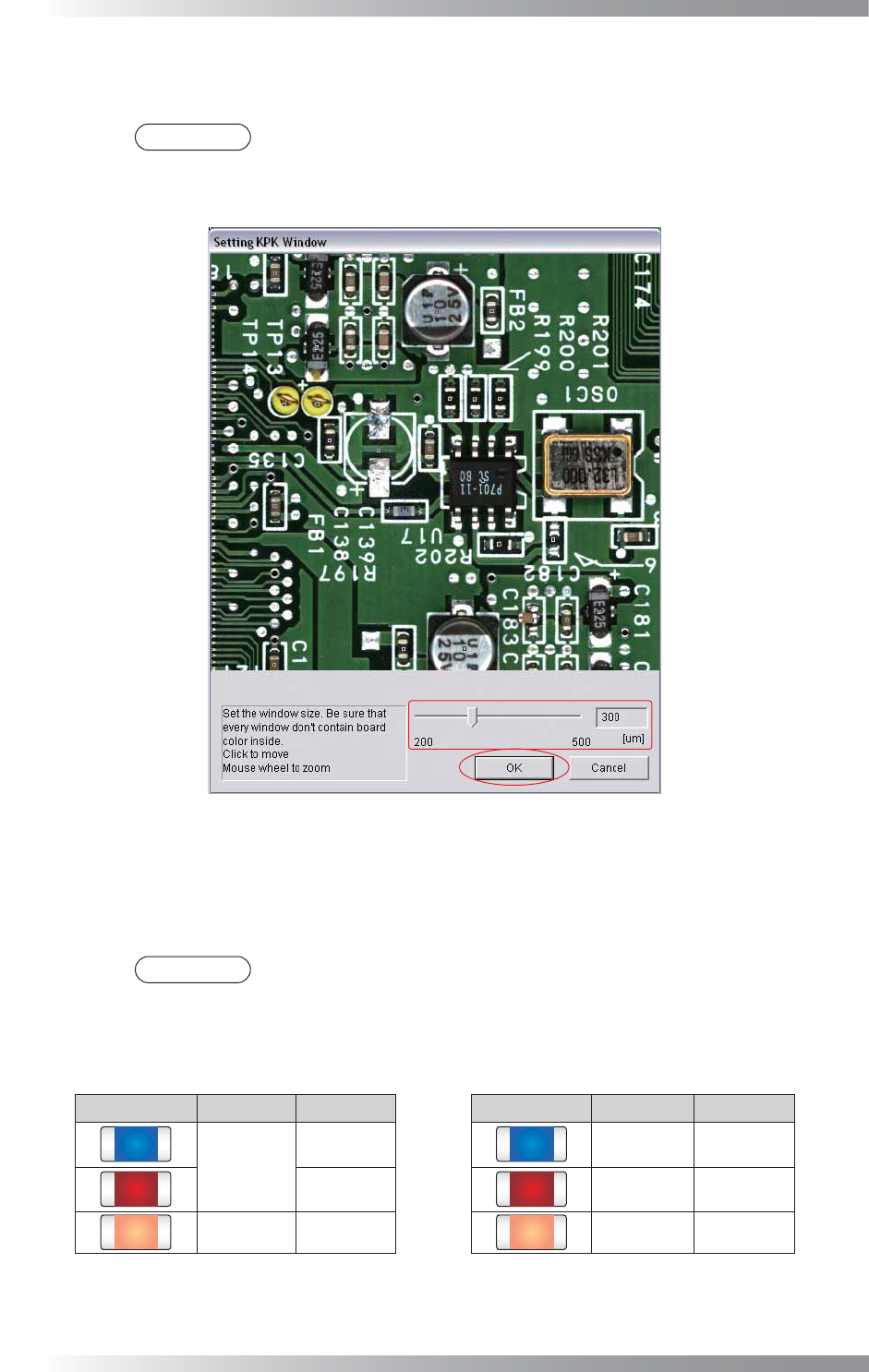
Step3: Press Set it on image and the dialog shown in Figure 1-16 appears. Adjust the window size to
extract component color by moving a slide-bar. After all the settings are completed, press OK.
NOTE
The specifi ed window size is common to all components data. Therefore, make the
window size to surround the component color only. If the window size is not appropriate,
PCB color or print color on the component might infl uence the inspection result.
Figure 1-16 KPK Window Size Setting
Step4: If there is only KPK data or KPK data should be assigned newly to each component without
deleting existing libraries, check Clear the Current Component Data and Make New
Libraries for Each Macro. Library name corresponds to macro name is assigned.
NOTE
Macro classifi es the component more fi nely than library. KPK judges missing component
by component colors. It is necessary to extract colors not by library unit, but by macro
unit. For the component with 1000C of library and 123 of macro, a library named
KPK_123 is created and assigned. Therefore, the existing library 1000C remains.
Component Library Macro Component Library Macro
1000C
123
KPK_123 123
456 KPK_456 456
1000R 789 KPK_789 789
Table 1-2 Library and Macro (Left Side: Before Changing, Right Side: After Selecting
Clear the current…
)