Programming_mail.pdf - 第78页
III- 4 Programming Manual Part III Inspection Algorithm Step5: The Mask window appears. Adjust the window size to surround the entire component body (including electrodes). Step6: Press Set on the right side of Algorithm…
III-3
Programming Manual
Part III Inspection Algorithm
1.1.3 Setting Procedure
Step1: Select a lighting that displays electrodes visually clear from the Lighting drop-down list.
CAUTION
Select three different kinds of lightings for three Adjust windows.
Step2: Adjust the size of the Adjust window to surround the component body.
The ideal window size is about 1.2 times larger than the component size.
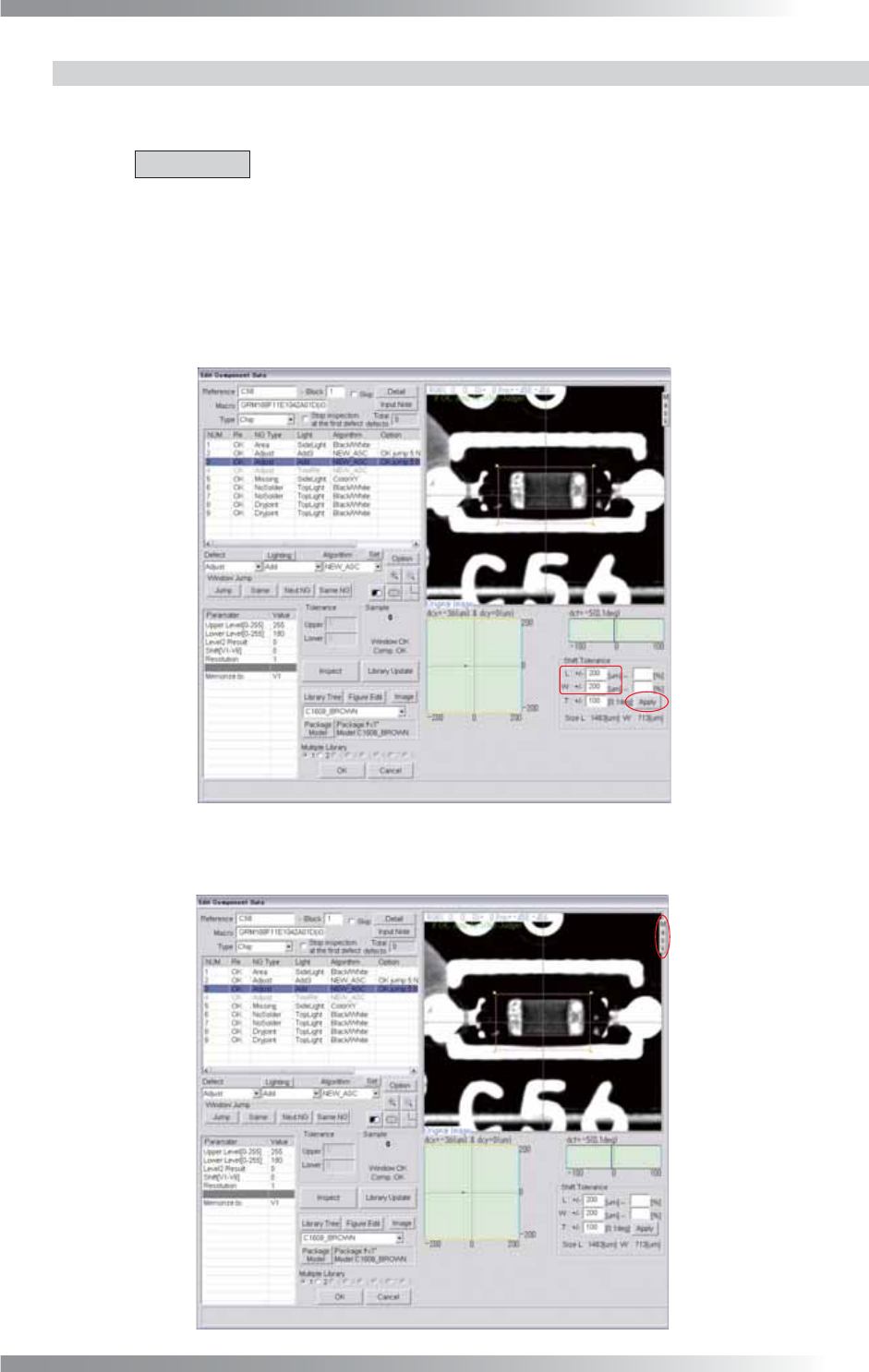
Step3: Adjust the L and W values in Shift Tolerance and press Apply.
Make sure that the specifi ed OK range is appropriate.
Figure 1-2 Shift Tolerance
Step4: Press Mask.
Figure 1-3 Mask Setting
III-4
Programming Manual
Part III Inspection Algorithm
Step5: The Mask window appears.
Adjust the window size to surround the entire component body (including electrodes).
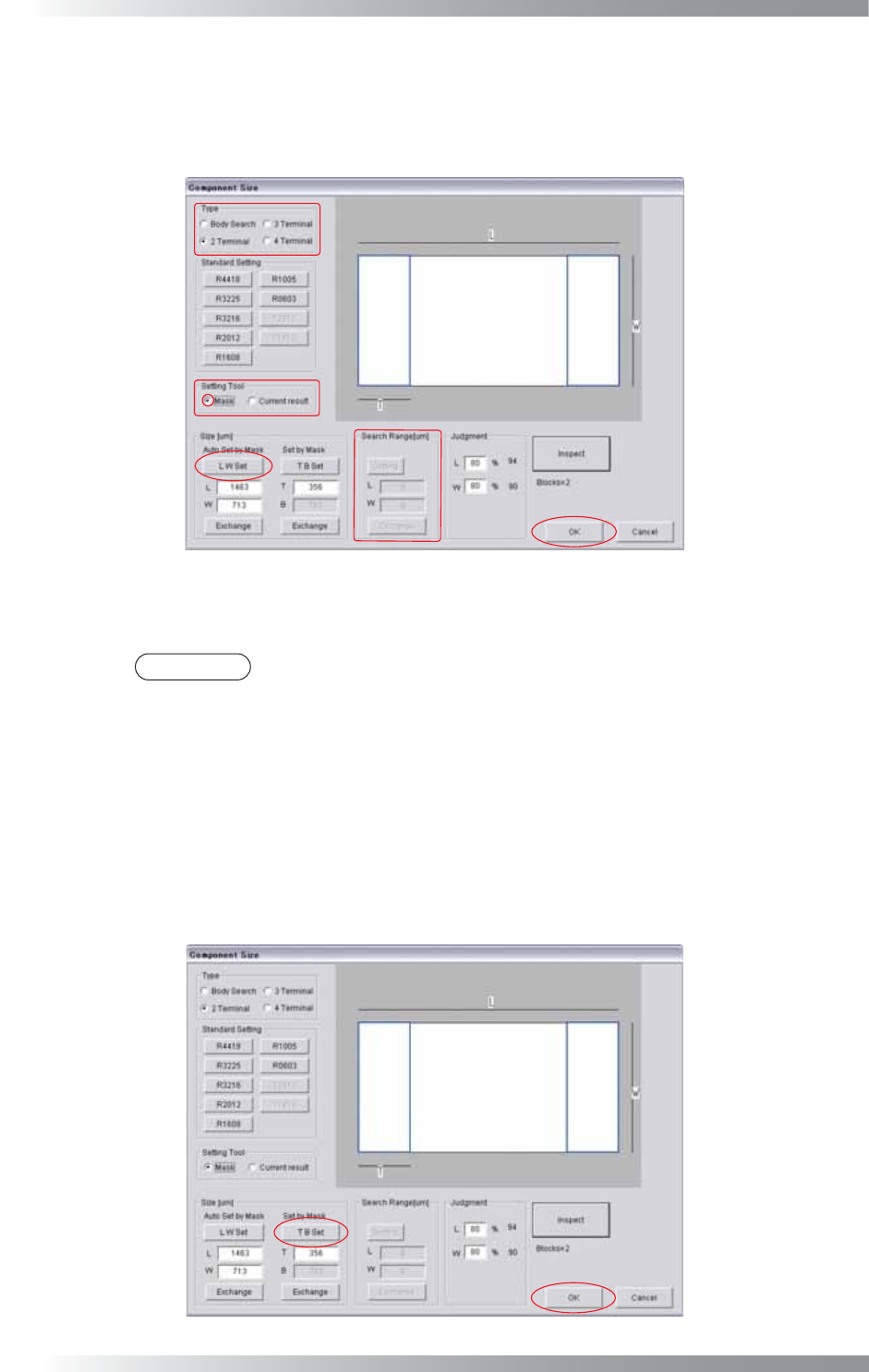
Step6: Press Set on the right side of Algorithm. The dialog shown in Figure 1-4 appears.
Figure 1-4 LW Setting
Step7: Select a component type from Type.
NOTE
If 4 Terminal is selected, the Search Range setting is required.
Step8: Check Mask in Setting Tool.
Step9: Press LW Set and OK.
Step10: The Mask window appears.
Adjust the window size to surround the electrodes on the one side.
Step11: Press Set on the right side of Algorithm. The dialog shown in Figure 1-5 appears.
Figure 1-5 TB Setting
III-5
Programming Manual
Part III Inspection Algorithm
Step12: Press TB Set and OK.
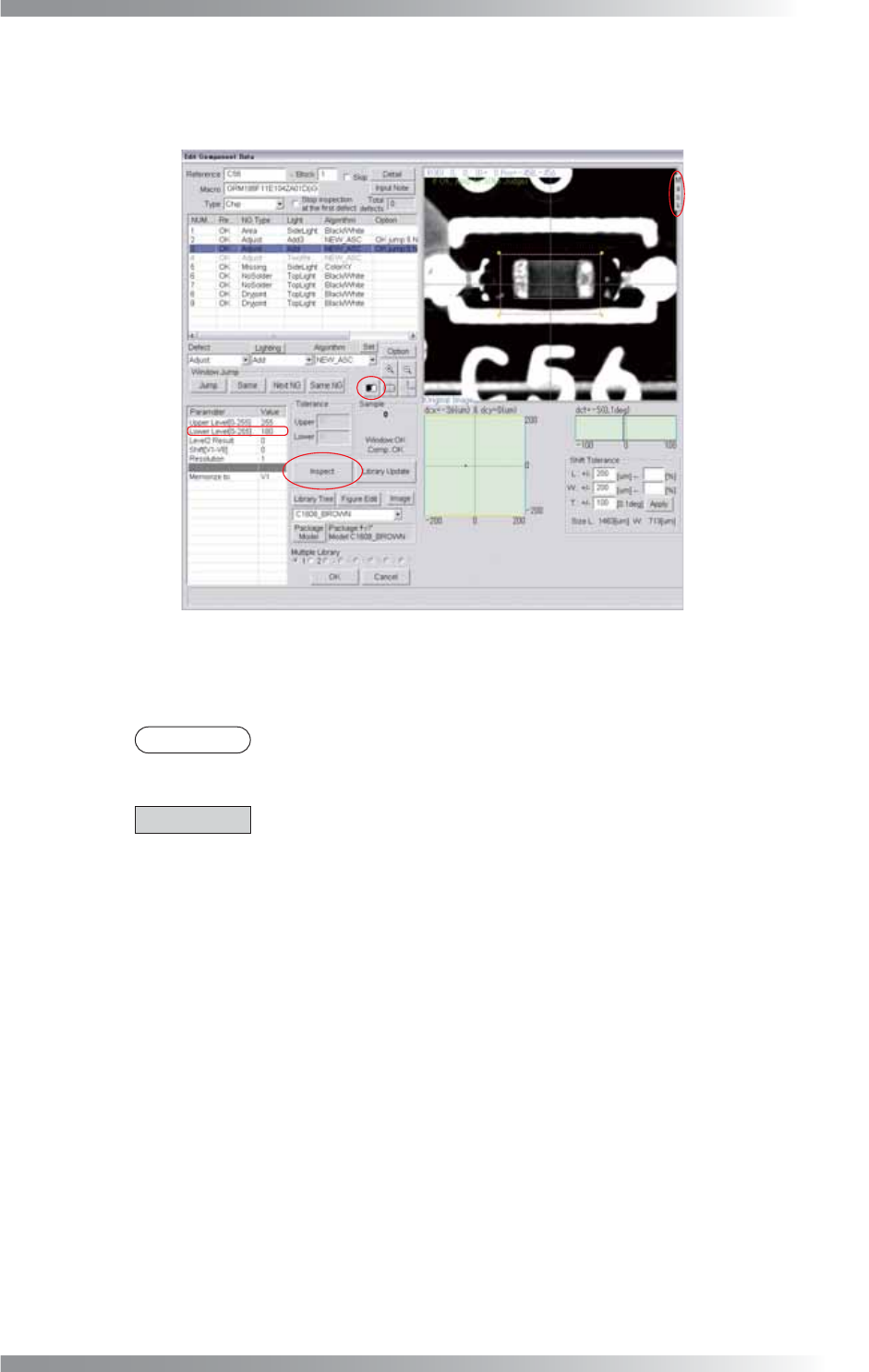
Step13: Press Mask once to remove the mask.
Figure 1-6 Remove Mask
Step14: Press the black-white button in the upper side of Sample, and make sure that searching
electrode is successful.
NOTE
Readjust the Lower Level value if the search is not successful.
Step15: Enter V1 into the Memorize to fi eld.
CAUTION
Register the inspection result in the Memorize to fi eld.
Any value from V1 to V8 is available.
Enter it in the appropriate fi eld to refl ect the result to other algorithms.
Step16: Press Inspect. If the search is successful, the pink window surrounding the component’s
body appears.