Programming_mail.pdf - 第240页
V- 50 Programming Manual Part V Inspection Data 4.7 Fillet Inspection Setting In Fillet Inspection, defections of fat solder and no solders can be detected from a fi llet shape. CAUTION Fillet Inspection can be used if st…
V-49
Programming Manual
Part V Inspection Data
4.6.2 Setting Procedure of Clinch Pin Inspection
Step1: Press PIN button.
Step2: Check Inspect Pin.
Step3: Press the clinch pin icon (
).
Step4: Check Dedicated.
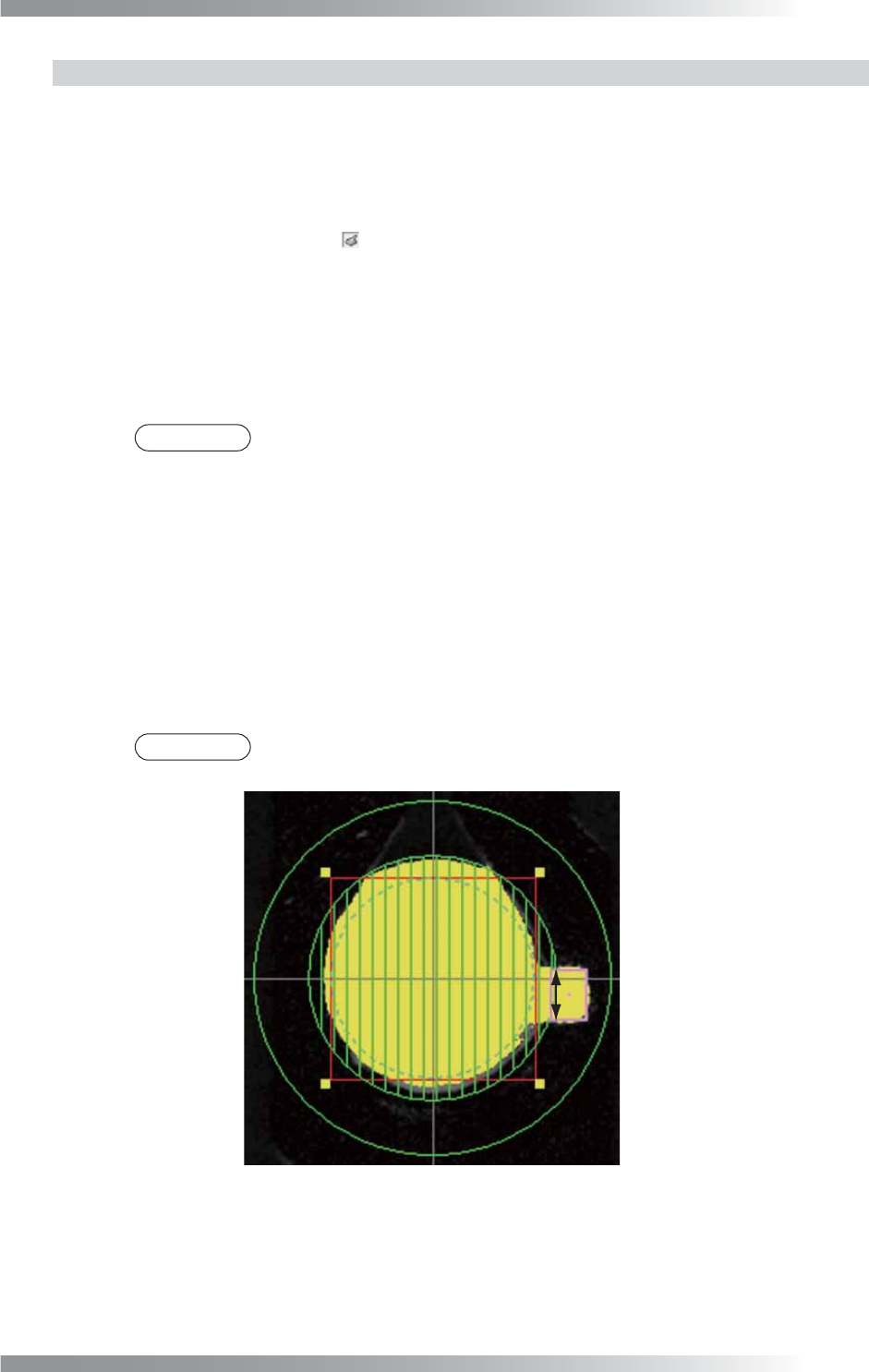
Step5: Adjust Coverage to surround the top of the clinch pin. The inspection area is specifi ed by
width (pixel value) from the dotted line circle. The inspection area is in the green circle
except the area netted. Enter the bigger value to enlarge the inspection area.
NOTE
If the solder and the top of the clinch pin are not visually clear by Dedicated, check
Other and select a lighting from the drop-down list.
Step6: Enter a value into the Mask width fi eld.
If the pad edge is uneven, specifi es a “no inspection” area in the inspection area set in
Coverage by the width (pixels) from the dotted line circle. Set the mask so the solder fi llet
is covered.
Step7: Enter the value in Bright range fi eld to detect the solder and the top of the clinch pin.
Step8: Enter a value into the Lower limit fi eld.
NOTE
Clinch pin inspection detects a border between a clinch pin end and a netted (masked)
area. The Detected value shows a width (pixels) of clinch pin end at the border.
Detected
Figure 4-13 Clinch Pin Inspection
V-50
Programming Manual
Part V Inspection Data
4.7 Fillet Inspection Setting
In Fillet Inspection, defections of fat solder and no solders can be detected from a fi llet shape.
CAUTION
Fillet Inspection can be used if straight pin is selected in the pin inspection.
This algorithm cannot be used when a clinch pin is selected or the pin inspection is set to off.
4.7.1 Parameter of Fillet Inspection
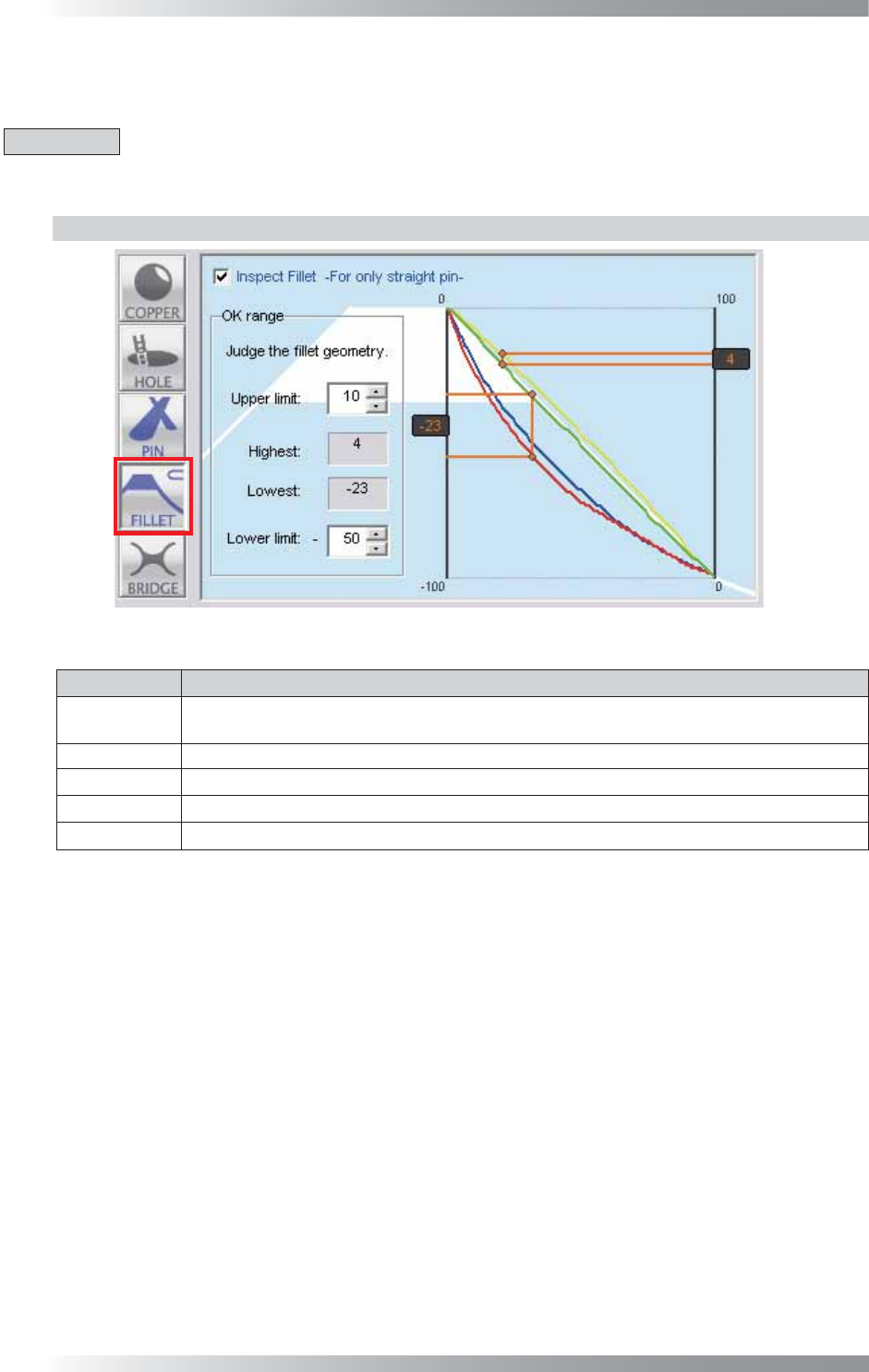
Figure 4-14 Fillet Inspection Setting
Parameter Description
Inspect Fillet
To activate Fillet inspection, check Inspect Fillet.
To disable Pin inspection, un-check Inspect Fillet. Buttonʼs color is displayed as gray.
Upper limit
Set the upper limit of an acceptable range.
Highest
Shows the distance between the base line (the white line) and top of a raised fi llet.
Lowest Shows the distance between the base line (the white line) and bottom of a sunken fi llet.
Lower limit
Set the lower limit of an acceptable range.
Table 4-7 Parameter of Fillet Inspection
V-51
Programming Manual
Part V Inspection Data
4.7.2 Setting Procedure of Fillet Inspection
Step1: Press FILLET button.
Step2: Check Inspect Fillet.
Step3: Enter values into the Upper limit and Lower limit fi eld.
NOTE
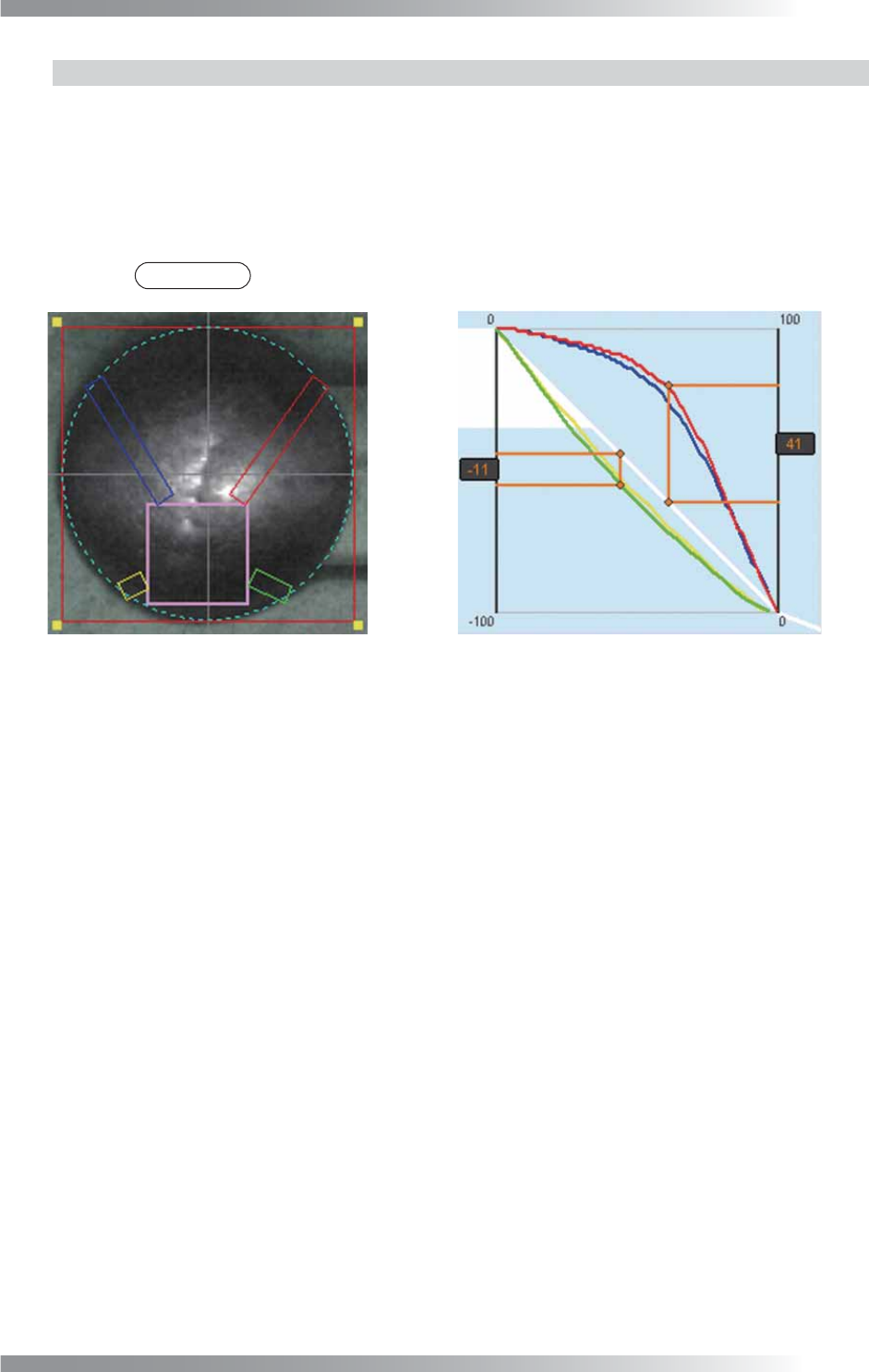
The color of the inspection window corresponds to the color of the graph.
Figure 4-15 Example of a raised fi llet