Programming_mail.pdf - 第23页
I- 15 Programming Manual Part I Basic Operation 2.1 System The destination of the fi le to save, the name of NG type or the fl ow direction of PCB can be set in System . Press System in the Figure 2-1 Select System Setup .…
I-14
Programming Manual
Part I Basic Operation
2 System Setup
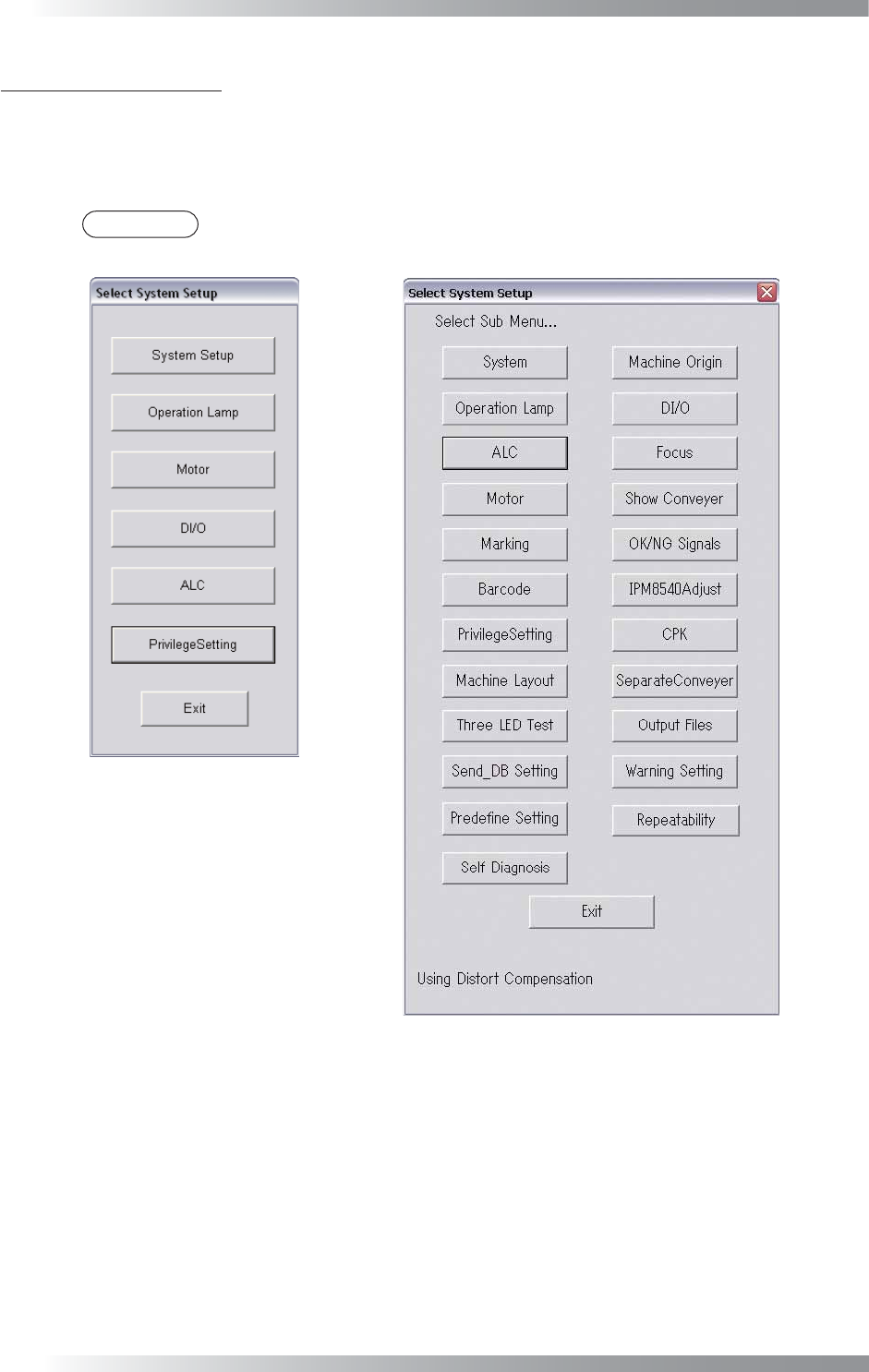
This chapter describes the detail on the system setup. Select Edit > System Setup from the menu-bar.
The Select System Setup dialog shown in Figure 2-1 appears.
Each item of Select System Setup in Figure 2-1 is described as follows.
NOTE
Benchtop machines have the different dialog from inline machines.
Benchtop Machine
Inline Machine
Figure 2-1 Select System Setup
I-15
Programming Manual
Part I Basic Operation
2.1 System
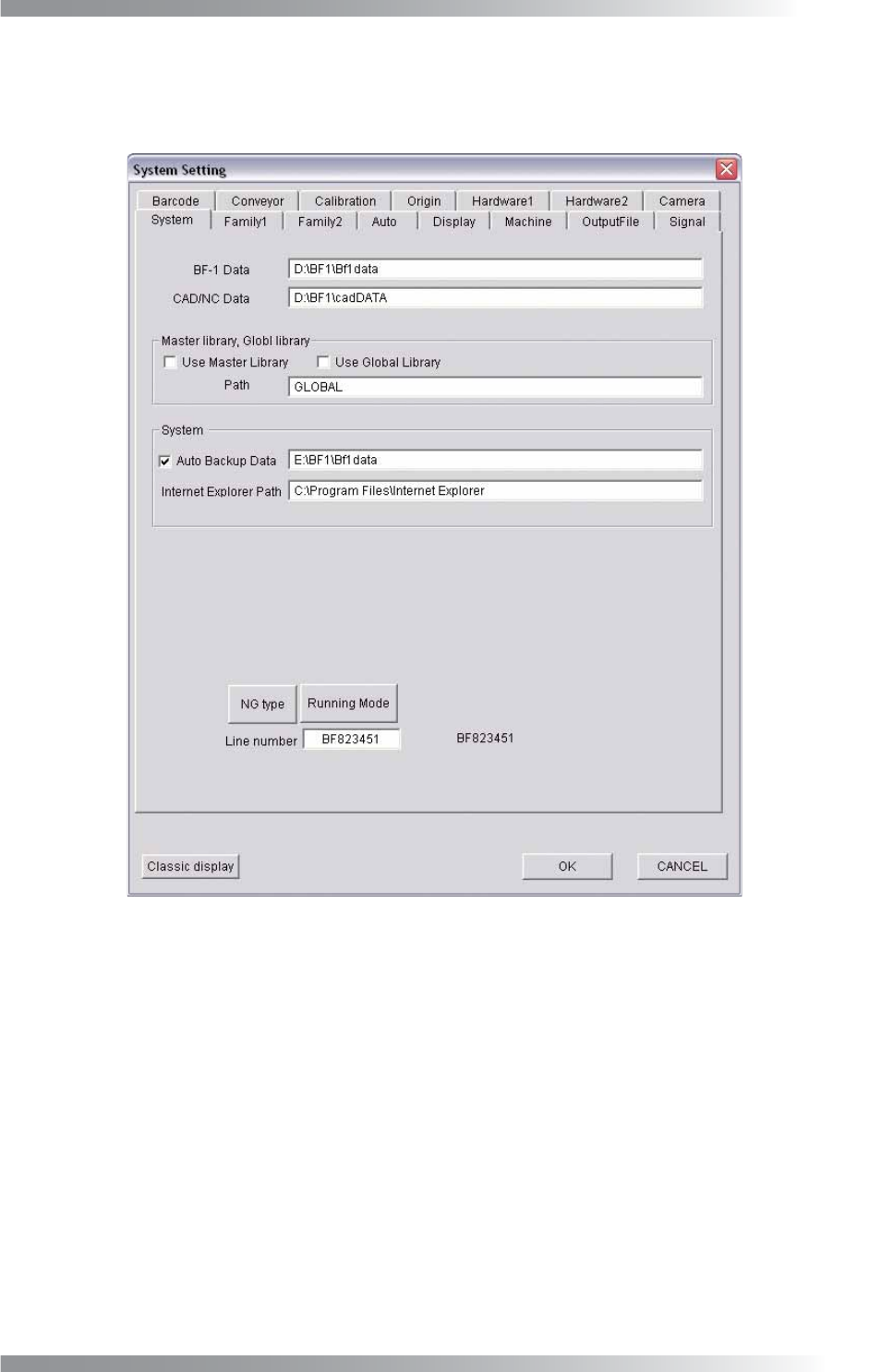
The destination of the fi le to save, the name of NG type or the fl ow direction of PCB can be set in System.
Press System in the Figure 2-1 Select System Setup. The System dialog shown in Figure 2-2 appears.
Figure 2-2 System
I-16
Programming Manual
Part I Basic Operation
2.1.1 Contents of System
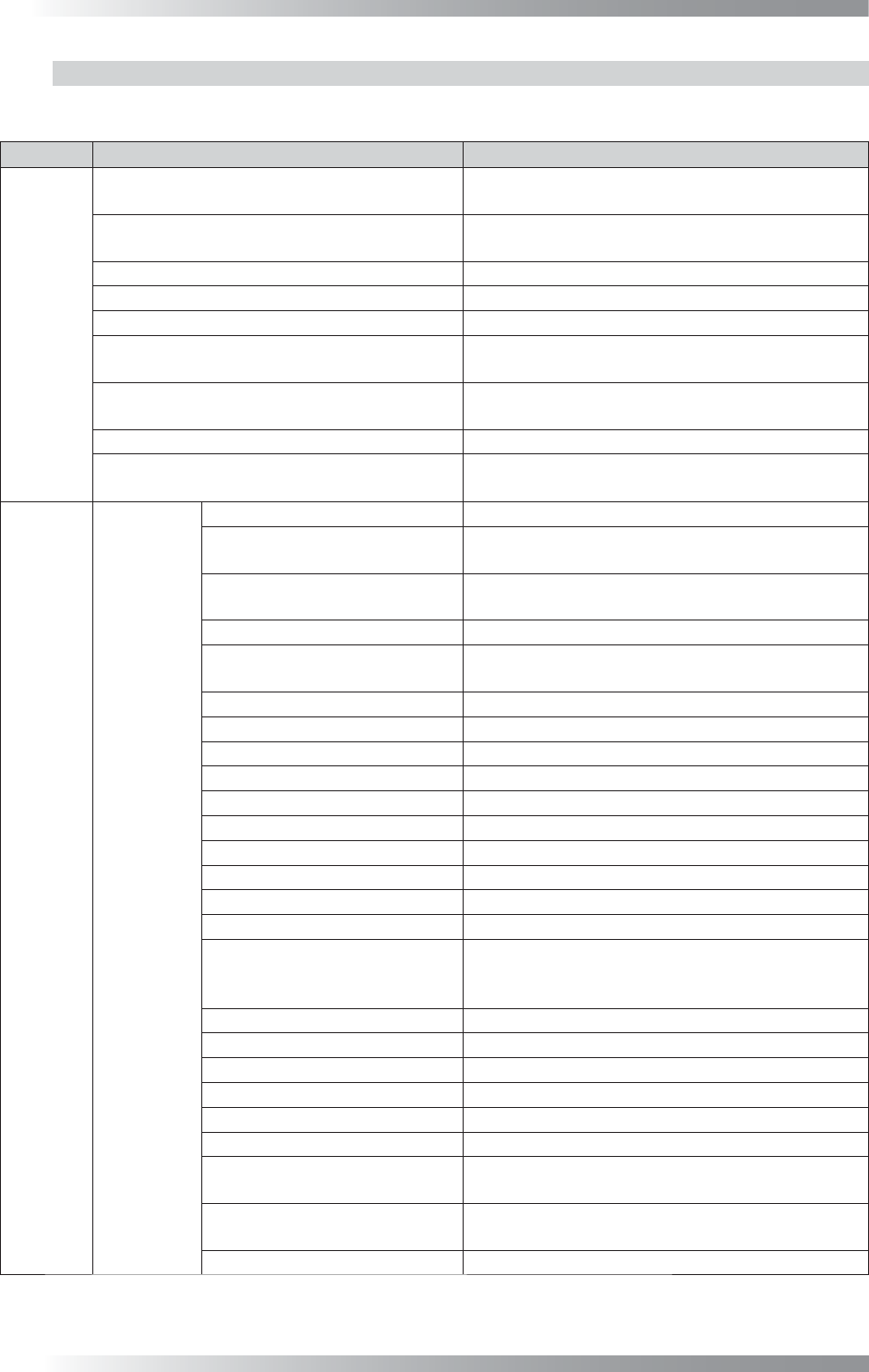
This table describes the contents of System.
Tab Item Description
System
BF-1 Data
Destination of the inspection data to save.
Default Setting: D:\BF1\BF1DATA
CAD/NC Data
Destination of the original CAD and NC data to
save. Default Setting: D:\BF1\NCDATA
Use Master Library
If using the master library, check Use Master Library.
Use Global Library
If using the global library, check Use Global Library.
Path Destination of the master library to save.
Auto Backup Data
Makes the backup fi le automatically. The confi rmation
dialog is displayed before making backup.
Internet Explorer
Links to the total report.
Default Setting: C:\Program Files\Internet Explorer
NG Type
Sets NG types. An NG type name can be modifi ed.
Running Mode
Switches the mode (Normal Mode/Test Mode/
Ignore Hardware).
Family1
BF-RP1
Connect BF-RP1
Connects to BF-RP1 (optional system).
BF-RP1
Specifi es the destination of the connected PC to
save in BF-RP1.
BF-RP1 Backup
Specifi es the master BF-RP1 PC in case of
connecting with several BF-RP1.
Export NG Files
Saves inspection results in the auto mode.
NG Limit
Specifi es the upper limit number of the NG
component per PCB.
NG File Specifi es the transferring destination of NG fi les.
NG File1
Specifi es the transferring destination of NG fi les (backup).
Date and Time
Saves the NG fi le name as inspection date and time.
Inspect Number
Saves the NG fi le name as inspection number.
Barcode
Saves the NG fi le name as barcode.
Use Lot Number
Manages NG fi les by a lot number.
Use Current Date to Lot Number
Creates a lot number folder with the current date.
Lot Number Required
A lot number must be entered in this setting.
Output only NG
Creates fi les with NG inspection results only.
Create False Call Data
Creates a false call data fi le.
Repair A/B Side by One Barcode
Reads the barcode to manage an inspection data
if a barcode is printed on a one side of a double-
side PCB.
Save BadMark Error
Outputs a badmark error to an NLT fi le.
Output Defect Images
Saves images of defect components.
Output False Images Saves images of components with false calls.
Output Wide Range Images
Transfers the wide range image to BF-RP1.
Output Side Light Images Transfers the images by SideLight.
jpeg
Saves images in JPEG format.
Image Limit
Specifi es the upper limit number of the NG image
to save per inspection.
Enable OK Button After Click
Component Images
Enables OK after clicking the image when a false
call occurs (benchtop machines only).
Disable OK component button Disables OK component.