Programming_mail.pdf - 第67页
II- 23 Programming Manual Part II Inspection Data Step3: Check Fiducial Mark and press OK . Figure 1-41 Fiducial Mark Step4: The dialog shown in Figure 1-42 appears. Press OK . Figure 1-42 Add this component to other blo…
II-22
Programming Manual
Part II Inspection Data
1.2.2 Sub Mark Setting
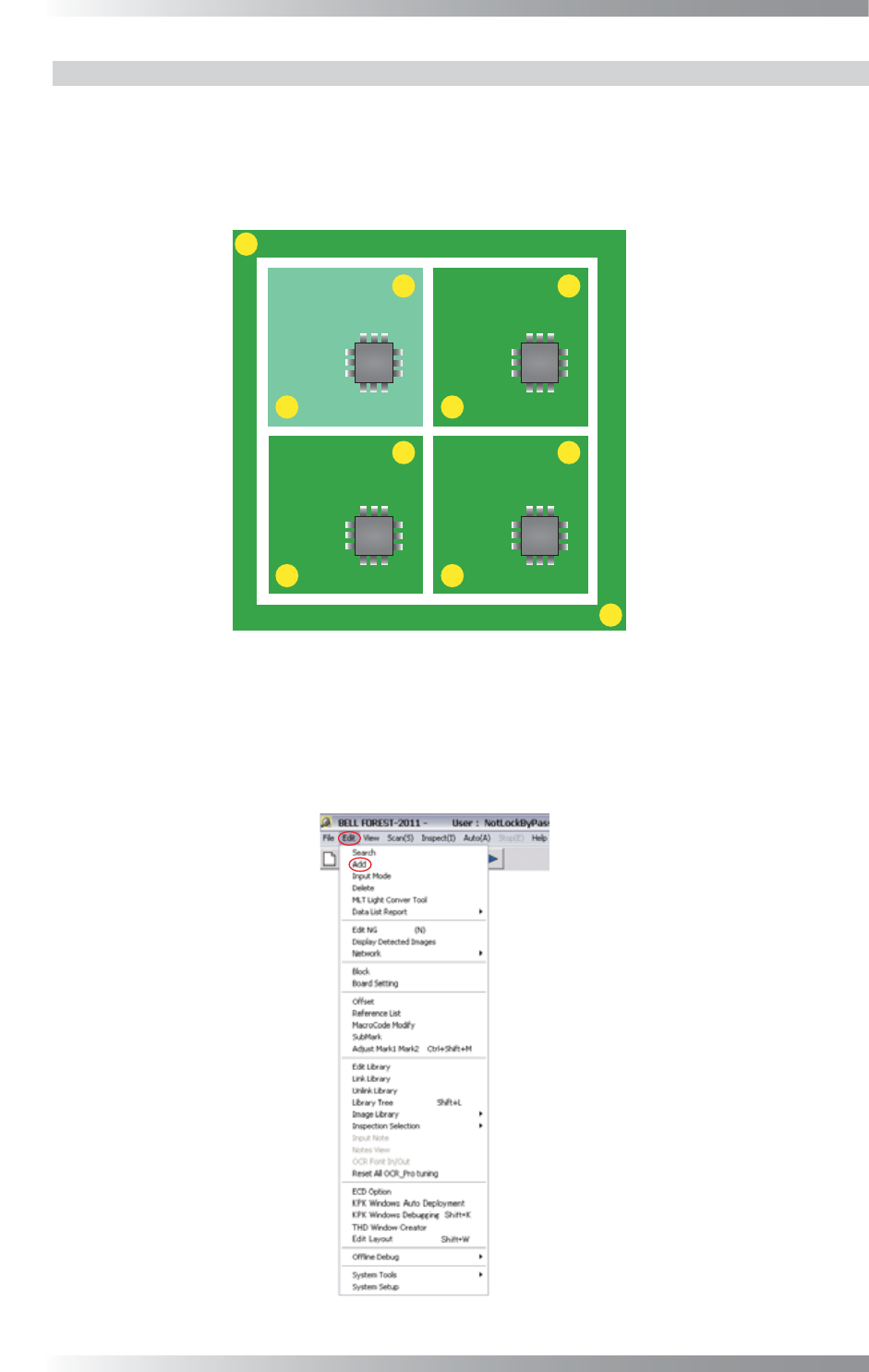
Sub mark is a fi ducial mark which is set to sub boards.
A fi ducial mark, made in Step 25 in Part II 1.1 Make Inspection Data on AOI Machine, is used for
adjusting misalignments of the entire PCB. On the other hand, a sub mark is used for adjusting bend
or deformation of sub boards. Set sub marks if there are sub boards on the PCB.
MARK1
MARK2
Sub Board 1 Sub Board 2
Sub Board 3 Sub Board 4
Figure 1-39 Sub Board
Step1: Left-click the center of the sub mark.
Step2: Select Edit > Add from the menu-bar.
Figure 1-40 Add
II-23
Programming Manual
Part II Inspection Data
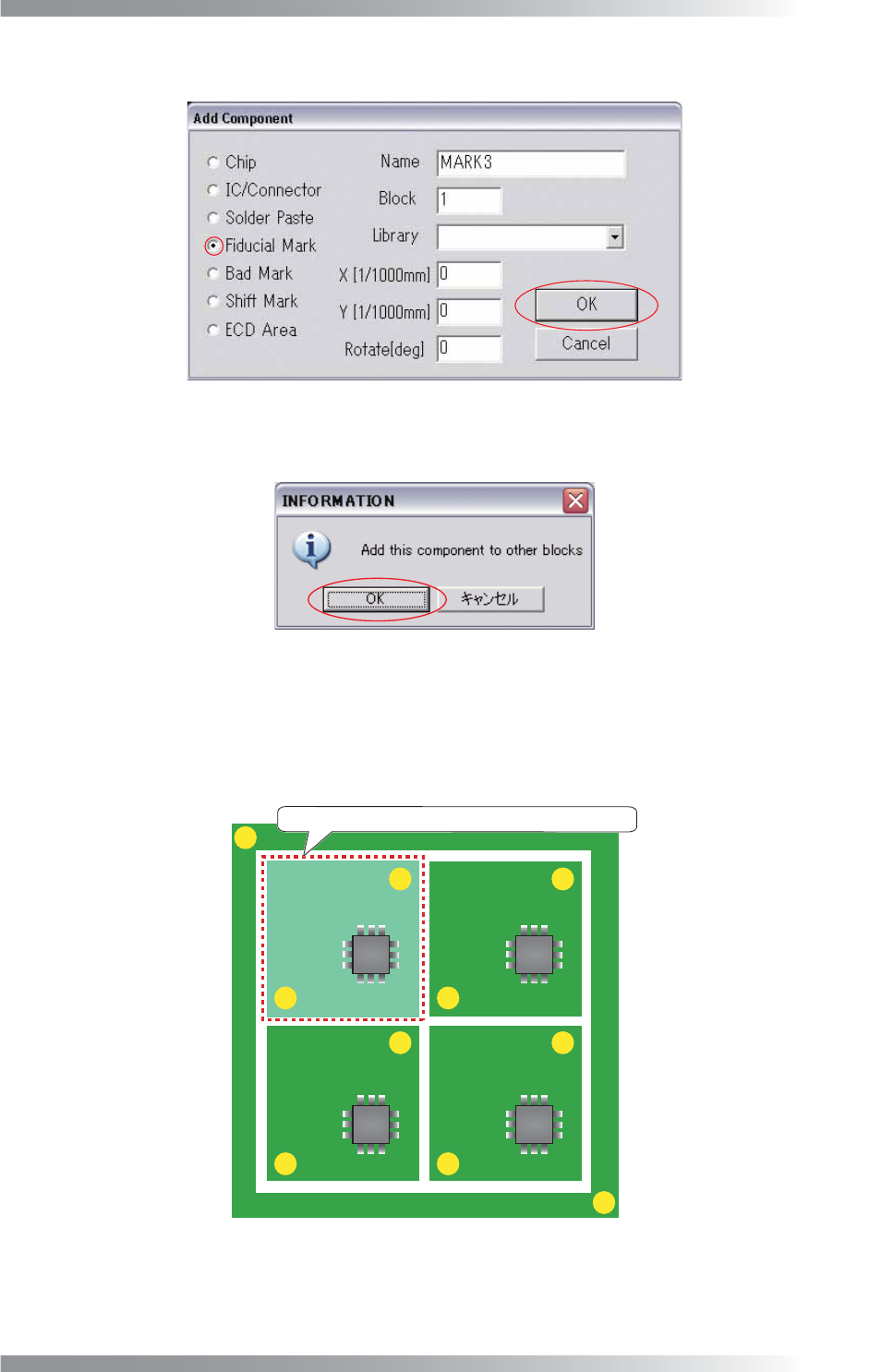
Step3: Check Fiducial Mark and press OK.
Figure 1-41 Fiducial Mark
Step4: The dialog shown in Figure 1-42 appears. Press OK.
Figure 1-42 Add this component to other blocks
Step5: Refer to Step 26 to 41 in Part II 1.1 Make Inspection Data on AOI Machine.
Step6: Surround the sub board with a frame by mouse-dragging.
MARK1
MARK2
Sub Board 1 Sub Board 2
Sub Board 3 Sub Board 4
Surround the sub board with a frame by mouse-dragging.
Figure 1-43 Surround the Sub Board
II-24
Programming Manual
Part II Inspection Data
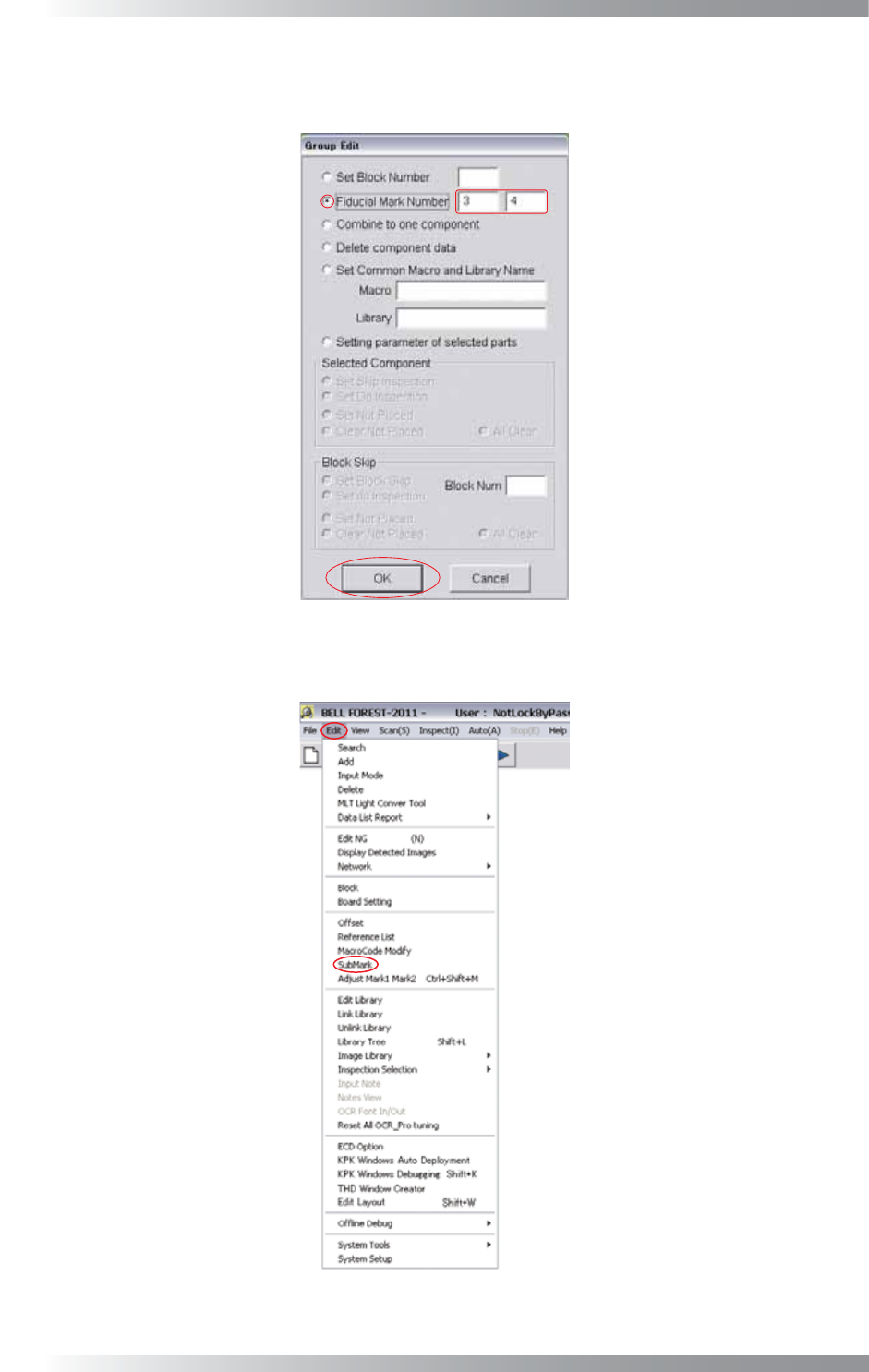
Step7: The dialog shown in Figure 1-44 appears. Check Fiducial Mark Number and enter a sub
mark number. After all the settings are completed, press OK.
Figure 1-44 Fiducial Mark Number
Step8: Select Edit > SubMark from the menu-bar.
Figure 1-45 Sub Mark