Programming_mail.pdf - 第169页
IV - 5 Programming Manual Part IV Option Setting 1.2.3 Skip by Sub Board Surround a sub board to be skipped in inspections with a frame by mouse-dragging. The dialog shown in Figure 1-5 appears. Enter a sub board number …
IV-4
Programming Manual
Part IV Option Setting
1.2 Inspection Skip Setting
1.2.1 Skip by Inspection Window
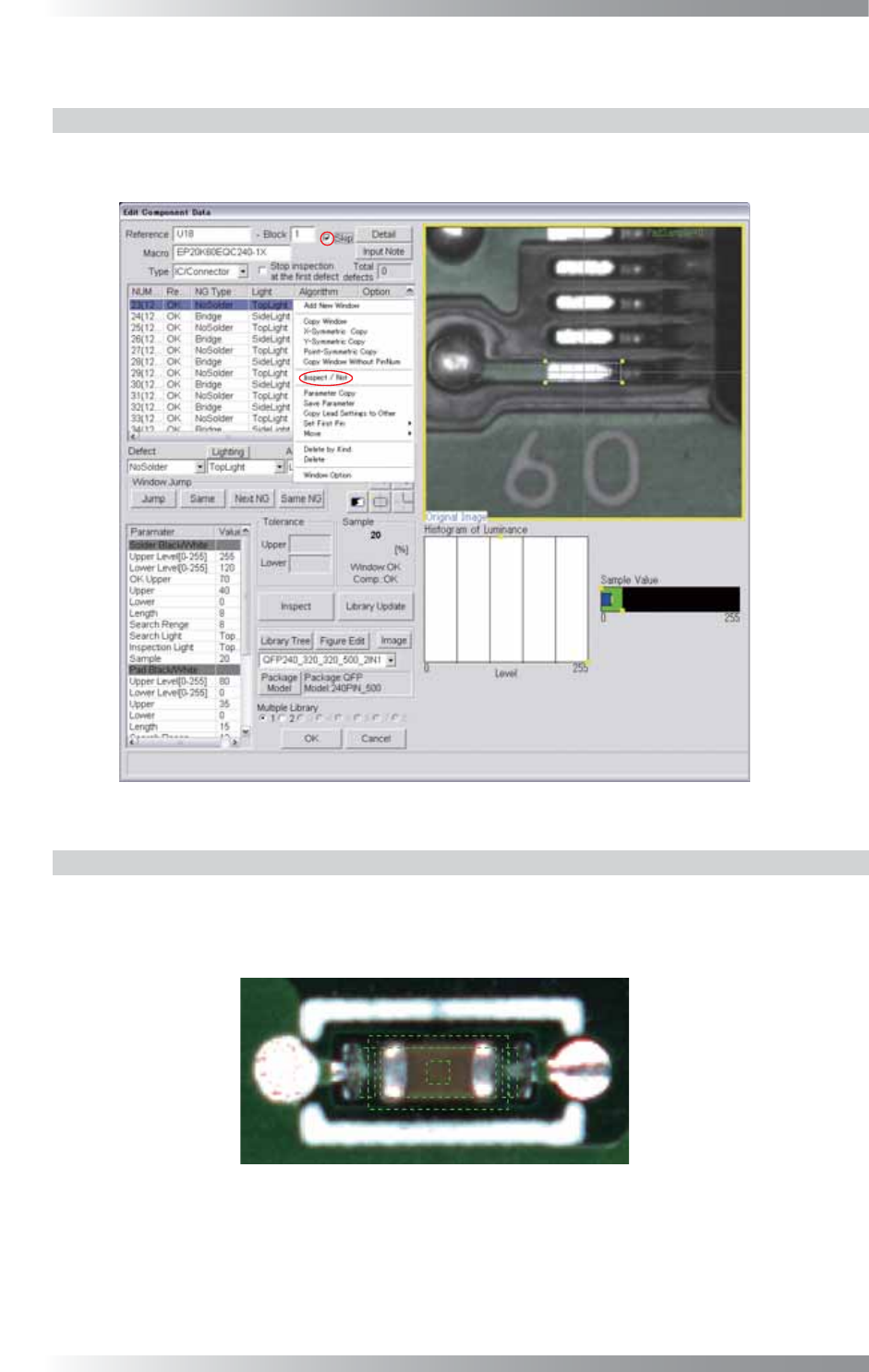
Right-click an inspection window item listed on the upper left side of Edit Component Data and
select Inspect / Not. To cancel the inspection skip setting, select Inspect / Not again.
Figure 1-3 Skip
1.2.2 Skip by Component
Check Skip on the upper side of the Edit Component Data dialog shown in Figure 1-3.
To cancel the inspection skip setting, un-check Skip.
If the inspection skip setting is applied, components are surrounded by green dotted lines.
Figure 1-4 Skip Inspection Component (Green Dotted Line)
IV-5
Programming Manual
Part IV Option Setting
1.2.3 Skip by Sub Board
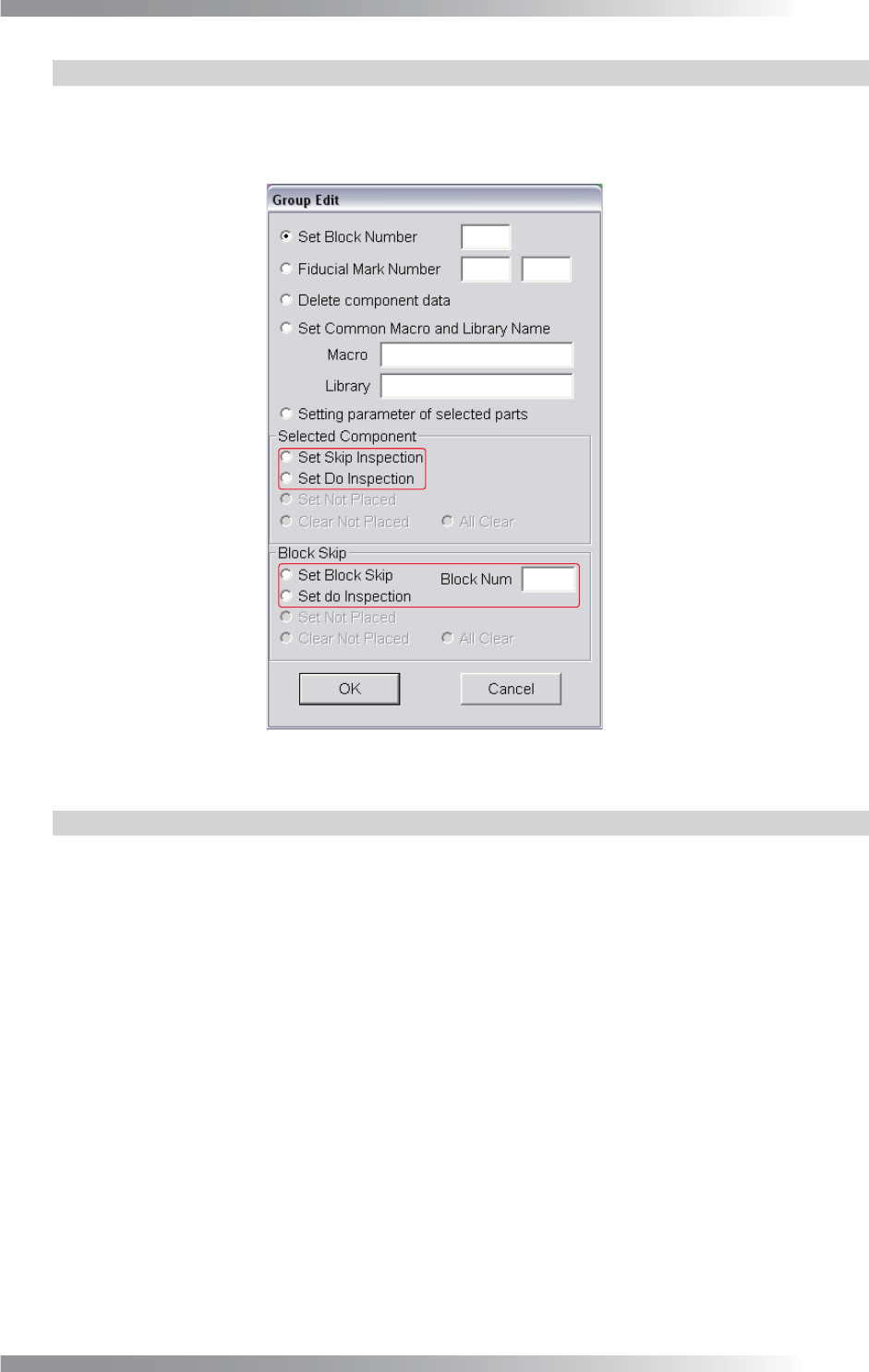
Surround a sub board to be skipped in inspections with a frame by mouse-dragging. The dialog shown
in Figure 1-5 appears. Enter a sub board number into the Block Num fi eld and check Set Block Skip
in Block Skip. To cancel the inspection skip setting, check Set Do Inspection in Block Skip.
Figure 1-5 Group Edit
1.2.4 Skip the inspection of arbitrary area
Surround a sub board to be skipped in inspections with a frame by mouse-dragging. The dialog
shown in Figure 1-5 appears. Check Set Skip Inspection in Selected Component.
To cancel the inspection skip setting, check Set Do Inspection in Selected Component.
IV-6
Programming Manual
Part IV Option Setting
1.3 Algorithm Setting
Press
Ctrl
+
Alt
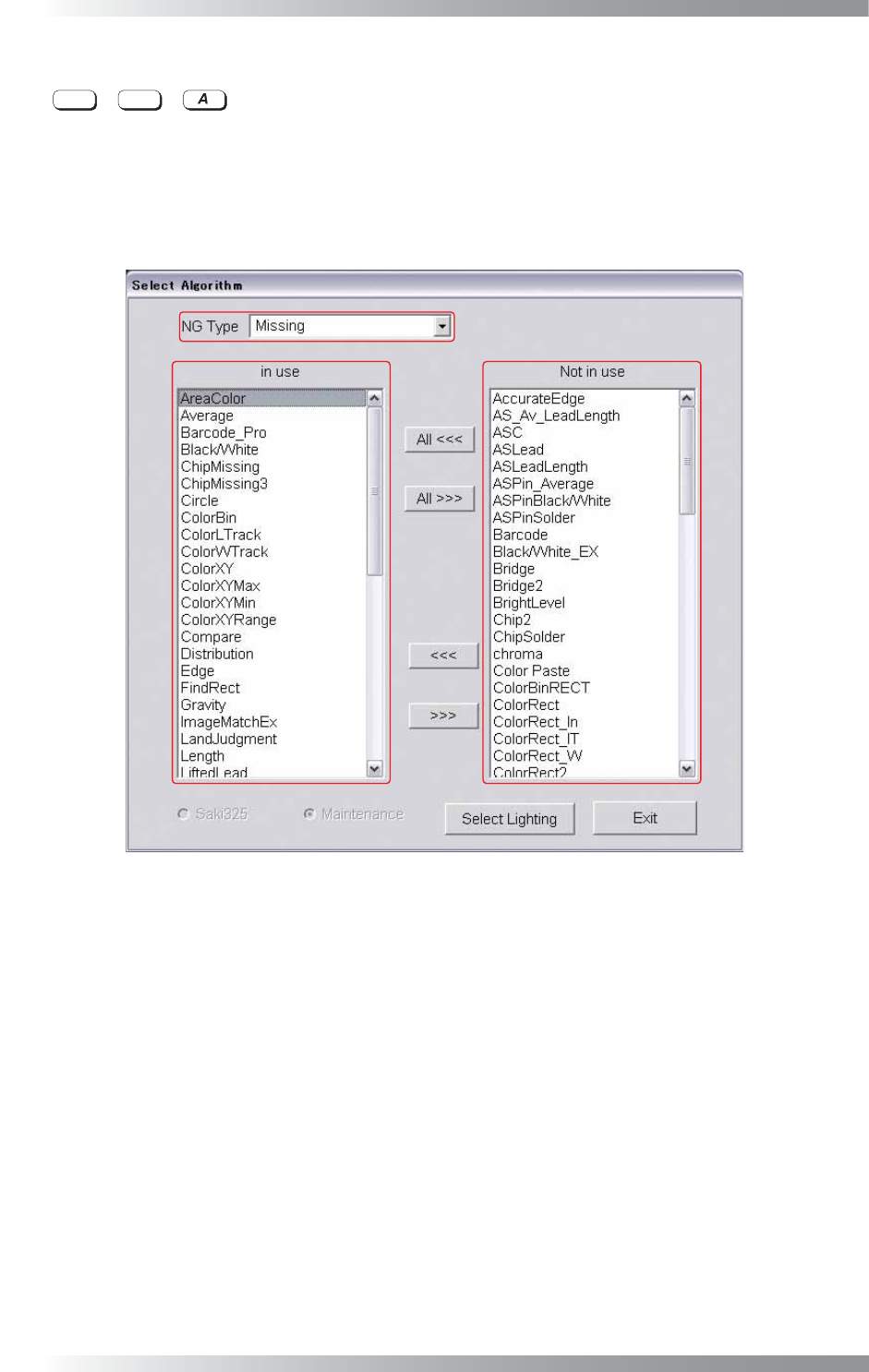
+ concurrently. The dialog shown in Figure 1-6 appears.
Set the algorithm to be used in each NG type.
To change the in use/Not in use setting of an algorithm, press <<< or >>>.
If All <<< or All >>> is pressed, the in use/Not in use setting of an algorithm is applied to all NG types.
To make sure of each NG typeʼs in use/Not in use algorithms, select All Algorithm from the NG Type drop-
down list.
Figure 1-6 Select Algorithm