Programming_mail.pdf - 第227页
V- 37 Programming Manual Part V Other Function Step9: Press Deploy . The inspection data is automatically extracted. CAUTION Delete unnecessary inspection data. NOTE Images can be retaken by pressing Scan2 until Deploy i…
V-36
Programming Manual
Part V Other Function
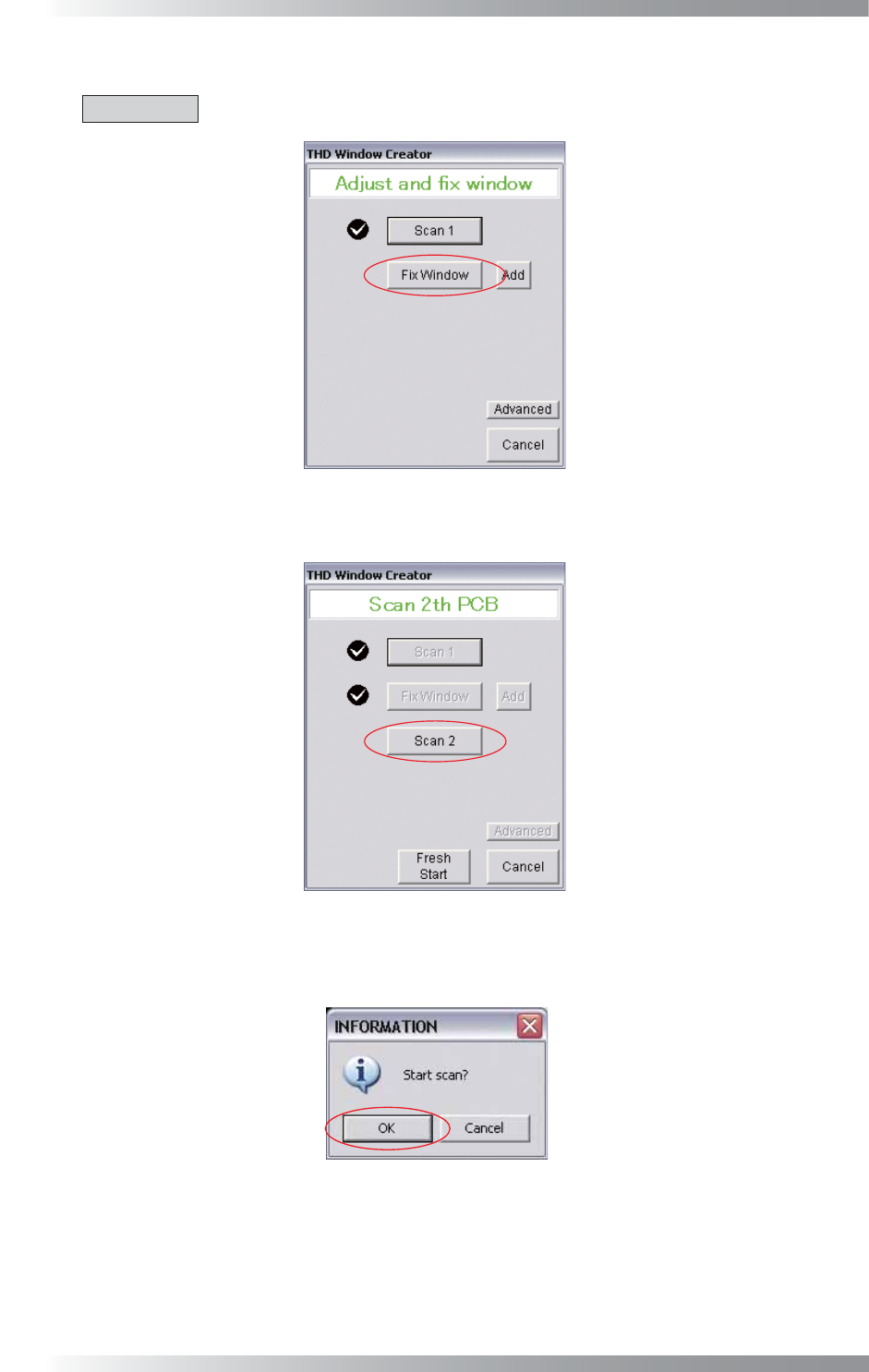
Step6: Press Fix Window after the adjustment of the area window is completed.
CAUTION
Area windows cannot be adjusted after pressing Fix Window.
Figure 3-7 Fix Window
Step7: Load the PCB and press Scan2.
Figure 3-8 Scan2
Step8: The dialog shown in Figure 3-9 appears. Press OK.
Figure 3-9 Start Scan
V-37
Programming Manual
Part V Other Function
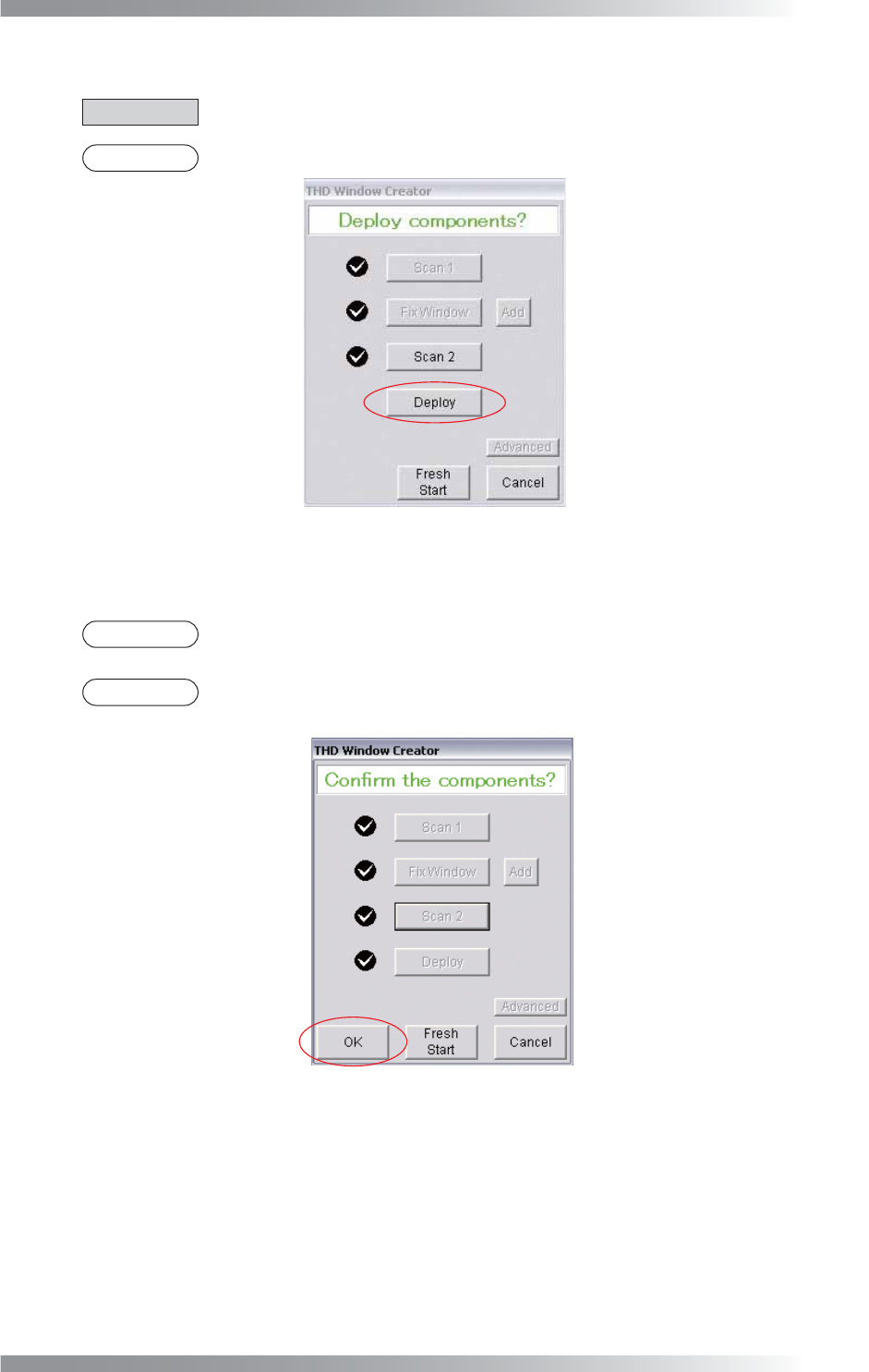
Step9: Press Deploy. The inspection data is automatically extracted.
CAUTION
Delete unnecessary inspection data.
NOTE
Images can be retaken by pressing Scan2 until Deploy is pressed.
Figure 3-10 Deploy
Step10: Press OK to confi rm the inspection data.
NOTE
If Fresh Start is pressed, the screen goes back to Step2 after deleting inspection data
without deleting area windows.
NOTE
If Cancel is pressed, THD Window Creator will close after deleting area windows and
inspection data.
Figure 3-11 Confi rm the component
V-38
Programming Manual
Part V Other Function
3.3 Advanced
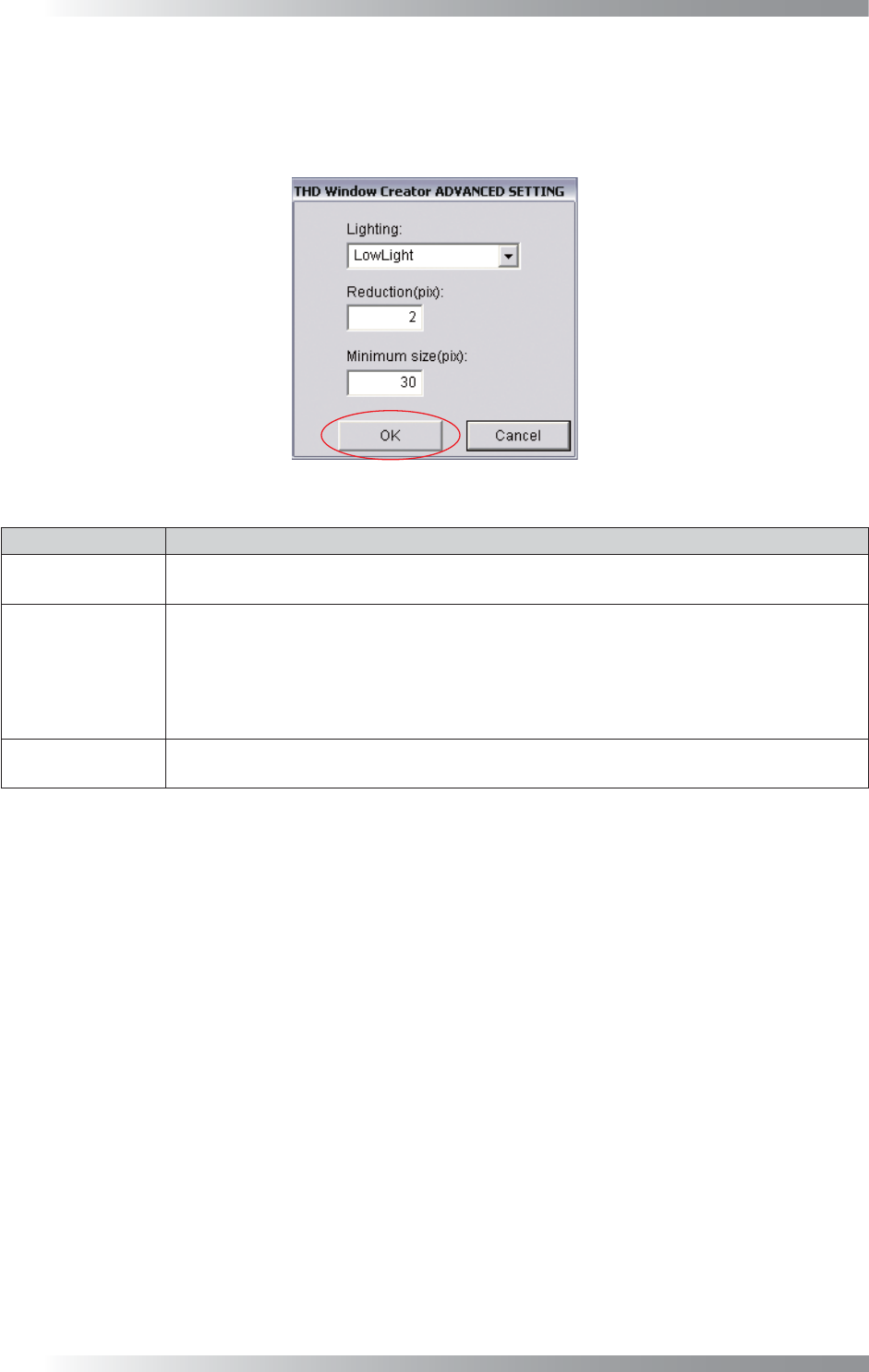
In case inspection data is not appropriately extracted or there is not enough memory, use Advance.
Press Advance in Figure 3-11 and the dialog shown in Figure 3-12 appears. After all the settings are
completed, press OK.
Figure 3-12 Advanced
Item Description
Lighting
Select the lighting for detecting the difference between the images of the bare PCB and
assembled PCB. Default is LowLight.
Reduction(pix)
Set the image compression rate. This is effective when reducing the memory usage on a PC.
However, images become grainy.
If set to 1, images are not compressed.
If set to 2, images are compressed to 1/4.
If set to 3, images are compressed to 1/9.
Default is 2.
Minimum size(pix)
The minimum sizes of the length and width of the inspection target. If the inspection target
size is smaller than Minimum size, the inspection data cannot be extracted. Default is 30.
Table 3-1 Advanced