Programming_mail.pdf - 第188页
IV - 24 Programming Manual Part IV Option Setting Step3: Press Load Board Image + Data and select the transferred data from the AOI machine. Transferred data will be saved in the TRANSDATA folder. Select the data and pre…
IV-23
Programming Manual
Part IV Option Setting
3.2 Make Inspection Data on BF-Editor
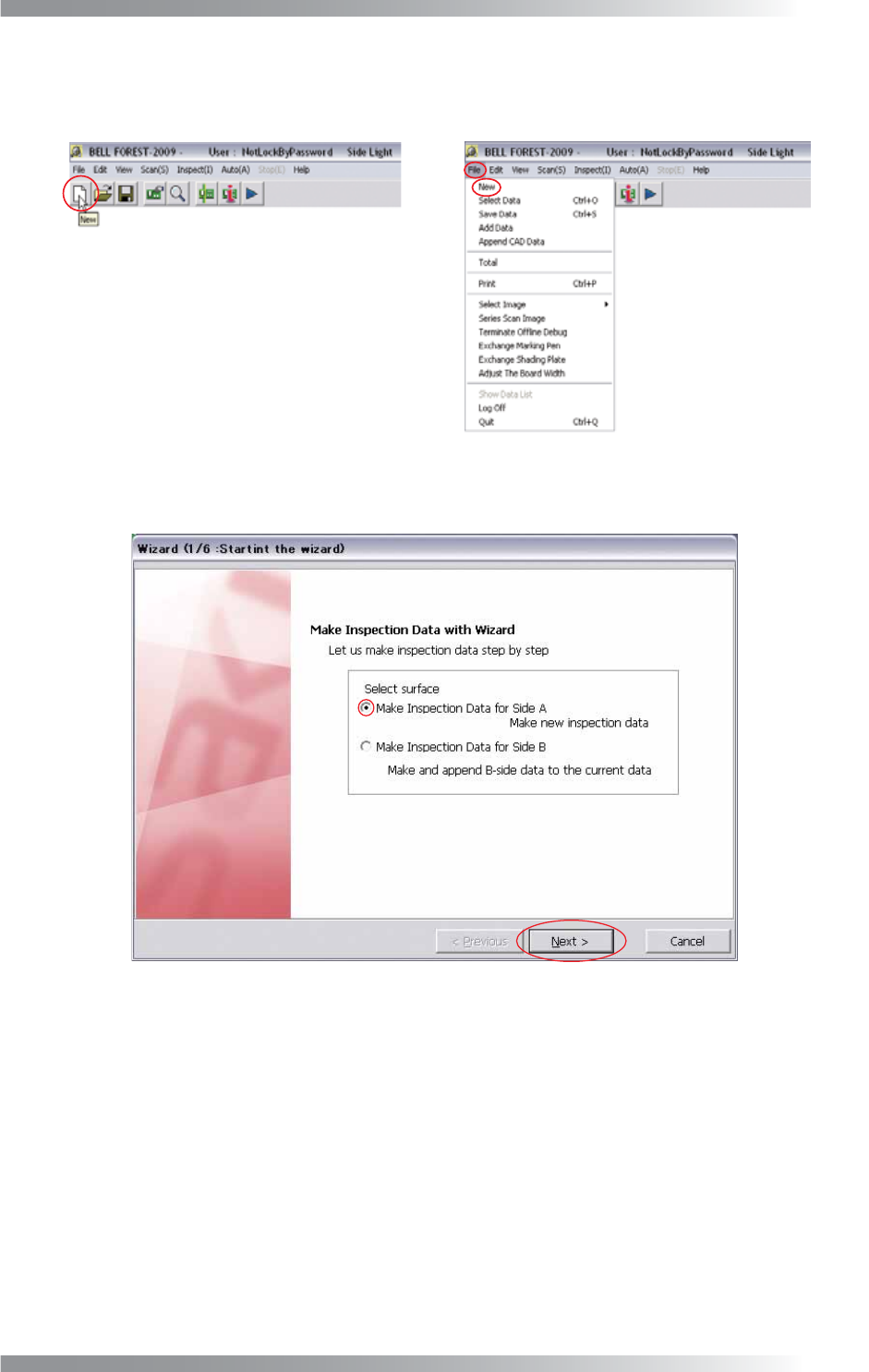
Step1: Press New button on the tool-bar or select File > New from the menu-bar on BF-Editor.
Figure 3-7 New
Step2: Check Make Inspection Data for Side A and press Next.
Figure 3-8 Wizard 1
IV-24
Programming Manual
Part IV Option Setting
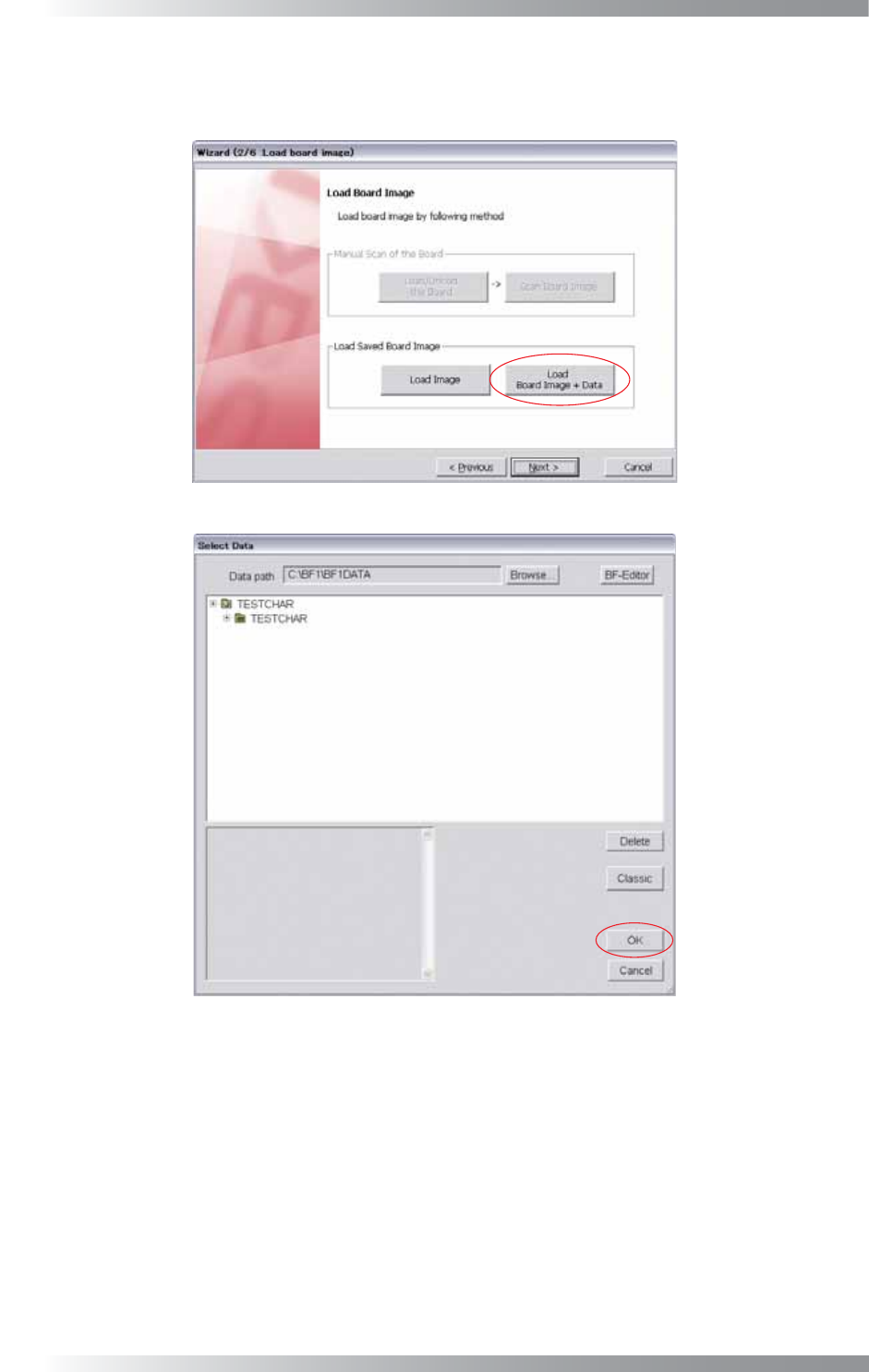
Step3: Press Load Board Image + Data and select the transferred data from the AOI machine. Transferred
data will be saved in the TRANSDATA folder. Select the data and press OK. Make sure that the
image is appeared and press Next.
Figure 3-9 Wizard 2
Figure 3-10 Select Data
Step4: Make an inspection data with referring to Step3 and following steps in Part II 1.1 Make Inspection
Data on AOI Machine.
IV-25
Programming Manual
Part IV Option Setting
4 Appendix
4.1 Folder Structure
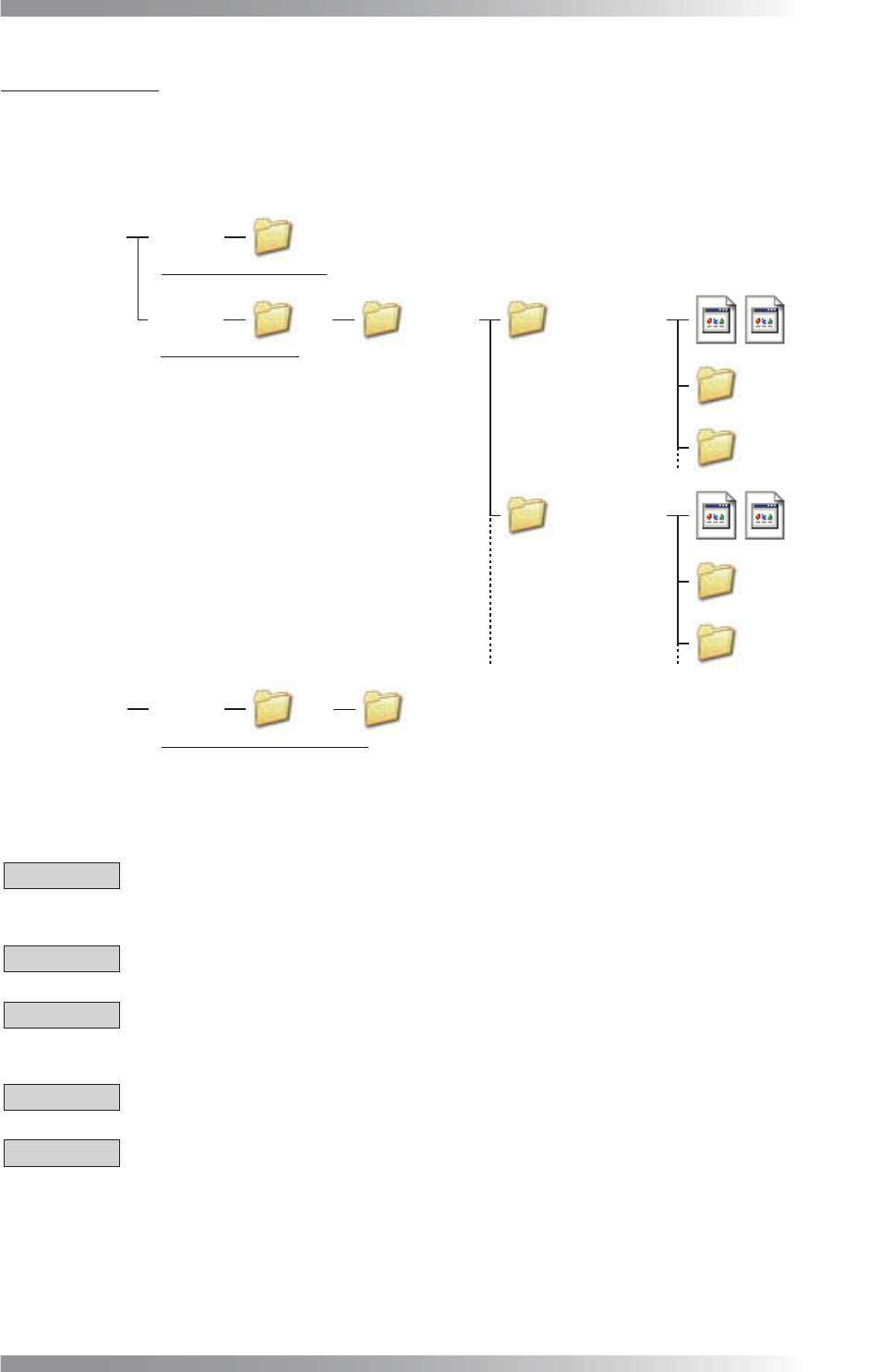
An inspection data is saved in D drive as shown below.
Hard Disk Drive 1 C Drive
D Drive
BF1
BF1
Save inspection software
Save inspection data
Save backup of inspection data
BF1DATA Data Group 1
Library
Board Name 1
Board Name 2
Data Group 2
Board Name 3
Board Name 4
Hard Disk Drive 2 E Drive BF1
BF1DATA
Library
Figure 4-1 Folder Structure
4.2 Precautions When Using the Machine
CAUTION
If connecting an external memory device to the USB port on the machine, be sure to perform a virus-
scan before connecting.
CAUTION
Do not change the fi lename of TOPLIGHT.BMP under D\BF1\BF1DATA.
CAUTION
Do not use two-byte characters, spaces, tabs, or symbolic characters (\ < > : “ / | ? * . , ; & % =) as
these characters may cause unexpected errors.
CAUTION
Do not install any software other than the software already installed into this machine.
CAUTION
If transferring data from the machine to BF-Editor (optional system), be sure to make sure of the fi le name.
If the same name fi le exists in the BF-Editor, the data will be overwritten by the data from the machine.