Programming_mail.pdf - 第21页
I- 13 Programming Manual Part I Basic Operation Figure 1-17 Edit Layout Icon Icon Name Description Create component Creates a component data on the cross line. Delete component Deletes selected component data. Combine co…
I-12
Programming Manual
Part I Basic Operation
1.1.10 Edit Layout
Edit Layout is a tool which enables to easily align components and assign a library and macro.
Edit Layout can be used in fare-paying software.
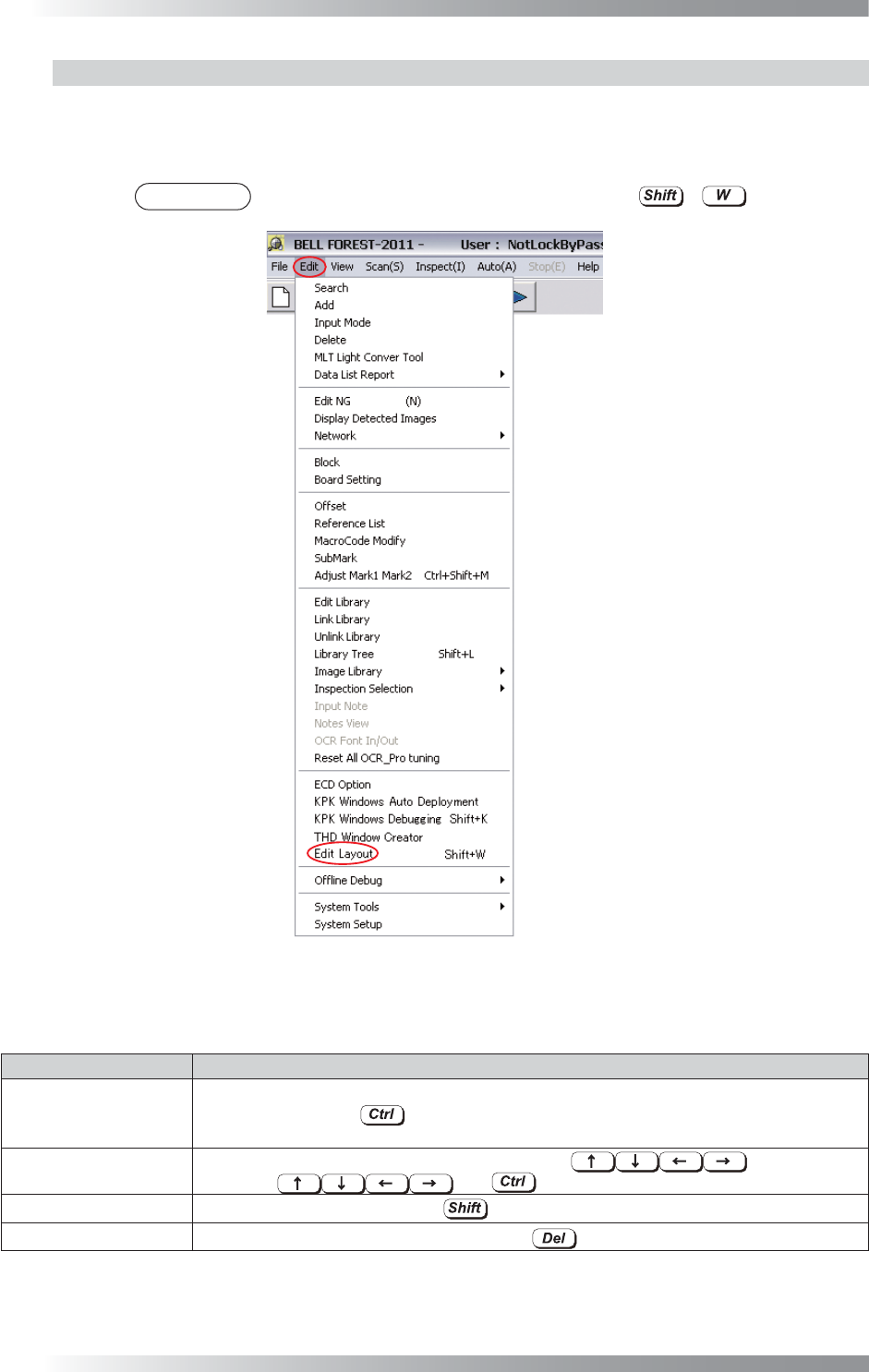
Select Edit > Edit Layout from the menu-bar. The dialog shown in Figure 1-18 appears.
NOTE
The same operation can be performed by pressing + .
Figure 1-16 Edit Layout
Operations using a mouse and keyboard are different from usual while the Layout Edit dialog is displayed.
Item Description
Select Components
Left-click a component or surround a component with a frame by mouse-dragging.
Select with pressing
to select multiple components.
Selected components are displayed with an orange window.
Move Components
Select a component by mouse-dragging or press
to move.
Pressing
with shortens the move length.
Copy Components When moving components with
pressed, these components are copied.
Remove Components Select components to be deleted and press
.
Table 1-5 Operations of
Edit Layout
I-13
Programming Manual
Part I Basic Operation
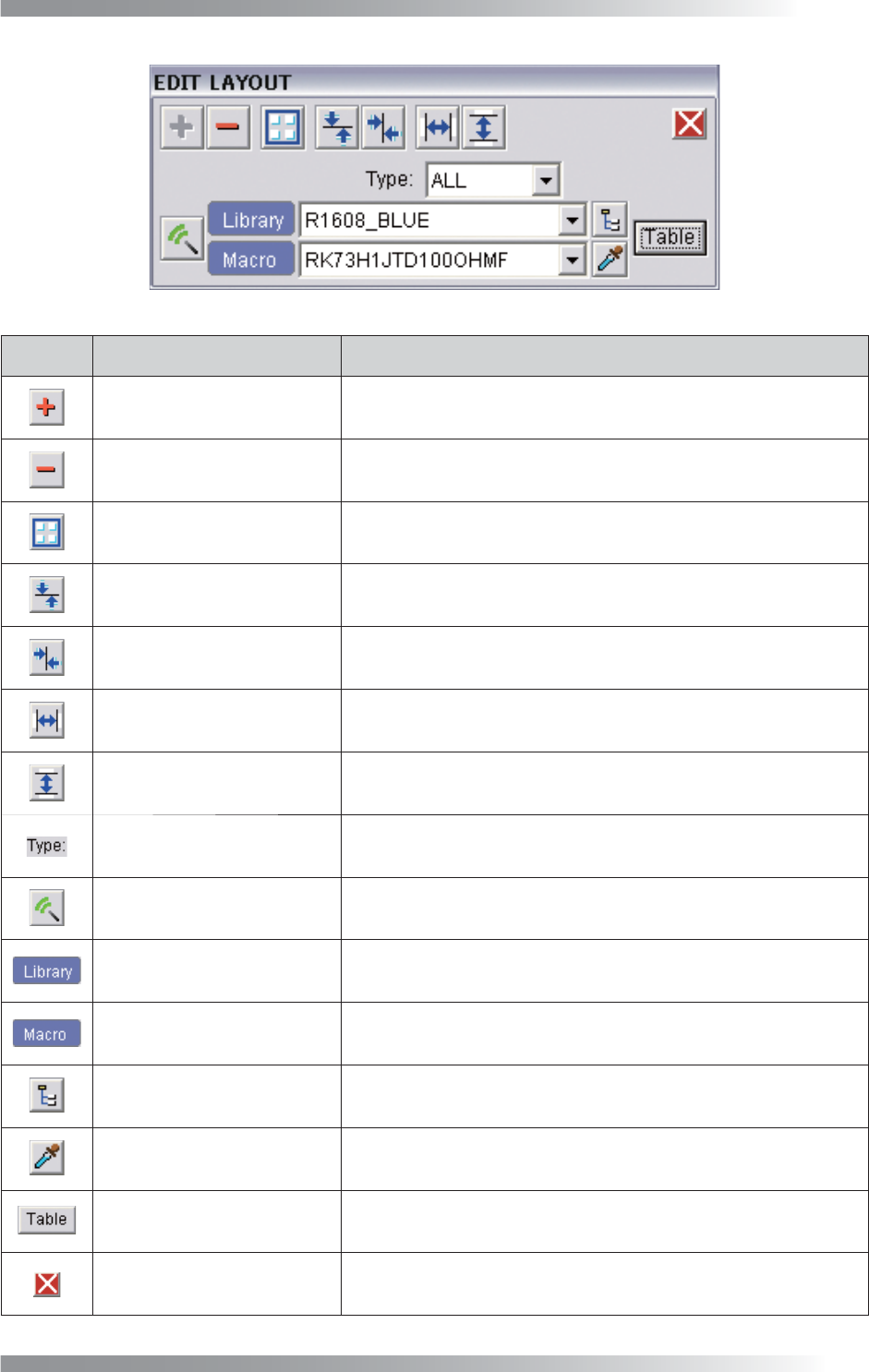
Figure 1-17 Edit Layout
Icon
Icon Name Description
Create component Creates a component data on the cross line.
Delete component Deletes selected component data.
Combine component Combines selected component data to one data.
Vertical centering Aligns selected components in parallel with the X-axis.
Horizontal centering Aligns selected components in parallel with the Y-axis.
Horizontal space equalisation Makes horizontal spaces of selected components equal.
Vertical space equalisation Makes vertical spaces of selected components equal.
Type selection Narrows down the Library selection according to the type.
Assign macro / library
Assigns the library selected in the Library selection and the macro
selected in Macro selection to components.
Library selection Select a library to be assigned in Assign macro / library.
Macro selection Select a macro to be assigned in Assign macro / library.
Library tree
Select libraries to be assigned in Assign macro / library from
Library tree.
Dropper
Applies the library/macro assigned to the selected component data
to the Library selection and Macro selection.
Correspondence table Changes the correspondence relations of libraries with macros.
Exit Exits Edit Layout.
Table 1-6 Each Item of
Edit Layout
I-14
Programming Manual
Part I Basic Operation
2 System Setup
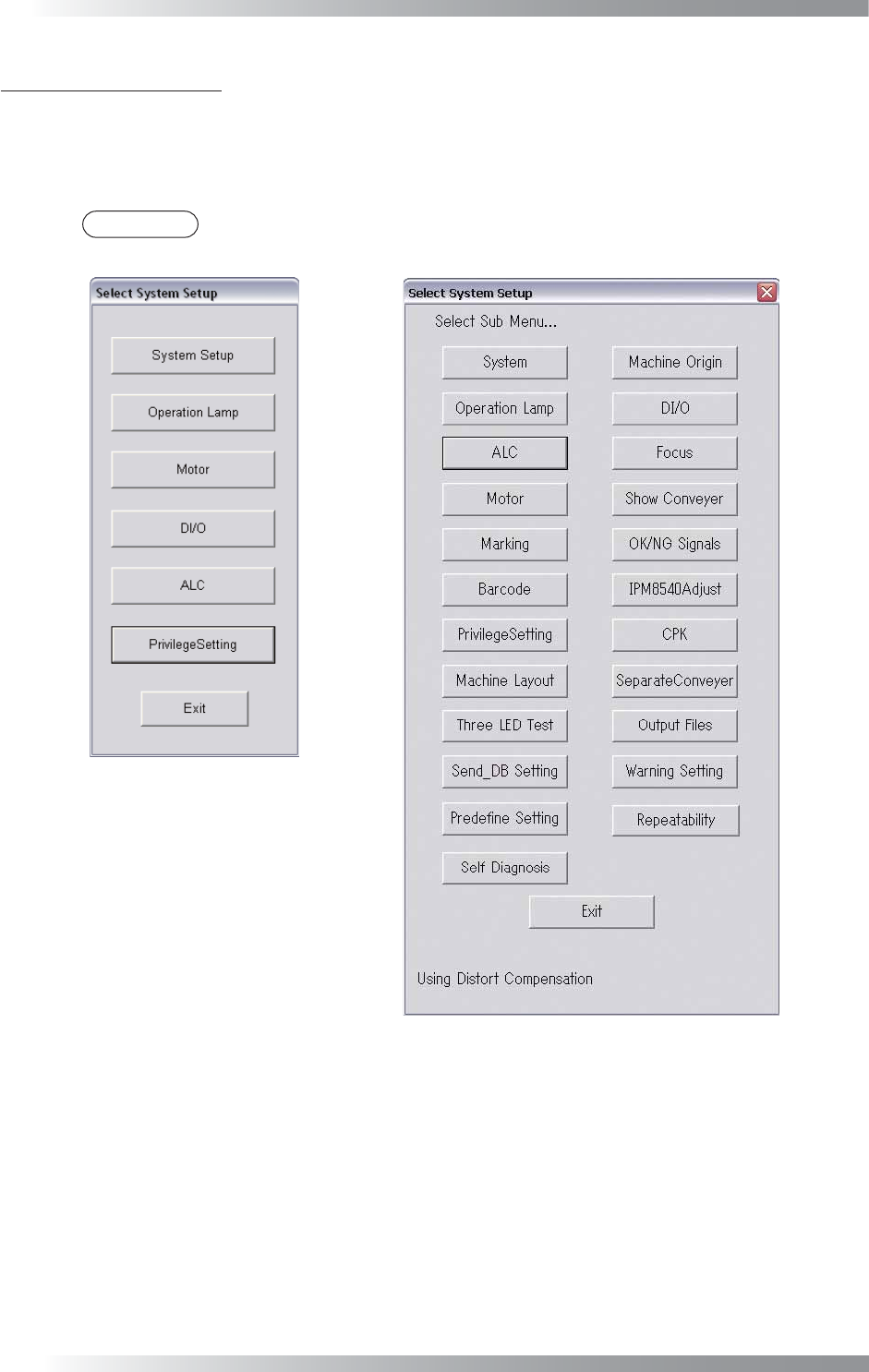
This chapter describes the detail on the system setup. Select Edit > System Setup from the menu-bar.
The Select System Setup dialog shown in Figure 2-1 appears.
Each item of Select System Setup in Figure 2-1 is described as follows.
NOTE
Benchtop machines have the different dialog from inline machines.
Benchtop Machine
Inline Machine
Figure 2-1 Select System Setup