Programming_mail.pdf - 第165页
Programming Manual Part IV Option Setting IV - 1 Option Setting

III-90
Programming Manual
MEMO

Programming Manual
Part IV Option Setting
IV-
1
Option Setting
IV-2
Programming Manual
Part IV Option Setting
1 Option Setting
1.1 Edit Component Data Setting
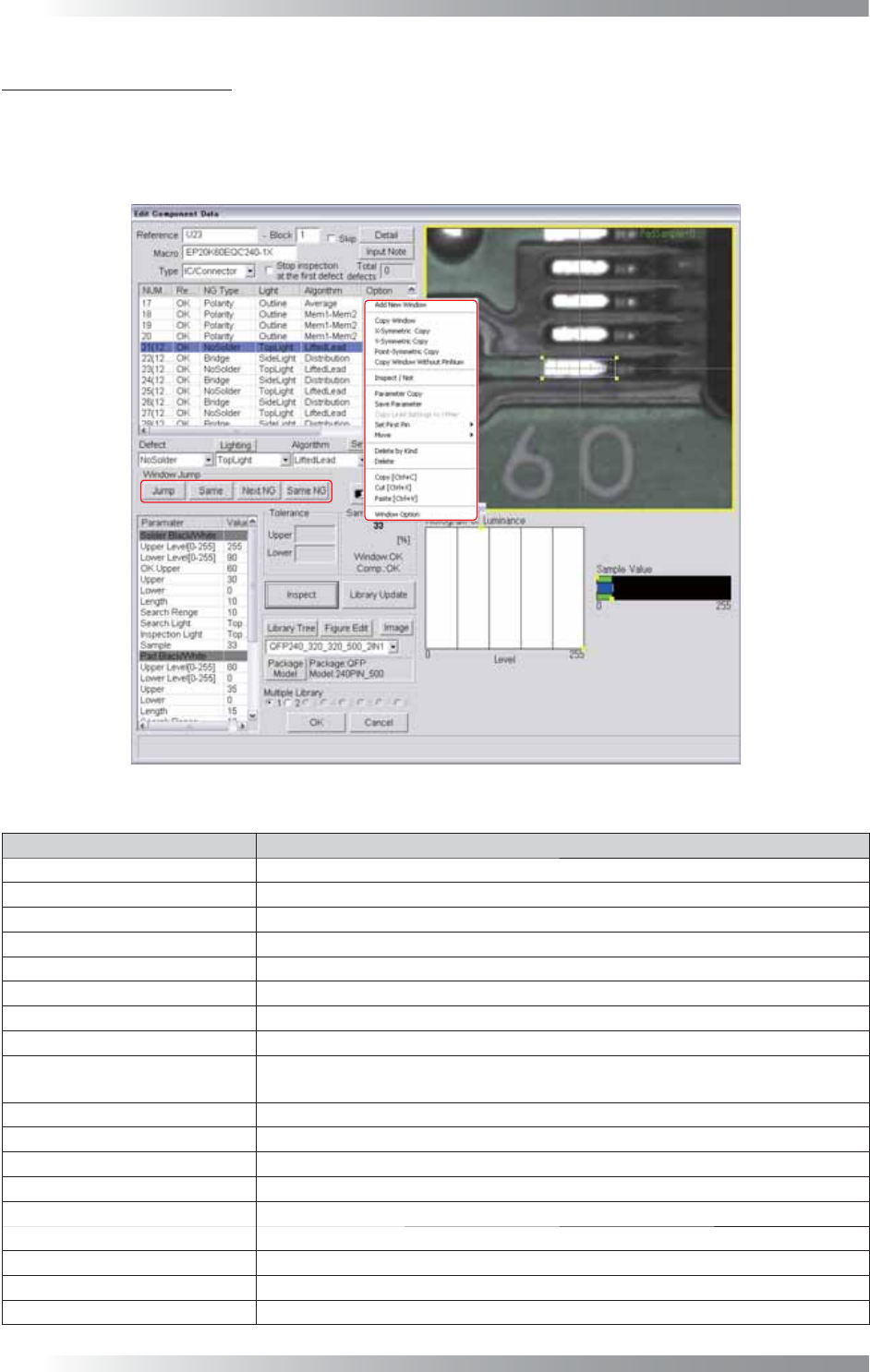
Right-click on the inspection item in Edit Component Data. The dialog shown in Figure 1-1 appears.
Figure 1-1 Edit Component Data
Item Description
Add New Window Makes a new inspection window.
Copy Window Copies the selected inspection window.
X-Symmetric Copy Copies the selected inspection window to the X-axis symmetric point.
Y-Symmetric Copy Copies the selected inspection window to the Y-axis symmetric point.
Point-Symmetric Copy Copies the selected inspection window to the point-symmetric point.
Copy Window Without PinNum Copies the selected inspection window excluding the lead pin number.
Inspect / Not Skips the inspection of the selected inspection window.
Parameter Copy
Copies the selected inspection window parameters to the same NG type inspection window.
Save Parameter
Saves inspection window parameters.
For details, refer to Part I 2.11 Predefi ne Setting.
Copy Lead Settings to Other Copies the lead setting of the selected inspection window to another lead.
Set First Pin Sets the lead of the selected inspection window as the start pin.
Move Changes the window position of the selected inspection.
Delete by Kind
Deletes inspection windows having the same NG type with the selected inspection window.
Delete Deletes the selected inspection window.
Copy Copies the selected inspection window.
Cut Cuts the selected inspection window.
Paste Pastes the copied/cut inspection window.
Window Option The dialog shown in Figure 1-2 appears.
Table 1-1 Edit Component Data