Programming_mail.pdf - 第208页
V- 18 Programming Manual Part V Other Function 2 ECD ECD (Extra Component Detection) is a function to detect extra component which is fallen and attached to the area other than the component mounting area from any cause.…
V-17
Programming Manual
Part V Other Function
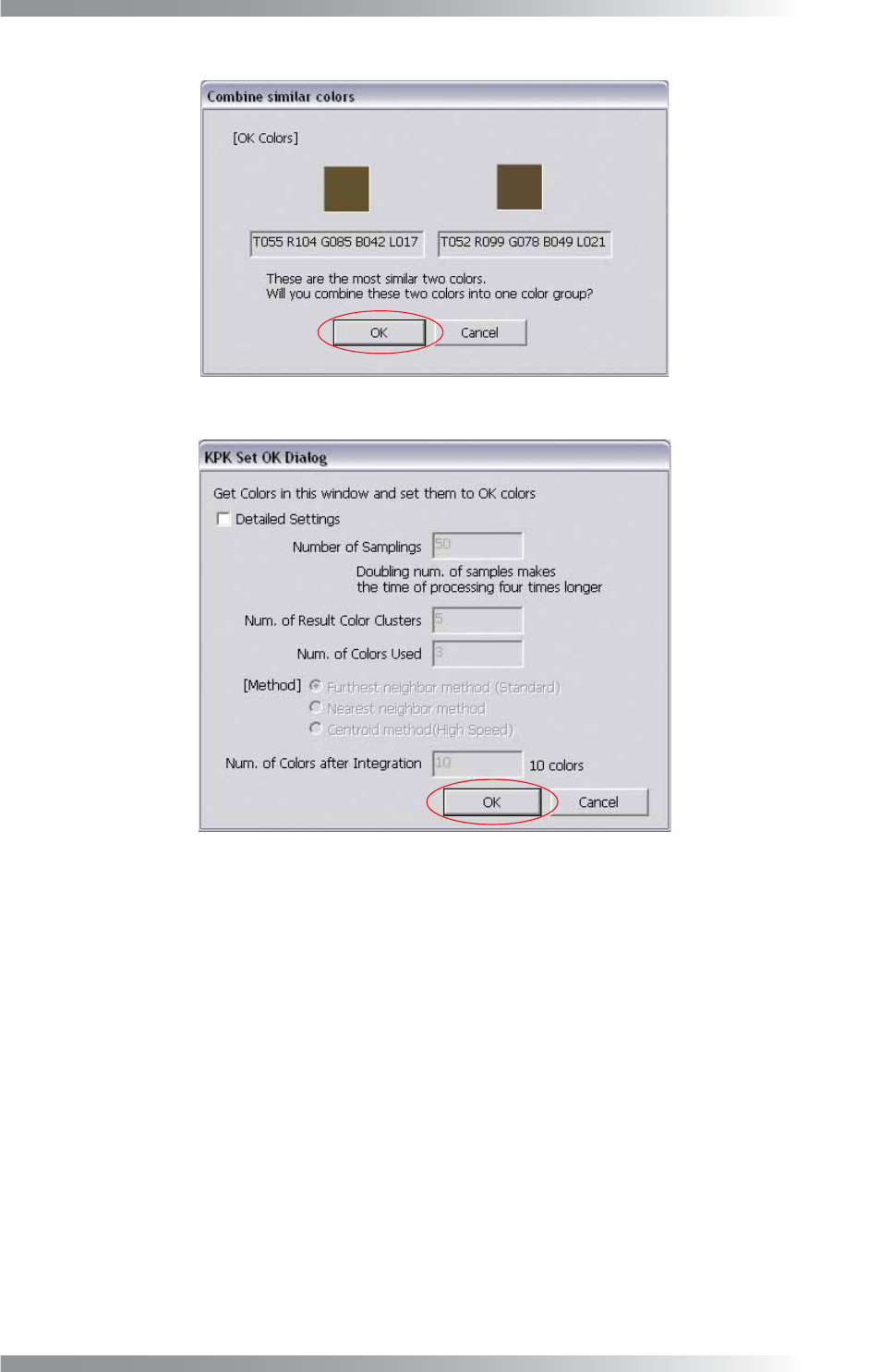
Figure 1-23 Combine Similar Colors
Figure 1-24 KPK Window OK Setting
V-18
Programming Manual
Part V Other Function
2 ECD
ECD (Extra Component Detection) is a function to detect extra component which is fallen and attached to
the area other than the component mounting area from any cause.
2.1 Inspection Overview
Sample several OK PCBs and make template images. Extra component is detected based on the difference
of template images and inspection PCB images. ECD enables to inspect entire PCB with one inspection
window.
2.2 Inspection Procedure
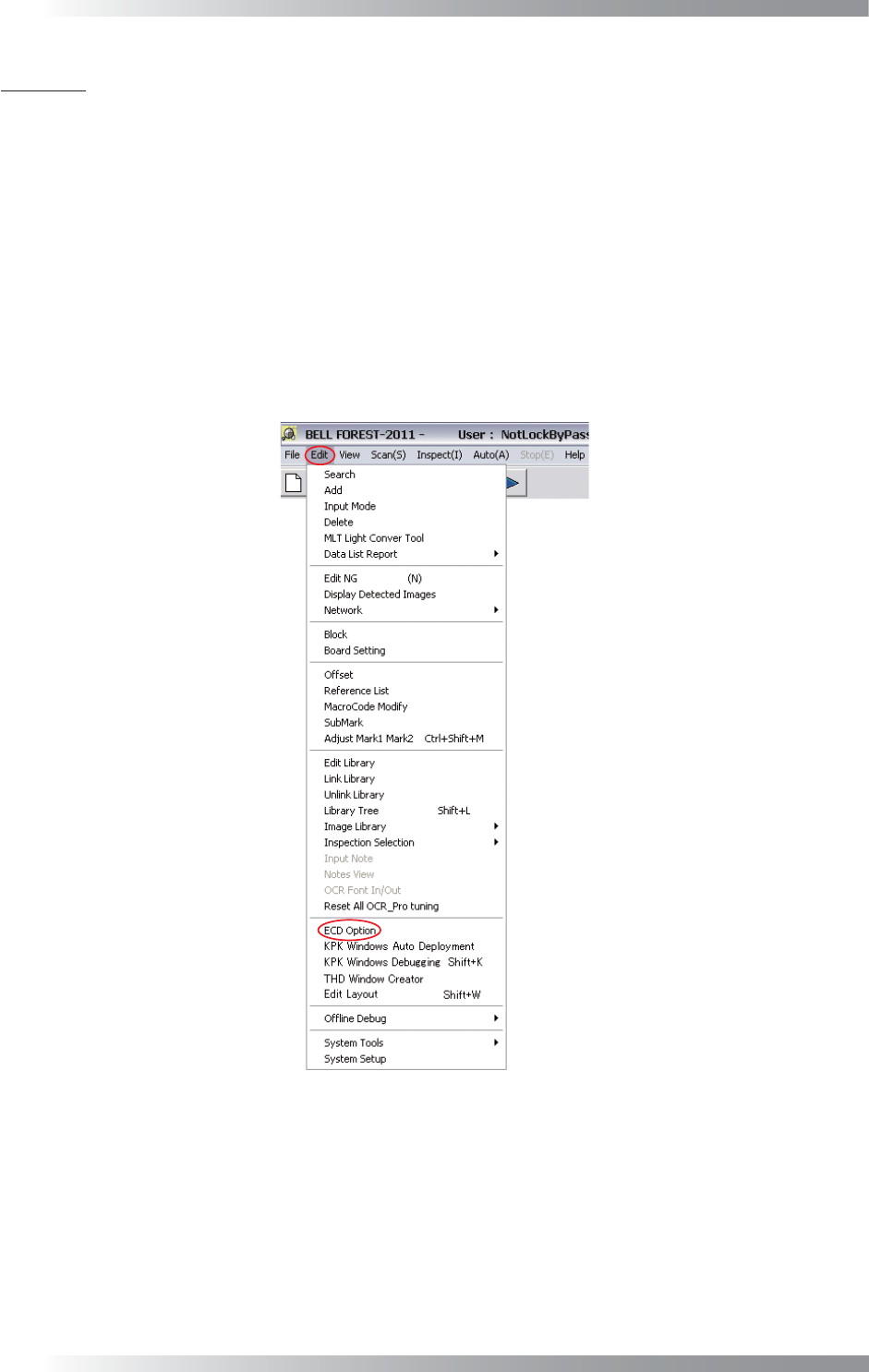
Step1: Select Edit > ECD Option from the menu-bar.
Figure 2-1 ECD Option
V-19
Programming Manual
Part V Other Function
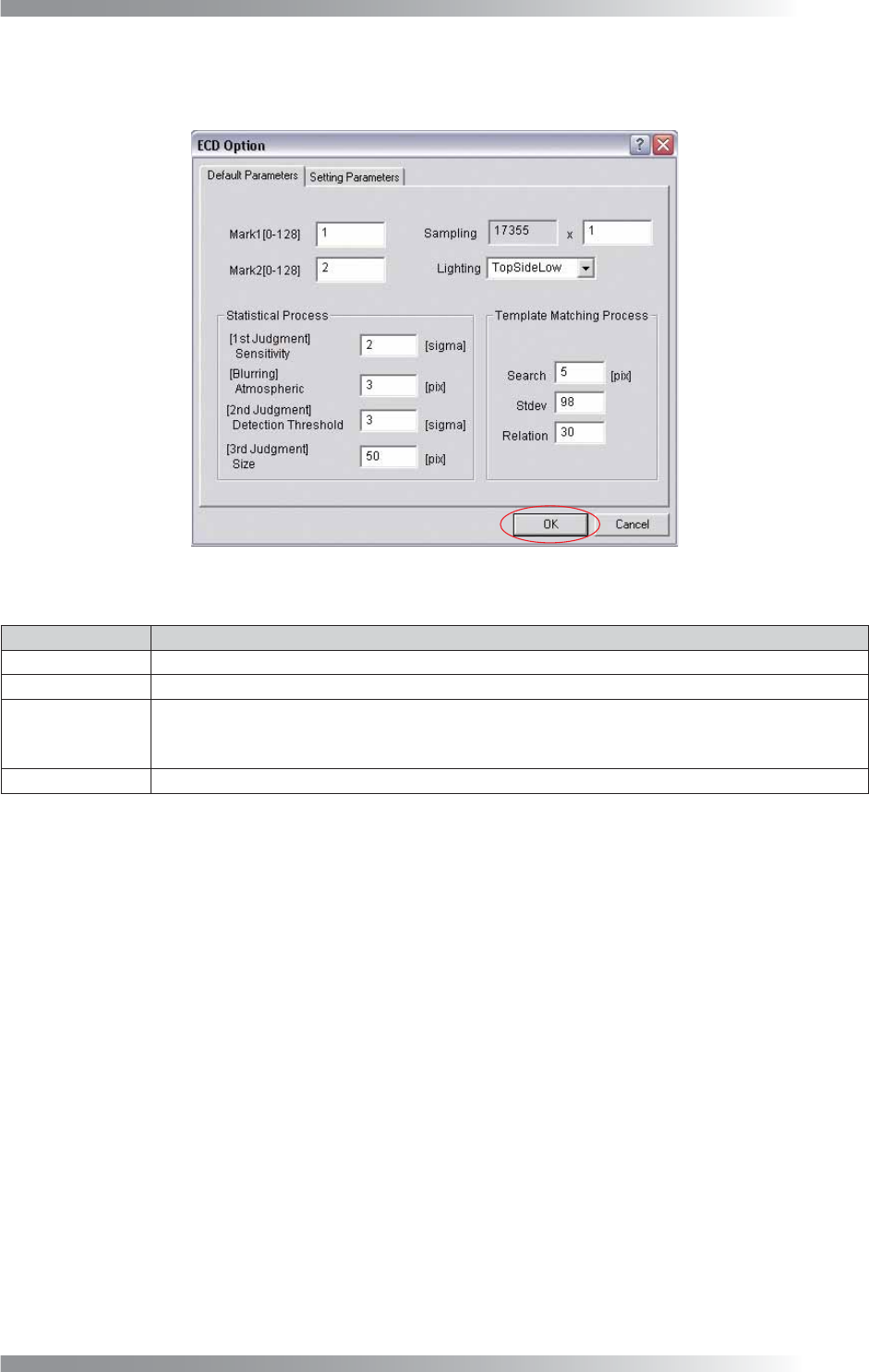
Step2: ECD setting dialog appears. Check Mark1, Mark2, Sampling, and Lighting of Default Parameters.
Press OK. No need to set for Statistical Process and Template Matching Process.
Figure 2-2 ECD Default Setting
Item Description
MARK1 [0-128] Enter 1.
MARK2 [0-128] Enter 2.
Sampling
Set the pixel interval to extract brightness. If setting value is 6, extract brightness at intervals of
6 pixels. If resolution is 10 μm, enter 6 or greater. If resolution is 18 μm, enter 4 or greater.
Enter the bigger value to turn down the resolution accelerate the inspection speed.
Lighting Select TopSideLow.
Table 2-1 ECD Default Setting