Programming_mail.pdf - 第256页
V- 66 Programming Manual Part V Inspection Data 5.7 Group Edit Skip Inspection and Do Inspection for Not Placed settings can be changed using Group Edit . Open the inspection data which Inspection Selection is set. Selec…
V-65
Programming Manual
Part V Inspection Data
5.6.2 Read Setting File for Inspection Selection
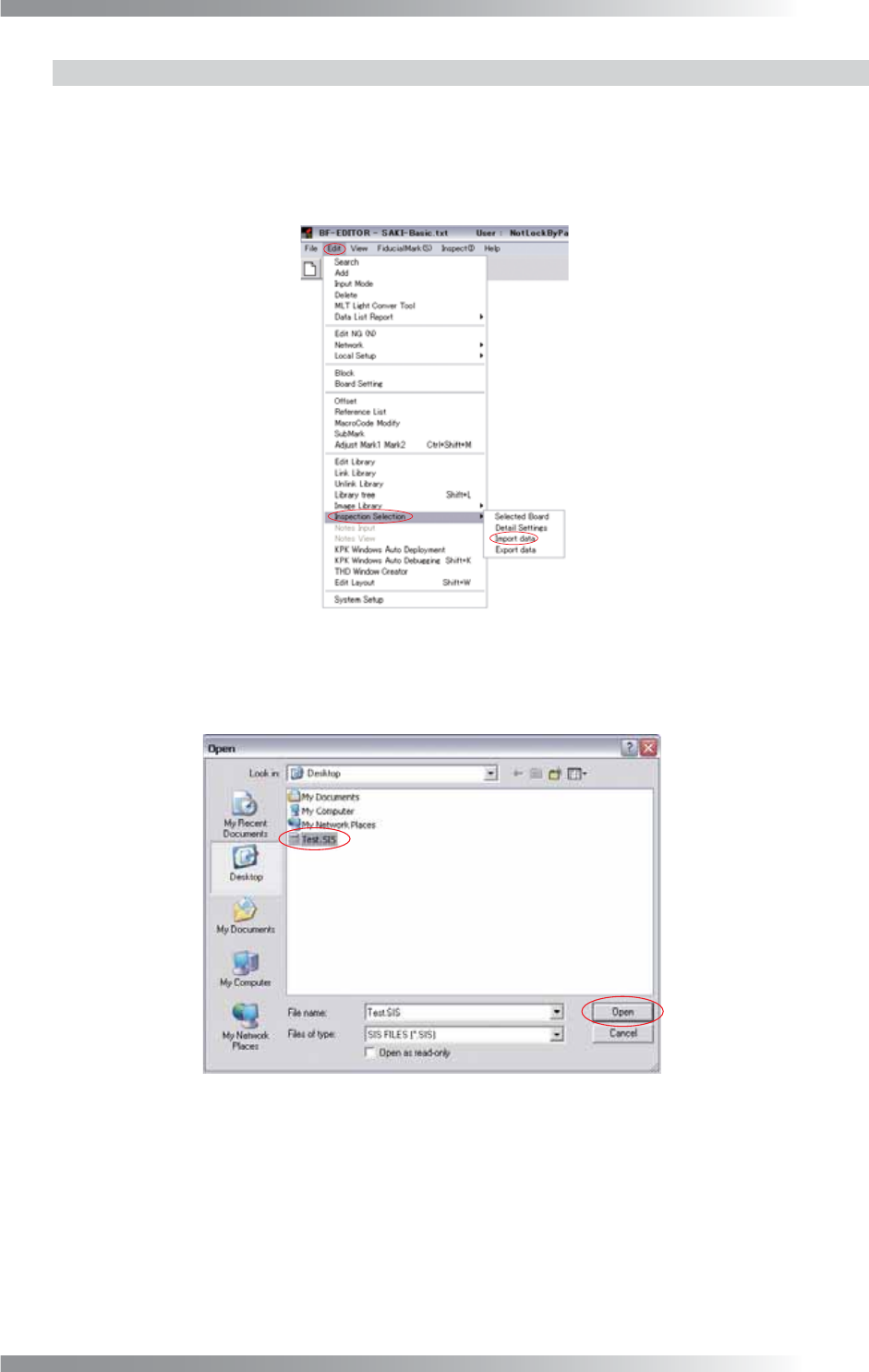
Step1: Select File > Select Data from the menu-bar.
Open the inspection data which Inspection Selection is applied.
Step2: Select Edit > Inspection Selection > Import data from the menu-bar.
Figure 5-24 Import Data
Step3: The dialog shown in Figure 5-25 appears. Select the text fi le output by Part V 5.6.1 Output
Setting File for Inspection Selection and press Open.
Figure 5-25 Open
V-66
Programming Manual
Part V Inspection Data
5.7 Group Edit
Skip Inspection and Do Inspection for Not Placed settings can be changed using Group Edit.
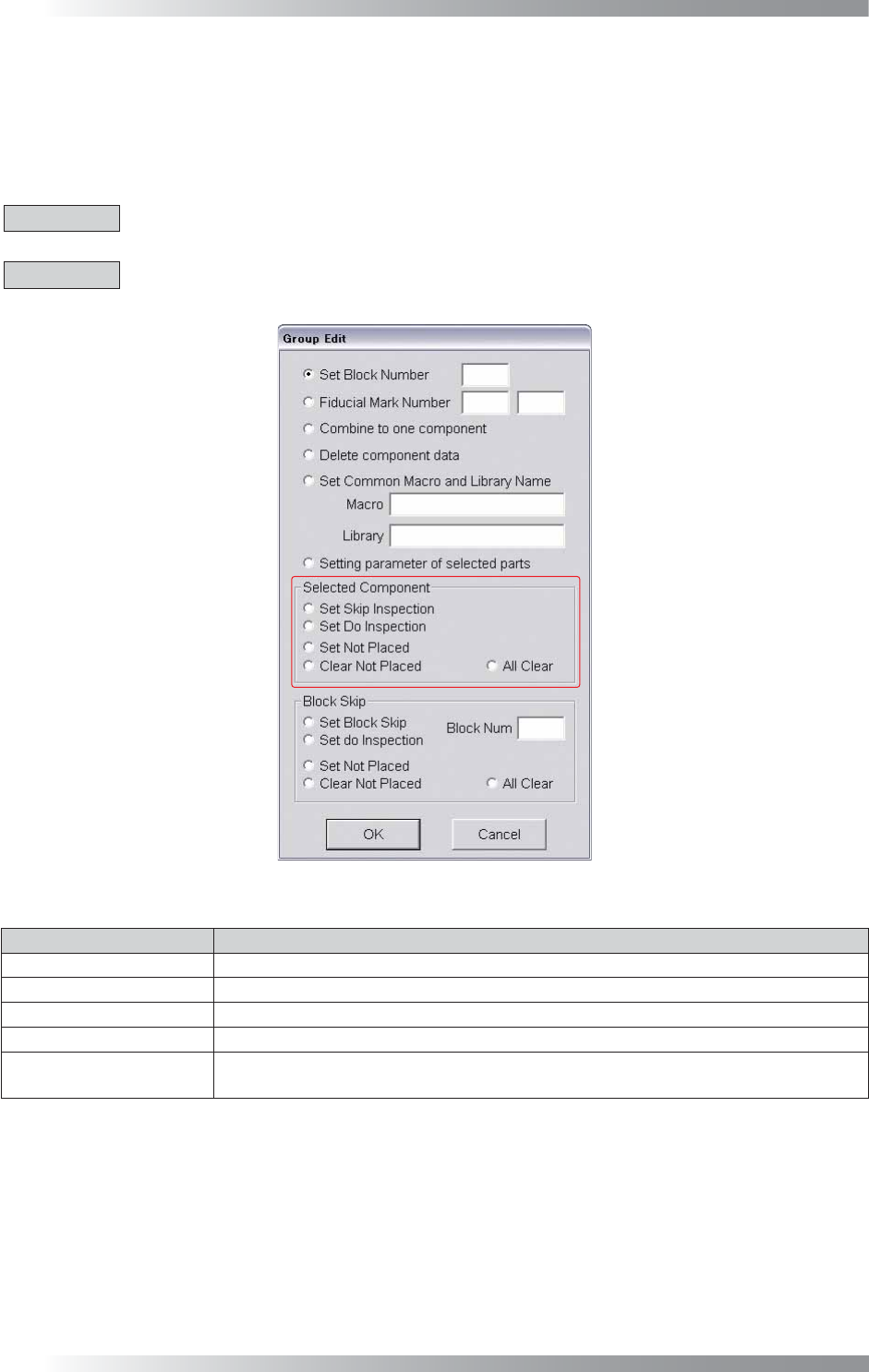
Open the inspection data which Inspection Selection is set. Select multiple components data with mouse-
dragging. The dialog shown in Figure 5-22 appears. The Inspection Selection setting can be changed in
Selected Component.
CAUTION
Set Not Placed, Clear Not Placed, and All Clear cannot be used for inspection data which Inspection
Selection setting is not applied.
CAUTION
All functions of Selected Component cannot be used if Inspection Selection is set to Default.
Default cannot be modifi ed because it is the original data used when setting Inspection Selection.
Figure 5-26 Selected Component
Item Description
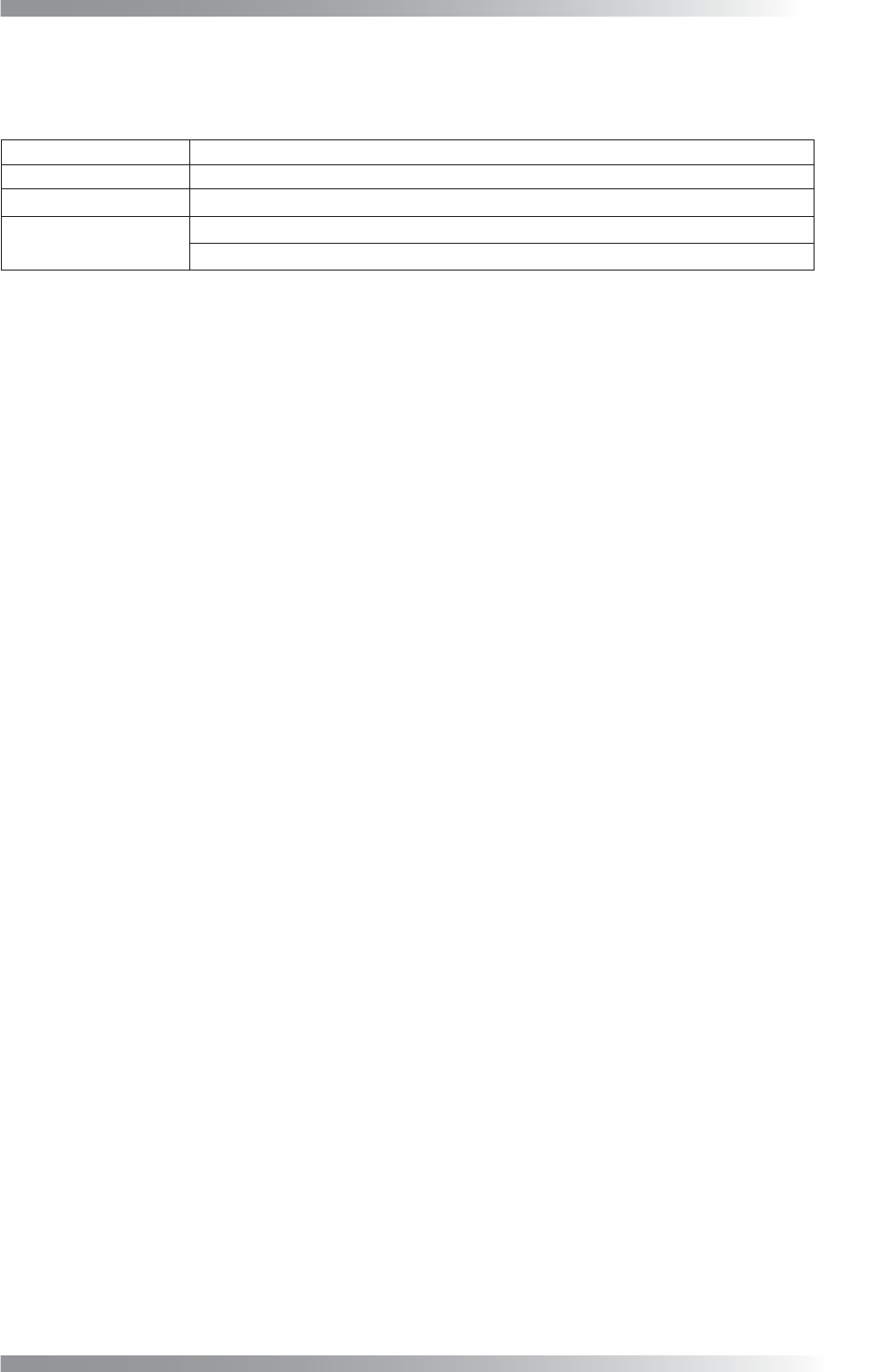
Set Skip Inspection Applies the Skip Inspection setting to the selected component.
Set Do Inspection
Cancels the Skip Inspection setting of the selected component.
Set Not Placed
Applies the Do Inspection for Not Placed setting to the selected component.
Clear Not Placed Cancels the Do Inspection for Not Placed setting of the selected component.
All Clear
Cancels the Skip Inspection and Do Inspection for Not Placed settings of the
selected component.
Table 5-1 Each Item of Selected Component
Programming Manual
Customer Support Contacts
Customer Support Contacts
Company Name Saki Corporation
Address Ogawa Building, 4-14-7, Nakanobu, Shinagawa-Ku, Tokyo 142-0053, Japan
URL
http://www.sakicorp.com/
Phone
Inquiry about the products +81-(0)3-5788-6286
Inquiry about the technical service +81-(0)3-5788-6287