Programming_mail.pdf - 第179页
IV - 15 Programming Manual Part IV Option Setting 2.3 Input Mode The selected inspection data can be copied continuously . Step1: Left-click the component to be copied. Step2: Select Edit > Input Mode from the menu-ba…
IV-14
Programming Manual
Part IV Option Setting
2.2 Add
Inspection data can be added freely even if there is no CAD data.
Step1: Left-click the point to add an inspection data. An inspection data will be added on the intersection
of the white cross line.
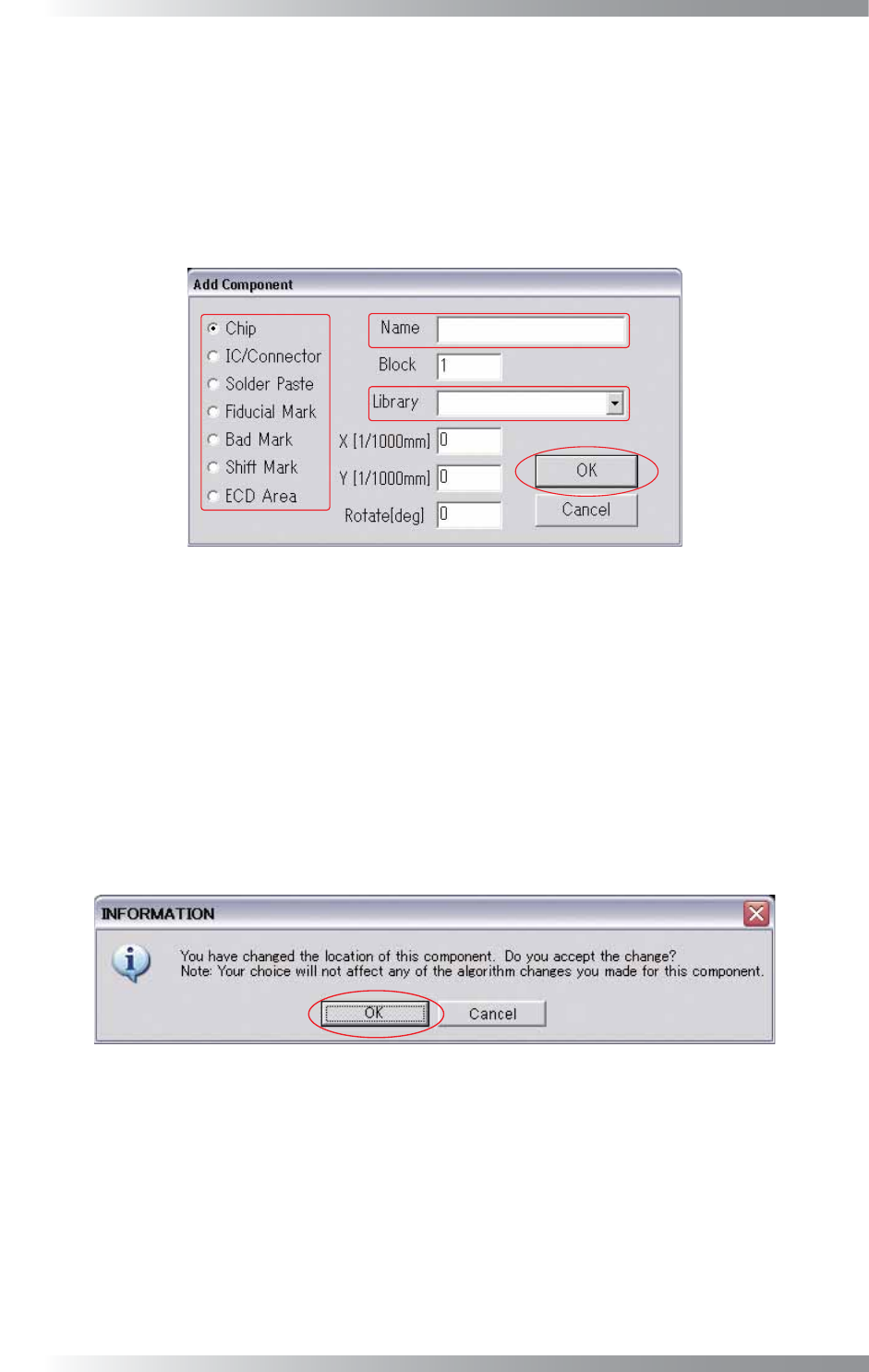
Step2: Select Edit > Add from the menu-bar. The dialog shown in Figure 2-5 appears.
Figure 2-5 Add
Step3: Make sure of the component type.
Step4: Enter the component name into the Name fi eld.
Step5: Select the library from the Library drop-down list.
Step6: Press OK. The Edit component data window will appear.
Step7: Press OK after making the inspection data in the Edit component data window. The dialog shown
in Figure 2-6 appears. Press OK.
Figure 2-6 Change the Location of This Component
IV-15
Programming Manual
Part IV Option Setting
2.3 Input Mode
The selected inspection data can be copied continuously.
Step1: Left-click the component to be copied.
Step2: Select Edit > Input Mode from the menu-bar.
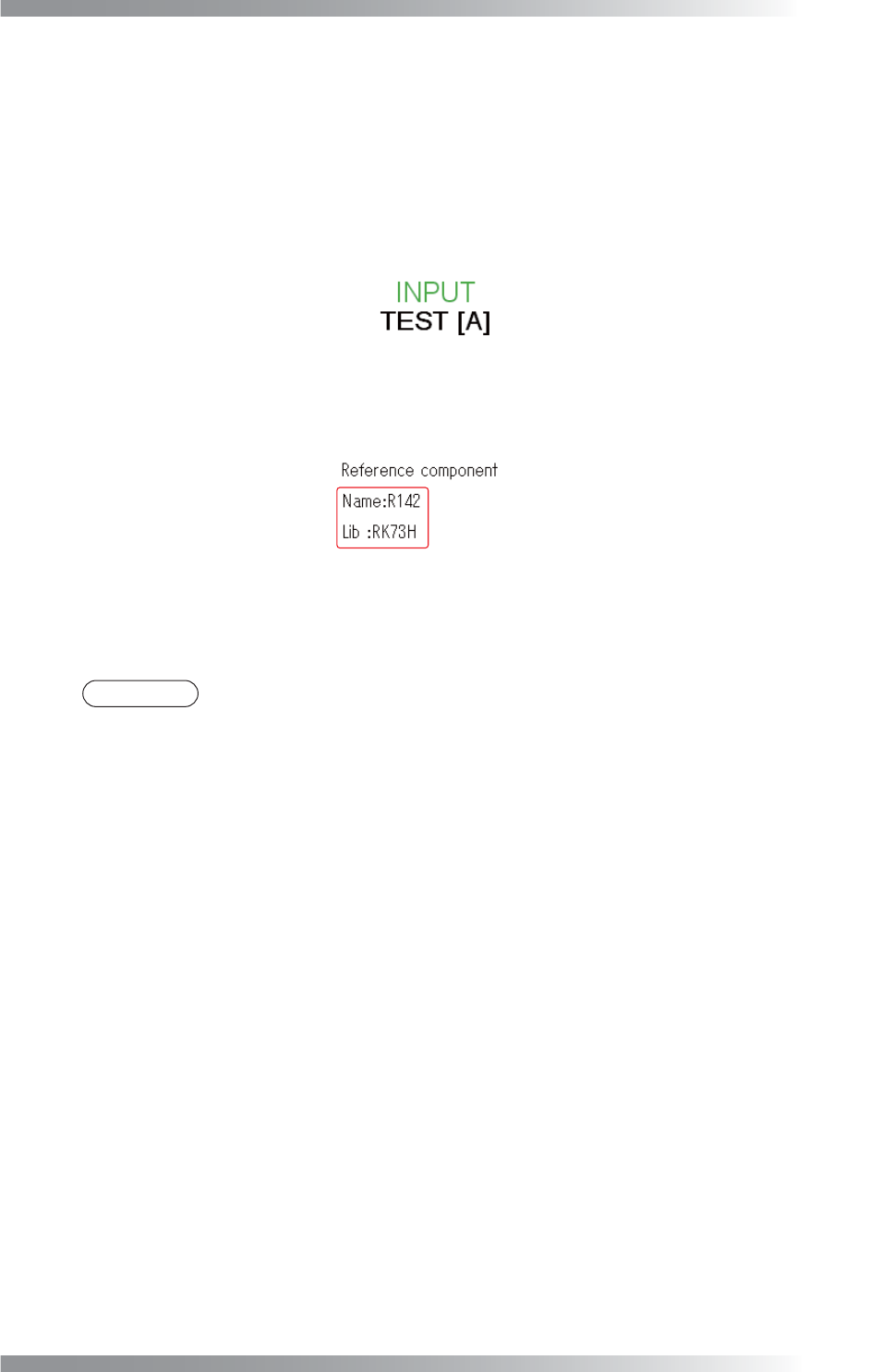
The component name and library name will appear on the right side of the screen.
Figure 2-7 Input Mode
Step3: Left-click the point to be copied.
The inspection data will be copied from the center of the clicked point.
NOTE
If components are copied by Input Mode, reference names are set automatically:
On Side A, those will be A10000001, A10000002...
On Side B, those will be B10000001, B10000002...
IV-16
Programming Manual
Part IV Option Setting
2.4 Delete
Components data can be deleted.
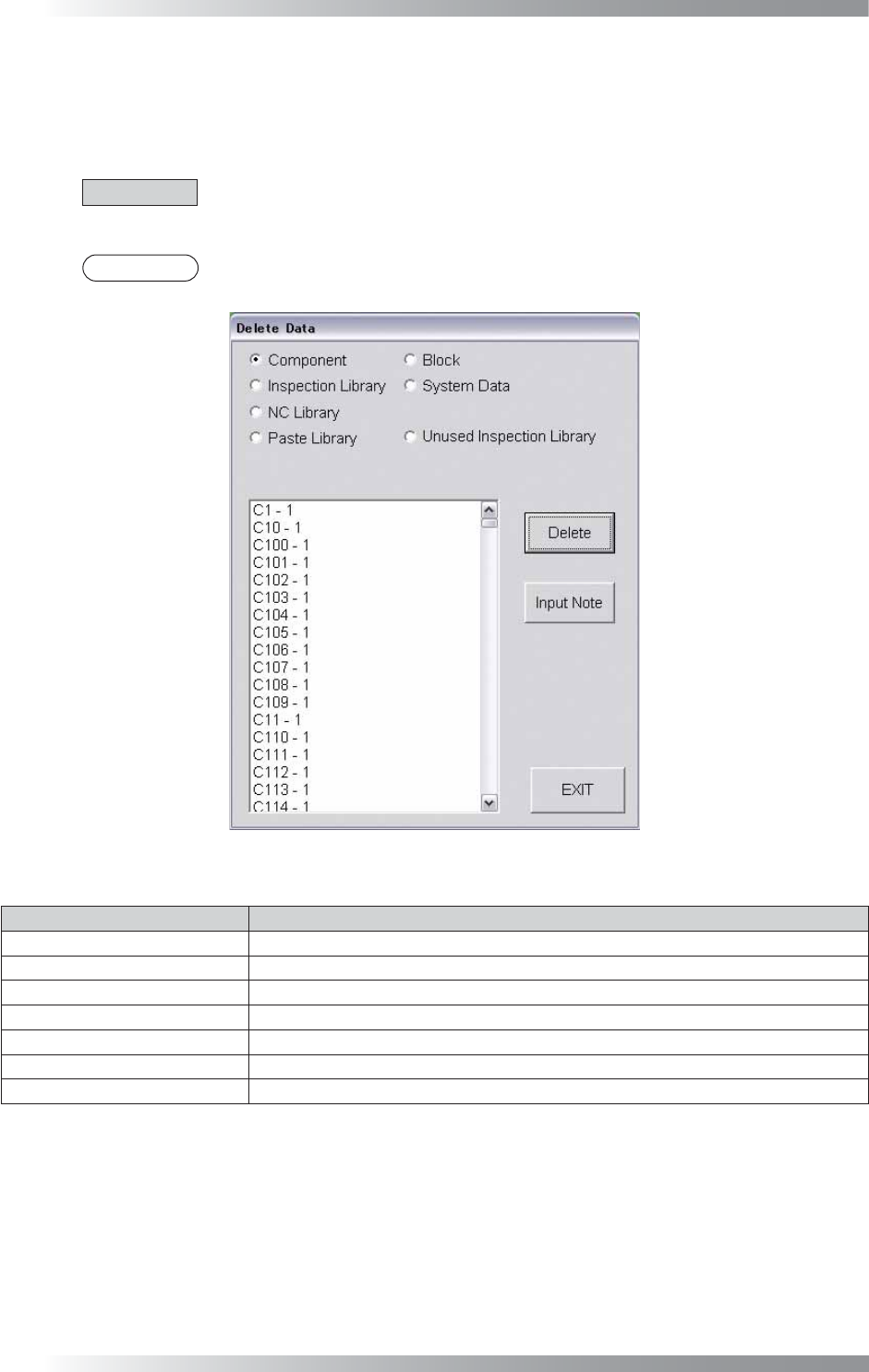
Select Edit > Delete from the menu-bar. The dialog shown in Figure 2-8 appears.
Select the component to be deleted and then press Delete.
CAUTION
To delete a library of a component whose Type is IC/Connector, delete the libraries from
Inspection Library and NC Library.
NOTE
To leave a note and a person who deleted data, press Input Note.
Figure 2-8 Delete
Item Description
Component
Displays a component data.
Inspection Library
Displays an inspection library.
NC Library Displays an NC library.
Paste Library
Displays a Paste library.
Block
Displays a sub-board data.
System Data
Displays a fi ducial mark and sub mark data.
Unused Inspection Library
Displays an unused inspection library.
Table 2-6 Delete