Programming_mail.pdf - 第42页
I- 34 Programming Manual Part I Basic Operation 2.17 OK/NG Signals This section describes the connection settings with upstream/downstream machines. Press OK/NG Signals in Figure 2-1 Select System Setup . The OK/NG Signa…
I-33
Programming Manual
Part I Basic Operation
2.14 DI/O
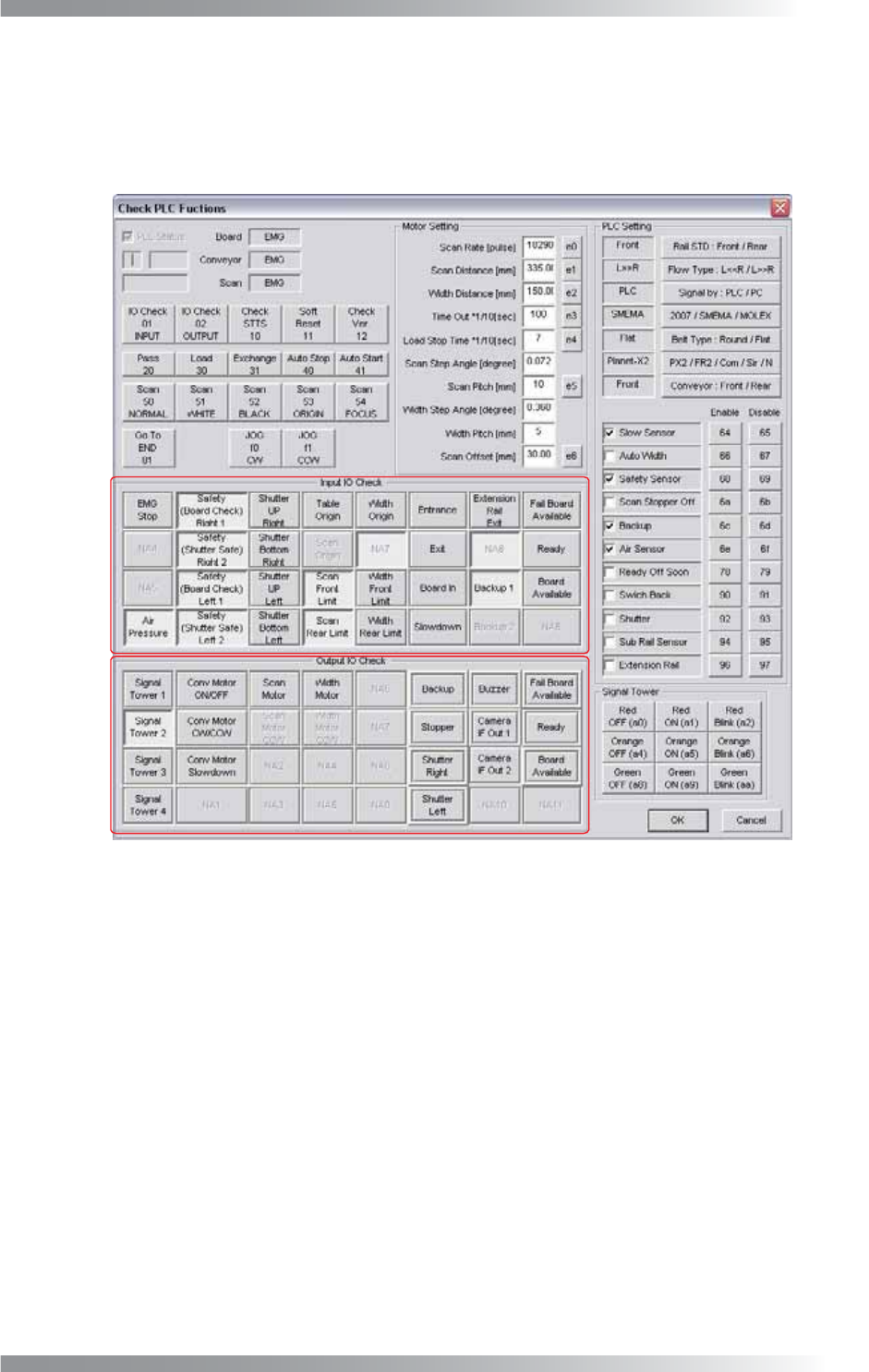
Input or output signals can be checked in this dialog.
Press DI/O in Figure 2-1 Select System Setup.
The PLC Functions dialog shown in Figure 2-19 appears.
A
B
Figure 2-19 Check PLC Functions
A (Input IO Check) items in Figure 2-19 shows the state of input signals from external devices and sensors.
When a signal is input, a corresponding item is on.
B (Output IO Check) items shows the operating status of the signal tower or each motors.
When the machine is operating, a corresponding item is on.
2.15 Focus
Not available.
2.16 Show Conveyer
Not available.
I-34
Programming Manual
Part I Basic Operation
2.17 OK/NG Signals
This section describes the connection settings with upstream/downstream machines.
Press OK/NG Signals in Figure 2-1 Select System Setup.
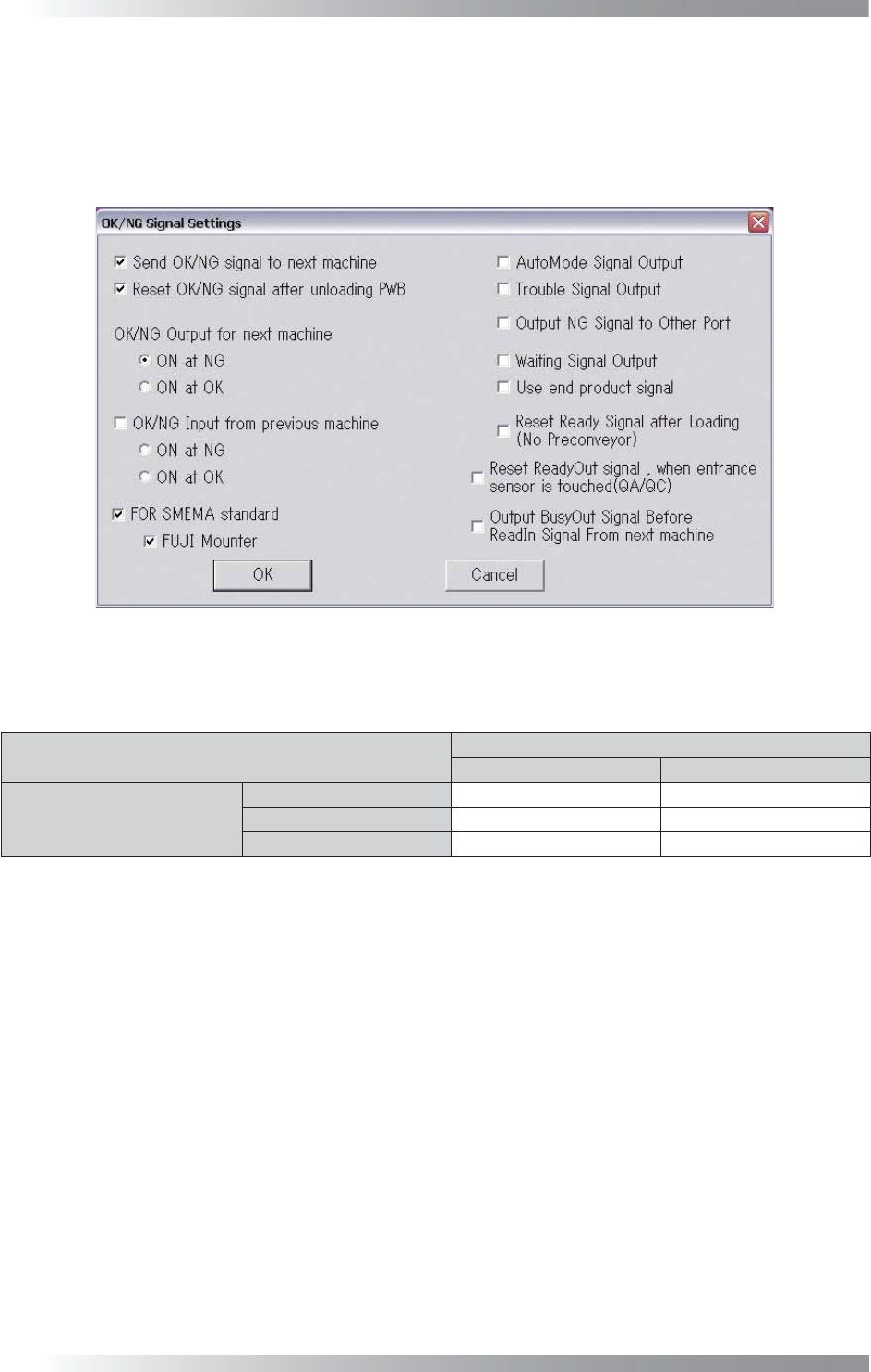
The OK/NG Signal Settings dialog shown in Figure 2-20 appears.
For the details of each item, refer to the Signal tab in Table 2-1.
Figure 2-20 OK/NG Signal Settings
If an OK/NG In signal is output from an upstream machine, an OK/NG Out signal will be is output according
to the OK/NG In signal and an AOI’s inspection result.
Inspection Result
OK NG
OK/NG In
No Signal OK NG
OK OK NG
NG NG NG
Table 2-8 Relations between Signals from the Upstream Machine and Output Signal
2.18 IPM8540Adjust
Not available.
2.19 CPK
Not available.
2.20 Separate Conveyer
Not available.
2.21 Output Files
Not available.
I-35
Programming Manual
Part I Basic Operation
2.22 Warning Setting
This is the function to issue the warning if the NG or false calls are detected more than the specifi ed
occurrence frequency. As the warning is issued based on the frequency, errors are detected and informed
to operators although the operation is continued over the long term.
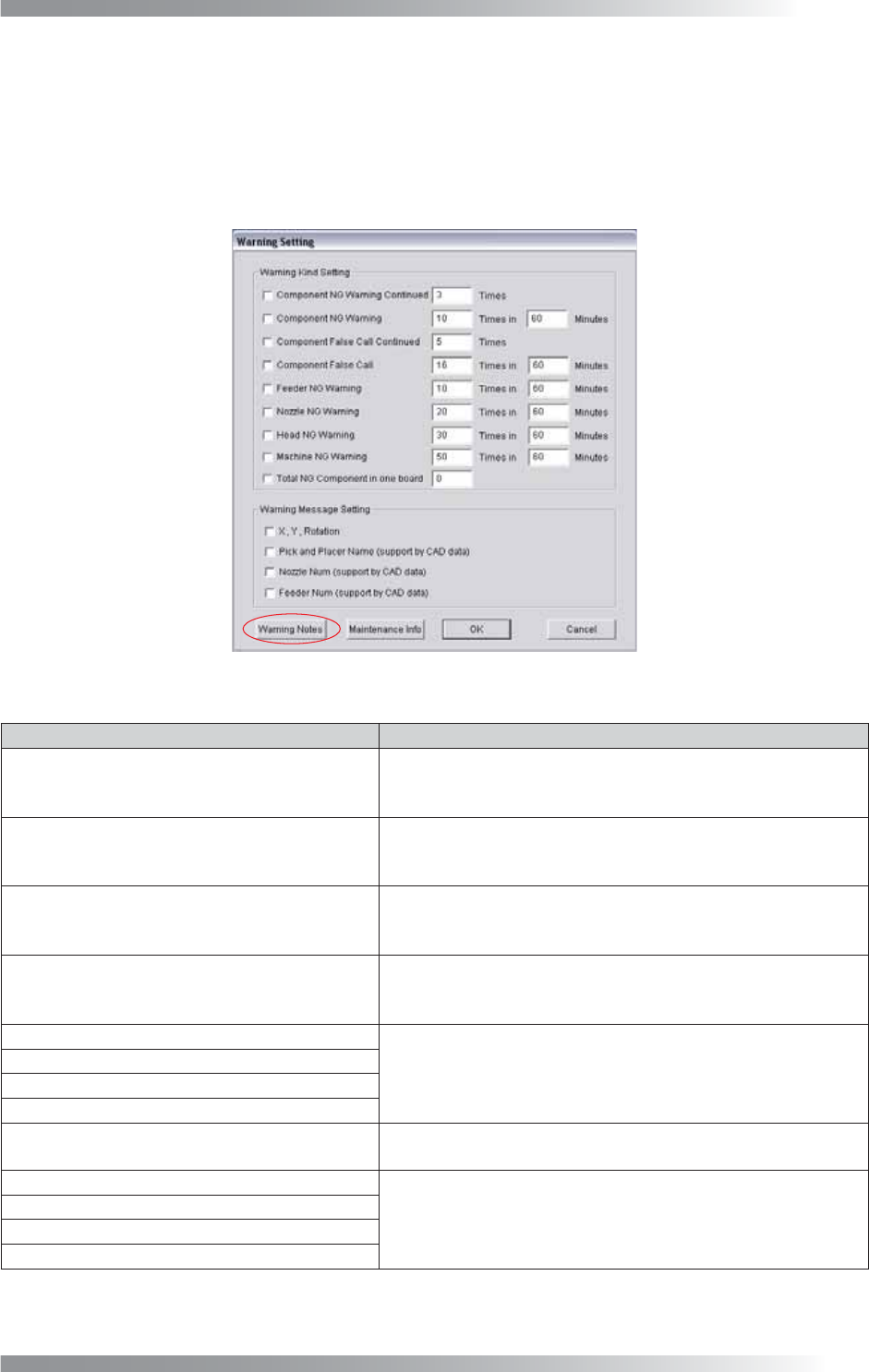
Press Warning Setting in Figure 2-1 Select System Setup. The Warning Setting dialog shown in Figure
2-21 appears. Refer to Table 2-9 Warning Kind Setting.
Figure 2-21 Warning Setting
Item Description
Component NG Warning Continued
If NG of the component in a reference are detected
continuously and the number of the continuous NG detection
reaches the specifi ed times, the warning message appears.
Component NG Warning
If the number of detected NG of a component in a reference
during the specifi ed time period (minutes) reaches to the
specifi ed time, the warning message appears.
Component False Call Continued
If false call of a component in a reference are detected
continuously and the number of the continuous false call detection
reaches the specifi ed times, the warning message appears.
Component False Call
If the number of false call of a component in a reference
during the specifi ed time period (minutes) reaches to the
specifi ed times, the warning message appears.
Feeder NG Warning
If the number of detected NG in a mounter during the
specifi ed time period (minutes) reaches to the specifi ed times,
the warning message appears.
Nozzle NG Warning
Head NG Warning
Machine NG Warning
Total NG Component in one board
If the number of NGs detected on single PCB reaches to the
set number, the warning message appears.
X, Y, Rotation
Not available.
Pick and Placer Name (support by CAD data)
Nozzle Num (support by CAD data)
Feeder Num (support by CAD data)
Table 2-9 Warning Kind Setting