Programming_mail.pdf - 第40页
I- 32 Programming Manual Part I Basic Operation Here describes how to save inspection data parameters. Right-click the inspection data to open Figure 2-18 Edit Component Data . Right-click the inspection window and selec…
I-31
Programming Manual
Part I Basic Operation
2.8 Send_DB Setting
Not available.
2.9 Three LED Test
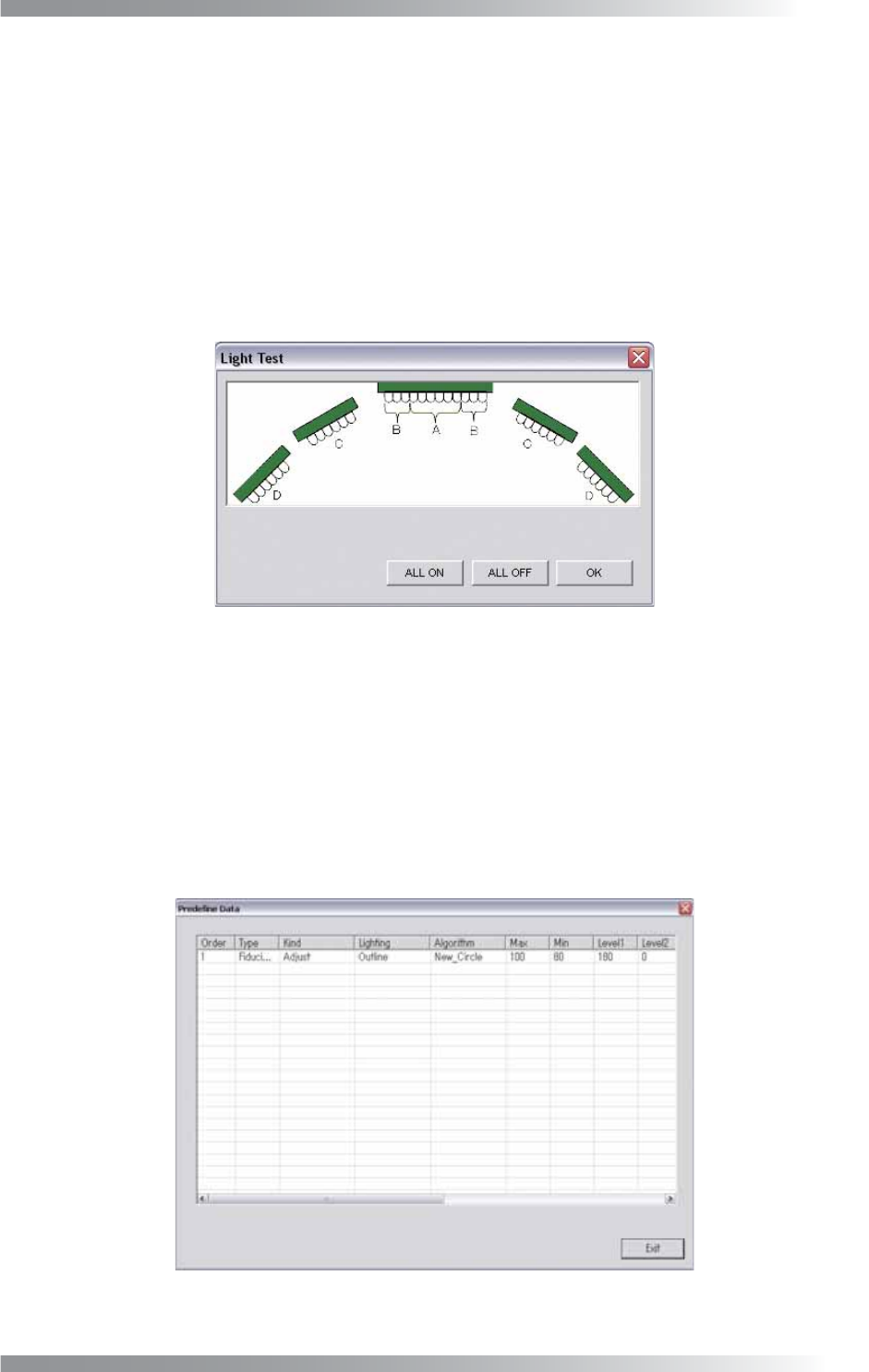
Test the lighting of LED’s. This function controls the lighting-up of the LEDs.
Press Three LED Test in Figure 2-1 Select System Setup.
The Light Test dialog shown in Figure 2-16 appears.
Press ALL ON and make sure that all lights are turned on.
Press ALL OFF and make sure that all lights are turned off.
All lights are turned off automatically in 15 seconds.
Figure 2-16 Light Test
2.10 Machine Layout
Not available.
2.11 Predefi ne Setting
This list displays the parameters, such as NG Type, Screen Selection, Judgement, saved in the Edit
Component Data dialog. Press Predefi ne Setting in Figure 2-1 Select System Setup.
The Predefi ne Setting dialog shown in Figure 2-17 appears.
Figure 2-17 Predefi ne Setting
I-32
Programming Manual
Part I Basic Operation
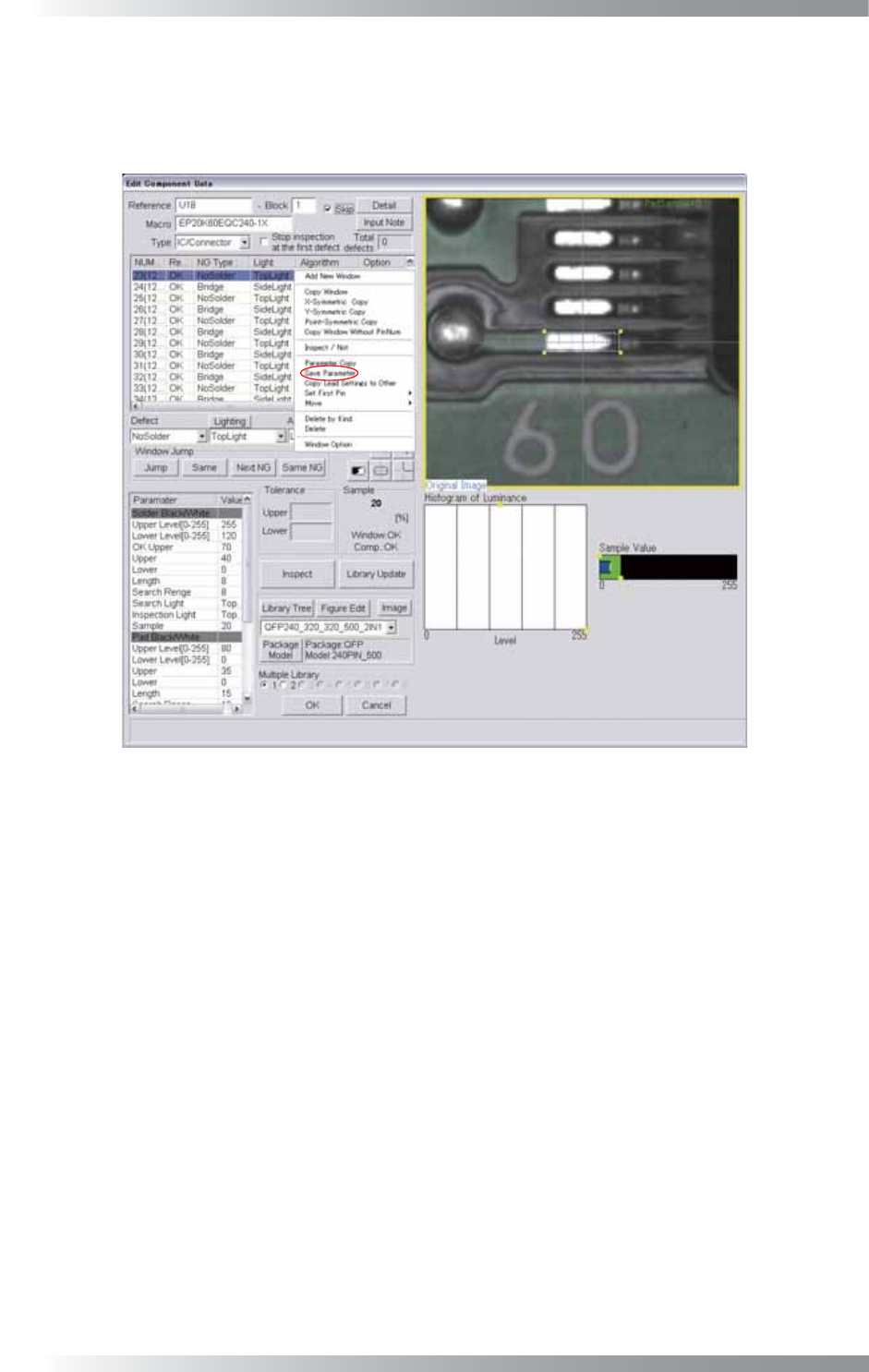
Here describes how to save inspection data parameters.
Right-click the inspection data to open Figure 2-18 Edit Component Data.
Right-click the inspection window and select Save Parameter to save parameters of the inspection data in
Figure 2-17 Predefi ne Setting.
Figure 2-18 Edit Component Data
2.12 Self Diagnosis
Not available.
2.13 Machine Origin
Not available.
I-33
Programming Manual
Part I Basic Operation
2.14 DI/O
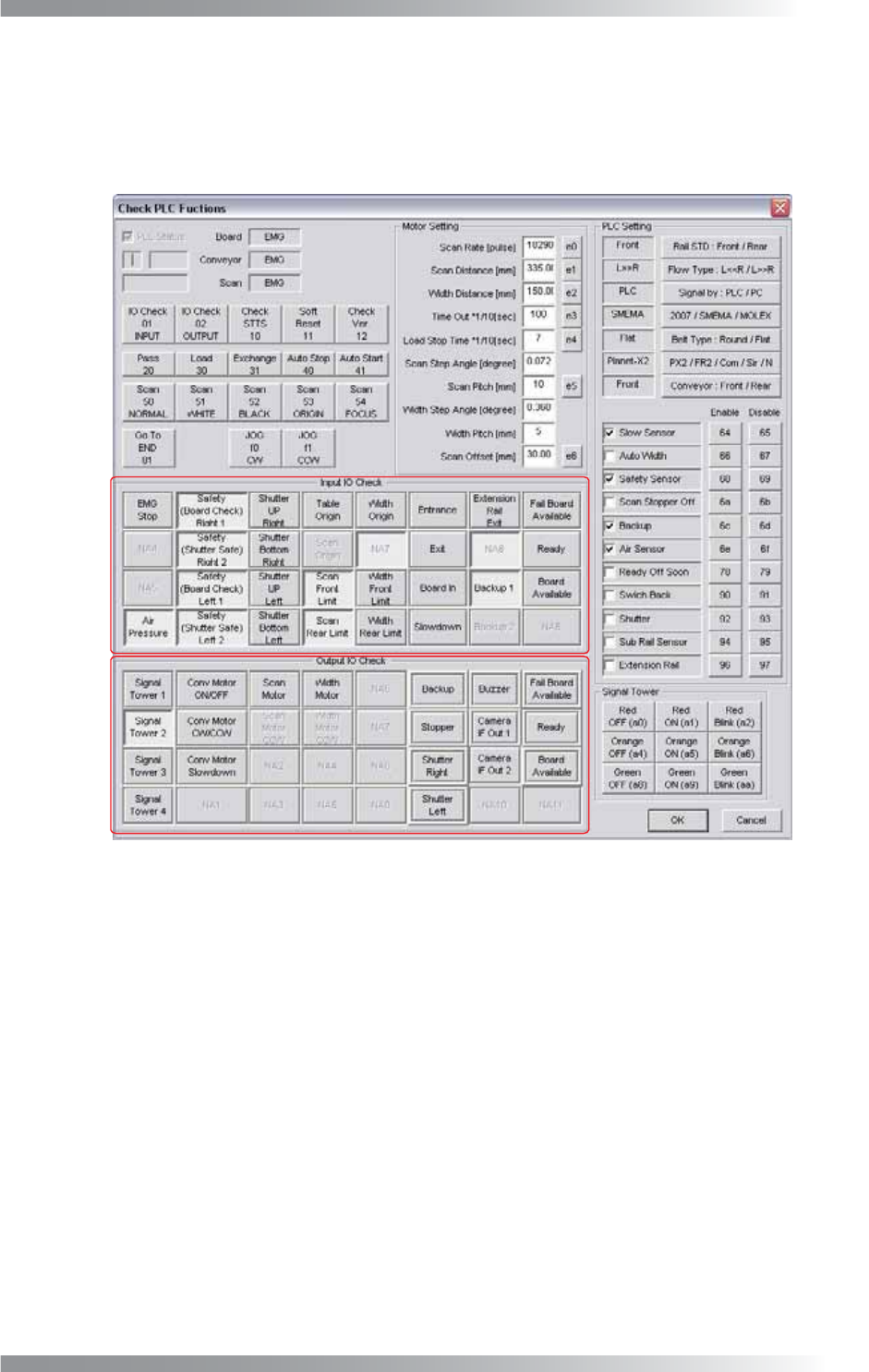
Input or output signals can be checked in this dialog.
Press DI/O in Figure 2-1 Select System Setup.
The PLC Functions dialog shown in Figure 2-19 appears.
A
B
Figure 2-19 Check PLC Functions
A (Input IO Check) items in Figure 2-19 shows the state of input signals from external devices and sensors.
When a signal is input, a corresponding item is on.
B (Output IO Check) items shows the operating status of the signal tower or each motors.
When the machine is operating, a corresponding item is on.
2.15 Focus
Not available.
2.16 Show Conveyer
Not available.