Programming_mail.pdf - 第159页
III- 85 Programming Manual Part III Inspection Algorithm Step13: Select the font added in Step7 from the User De fi ne drop-down list. Figure 2-1 1 OCR_Pro 10 Step14: Enter all target characters in the Reference text-box.…
III-84
Programming Manual
Part III Inspection Algorithm
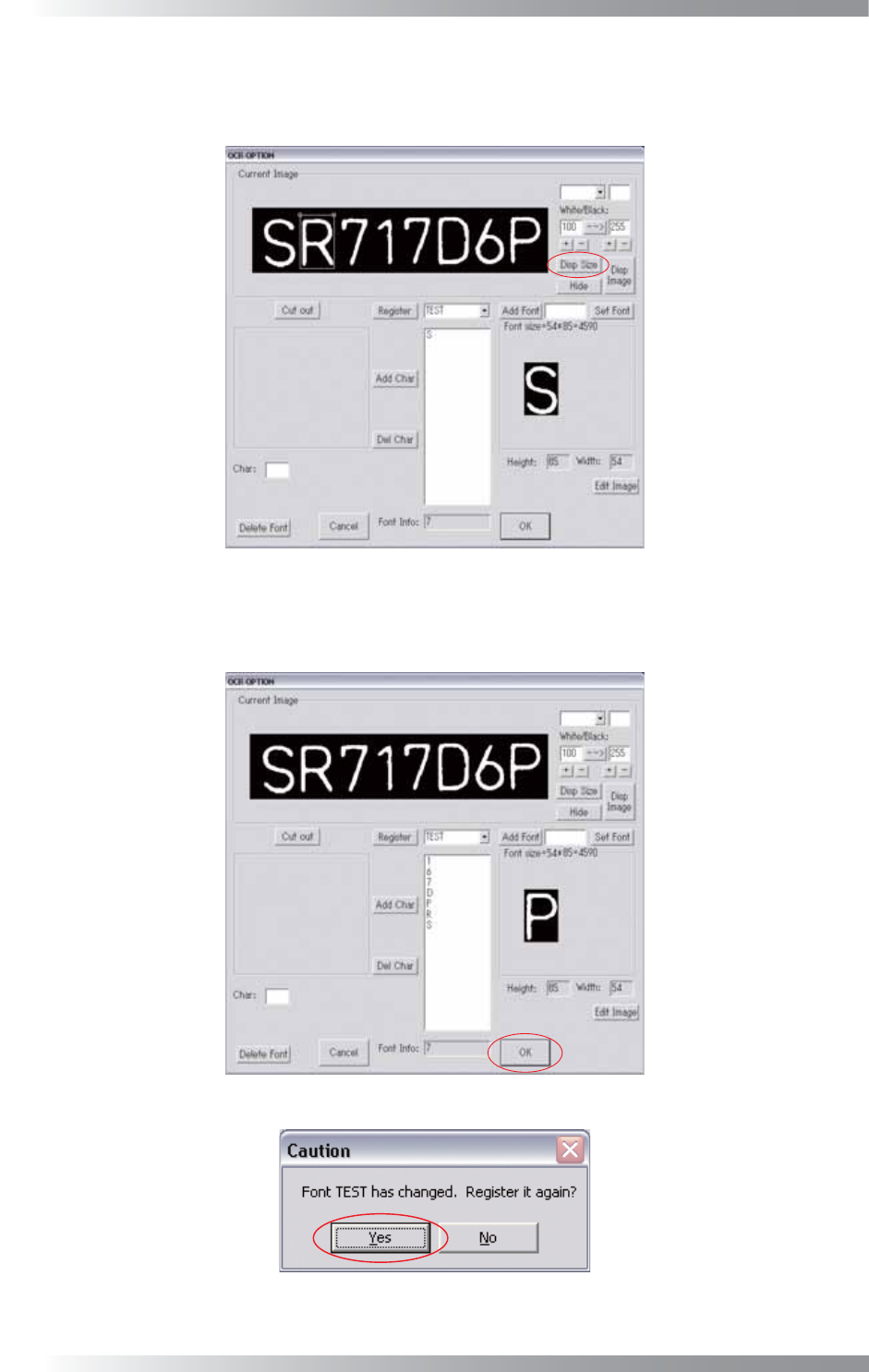
Step11: Press Disp Size, the window will be displayed again, and it to surround the second character.
Register the second character as follows Step9 and Step10. After the second character,
repeat the same procedure to register all characters.
Figure 2-8 OCR_Pro 7
Step12: All characters are registered. Press OK.
The dialog shown in Figure 2-10 appears. Press Yes.
Figure 2-9 OCR_Pro 8
Figure 2-10 OCR_Pro 9
III-85
Programming Manual
Part III Inspection Algorithm
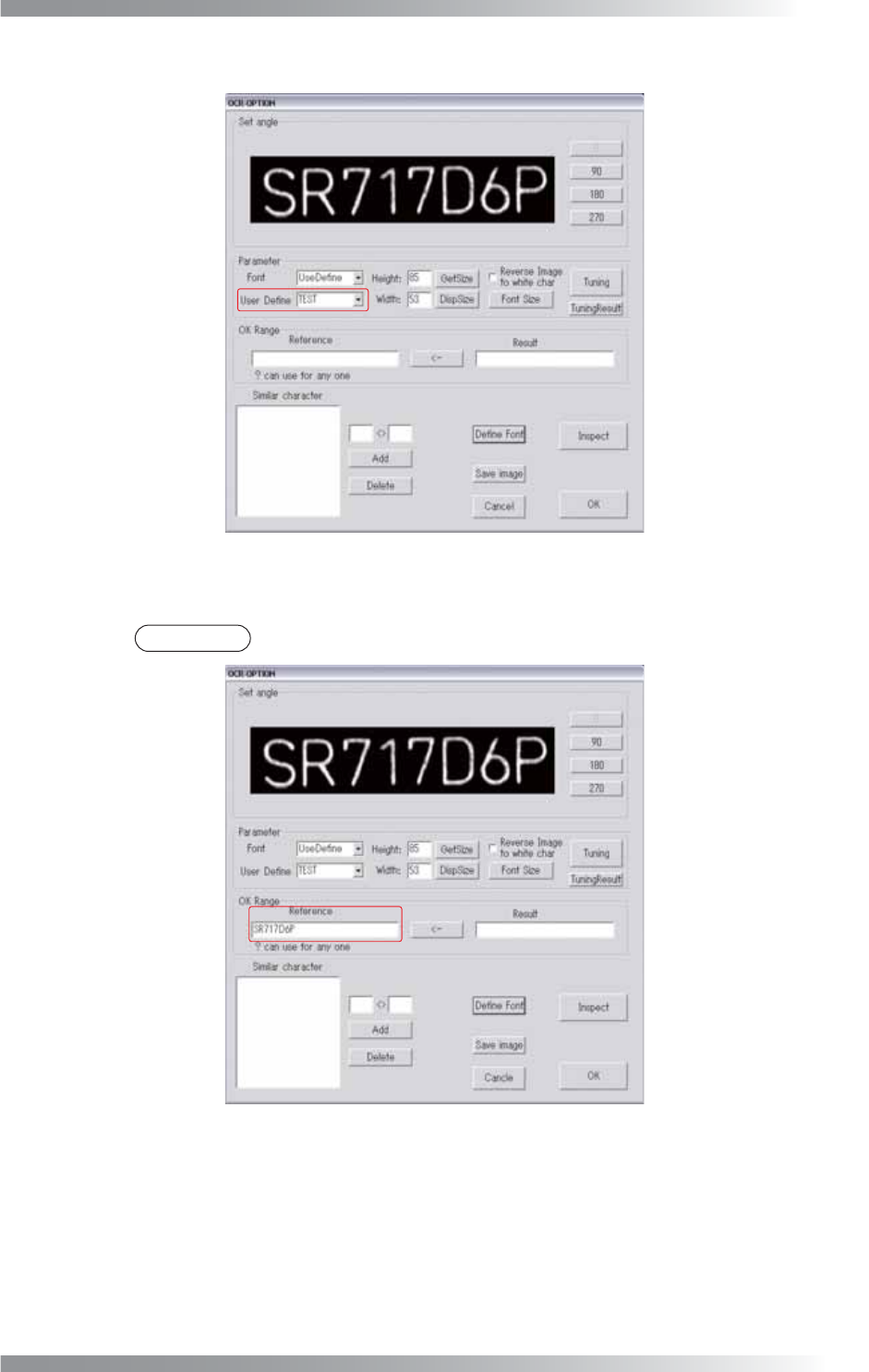
Step13: Select the font added in Step7 from the User Defi ne drop-down list.
Figure 2-11 OCR_Pro 10
Step14: Enter all target characters in the Reference text-box.
NOTE
If “?” is entered, any character is judged OK.
Figure 2-12 OCR_Pro 11
III-86
Programming Manual
Part III Inspection Algorithm
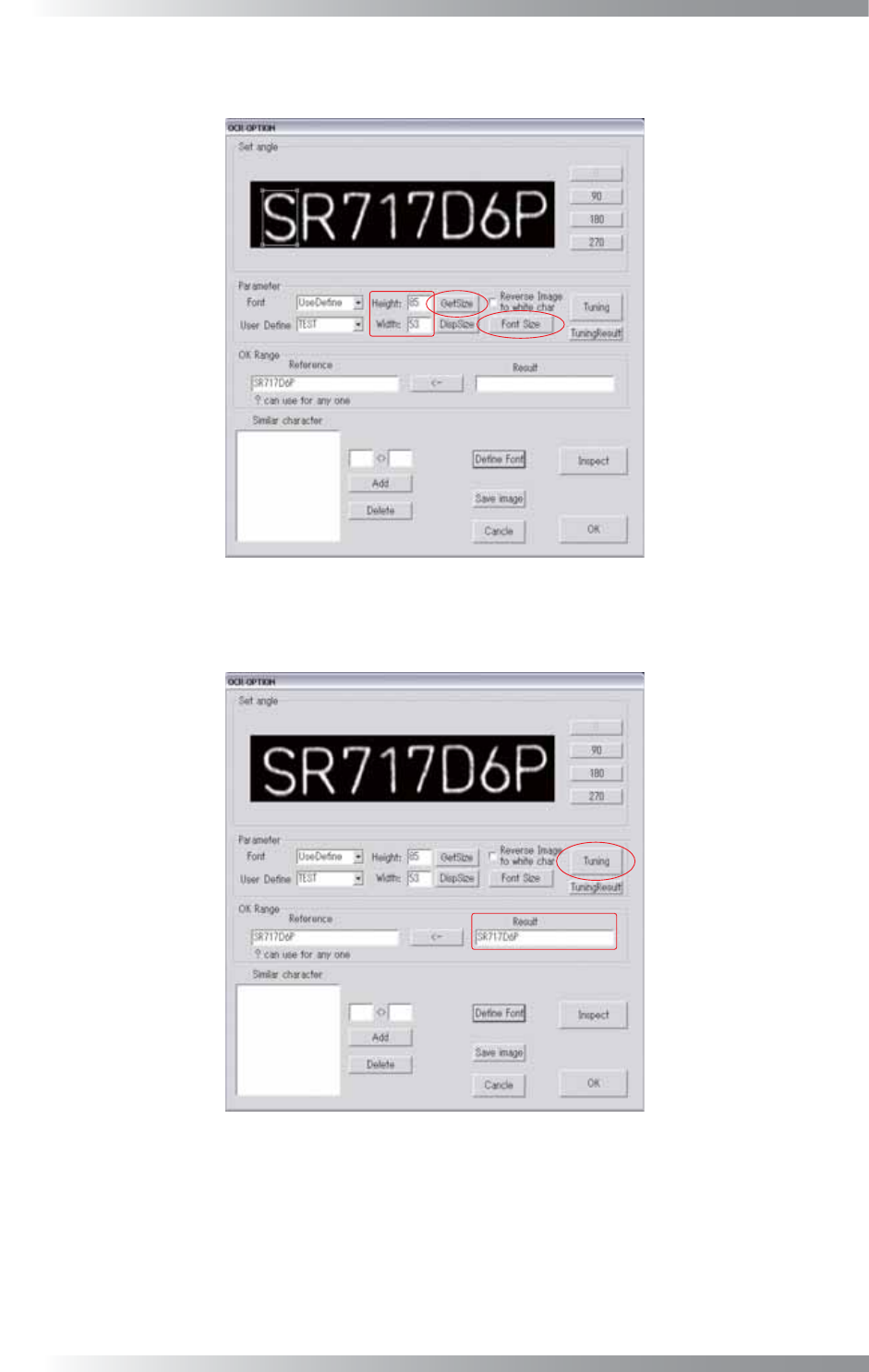
Step15: Adjust the window size to surround a character by pressing Font Size. Press GetSize.
Height and Width are automatically calculated.
Figure 2-13 OCR_Pro 12
Step16: Press Tuning. The recognized characters are displayed in the Result text-box.
Figure 2-14 OCR_Pro13