Programming_mail.pdf - 第222页
V- 32 Programming Manual Part V Other Function 2.4 ECD Mask Function ECD mask function can specify an area that is excluded from ECD inspection. The setting can be used to reduce false calls such as no-polarity chips as …
V-31
Programming Manual
Part V Other Function
Step4: Scan a target PCB.
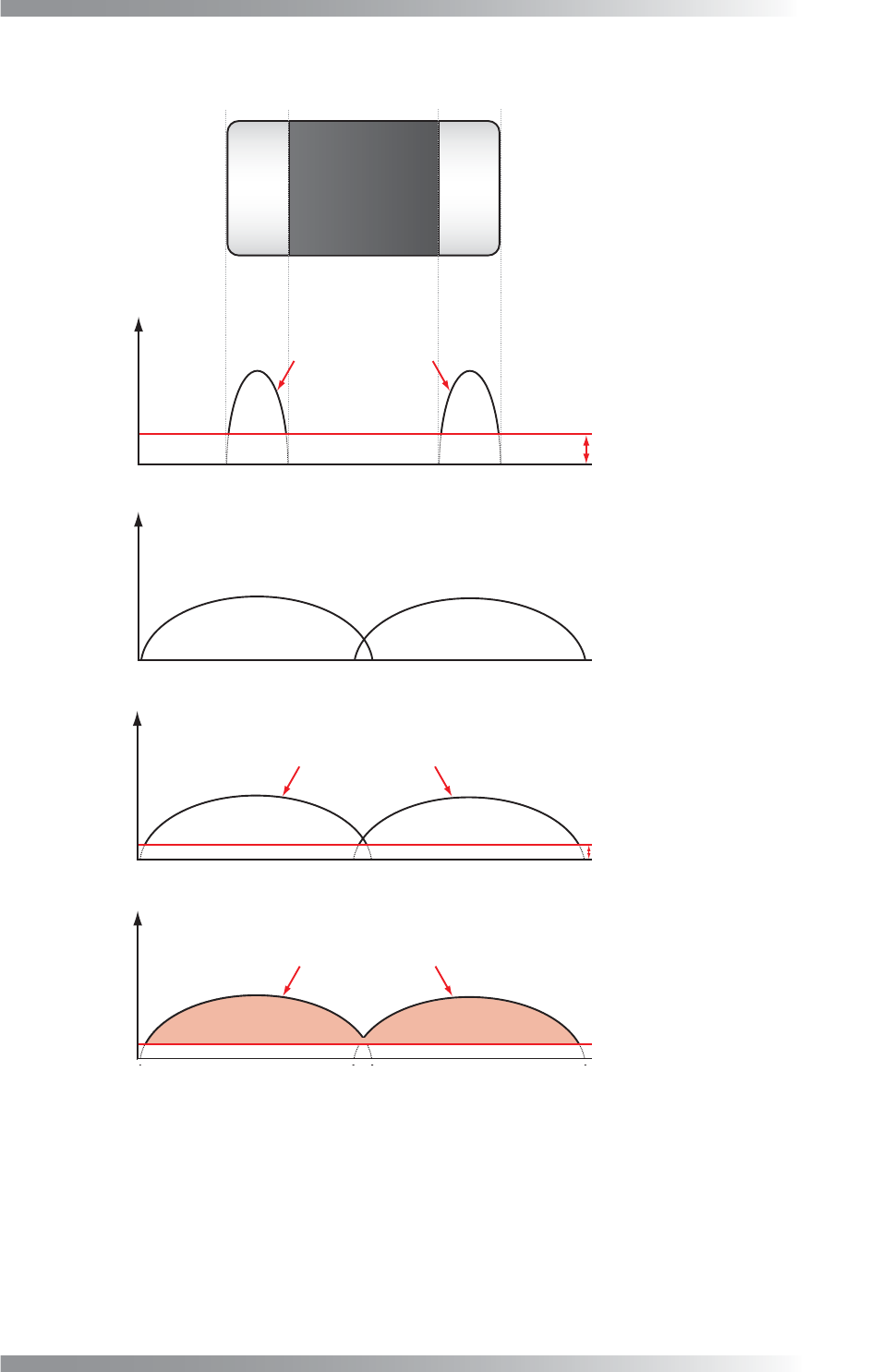
Sensitivity
Brightness difference
Pixels judged as NG in Sensitivity
Atmospheric Range
Averaging with brightness level of surrounding pixels
Detection Threshold
Pixels judged as NG in Detection Threshold
Size
Pixels of NG area
from surrounding
Brightness difference
from surrounding
Brightness difference
from surrounding
Brightness difference
from surrounding
Figure 2-26 Detection of Extra Component
V-32
Programming Manual
Part V Other Function
2.4 ECD Mask Function
ECD mask function can specify an area that is excluded from ECD inspection. The setting can be used to
reduce false calls such as no-polarity chips as well as unique barcode given to each PCB.
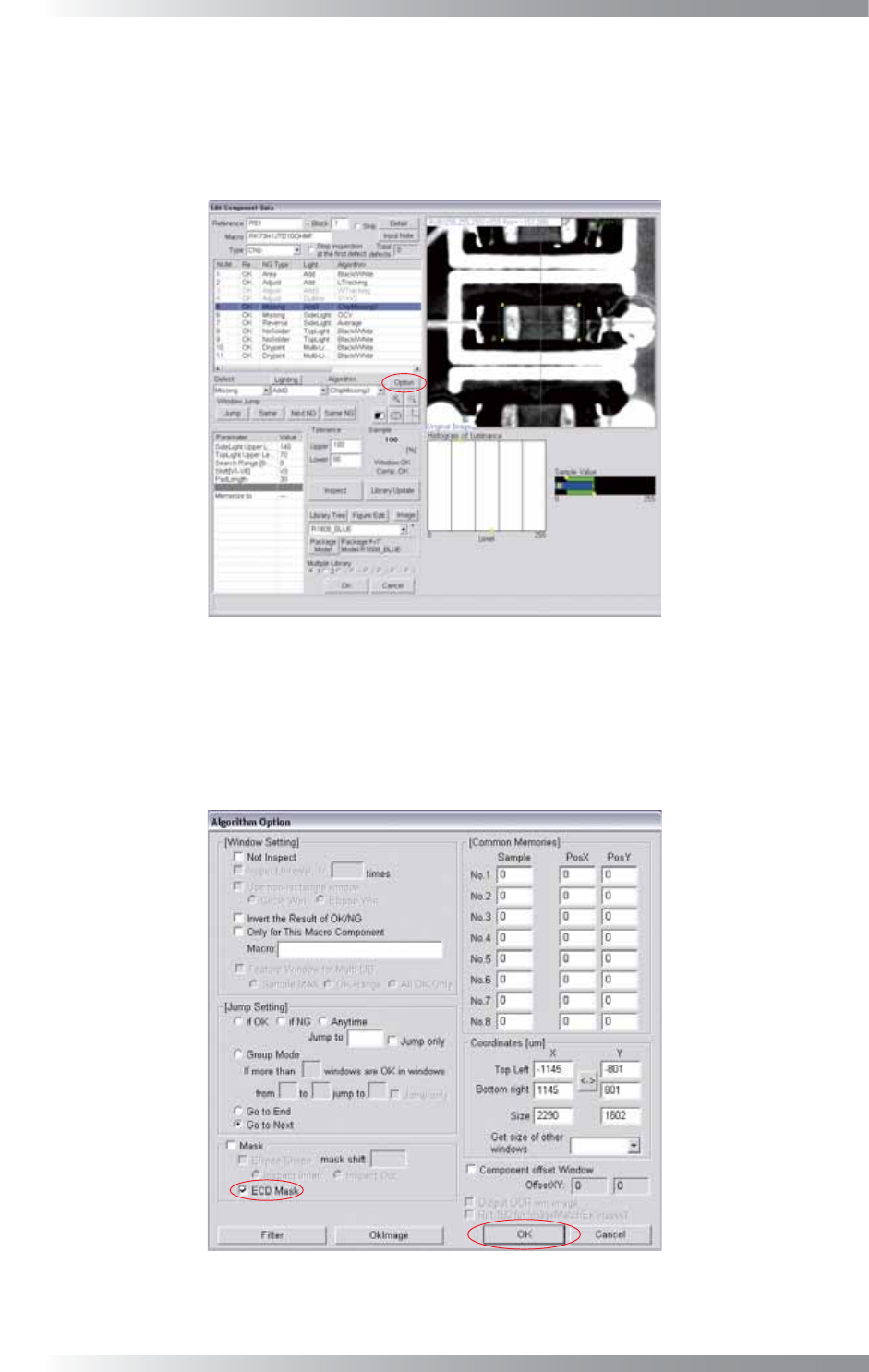
Step1: Right-click the component to mask and the dialog shown in Figure 2-27 appears.
Figure 2-27 Edit Component Data Dialog
Step2: Selected inspection window size is range to apply mask. Select inspection window and press
Option.
Step3: Check ECD Mask and press OK.
Figure 2-28 ECD Mask
Step4: Proceed to Step10 in Part V 2.2 Inspection procedure.
V-33
Programming Manual
Part V Other Function
3 THD Window Creator
THD Window Creator is a function which automatically makes inspection windows on soldered points of
discrete components which does not have positional information such as CAD data.
THD Window Creator can be used in fare-paying software.
3.1 Inspection Overview
This function detects image differences between a bare PCB and an assembled PCB and extracts inspection
windows on detected points. Prepare a bare PCB and an assembled PCB before inspecting.
3.2 Inspection Procedure
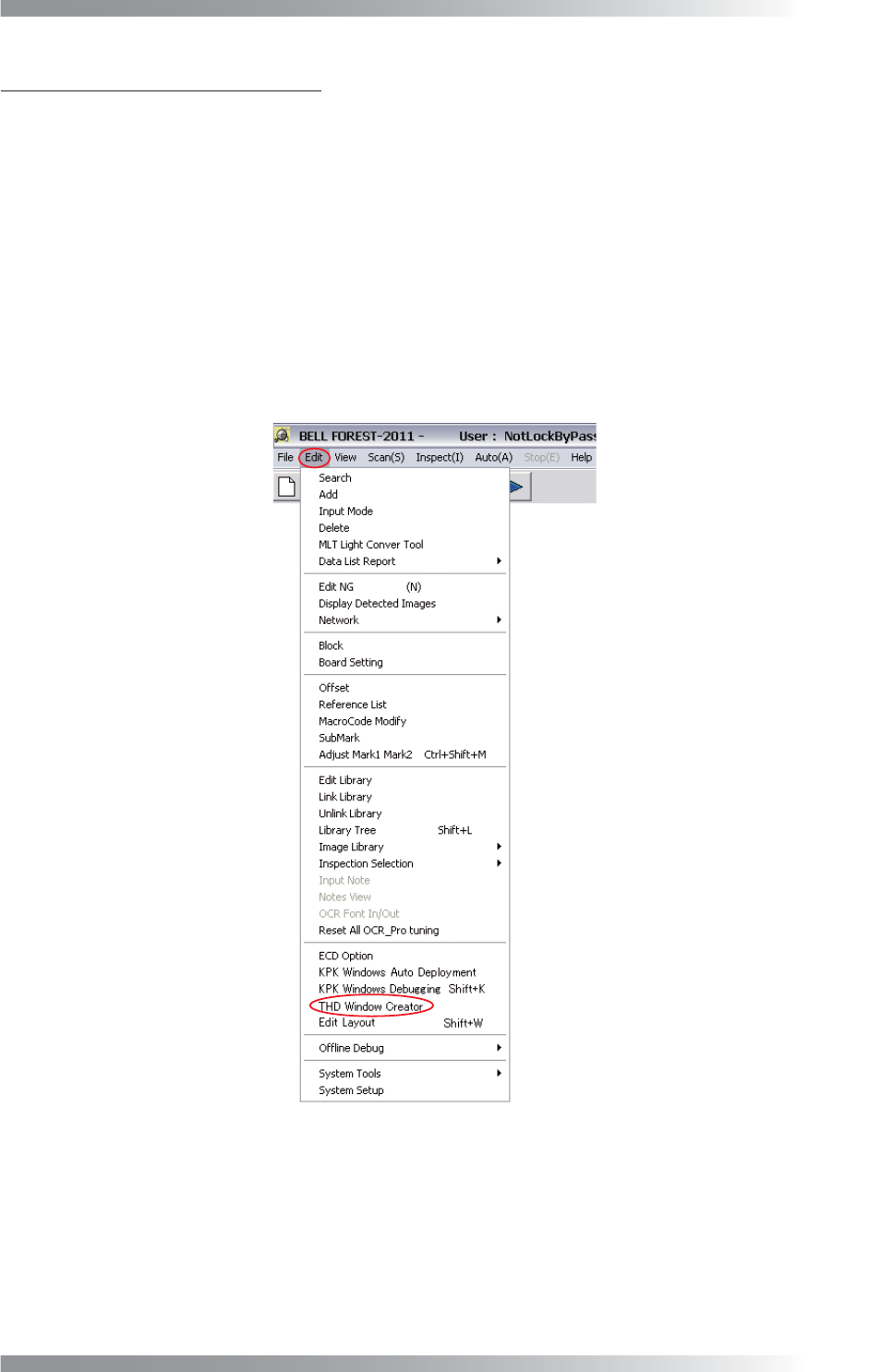
Step1: Select Edit > THD Window Creator from the menu-bar.
Figure 3-1 THD Window Creator