Programming_mail.pdf - 第252页
V- 62 Programming Manual Part V Inspection Data 5.5 Select Inspection Selection Here describes settings for Inspection Selection. Step1: Select File > Select Data from the menu-bar. Open the inspection data that Inspe…
V-61
Programming Manual
Part V Inspection Data
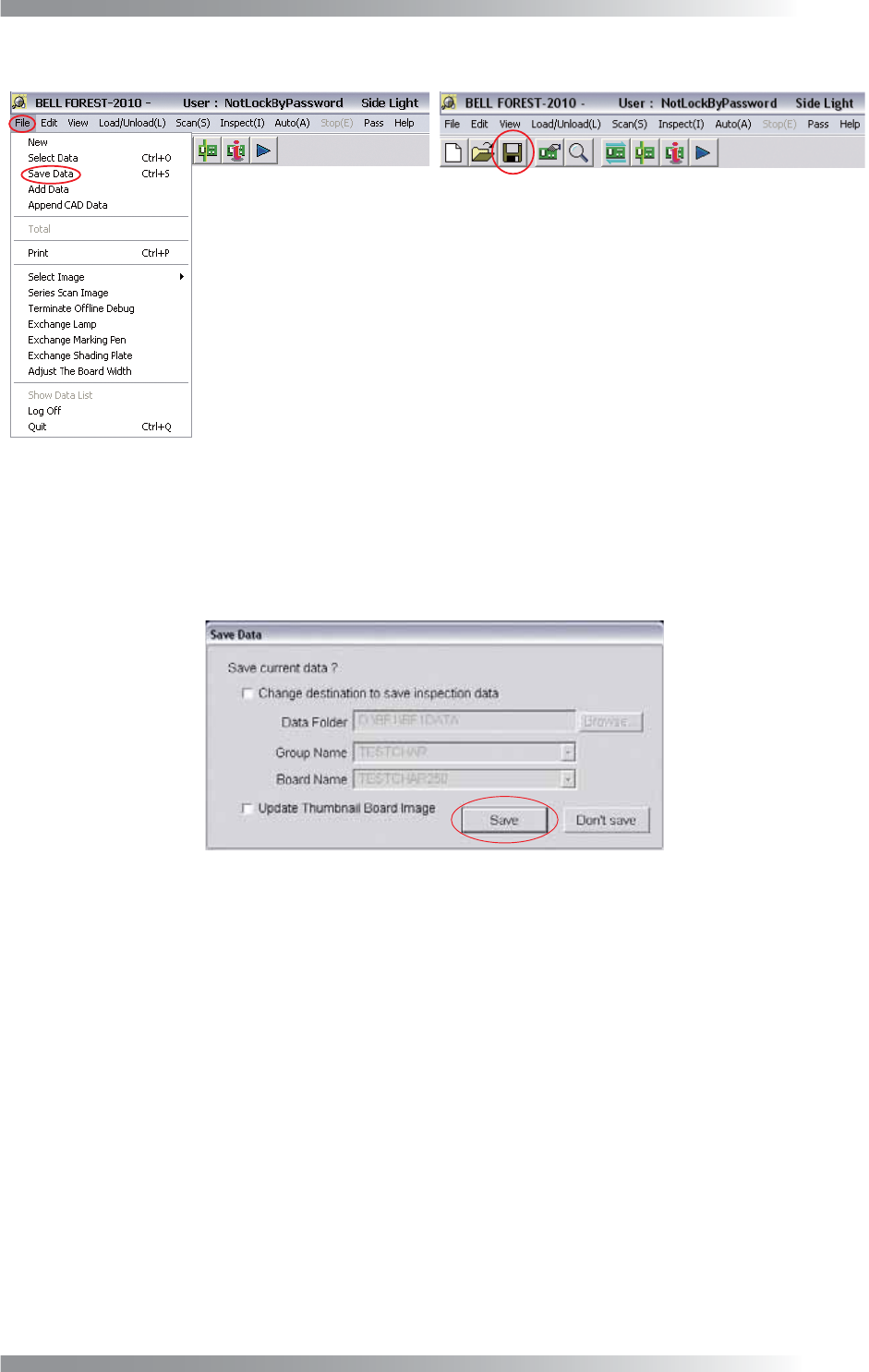
Step3: Press the Save Data button on the tool-bar or select File > Save Data from the menu-bar.
Figure 5-15 Save Data
Step4: The dialog shown in Figure 5-16 appears. Press Save to save the inspection data.
In the default setting, the inspection data is saved in D:\BF1\BF1DATA.
To save the data in another destination, check Change destination to save inspection data and
specify the directory to save.
Figure 5-16 Save Inspection Data
V-62
Programming Manual
Part V Inspection Data
5.5 Select Inspection Selection
Here describes settings for Inspection Selection.
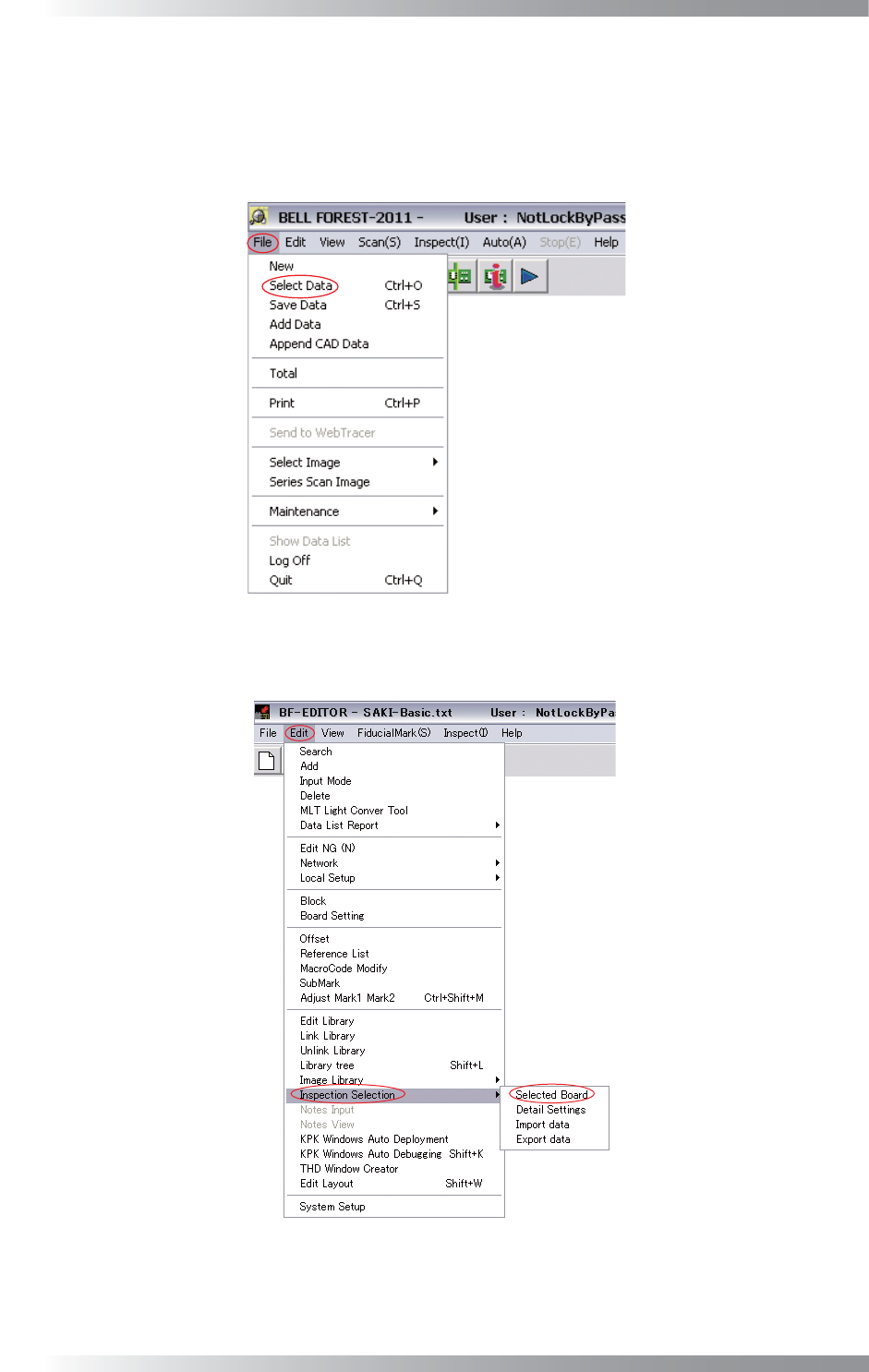
Step1: Select File > Select Data from the menu-bar.
Open the inspection data that Inspection Selection is applied.
Figure 5-17 Select Data
Step2: Select Edit > Inspection Selection > Selected Board from the menu-bar.
Figure 5-18 Selected Board
V-63
Programming Manual
Part V Inspection Data
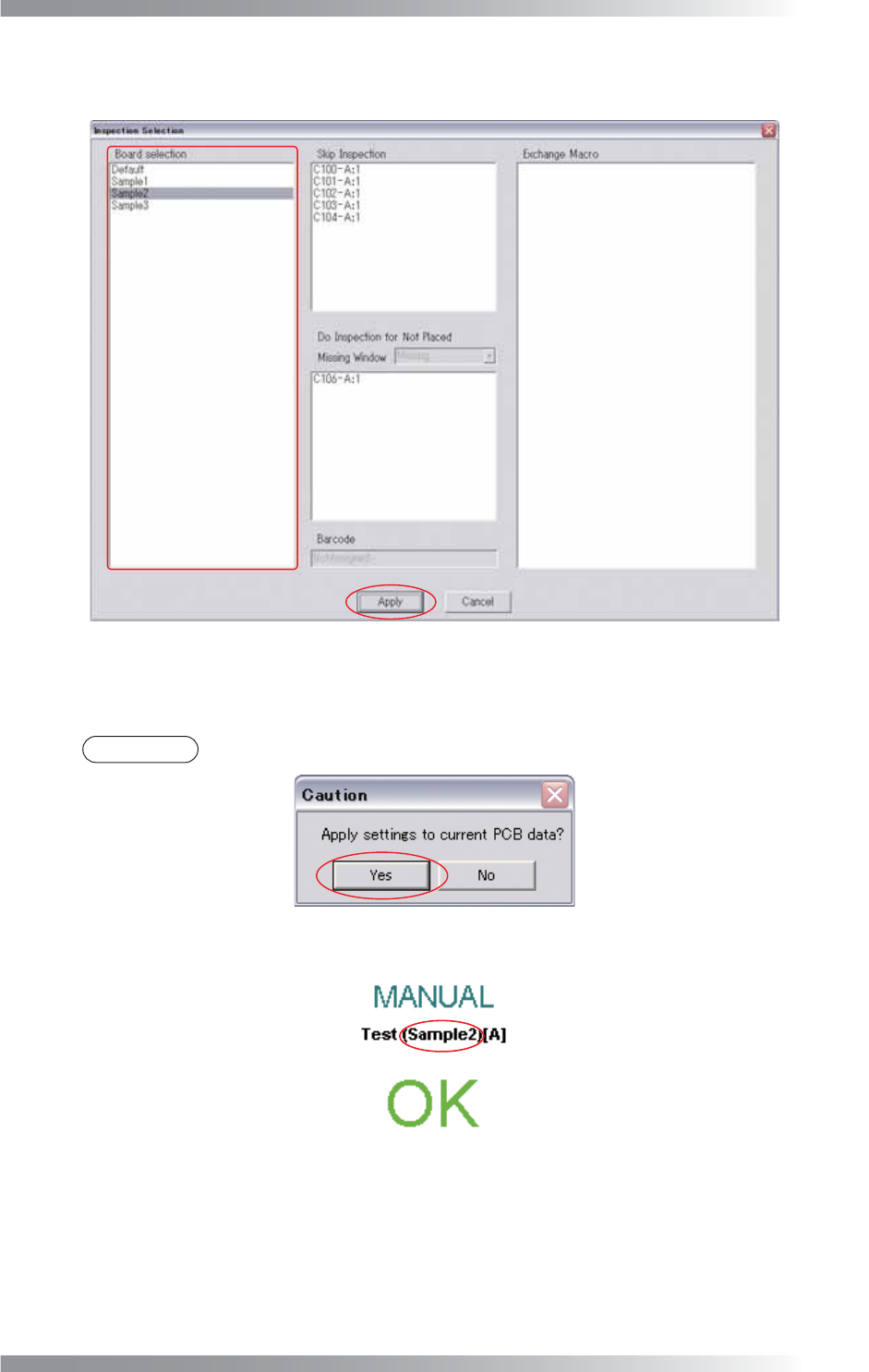
Step3: The dialog shown in Figure 5-19 appears.
Select the Inspection Selection setting from the Board Selection list-box and press Apply.
Figure 5-19 Apply
Step4: The dialog shown in Figure 5-20 appears. Press Yes.
NOTE
The item selected in Inspection Selection will be displayed after the PCB name.
Figure 5-20 Apply Settings
Figure 5-21 Inspection Selection Name