Programming_mail.pdf - 第41页
I- 33 Programming Manual Part I Basic Operation 2.14 DI/O Input or output signals can be checked in this dialog. Press DI/O in Figure 2-1 Select System Setup . The PLC Functions dialog shown in Figure 2-19 appears. A B F…
I-32
Programming Manual
Part I Basic Operation
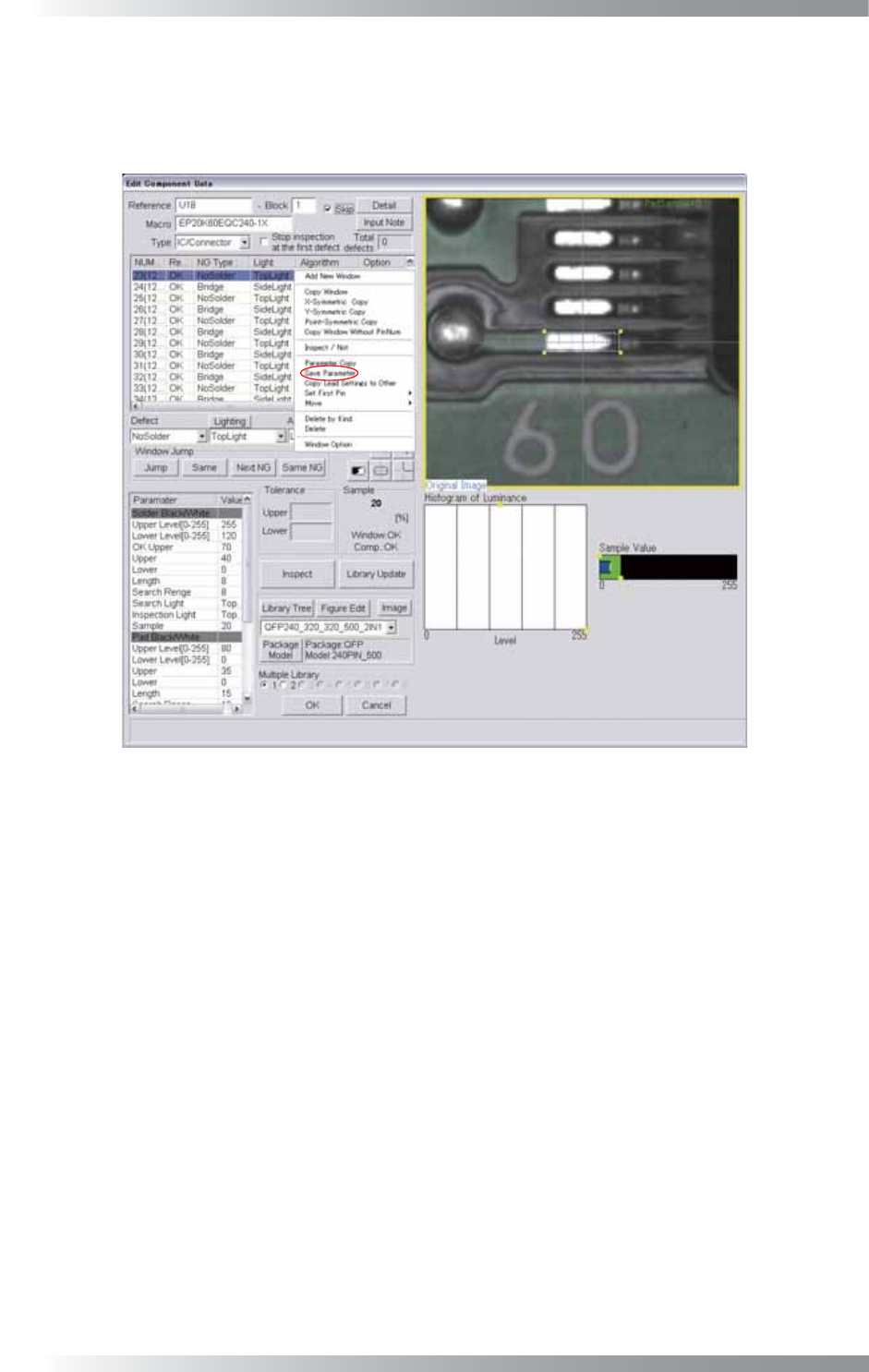
Here describes how to save inspection data parameters.
Right-click the inspection data to open Figure 2-18 Edit Component Data.
Right-click the inspection window and select Save Parameter to save parameters of the inspection data in
Figure 2-17 Predefi ne Setting.
Figure 2-18 Edit Component Data
2.12 Self Diagnosis
Not available.
2.13 Machine Origin
Not available.
I-33
Programming Manual
Part I Basic Operation
2.14 DI/O
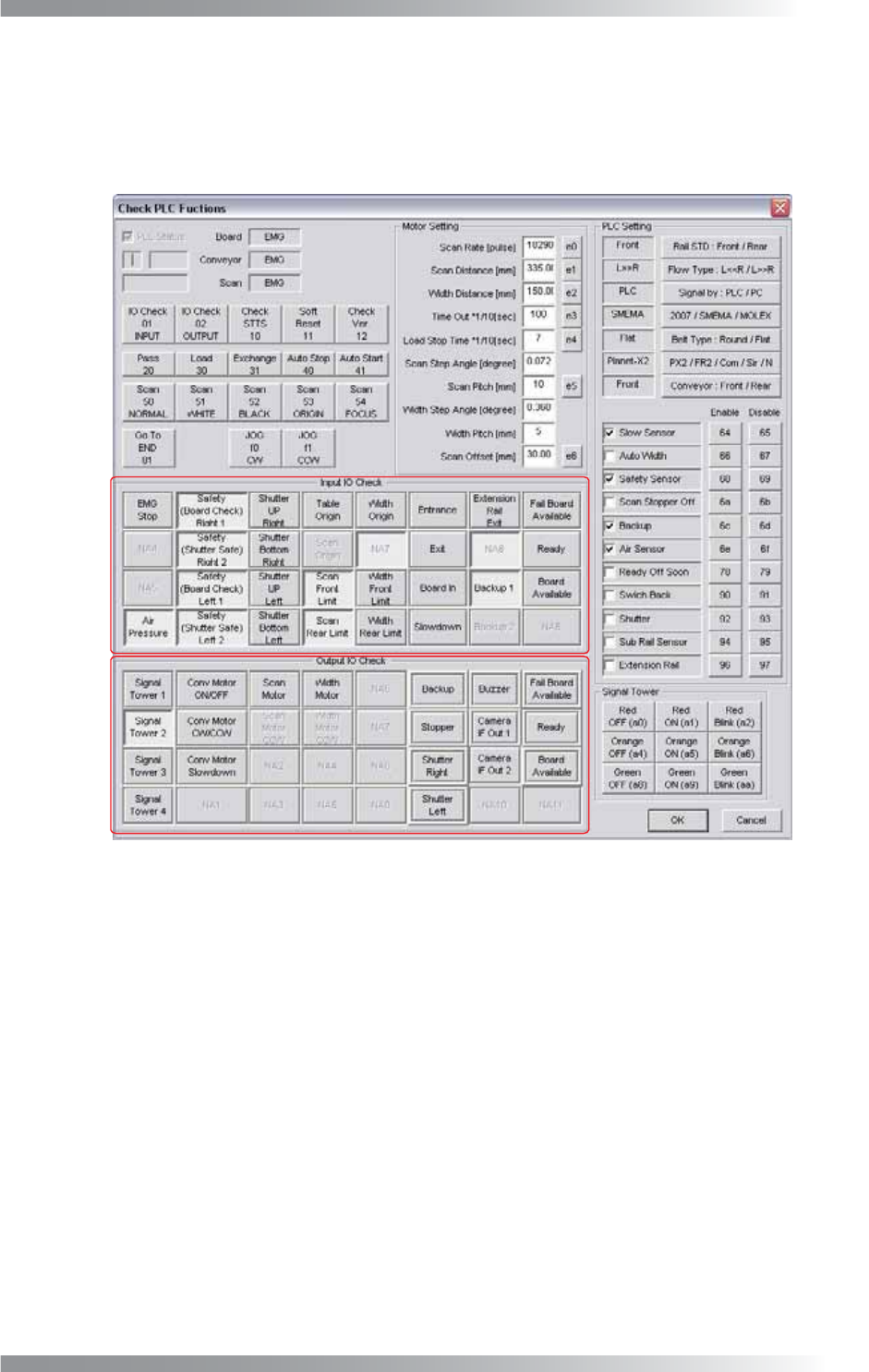
Input or output signals can be checked in this dialog.
Press DI/O in Figure 2-1 Select System Setup.
The PLC Functions dialog shown in Figure 2-19 appears.
A
B
Figure 2-19 Check PLC Functions
A (Input IO Check) items in Figure 2-19 shows the state of input signals from external devices and sensors.
When a signal is input, a corresponding item is on.
B (Output IO Check) items shows the operating status of the signal tower or each motors.
When the machine is operating, a corresponding item is on.
2.15 Focus
Not available.
2.16 Show Conveyer
Not available.
I-34
Programming Manual
Part I Basic Operation
2.17 OK/NG Signals
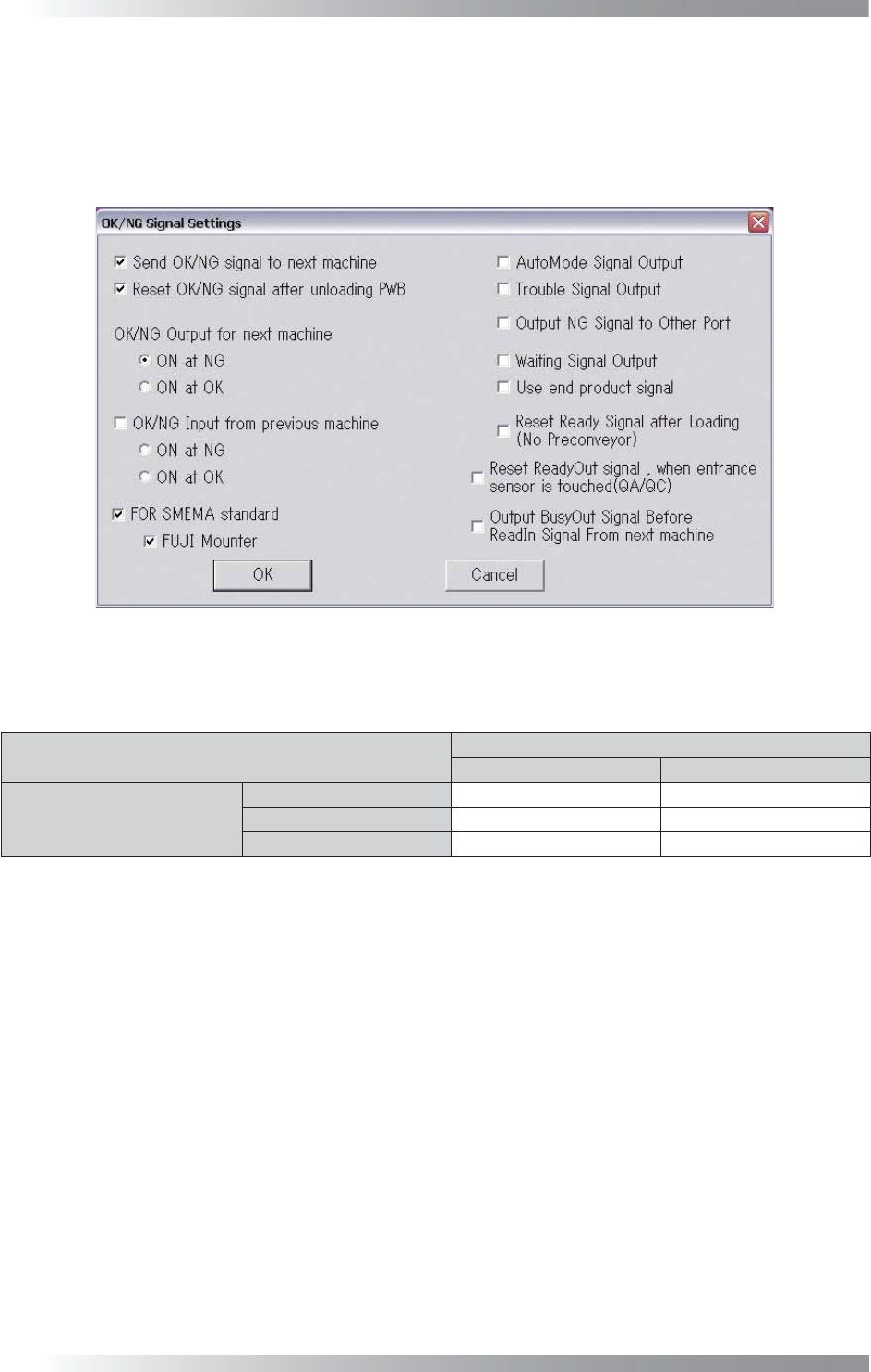
This section describes the connection settings with upstream/downstream machines.
Press OK/NG Signals in Figure 2-1 Select System Setup.
The OK/NG Signal Settings dialog shown in Figure 2-20 appears.
For the details of each item, refer to the Signal tab in Table 2-1.
Figure 2-20 OK/NG Signal Settings
If an OK/NG In signal is output from an upstream machine, an OK/NG Out signal will be is output according
to the OK/NG In signal and an AOI’s inspection result.
Inspection Result
OK NG
OK/NG In
No Signal OK NG
OK OK NG
NG NG NG
Table 2-8 Relations between Signals from the Upstream Machine and Output Signal
2.18 IPM8540Adjust
Not available.
2.19 CPK
Not available.
2.20 Separate Conveyer
Not available.
2.21 Output Files
Not available.