Programming_mail.pdf - 第217页
V- 27 Programming Manual Part V Other Function Step16: Start sampling. Scan 10 OK PCBs. The dialog shown in Figure 2-19 appears. Press OK . The number of sampled PCB is displayed in Figure 2-20. NOTE The number of sample…
V-26
Programming Manual
Part V Other Function
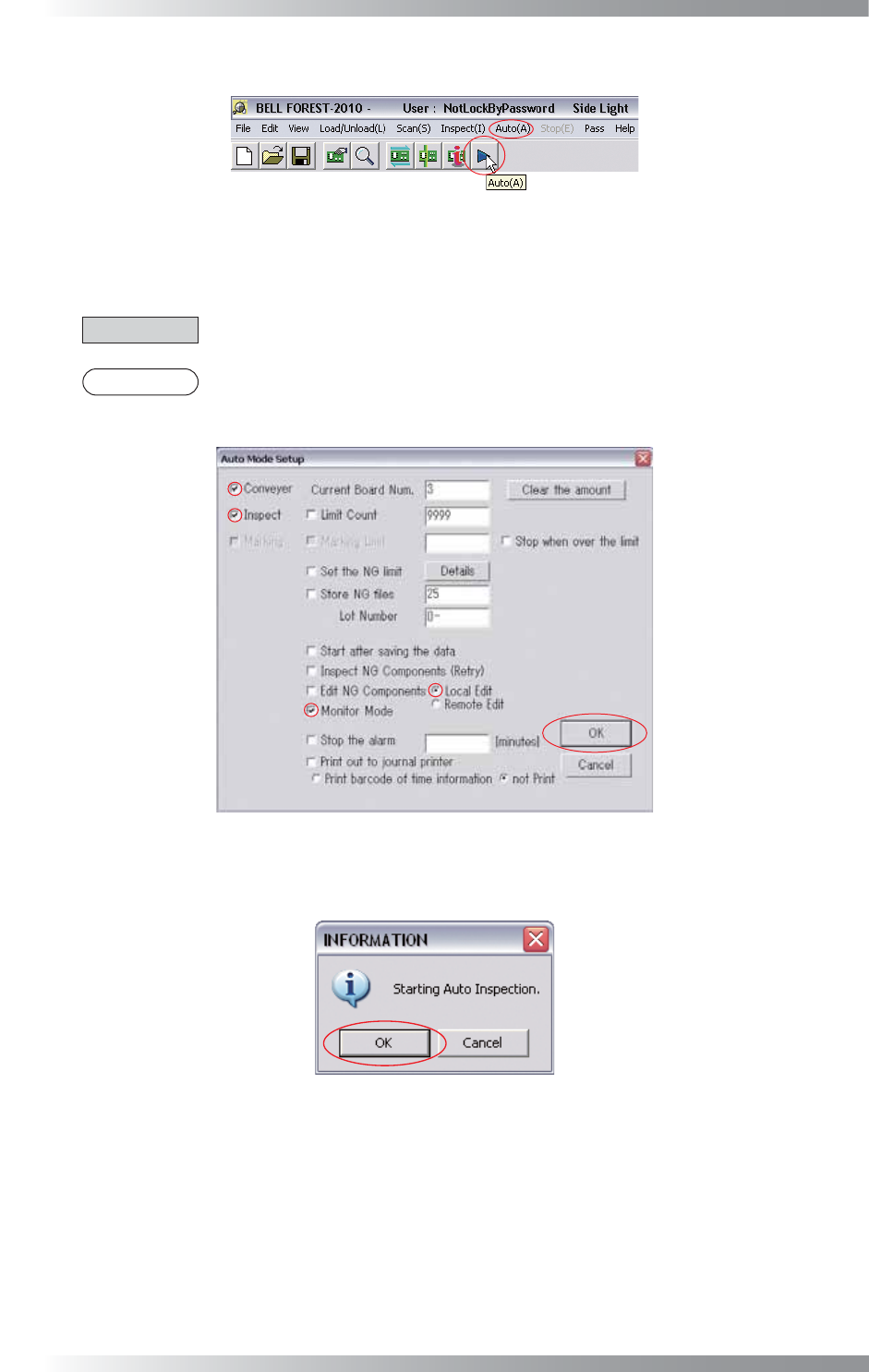
Step13: Press Auto button on the tool-bar or select Auto from the menu-bar.
Figure 2-16 Auto
Step14: Check Conveyor, Inspect, and Monitor Mode. Press OK. Sampling will be executed in Monitor
Mode.
CAUTION
No Conveyor box in benchtop machine.
NOTE
In case of sampling in Debug mode, uncheck Monitor Mode. Check Edit NG Components
and Local Edit.
Figure 2-17 Auto Mode Setting
Step15: The dialog shown in Figure 2-18 appears. Press OK.
Figure 2-18 Start Auto Inspection
V-27
Programming Manual
Part V Other Function
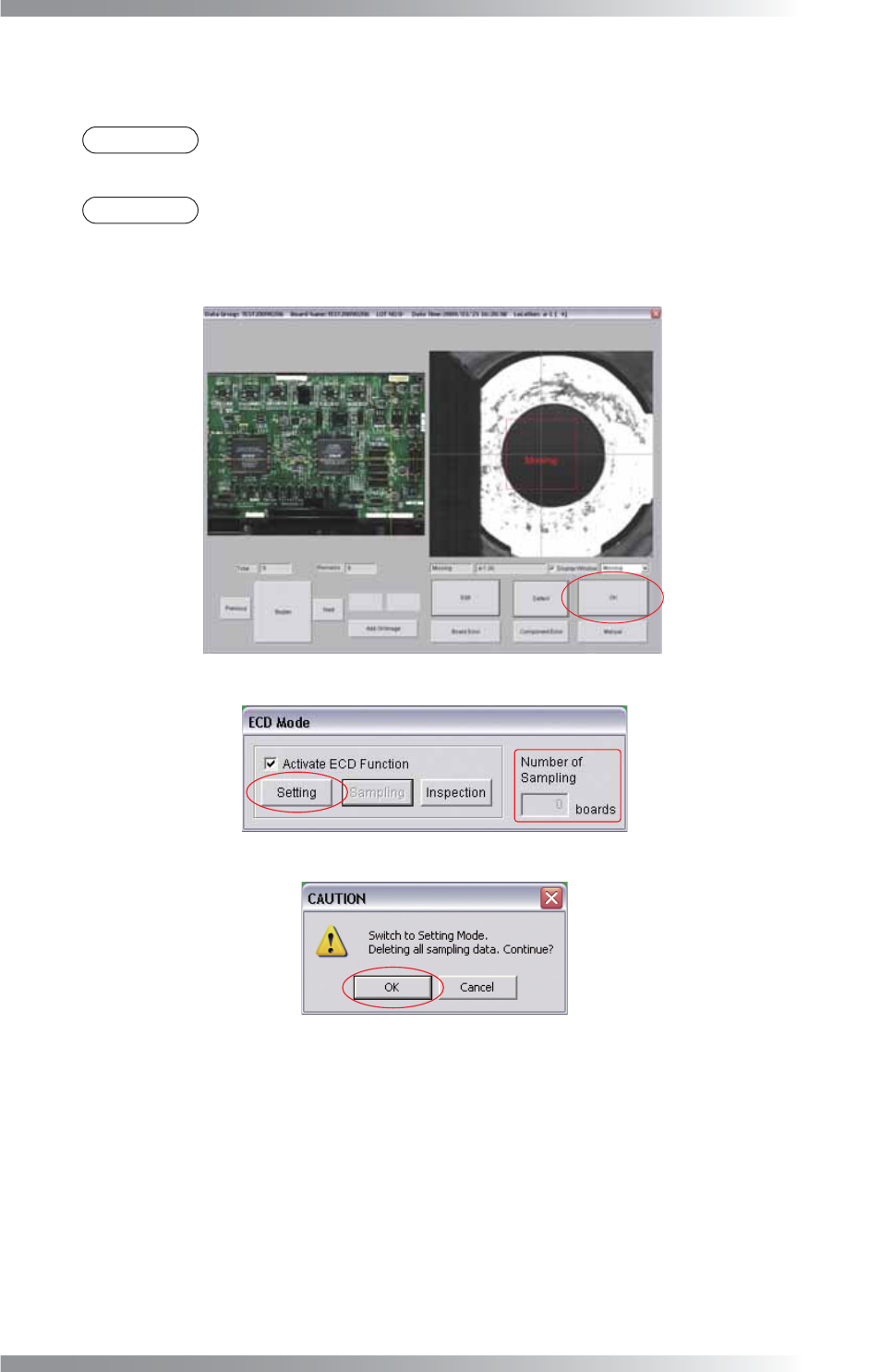
Step16: Start sampling. Scan 10 OK PCBs. The dialog shown in Figure 2-19 appears. Press OK.
The number of sampled PCB is displayed in Figure 2-20.
NOTE
The number of sampled PCB can be set in Shift Inspection Mode Automatically of
Parameter Setting shown in Figure 2-3.
NOTE
To initialize sampling data, press Setting in Figure 2-20. The dialog shown in Figure 2-21
appears. Press OK. The dialog shown in Figure 2-20 appears. Press Sampling. Proceed
from Step10.
Figure 2-19 Monitor Mode
Figure 2-20 Setting Mode
Figure 2-21 Switch to Setting Mode
V-28
Programming Manual
Part V Other Function
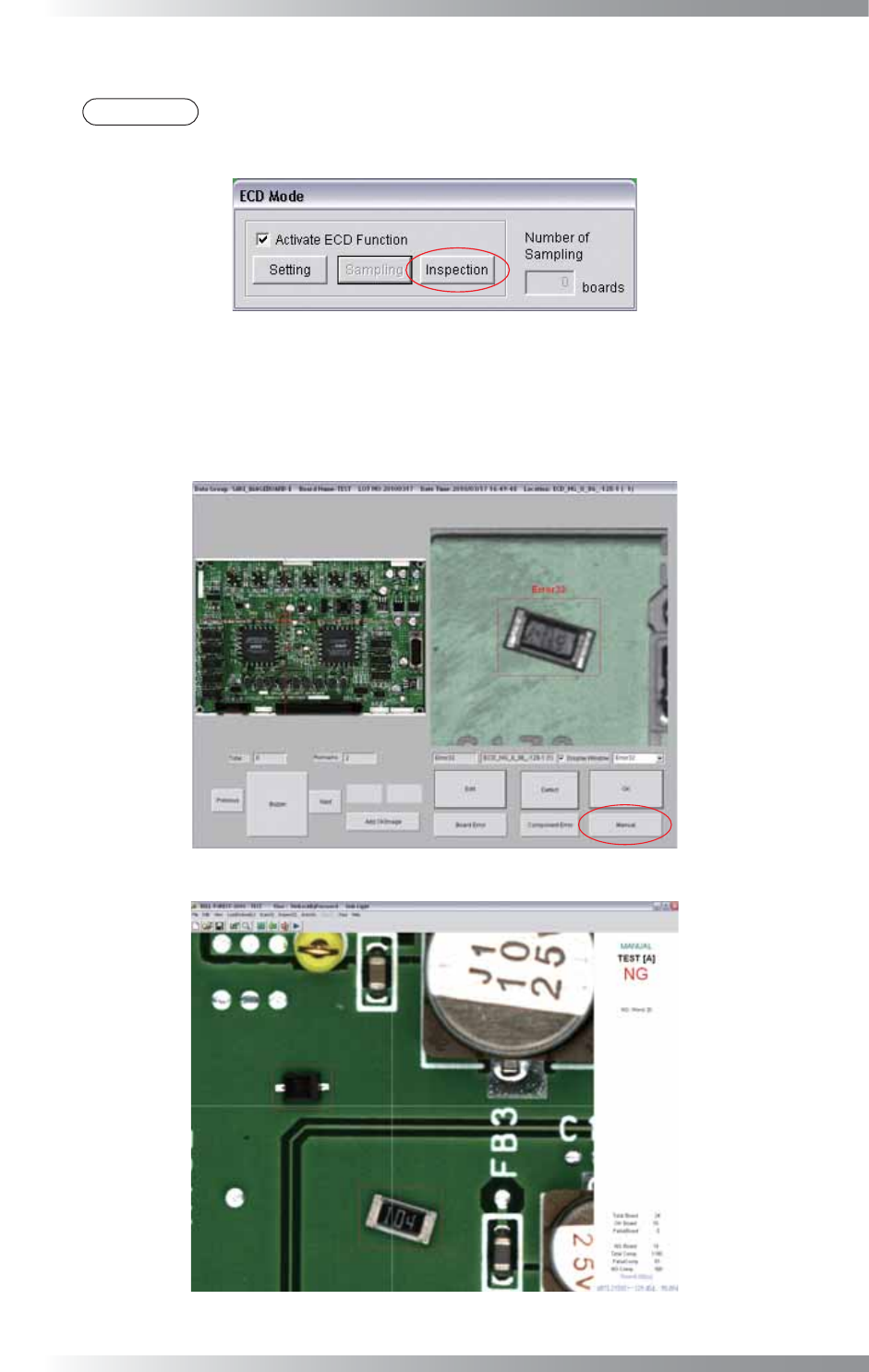
Step17: After 10 OK PCB sampled, ECD mode will be automatically switched from Sampling to Inspection.
NOTE
If Shift Inspection Mode Automatically of Parameter Setting shown in Figure 2-3 is
unchecked, press Inspection after completing sampling of OK PCBs.
Figure 2-22 Inspection Mode
Step18: Scan sample NG PCB and make sure that extra components are detected properly. If extra components
are detected, a red square frame is displayed in detection area. If any extra components are not detected
or these are many false calls, press Manual to stop auto inspection. Refer to Part V 2.3 ECD Debug.
Figure 2-23 Inspection of NG PCB
Figure 2-24 Detect Extra Component