Programming_mail.pdf - 第152页
III- 78 Programming Manual Part III Inspection Algorithm Step5: Enter values in Upper fi eld and Lower fi eld. NOTE Standard values are 80 ( Upper ) and 0 ( Lower ). NOTE OKNGImages can register different images for OK and…
III-77
Programming Manual
Part III Inspection Algorithm
1.23.3 Setting Procedure
Step1: Select a lighting that shows the difference between OK image and NG image from the
Lighting drop-down list.
Step2: Adjust the size of the inspection window to surround the target component.
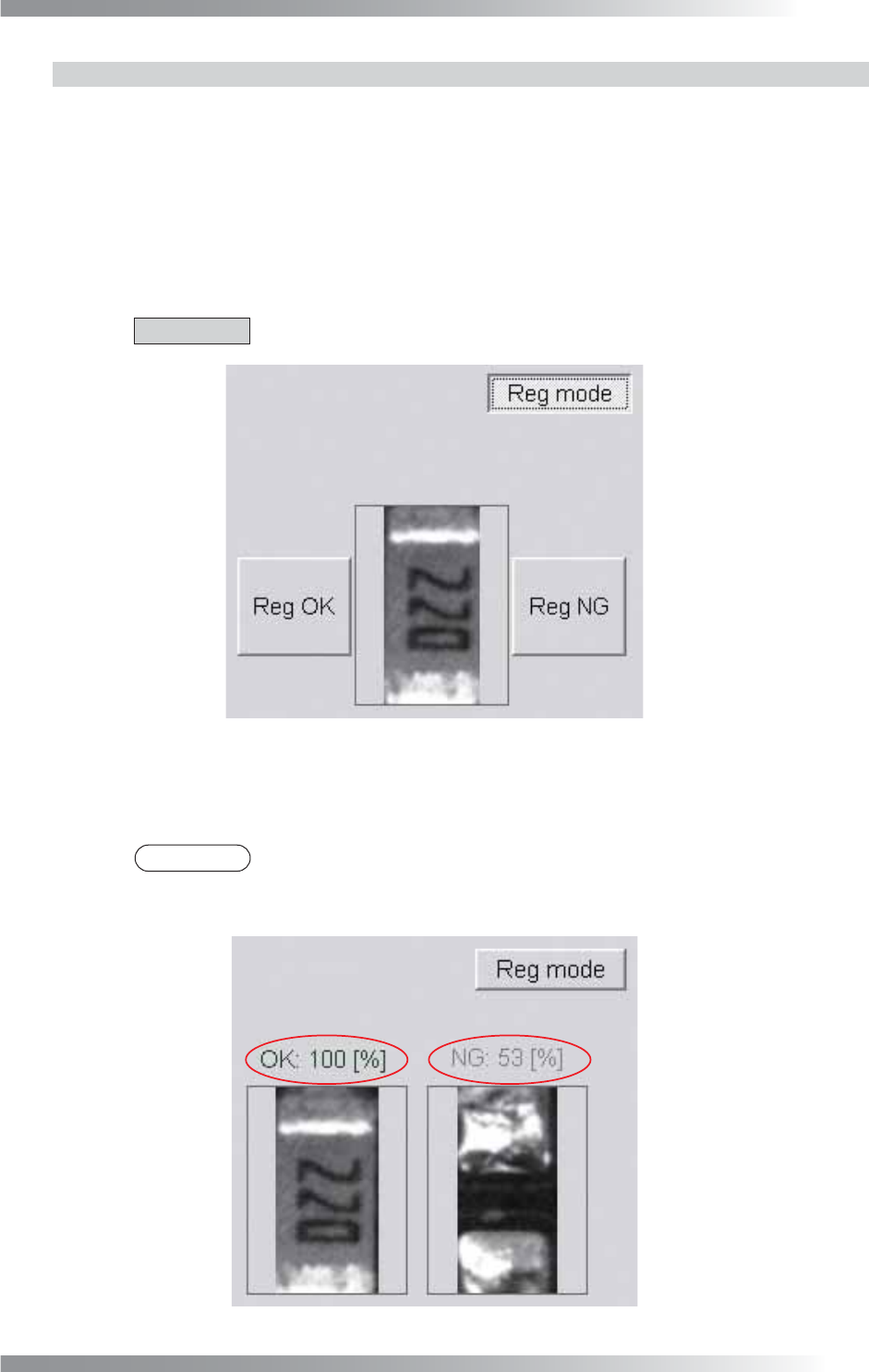
Step3: Register the template image. Press Reg mode. The image shown in Figure 1-93 appears.
Press Reg OK to register OK image. Press Reg NG to register NG image.
CAUTION
Ten template images to each OK and NG can be registered.
Figure 1-93 Reg mode
Step4: Press Reg mode. The inspection is operated. Display the highest match percentage OK
template image and NG template image.
NOTE
Display the match percentage in the upper side of OK image and NG image. The
higher value Larger match percentage is shown as sample value. The match
percentage of NG image is displayed as a negative value.
Figure 1-94 Inspect

III-78
Programming Manual
Part III Inspection Algorithm
Step5: Enter values in Upper fi eld and Lower fi eld.
NOTE
Standard values are 80 (Upper) and 0 (Lower).
NOTE
OKNGImages can register different images for OK and NG images and judge an
image is OK according to the setting. To set the algorithm to judge an image is OK
if the matching rate with the OK image is high, set Upper to around 100 and Lower
to around 70. To set the algorithm to judge an image is OK if the matching rate with
NG image is high, set Upper to around -70 and Lower to around -100.
Step6: Enter the appropriate vector into the Shift fi eld. Any value from V1 to V8 is available.
Select the vector according to the Memorize to fi eld of the Adjust window.
Step7: Press Inspect. Make sure that the inspection is completed properly.
III-79
Programming Manual
Part III Inspection Algorithm
1.23.4 Registered Images
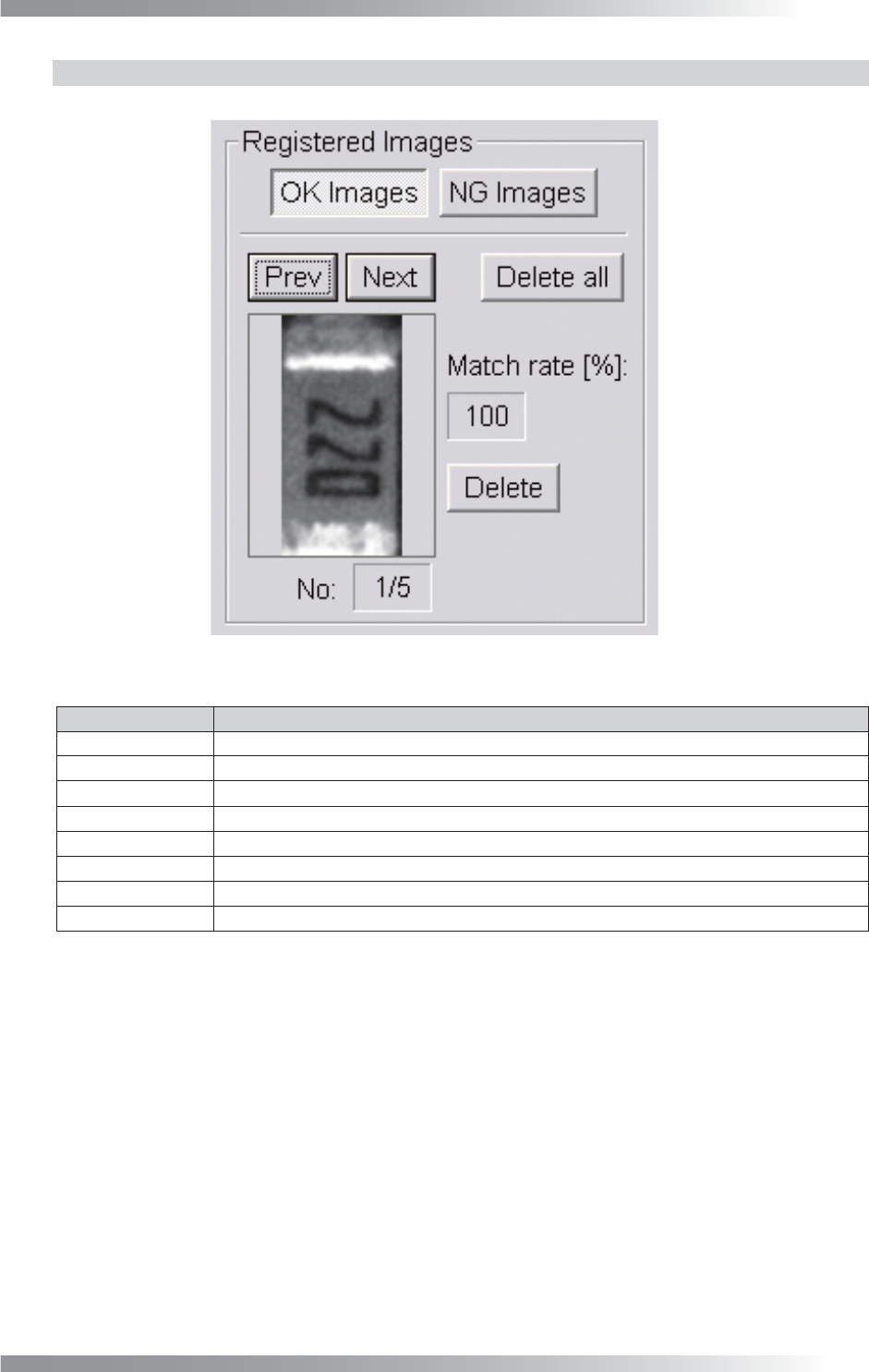
Registered images are displayed in Registered Images.
Figure 1-95 Registered Images
Item Description
OK Images Displays OK template images.
NG Images
Displays NG template images.
Prev
Displays previous registered image.
Next Displays next registered image.
No: a/b
Displays the total number of registered template images (b) and current image number (a).
Delete all
Deletes all Delete all OK template images and NG template images.
Matching rate [%]
Displays a match percentage of the current template image to detected image.
Delete
Deletes the selected image.
Table 1-37 Each Item of Registered Images