Programming_mail.pdf - 第164页
III- 90 Programming Manual MEMO
III-89
Programming Manual
Part III Inspection Algorithm
2.2.3 Setting Procedure
Step1: Select a lighting that displays barcodes visually clear from the Lighting drop-down list.
Step2: Set the inspection window three pixels wider than the 2D barcode.
NOTE
For a 1D barcode inspection, refer to Step2 of Part III 1.20.3 Setting Procedure.
㽲
㽲㬍㪊
㽲㬍㪊
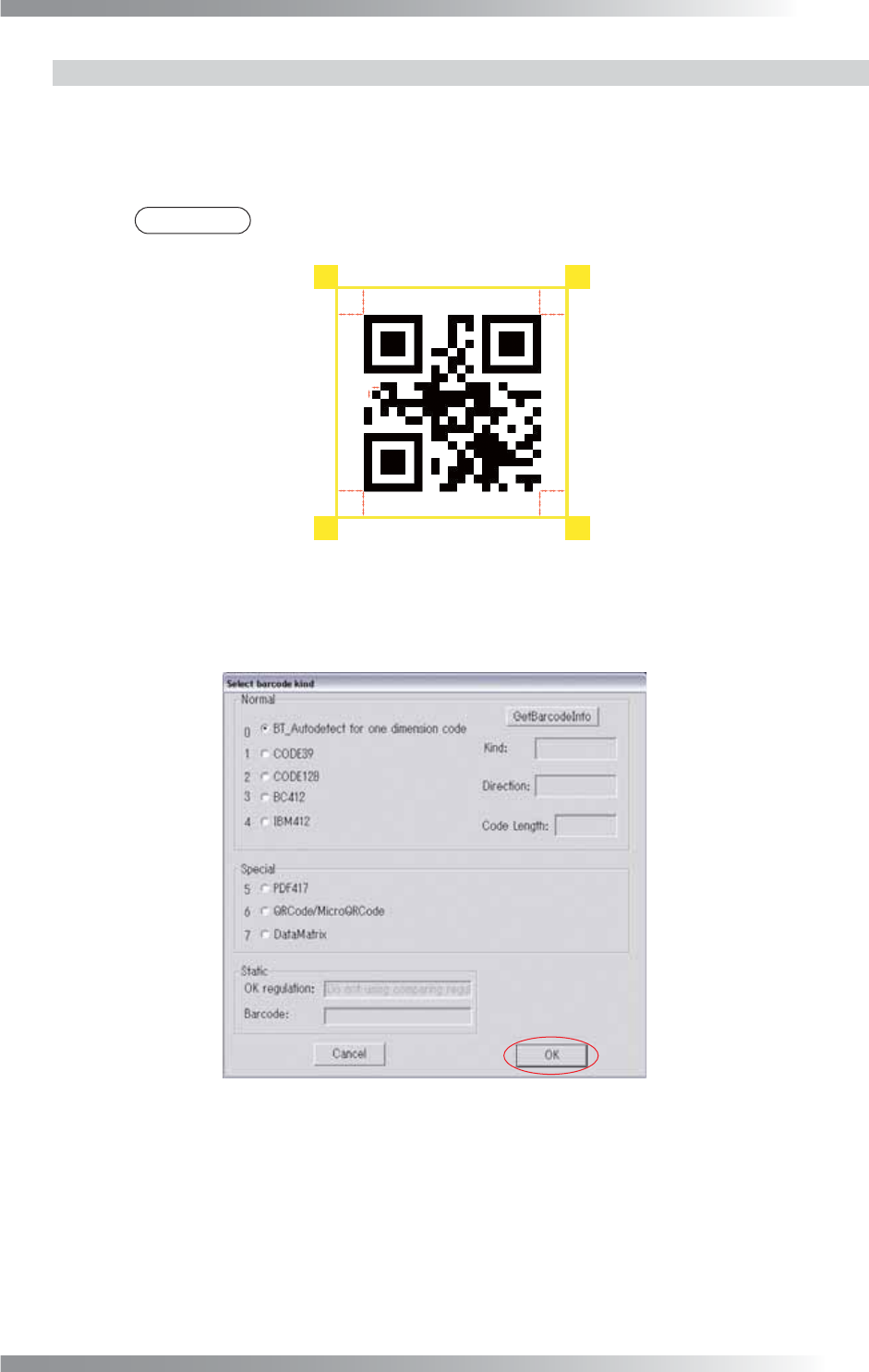
Figure 2-18 Inspection Window of Barcode_Pro
Step3: Press Set in the right side of Algorithm. The dialog shown in Figure 2-19 appears.
Select the barcode type and press OK.
Figure 2-19 Barcode type
Step4: Press Inspect. Make sure that the alphanumeric character of the barcode is correctly
displayed in the upper right side of the dialog shown in Figure 2-17.

III-90
Programming Manual
MEMO

Programming Manual
Part IV Option Setting
IV-
1
Option Setting