Programming_mail.pdf - 第174页
IV - 10 Programming Manual Part IV Option Setting Step4: Select SideCheck from the Type drop-down list. Figure 1-13 SideCheck Step5: Enter SIDECHECK into the Macro text-box. Step6: Make the inspection data so OK is repor…
IV-9
Programming Manual
Part IV Option Setting
1.4.2 Detecting Side A and Side B inspection data
Step1: Left-click the point whose side A is OK while its side B is NG.
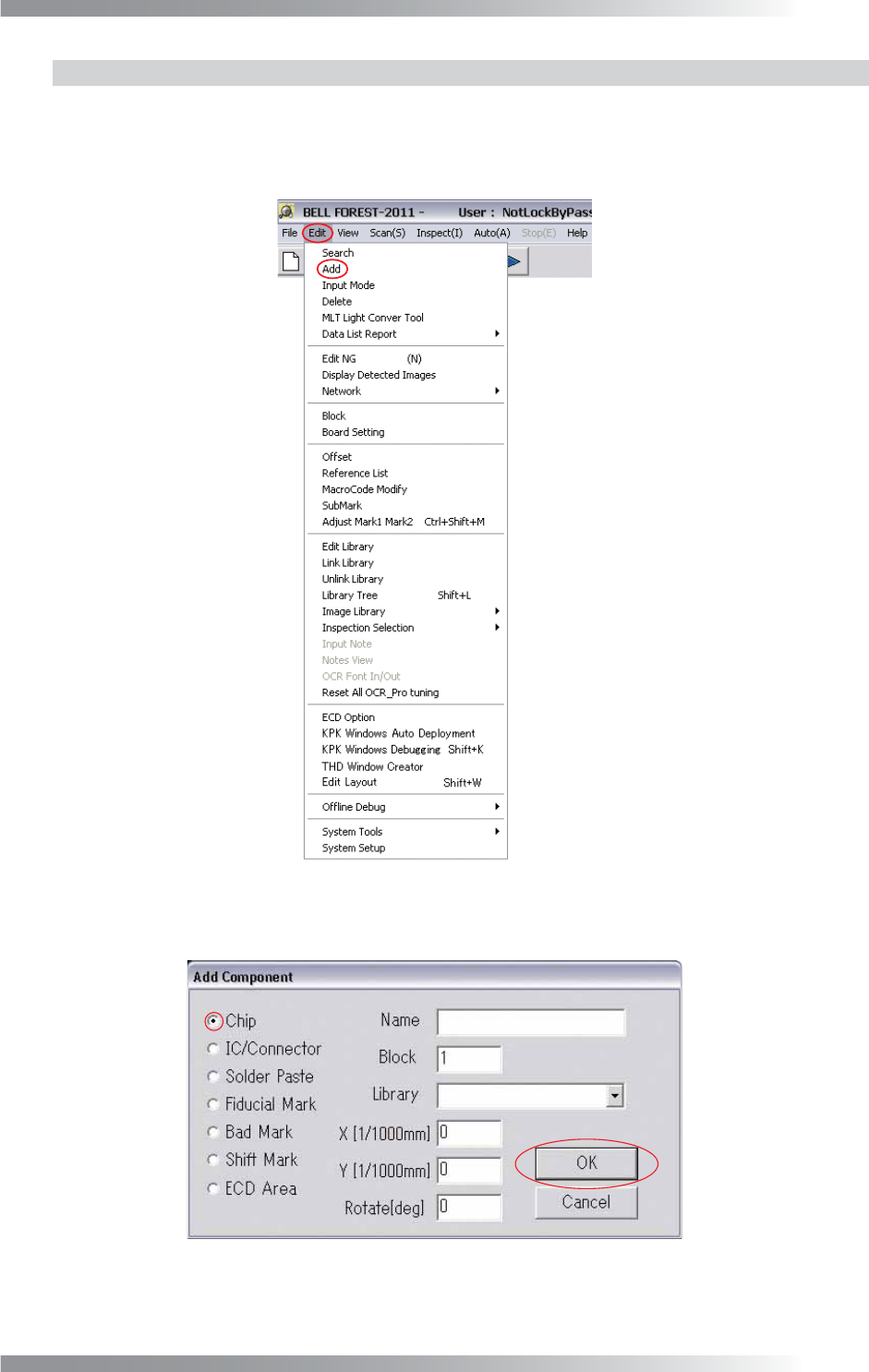
Step2: Select Edit > Add from the menu-bar.
Figure 1-11 Add
Step3: Check Chip and press OK.
Figure 1-12 Chip
IV-10
Programming Manual
Part IV Option Setting
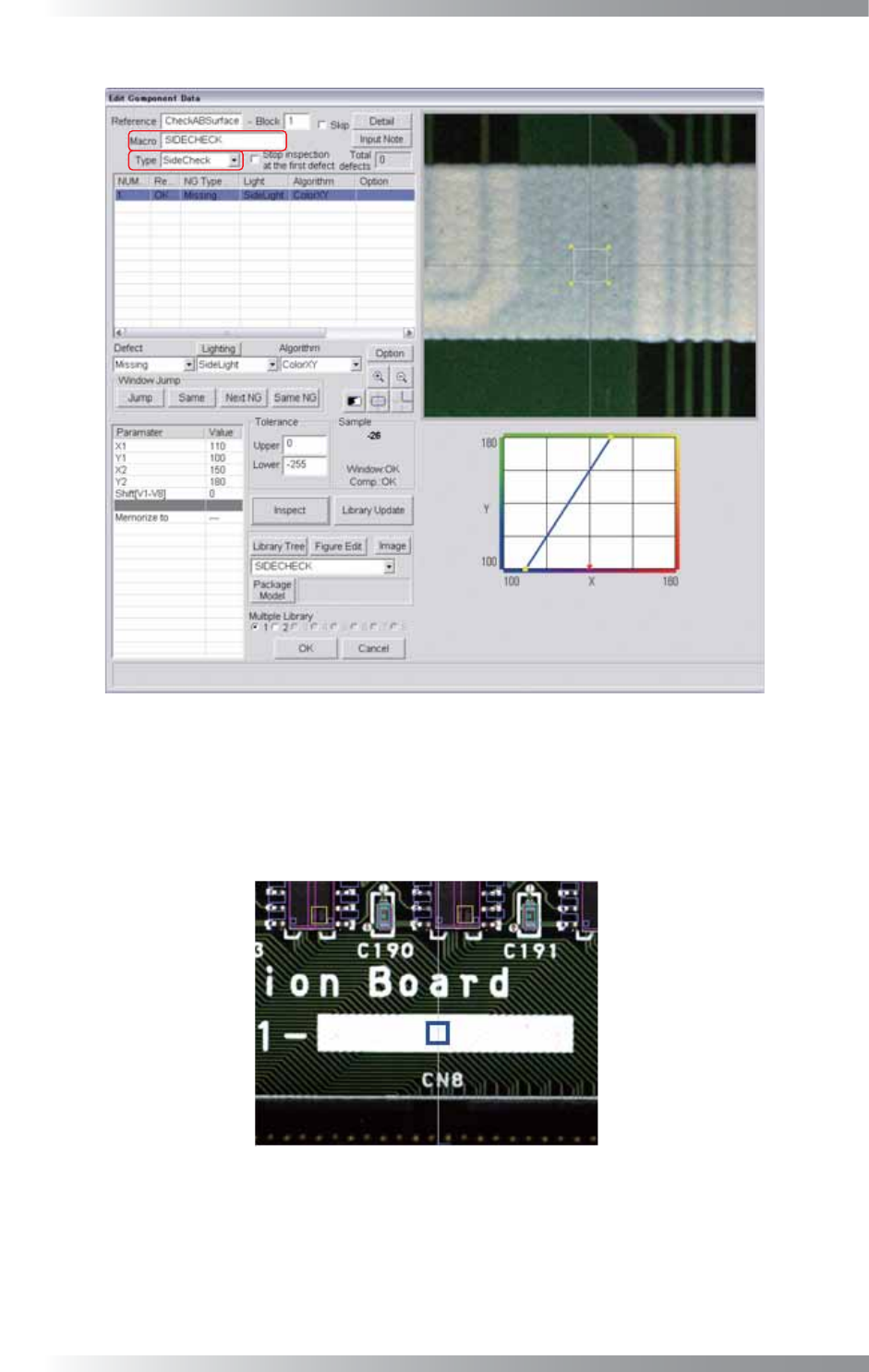
Step4: Select SideCheck from the Type drop-down list.
Figure 1-13 SideCheck
Step5: Enter SIDECHECK into the Macro text-box.
Step6: Make the inspection data so OK is reported on the side A while NG is reported on the side
B in the inspection.
Area: On the silk-print
(B-side, the same area is the green resist)
Algorithm: Missing by ColorXY
Figure 1-14 Example of inspection data
IV-11
Programming Manual
Part IV Option Setting
2 Functions Selectable from Edit on the Menu-bar
2.1 Search
2.1.1 Search Function
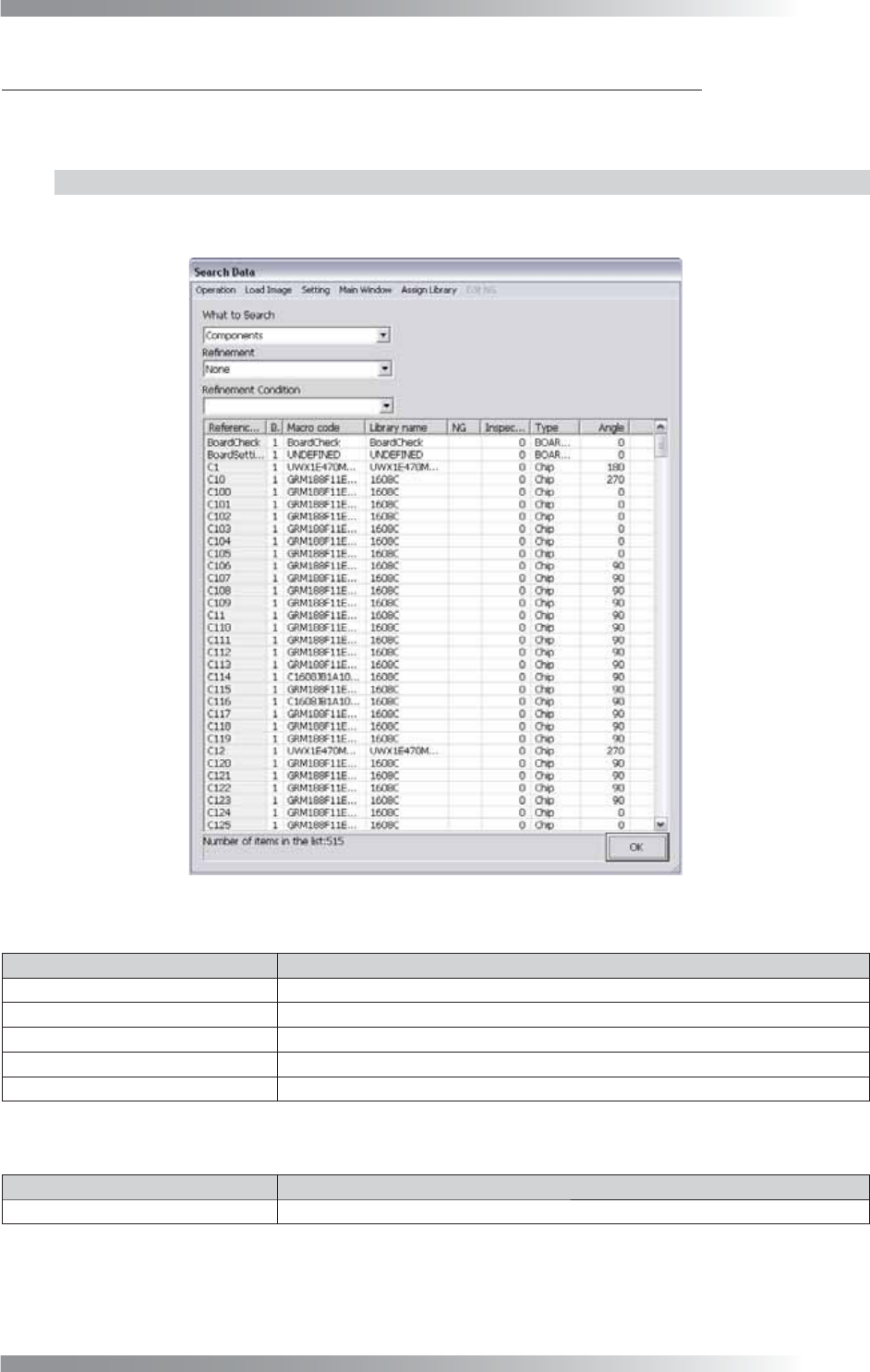
A component, library, or macro can be searched.
Select Edit > Search from the menu-bar. The dialog shown in Figure 2-1 appears.
Figure 2-1 Search Data
Item Description
Refresh the List
Refreshes the search list.
Inspect Components in the List
Inspects components in the search list.
Inspect the Board Inspects all components on a PCB.
Find
Searches a component by its name.
Output CSV
Outputs a list in CSV format.
Table 2-1 Operation
Item Description
From File
Loads a stored image.
Table 2-2 Load Image